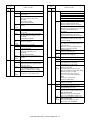
1
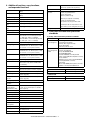
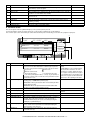
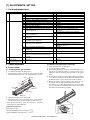
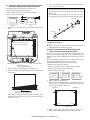
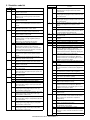
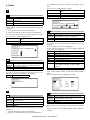
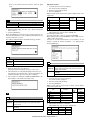
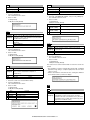
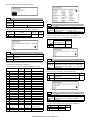
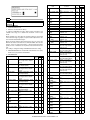
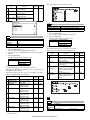
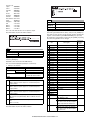
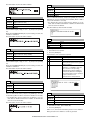
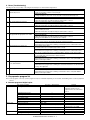
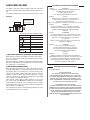
Panel
display
NEU
Destination
Selection code
SEF/
SEES/
SEIS/SEN,
etc.
BG/DG/
BD/DD
BA/BN
CHN
SCA/SCNZ
Distributor
area
SOCC
BZ
UE5
TWN
Taiwan
BE/BT
UT1
EFS *1
Special
countries
22-4
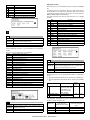
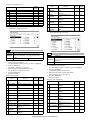
Purpose
Adjustment/setting/operation data output/check
(display/print)
Used to check the total trouble (self diag) history.
Function
(Purpose)
Item
Trouble
Operation/procedure
The trouble error codes are displayed in the sequence of the latest one
first. Max. 40 items of information are stored. (Older ones are deleted
in sequence.) The machine condition can be estimated by this data.
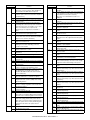
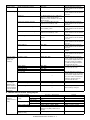
Panel software support
language
English, German, French,
Spanish, Dutch, Italian,
Portuguese, Swedish,
Norwegian, Finnish,
Danish
American English, English,
French, Spanish
Simplified Chinese,
American English, English
Traditional Chinese (Local
support), American
English, English
American English, English,
French, Spanish, Hebrew
(Local support)
*1: Display at the current state
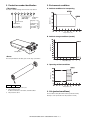
Panel label code
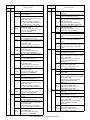
22-5
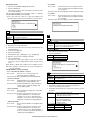
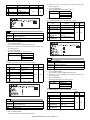
Purpose
Adjustment/Setting/Check
Function
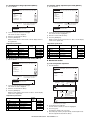
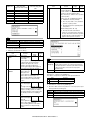
Used to check the ROM version of each unit (section).
(Purpose)
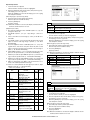
Item
Software
Operation/procedure
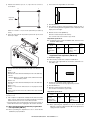
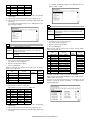
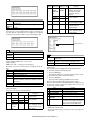
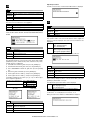
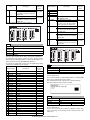
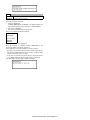
Used to display the ROM version of each section.
[Display example]
ROM version 1.250 → [1.25] (up to 2 decimal places)
The display of the protocol monitor and the soft SW follows this display.
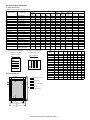
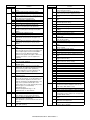
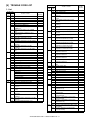
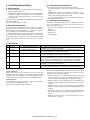
S/N
MCU
IMC
OPE
PRINTER
NIC
FINISHER
FAX
Machine serial number
Main Control Unit
IMC
Panel + Panel label code
PRINTER
NIC (For the Soft Nic, the Soft Nic version is displayed.
When the AR-NC5 is installed, the AR-NC5J version is
displayed.)
FINISHER
FAX
If it is not installed, "- - - - - - - - - -" is displayed.
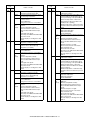
22-6
Purpose
Function
(Purpose)
Item
Operation/Procedure
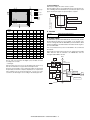
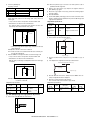
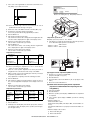
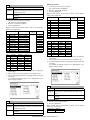
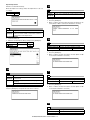
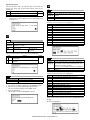
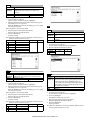
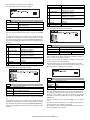
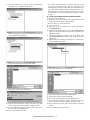
(Initial screen)
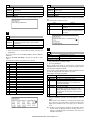
The currently set value is highlighted beside the adjustment item.
1. Select the adjustment item with the 10-key.
2. Press the [START] key.
The display is shifted to the copy menu and the set value is stored.
3. Select the paper feed tray and the print density.
4. Press the [START] key.
Copying is started. (Printing at 1200dpi cannot be made.)
After canceling a jam (After picking up, the [C] key is invalid.)
When the other information is repeatedly printed, the display may show
the message, "Remove original from original table." However, the
operation is performed normally.
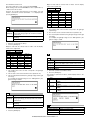
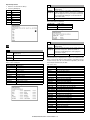
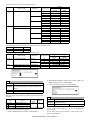
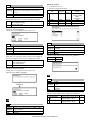
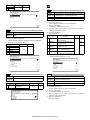
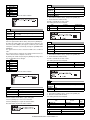
[Label code display]
Contents of "XXX" section on the display below
Panel
display
JPN
EFS
EEU
Destination
Selection code
Japan
SEC
SECL
SUK
SEEG/
SEA/East
Europe,
etc.
AJ/AM
AL/AC
BK/BB
GG/GD
Panel software support
language
Japanese, American
English, English
American English, English,
French, Spanish
English, German, Polish,
Czech, Hungarian, Greek,
Turkish, Russian, French,
Italian, Slovak
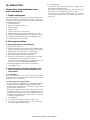
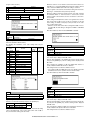
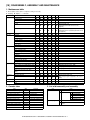
Adjustment/setting/operation data output/check
(display/print)
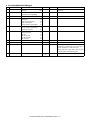
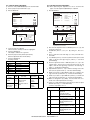
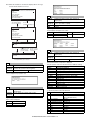
Used to print each key operator setting, the account
information, and the machine adjustment values.
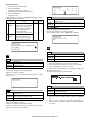
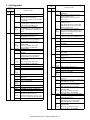
Data
Setting/adjustment data
1
2
3
4
5
6
Item
ALL
KEY OPE
ALL COUNTERS
AUDITOR NO.
MACHINE SIM
SETTING
FAX SIM SETTING*1
Content
All lists group print
Key operator information list
List of total number of prints
Department number list
Machine simulation setting list
FAX simulation setting list (Only when
the FAX board is installed. The display
does not go to the print data transfer
display, but to the FAX SIM menu.)
* When the IMC board is not installed, key input is disabled.
* Duplex print cannot be made.
* For the FAX SIM setting list, the display and the operating procedures differ.
AR-M236/M276/M237/M277 SIMULATION 8 - 17