1
Diagnostics
9
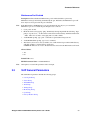
This chapter describes how to perform diagnostics tasks on the Dialogic® 1000 Media Gateway
(DMG1000) and Dialogic® 2000 Media Gateway (DMG2000) units and includes the following
sections:
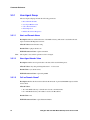
• VoIP Interface Test . . . . . . . . . . . . . . . . . . . . . . . . . . . . . . . . . . . . . . . . . . . . . . . . . . . . 269
• TDM Interface Test . . . . . . . . . . . . . . . . . . . . . . . . . . . . . . . . . . . . . . . . . . . . . . . . . . . . 272
• TDM Self Verification Test. . . . . . . . . . . . . . . . . . . . . . . . . . . . . . . . . . . . . . . . . . . . . . 276
• Diagnostic Logging . . . . . . . . . . . . . . . . . . . . . . . . . . . . . . . . . . . . . . . . . . . . . . . . . . . . 285
• Communicating to the Terminal Interface. . . . . . . . . . . . . . . . . . . . . . . . . . . . . . . . . . . 293
• Trace Mechanism . . . . . . . . . . . . . . . . . . . . . . . . . . . . . . . . . . . . . . . . . . . . . . . . . . . . . 294
• Diagnostic Commands. . . . . . . . . . . . . . . . . . . . . . . . . . . . . . . . . . . . . . . . . . . . . . . . . . 305
9.1
VoIP Interface Test
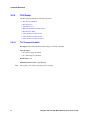
VoIP Interface Test is discussed in the following topics:
• VoIP Interface Test Overview
• VoIP Interface Test Operation
9.1.1
VoIP Interface Test Overview
The VoIP interface diagnostic tool is a Web-based user application that can be used to provide
verification of VoIP compatibility or troubleshoot the VoIP interface of the Media Gateway.
9.1.1.1
Features
Currently the VoIP interface diagnostic provides the ability to:
• Originate a VoIP call to a specified endpoint address and verify endpoint response.
• Send a message waiting notification status update request and verify endpoint response.
9.1.1.2
Location
The VoIP interface diagnostic tool is only part of the suite of diagnostic utilities that can be used to
assist in recording, testing, and resolving configuration or compatibility issues.
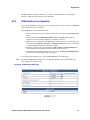
The Media Gateway diagnostic utilities are accessible via the Web interface by selecting the
Diagnostics link on the left side menu of any Web page.
Dialogic® 1000 and 2000 Media Gateway Series User’s Guide
269