1
Chapter 2 • Detailed Setup
Keystoning
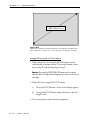
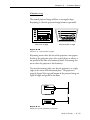
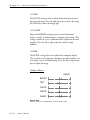
The normal projected image will have a rectangular shape.
Keystoning is when the projected image becomes trapezoidal.
Keystoned Image
Normal Image
Keystoned image
Normal image
Figure 2-10
Normal vs. keystoned images
Keystoning occurs when the lens of the projector is not perpendicular to the projection screen (the vertical plane) or when it is
not parallel to the floor (the horizontal plane). Keystoning also
occurs when the projector is tilted sideways.
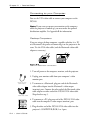
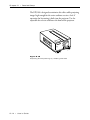
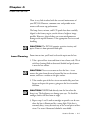
To correct keystoning, make sure that the projector is at a right
angle to the screen in the horizontal plane. The projector is
properly aligned if the top and bottom of the projected image are
equal in length and parallel to the floor.
IN
N
W
P
F
T
STA
/ON
M
P
LAM
ON
T
ZOO
U
FOC
US
TEM
P
ND
Projection Screen
BY
Figure 2-11
Positioning the Desktop Projector
User’s Guide • 2–13