1
Listening to the radio
XL-MP110E
Tuning
/
/
1
2
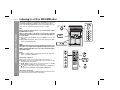
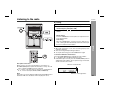
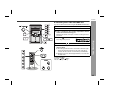
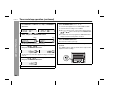
Press the ON/STAND-BY button to turn the power on.
3
Press the TUNING (
station.
Press the TUNER (BAND) button repeatedly to select the
desired frequency band (FM or AM).
or
) button to tune in to the desired
Notes:
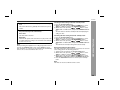
When radio interference occurs, auto scan tuning may stop automatically at that point.
Auto scan tuning will skip weak signal stations.
To stop the auto tuning, press the TUNING button again.
Radio
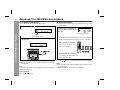
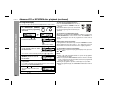
Manual tuning:
Press the TUNING button as many times as required to tune in
to the desired station.
Auto tuning:
When the TUNING button is pressed for more than 0.5 seconds, scanning will start automatically and the tuner will stop at
the first receivable broadcast station.
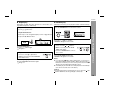
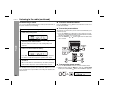
To receive an FM stereo transmission:
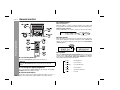
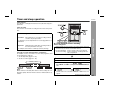
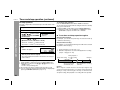
Press the TUNER (BAND) button to display the "ST" indicator.
" " will appear when an FM broadcast is in stereo.
If the FM reception is weak, press the TUNER (BAND) button to
extinguish the "ST" indicator. The reception changes to monaural,
and the sound becomes clearer.
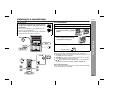
Auto power on function:
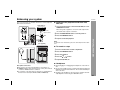
When you press any of the following buttons, the unit turns on.
TUNER (BAND) button (main unit and remote control): The unit
turns on and the "TUNER" function is activated.
/ button on the main unit: The unit turns on and playback of
the last function starts (CD, TAPE, TUNER, VIDEO/AUX).
Note:
This product can receive FM stereo/FM monaural and AM monaural
broadcasts. AM stereo broadcasts will not be played in stereo.
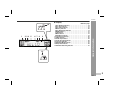
FM stereo mode indicator
FM stereo receiving indicator
21