1
4
A795 User Guide: Programming Supplement
Contents
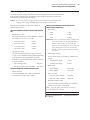
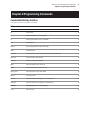
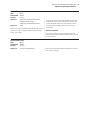
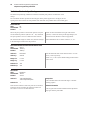
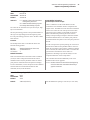
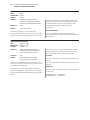
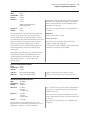
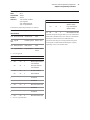
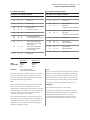
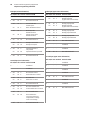
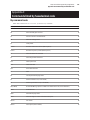
Chapter 4: Programming Commands ............................................................ 27
Commands listed by function ......................................................................... 27
Printer actions ........................................................................................................... 27
Print and paper feed .............................................................................................. 28
Vertical and horizontal positioning .................................................................. 28
Text characteristics .................................................................................................. 29
Graphics ...................................................................................................................... 30
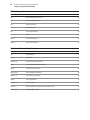
Status ........................................................................................................................... 31
Batch mode ......................................................................................................... 31
Real time ............................................................................................................... 31
Unsolicited status mode ................................................................................. 31
Bar codes .................................................................................................................... 32
Page mode ................................................................................................................. 33
Macros ......................................................................................................................... 33
User data storage .................................................................................................... 34
Flash download .................................................................................................. 34
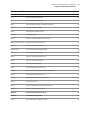
Command conventions ...................................................................................... 35
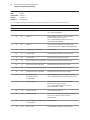
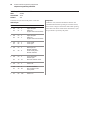
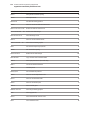
Command descriptions ...................................................................................... 36
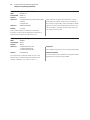
Printer actions ........................................................................................................... 36
Clear printer ......................................................................................................... 36
Perform full knife cut ....................................................................................... 36
Perform partial knife cut ................................................................................. 37
Generate tone ..................................................................................................... 37
Select peripheral device (for multi-drop) ................................................. 37
Initialize printer .................................................................................................. 37
Select paper sensors to output paper end signals ............................... 38
Select sensors to stop printing ..................................................................... 38
Enable or disable panel button .................................................................... 39
Generate pulse to open cash drawer ......................................................... 39
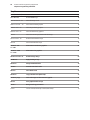
Set current color ................................................................................................ 40
Select cut mode and cut paper .................................................................... 40
Set paper type (ColorPOS™) ......................................................................... 41
Print test form ..................................................................................................... 42
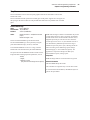
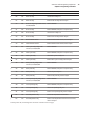
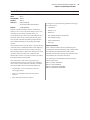
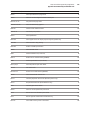
Print and paper feed .............................................................................................. 43
Print and feed paper one line ....................................................................... 43
Print and carriage return ................................................................................ 43
Feed n dot rows ................................................................................................. 43
Feed n print lines ............................................................................................... 43
Add n extra dot rows ....................................................................................... 44
Print ........................................................................................................................ 44
Print and feed paper ........................................................................................ 45
Print and feed n lines ....................................................................................... 45