Download Axiohm A795 User guide
Transcript
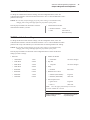
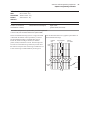
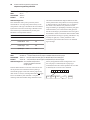
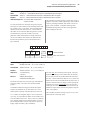
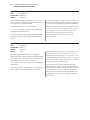
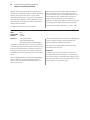
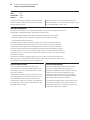
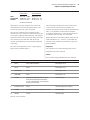
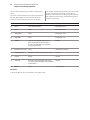
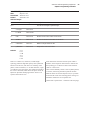
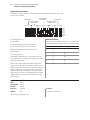
A795 User Guide: Programming Supplement 61 Chapter 4: Programming commands Select or cancel white/black reverse print mode ASCII Hexadecimal Decimal GS B n 1D 42 n 29 66 n Value of n: 0 = Off 1 = On (When 0 and 1 are the least significant bit, LSB) Range of n: 0-255 Default: 0 (Off ) White/black reverse print mode has a higher priority than underline mode. When underline mode is on and white/ black reverse print mode is selected, underline mode is disabled, but not canceled. Bar codes, logos, and bit images are not affected by this command. Turns on white/black reverse print mode. In white/black reverse print mode, print dots and non-print dots are reversed, which means that white characters are printed on a black background. When the white/black reverse print mode is selected it is also applied to character spacing which is set by right-side character spacing (1B 20). Exceptions This command can be used with built-in characters and user-defined characters, but does not affect the space between lines. In A793 emulation, the command is unrecognized and the parameter byte is put into the print buffer. Only the lowest bit of n is valid. Related information If the current color is not black and 2-color paper is loaded, no visible effect takes place. White/black reverse print mode does not affect bit image, downloaded bit image, bar code, HRI characters, and spacing skipped by horizontal tab (09), set absolute starting position (1B 24 …), and set relative print position (1B 5C). Select or cancel smoothing mode ASCII Hexadecimal Decimal GS b n 1D 62 n 29 98 n Value of n Hex. 30 smoothing disabled Value of m Hex. 31 smoothing enabled Effects of smoothing are most effective on large charactors, (Select character size command 1D 21 xx.) Reverse color text mode (ColorPOS™) ASCII Hexadecimal Decimal GS 0x85 m n 1D 85 m n 29 133 m n Value of m: 0 = white 1 = black 2 = paper color Value of n: 0 = white 1 = black 2 = paper color Default: m = 0 (off ) Sets a mode for reverse printing effects on text. The background color is specified by m, while the text color is specified by n. Setting m = 0 turns off the mode. If m = n but not zero, the printer produces solid printing in the given color. This tactic can be used to minimize the firmware busy work. The value of current color and white/black reserve print mode is superceded by the value of n whenever this mode is on (m>0). Bar codes, logos, and bit images are not affected by this command.