1
Internet Server User’s Guide
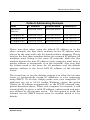
Note: The port numbers in the above example are those commonly used
for Telnet, FTP, and web servers respectively, but the port number should
correspond to that assigned when the server is setup.
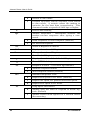
Advanced Control Configuration
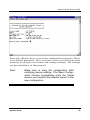
Manager Server IP Address
This setting is the IP address of the computer using the
IS Manager Server software included with the device. The
default IP address is 0.0.0.0.
Log and Filter
When set to Yes, the log and filter functions in IS
Manager server software will be enabled. The internet
server will create a log of all user connections and their
status, viewable in the IS Manager program. The user filters also become operative, filtering connections by user,
protocol and destination, as defined in the IS Manager
program. Default setting is “No”.
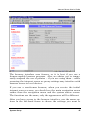
Dial-up Schedule
The dial-up schedule settings are used to configure the
internet server to dial out only at certain times. Default
setting is “No”.
♦ Enable
Enables/disables the dial-out scheduling feature.
♦ Schedule Table
46
Configuration Settings