1
Mobile Printing Systems
CPCL Programming Manual
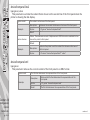
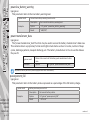
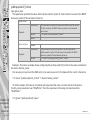
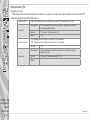
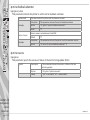
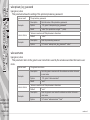
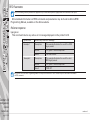
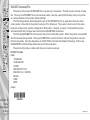
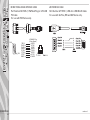
transmit speeds to that rate. You must insure that both the printer and the BHT are set to the same
baud rate. This can also be changed in an AUTOEXEC.BAT file with the BHT-BAUD <baud-rate>
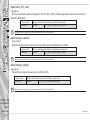
command. (Refer to the BHT-BAUD command example at the end of this section. )
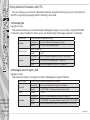
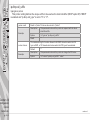
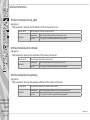
Setting the Mode for IR Data Transmission
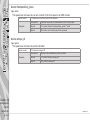
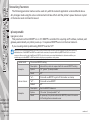
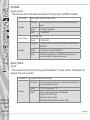
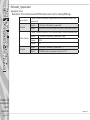
Autoexec.bat files can configure the printer for IR data transmission modes. The following notes
apply:
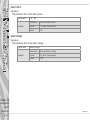
• Unless specified otherwise with a BHT-PROTOCOL CABLE command, communication over a serial
cable does not use the BHT or BHT-IR protocol. In this default (‘raw”) mode, any Zebra mobile printer
utility for reprogramming, adding or deleting files will be in effect.
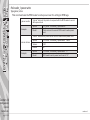
• If the printer has been configured to include the BHT or BHT-IR protocol with the serial cable the
following procedure may be used to force the printer to communicate “raw” (i.e. using no protocol)
for the purposes of reprogramming, or the adding or deleting of files.
1. Connect the printer to a host terminal loaded with the desired communications software.
2. Turn the printer on by starting the terminal’s communications program.
3. Turn the printer off, then, while holding the “Feed” key down, turn the printer back on.
4. The printer will print a status report. When the printout is complete, the communications protocol will be in the “raw” mode.
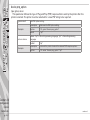
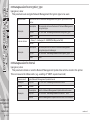
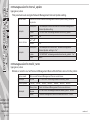
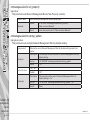
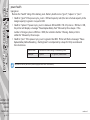
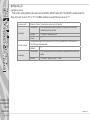
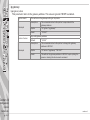
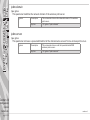
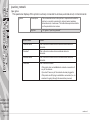
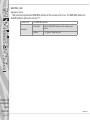
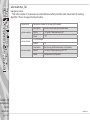
(Refer to the BHT-MODE Commands examples at the end of this section.)
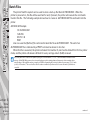
Configuring the BHT for IR transmission
Section 10
Advanced
Utilities
pg. 10-40
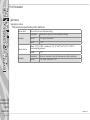
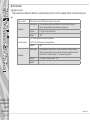
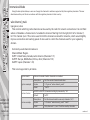
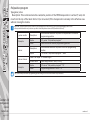
The BHT must also be configured correctly to communicate with Zebra mobile printers using the BHT
or BHT-IR protocol. All parameters that must be set are found in the BHT Set System Communication
menu area. The following notes apply:
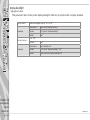
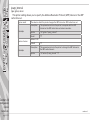
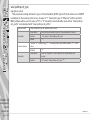
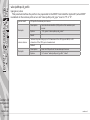
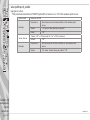
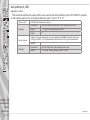
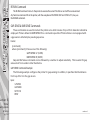
• The pulse width for optical communications must be set to 1.63 S.
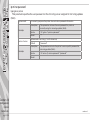
• The protocol is set to match the protocol in the printer. Default for the printer is BHT-IR unless
specified as BHT by an AUTOEXEC.BAT file.
• The baud rate (if the printer uses the default) is set to 9600 BPS
• The Serial Number is set to ON.
• Zebra mobile printers use a ID number of 9. You should avoid using this ID value for the terminal.
continued