1
ADVANCED FUNCTIONS
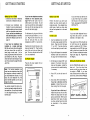
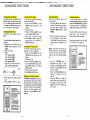
Programming The Ringer
The handset ringer is capable of four
different types of ringer tones for each
line. The following sections detail how
to change the different tones and to
turn off a ringer on the handset.
Changing Ringer Tones
To program, the handset must be
OFF.
To select a different ringer type do the
following:
Press and hold PROG until the
PROG symbol appears on the
display.
Press the # key.
Press:
1 for Handset LlNE 1
2 for Handset LlNE 2
3 for Baseset LlNE 1
4 for Baseset LlNE 2
ringer. The LCD will show what
ringer is being programmed.
I
PROG
I
Press 1,2,3 or 4 to select a ringer
type.
Press MEM or OFF to store.
PROGRAMMING
THE RINGER TYPE
HANDSET MUST BE OFF
PRESS AND HOLD PROG
UNTILTHE PROG
SYMBOLAPPEARS
ON THE DISPLAY
3 for Baseset LlNE 1
4 for Baseset LINE 2
PRESS 1 2 3 or 4 TO
SELECT^ ~ ~ N G ETYPE
R
PRESS MEM or OFF TO
STORE THE RINGER
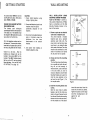
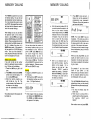
Turning Off The Ringer
To turn off the ringer for a particular
line do the following:
Press and hold PROG until the
PROG symbol appears on the
display
Press the # key
Press 1 for Handset LlNE 1 ringer,
2 for Handset LlNE 2 ringer.
Press 5 to turn off the ringer
Press MEM or OFF to store.The
base ringers are controlled by
ONIOFF switches.
Checking The Ringer Type
To test the present ringer type for a
particular line do the following:
Press and hold PROG until the
PROG symbol appears on the
display
Press the # key
Press 1 for Handset LlNE 1 ringer,
2 for Handset CINE 2 ringer, 3 for
Base LlNE 1 ringer, or 4 for Base
LlNE 2 ringer
Press 0 to test the ringer
Press MEM or OFF to exit
PROG and CLEAR Functions
The PROG and CLEAR functions can
be accessed by pressing and holding
the relevant key. For example, to clear
the display, press and hold the CLEAR
key for 2 seconds until the display is
cleared. To enter program mode
press and hold the MEM key for 2
seconds.
ADVANCED FUNCTIONS
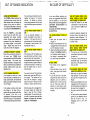
Advanced Dialing
There are two different ways to dial
out a number:
1 Press the LlNE key and wait for a
dial tone. Then dial out the number
you want either manually, using
MEMORY (MEM) dialing or using
REDIAL.
2 Enter the number you wish to dial
onto the display first. Then press
the LlNE key. This will dial out the
number which is displayed on the
LCD.
NOTE: The phone will dial out any
number which is shown on the display.
If you do not want to dial the number
shown on the LCD, it can be changed
by:
Use the CNFIBSP key to
backspace one digit for each
keypress. Additional digit$ can be
entered. Press a LlNE key to dial
the new number.
Press and hold CLEAR until the
display is cleared, then dial
normally.
Press the OFF key to clear the
display, then dial normally. Wait for
the display to clear, then .press
LlNE and enter the number you
wish to dial.
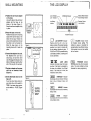
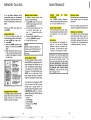
Changing Channels
In the unlikely event you notice
interference when using your handset,
press the INTCMICHAN key to switch
to another channel. The display will
briefly show the new channel number.
This has nothing to do with your two
phone lines - only the radio link
between the handset and base.
If the noise continues, see 'IN CASE
OF DIFFICULTY' on page 30.
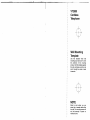
CHANGING
CHANNELS
In the unlikely event
you notice interference
when using your
handset, press the
INT.COM/CHAN key
to switch to a new
channel