1
GETTING STARTED
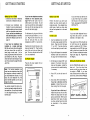
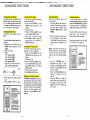
Setting Up Your VT2900
1. Choose an area near an electrical
outlet and a telephone wall jack.
2. Connect your telephone Line
Cord(s). If you know what types of
telephone jacks you have, proceed
with the appropriate steps below.
If you are not sure whether you
have two-line jacks or one-line,
perform the Modular Jack Test on
page 8.
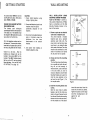
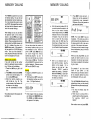
If you have two telephone lines
installed on a single jack (type
RJ-14), use the two line cord supplied
with your phone (the one with the
black plugs at each end). On the
base, plug one end of the cord into the
jack marked "L1 OR L l l L 2 . Plug the
other end into the two-line jack in your
wall. Now proceed to page 8 Modular
Jack Test.
GETTING STARTED
If you have two telephone numbers
installed on two separate jacks,
(type RJ-11) both jacks must be
within reach of your phone. You will
need to use both line cords supplied
(the one with the clear plugs and the
one with the black plugs).
On the base unit, plug one of the line
cords into the jack marked "L1 or L1/
L2". Plug the other end of the cord
into the wall jack that you want
designated as LlNE 1 on your phone.
Plug the other line into the jack on the
base unit marked "L2. Plug the other
end of the cord into your other wall
jack. The line in this jack will be LINE
2 on your telephone.
Modular Jack Test
Perform this test if you aren't sure
whether you have two-line jacks or
single-line jacks. If you already know
which types of jacks you have, skip
this test and proceed on to the next
section.
To test a jack.
1 Use the telephone line cord with
the black plugs supplied with this
phone. Plug one end in the base
"L1 or LIlL2". Plug the other line
into the wall jack you want to test.
2. Plug the AC adapter into a standard
electrical outlet and connect the
DC plug into the telephone base.
If you don't hear any dial tone on
a jack, there may be a problem
with the jack or the wiring in your
home. (see page 30, 'IN CASE OF
DIFFICULTY').
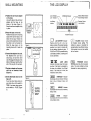
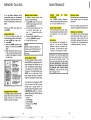
Ringer Switches
If you want both telephone lines to
ring when calls come in, set both
switches on the base to ON.
If you want to turn off the ring for one
or both lines set the appropriate
switch or switches to OFF. When a
ringer switch is set to OFF, the ringer
tone for that line is turned off at the
base.This does not affect the handset
ringer (see page 23, Programming
the Ringer).
AC Power Adapter
Plug the AC power adapter into an
electrical outlet.
Note: For two-line operation, you
must have two telephone lines (with
two telephone numbers) installed by
your local telephone company. If you
have only one telephone line, this
phone will still operate, but only as a
single line phone.
3. On the base unit, press LlNE 1 and
release it. You should hear a dial
tone over the speaker. Adjust the
volume control to a suitable setting
if necessary.
4. Press OFF, and the dial tone will
stop.
Setting the Tone/Pulse Switch
Set the TONEIPULSE switch on the
base unit. If you have touch tone
service on both you phone lines, set
the switch to TONE. If you have
rotary (Pulse) service on either of the
phone lines, set the switch to PULSE.
5. Now press LlNE 2 and release it.
If you hear a dial tone over the
speaker, it means there are two
lines coming from that one jack.
You cannot connect this ~ h 0 n eto a
two-line jack and a single:line jack at
the same time. You can only connect
it to two single line jacks, or to one
two-line jack.
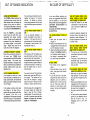
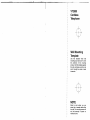
AC ELECTRICAL
OUTLET
TELEPHONE
WALL JACK
If you don't hear a dial tone, it
means the jack has only one line.
Follow the steps above for each
jack you want to test. When you've
determined which types of jacks
you have, connect your line cords
as described in the previous
section.
TONEPULSE
SELECTOR
LINE 1 RINGER
ONIOFF SWITCH
LlNE 2 RINGER
ONIOFF SWITCH