1
Installation
Network Installation
Connect to the Network Port
!
□
□
□
□
□
No Ethernet® cable is supplied with the printer. Use an Ethernet cable with two twisted wire pairs and an
RJ45 plug.
Turn the printer off.
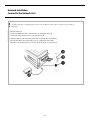
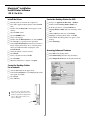
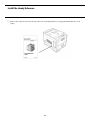
Connect your Ethernet cable to the network port on the print server (1).
Connect the other end of the cable to the network port (2).
Turn the printer on and wait for the print server status light (3) to stop blinking.
Press the Test button (4) on the print server. A configuration sheet prints.
This sheet contains information you need to set up the printer on your network.
PC_connect_1.tif
3