1
Crestron PSPHD
PROCISE 7.3 Surround Sound Processor
7.
•
The PSPHD automatically reboots. After the PSPHD reboots, the
PSPHD and the PROAMP amplifier are paired.
Unpairing:
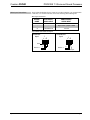
To unpair the PSPHD from a PROAMP amplifier, perform the following:
IP Address
1.
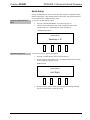
On the PSPHD, open the “NETWORK SETUP” menu as described on
page 35.
2.
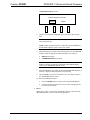
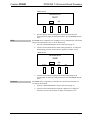
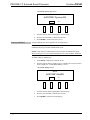
Turn the selection knob until Pair Crestron Amplifier is displayed, and
press the selection knob to display the “AMPLIFIER PAIRING” screen.
3.
Turn the selection knob to highlight Clear and press the selection knob.
4.
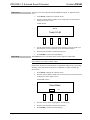
When prompted to clear the pairing, turn the selection knob to highlight
Yes and press the selection knob. The PSPHD automatically reboots.
After the PSPHD reboots, it is unpaired.
5.
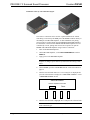
On the PROAMP amplifier, press and hold the RESET button on the
front panel while power cycling the device. The LEDs on the front
panel blink, indicating that the PROAMP amplifier is unpaired.
The PSPHD’s IP address can be displayed and changed. To display and change the
PSPHD’s IP address:
1.
Open the “NETWORK SETUP” menu as described on page 35.
2.
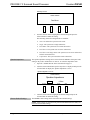
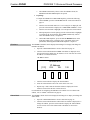
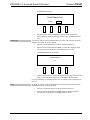
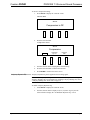
Turn the selection knob until the PSPHD’s IP address is displayed. Press
the selection knob to display the “IP Address” screen. The first octet of the
IP address is enclosed in brackets.
“IP Address” Screen
NETWORK SETUP
[172]
SOURCE
IP Address
032.
159.
MODE
SETUP
122
INFO
3.
Turn the selection knob to display the desired number.
4.
Press the selection knob to move the cursor to the next octet.
5.
Repeat steps 3 and 4 until the desired IP address is displayed. The IP
address is entered after the last octet has been set.
For information on configuring the PSPHD to use a DHCP server to obtain an IP
address, refer to “DHCP” which starts on page 40.
Subnet Mask
Operations Guide – DOC. 6837C
The PSPHD’s subnet mask can be displayed and changed. To display and change the
subnet mask:
1.
Open the “NETWORK SETUP” menu as described on page 35.
2.
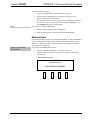
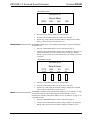
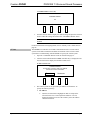
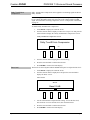
Turn the selection knob until the subnet mask’s IP address is displayed. To
change the address, press the selection knob to display the “Subnet Mask”
screen. The first octet of the subnet mask’s IP address is enclosed in
brackets.
PROCISE 7.3 Surround Sound Processor: PSPHD • 39