1
Crestron PSPHD
PROCISE 7.3 Surround Sound Processor
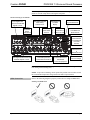
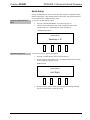
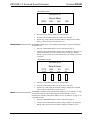
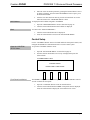
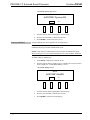
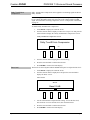
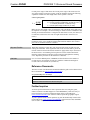
“DHCP” Screen
NETWORK SETUP
DHCP
On
SOURCE
3.
WINS
Off
MODE
SETUP
INFO
Turn the selection knob to highlight the desired setting and press the
selection knob to enable the setting and return to the “NETWORK SETUP”
menu.
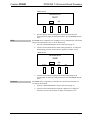
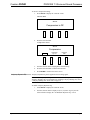
The PSPHD can be configured to use a WINS server for communication. The default
setting for the WINS mode is On. To set the WINS mode:
1.
Open the “NETWORK SETUP” menu as described on page 35.
2.
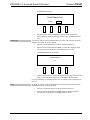
Turn the selection knob until the WINS setting is displayed. To change the
WINS setting, press the selection knob to display the “WINS” screen.
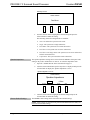
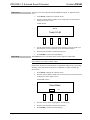
“WINS” Screen
NETWORK SETUP
WINS
On
SOURCE
3.
Hostname
Operations Guide – DOC. 6837C
MODE
Off
SETUP
INFO
Turn the selection knob to highlight the desired setting and press the
selection knob to enable the setting and return to the “NETWORK SETUP”
menu.
The PSPHD can be recognized by its hostname in a networked environment. To
view and set the hostname:
1.
Open the “NETWORK SETUP” menu as described on page 35.
2.
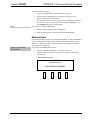
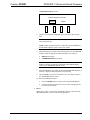
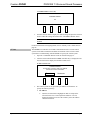
Turn the selection knob until the hostname is displayed. To change the
hostname, press the selection knob to display the Hostname screen.
PROCISE 7.3 Surround Sound Processor: PSPHD • 41