1
MONGOOSE
Installation Manual
INDEX
F
A
Firmware, upgrading or rolling back.................................36
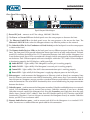
Front panel description (Mongoose)..................................9
Apple computers, compatibility with..................................8
Audio Rx
LED on RAD.......................................................................14
LED on the Mongoose device..........................................11
twisted pair used for..........................................................13
Audio Tx
LED on RAD.......................................................................14
LED on the Mongoose device..........................................11
twisted pair used for..........................................................13
B
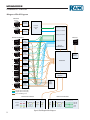
Block diagram........................................................................12
C
CAT 5 cable
installing...............................................................................22
maximum distance............................................................22
purpose of each twisted pair............................................13
terminating..........................................................................22
CobraNet
Bundles...................................................................................7
port......................................................................................11
ports......................................................................................18
status indicators...................................................................9
Comm LED
on Mongoose device.................................................... 10,18
on RAD................................................................................14
on the Mongoose device...................................................11
Configuration file
creating simple one for verification................................31
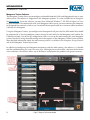
loading into a Mongoose..................................................20
saving....................................................................................31
Configuration notes, accessing...........................................21
Connecting computer to Mongoose.................................34
Crossover cable, using..........................................................17
D
Device Discovery dialog box...............................................20
Distance, maximum between RAD and Mongoose.......22
Documentation........................................................................8
E
Enabled LED on the Mongoose device...............................9
Ethernet
port................................................................................ 11,17
status indicators.................................................................10
H
Hardware details.....................................................................8
Health status in Mongoose Tracker..................................20
I
Installing
a new RAD into an existing system................................26
CAT 5 cable.........................................................................22
Mongoose Tracker.............................................................33
multiple Mongoose devices.............................................19
on-site versus off-site........................................................17
RADs....................................................................................23
the Mongoose device.........................................................17
In Use/Conductor LED.....................................................9,18
IP addresses, using static.....................................................17
L
Label
location on RAD.................................................................14
Labeling a RAD
during installation..............................................................25
generating labels.................................................................34
LAN LED................................................................................11
Light sensor on RAD............................................................14
Link/Activity LED........................................................... 10,18
Link LED........................................................................... 10,18
Locate LED.............................................................................10
Locate mode on RAD...........................................................15
Locating
a Mongoose device............................................................30
a RAD device......................................................................30
M
Mongoose
host device.............................................................................8
installing...............................................................................17
in the animal kingdom........................................................7
locating.................................................................................30
naming the device..............................................................21
overview of system...............................................................7
rolling back firmware........................................................36
system components.............................................................7
troubleshooting hardware................................................38
upgrading firmware...........................................................36
Mongoose hardware
front panel description........................................................9
rear panel description.......................................................11
47