1
CHAPTER 4: Operation: Hardware and Keyboard Commands
4.4.2 SWITCHING PORTS REMOTELY (OPTIONAL)
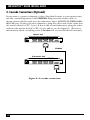
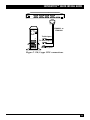
To switch ports on a ServSwitch from a remote computer or terminal attached to
the Switch’s RS-232 port, take these steps:
1. Set your computer for serial communication at 9600 bps, no parity, 8 data
bits, and 1 stop bit.
2. To switch the ServSwitch to a different port, use a terminal-emulation
program and type or send the desired port number followed by [Enter]
(a return).
NOTES
If you type or send a “?” (question mark) rather than a port number, the
single or master Serv unit will send the number of the currenty selected
port minus one back to the remote computer or terminal—as an 8-bit
binary byte. For example, if you currently have port 1 selected, the
Switch will respond to “?” with the byte “00000000” (binary zero); if you
have port 3 selected, the Switch will respond with “00000010” (binary
two); and so on. You must be at some kind of prompt or screen capable
of displaying serially received text characters in order to see the
Switch’s response.
Of course, because most terminal emulators and similar programs
will interpret these values as ASCII codes, they will try to display the
corresponding ASCII characters instead of decimal numbers; and
because binary zero through binary thirty-one are control codes in
ASCII, if you’re running the terminal emulator on an IBM PC you will
probably see the port numbers displayed as odd text-graphics
characters (smiley faces, hearts, etc.) that remain in the PC’s custom
character set as relics of the graphics-poor days when the PC was
invented. You will probably need an IBM PC ASCII-to-decimal translation
table to visually identify which port numbers these displayed characters
stand for.
It is also possible to write a program to run on the computer
attached to the Switch’s serial port that sends “?” to determine the
currently selected port and sends port numbers to switch to desired
ports. If you do so, however, there’s an important fact to keep in mind.
Even though the Switch will respond to “?” with pure binary values,
your program will have to send each digit of each port number (as well
as the question-mark and [Enter] characters) to the Switch the way a
terminal emulator would: as ASCII codes. For example:
• To query the Switch, send it the binary value “00111111”
(hex 63), the code for the ASCII “?” character, followed by the
binary value “00001101” (hex 13), the code for the ASCII [CR]
carriage-return character.
• To switch to port 1, send the Switch the binary value
“00110001” (hex 31), the code for the ASCII “1” character, again
followed by the carriage-return character.
• To switch to port 25, send the Switch “00110010” (hex 32,
ASCII “2”), then “000110101” (hex 35, ASCII “5”), then the ASCII
[CR] again.
45