1
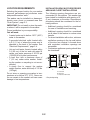
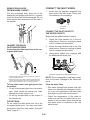
REMOVING THE ENCODER AND
THE USER INTERFACE BOARD
4.
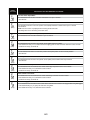
WARNING
Electrical Shock Hazard
Disconnect power before servicing.
Replace all parts and panels before
operating.
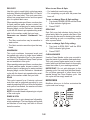
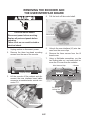
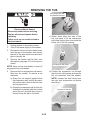
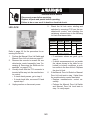
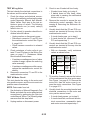
Pull the knob off the control shaft.
Control Knob
Failure to do so can result in death or
electrical shock.
1.
2.
5.
Unplug washer or disconnect power.
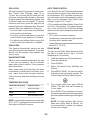
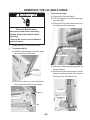
Remove the three hex-head mounting
screws from the rear of the console.
6.
7.
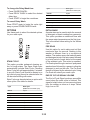
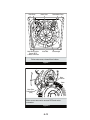
Unhook the user interface (UI) wire harness from the cover clips.
Remove the three screws from the UI
board cover.
Using a flat-blade screwdriver, pry the
two locking tabs out, and unclip and remove the UI cover from the console.
Wire Harness Clips
Console Screws
3.
UI Cover
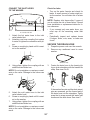
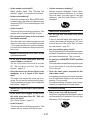
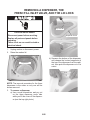
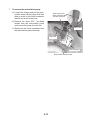
Lift the console off the cabinet and disconnect the user interface board cable
connector at machine/motor control connector P11.
Pry Out On
Locking Tab
UI Connector P11
4-2
3 Screws