1
6 FUNCTIONALITIES
6.6.3
Password setting
Note
The password is required to change the password.
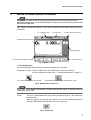
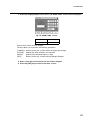
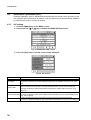
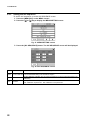
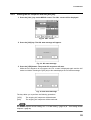
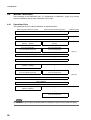
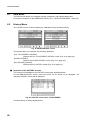
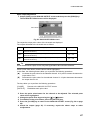
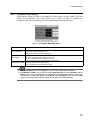
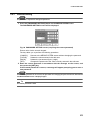
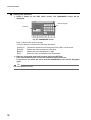
1. Press the [PASSWORD SETTING] button on the MENU/SYSTEM screen.
The PASSWORD SETTING screen will be displayed.
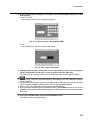
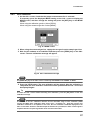
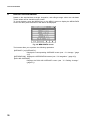
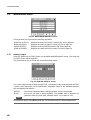
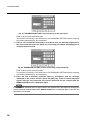
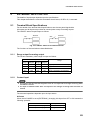
Fig. 80 PASSWORD SETTING screen (requiring the current password)
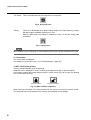
Enter a value via the numeric keypad.
The keys allow you to perform the following operations.
[CANCEL]:
[CLEAR]:
[BACK]:
[SET]:
Returns to the MENU/SYSTEM screen without changing the password.
Deletes the value entered in the edit area
Deletes the just entered figure (1-digit).
Changes the password to the value currently entered in the edit area.
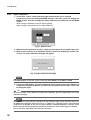
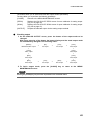
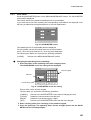
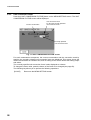
2. Enter the current password in accordance with the message on the screen, and
then press the [SET] key.
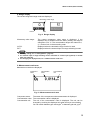
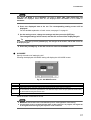
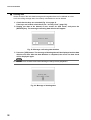
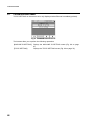
If the entered password is correct, a message will appear prompting you to enter a
new password.
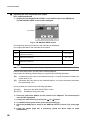
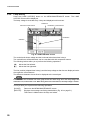
Note
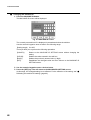
If the entered password is not correct, the procedure for changing the password will be aborted and
the MENU/SYSTEM screen is displayed again.
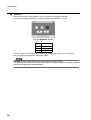
Tip
The default password is 1234.
63