1
© 2005 GE Security
All rights reserved.
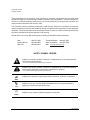
These instructions do not purport to cover all details or variations in equipment nor to provide every
possible contingency to be met during installation, operation, and maintenance. If further information is
desired or if particular problems arise that are not covered sufficiently for the purchaser’s purpose, the
matter should be referred to GE Security, USA.
This document contains proprietary information of GE Security, USA and is furnished to its customer
solely to assist that customer in the installation, testing, operations, and/or maintenance of the equipment
described. This document shall not be reproduced in whole or in part nor shall its contents be disclosed to
any third party without the written approval of GE Security.
Please refer to the current GE Security product catalog for detailed warranty information.
Main
Outside the US
Main Fax
800-727-2339
903-845-6941
903-845-6811
Technical Support
888-437-3287
Sales & Literature
800-547-2556
Web: www.ge-security.com
SAFETY SYMBOL LEGEND
Indicates a procedure, practice, condition, or statement that, if not strictly observed,
could result in personal injury.
Warning
* This symbol indicates electrical warnings and cautions.
Indicates a procedure, practice, condition, or statement that, if not strictly observed,
could result in damage to or destruction of equipment or property.
Caution
** This symbol indicates general warnings and cautions.
Indicates an essential or important procedure, instruction, condition, or statement.
Note
Tip
Indicates a user tip. Provides helpful information that is not normally defined in
regular use, but from an experienced user.
Indicates a key or button should be pressed to enter data.
Enter
2
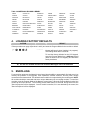
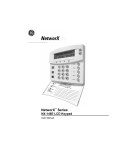
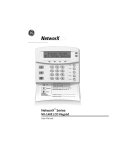
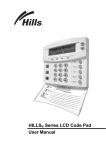
LCD KEYPAD