1
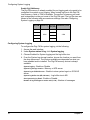
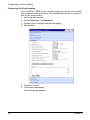
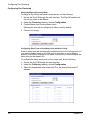
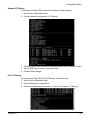
Configuring Network IP Filtering
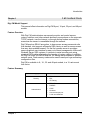
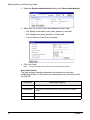
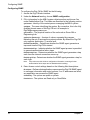
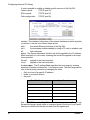
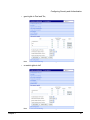
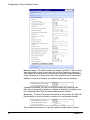
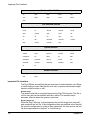
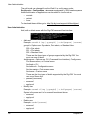
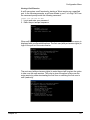
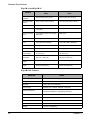
It is also possible to enable or disable specific services of the Digi CM:
Telnet console
(TCP/IP port 23)
SSH console
(TCP/IP port 22)
Web configuration
(TCP/IP port 80)
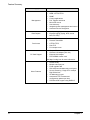
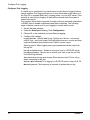
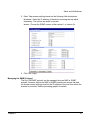
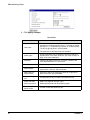
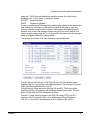
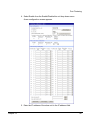
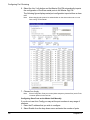
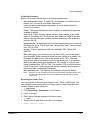
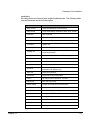
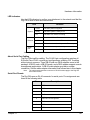
Interface - The interface is the name of
the network interface via which a packet
is received. It can be one of these three values:
eth0 :
the default Ethernet interface of the Digi CM
eth1 :
the secondary interface added by using a PC card or wireless card
all :
both interfaces
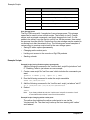
Option - The Option determines that this rule will be applied to the IP address/
Mask specified or to its inverse -meaning the rule will be applied to all except
those specified.
Normal : applied to the hosts included
Invert :
applied to the hosts excluded
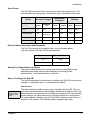
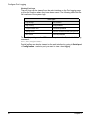
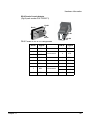
IP address/Mask - The IP address/Mask specifies the host range by entering
base host IP address followed by “/” and subnet mask. The host range can be
one of the following scenarios by changing the value:
• Only one host of a specific IP address
• Hosts on a specific subnet
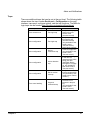
• Any host
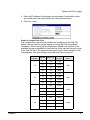
Specified host range
Input format
Any host
0.0.0.0/0.0.0.0
192.168.1.120
192.168.1.120/255.255.255.255
192.168.1.1 ~ 192.168.1.254
192.168.1.0/255.255.255.0
192.168.0.1 ~ 192.168.255.254
192.168.0.0/255.255.0.0
192.168.1.1 ~ 192.168.1.126
192.168.1.0/255.255.255.128
192.168.1.129 ~ 192.168.1.254
192.168.1.128/255.255.255.128
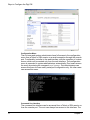
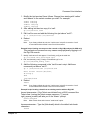
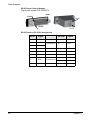
Port - A TCP/IP Port on the Digi CM that other hosts try to access. The port can
be specified using a single value or a range of ports in the form of: port1:port2,
where port1 defines the lowest port and port2 the highest port.
62
Chapter 7