1
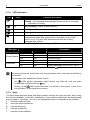
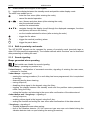
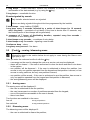
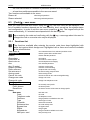
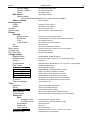
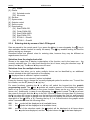
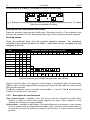
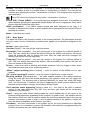
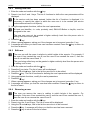
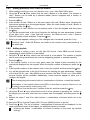
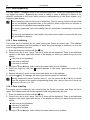
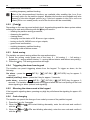
SATEL [5] [6] [7] [8] [9] [0] INTEGRA Plus 15 [42] Isolate Events [51] Selected events [52] All events Set time System state Outputs control Service mode Downloading [01] Start DWNL-RS [02] Finish DWNL-RS [03] Start DWNL-MOD. [04] Start DWNL-TEL [07] ETHM-1 – DloadX [08] ETHM-1 – GuardX 5.3.4 Entering data by means of the LCD keypad Data are saved to the control panel if you press the key (in some keypads, the key is also available, whose function is exactly the same). The key enables exiting the function without saving any changes. Described below are general rules for entering data, however they may be different as regards some functions. Selection from the single-choice list Shown in the upper line of display is description of the function, and in the lower one – the currently selected item. You can scroll through the list of items, using the direction keys: (down) and (up). The and keys are not used. Selection from the multiple-choice list The functions that allow you to make multiple choice can be identified by an additional symbol situated at the right-hand side of the display: – displayed item is selected / option is enabled; – displayed item is not selected / option is disabled. Press any numeric key to change the currently displayed symbol to another one. To scroll the list of items, use the (down) or (up) key. For some functions, pressing the or key will switch the keypad into the graphic programming mode. The and symbols are used to present on the display the current status of up to 32 items available in the given function (these can be e.g. zones, outputs, timers, etc.). Additionally, in case of zone bypassing, the symbol is used. The key moves the cursor to the right, and the key to the left. If the list of items is longer than 32, pressing the key when the cursor is placed over the last item will display the next list, and pressing the key when the cursor is placed over the first item will display the previous list (see also LEDs, p. 8). Pressing the key 0, 1 or 2 three times in the graphic mode description of the within 3 seconds will have the following effect: 000 - the symbol will be displayed at all available items; 111 - the symbol will be displayed at all available items; 222 - reversal of the selection made: the symbol will be displayed at all items where the symbol was displayed, and the symbol where the symbol was displayed.