1
Installation Guide
Elise3
TD 92679GB
Contents
1 Introduction.......................................................................................................... 1
1.1 About this Document...................................................................................... 2
1.2 Abbreviations and Glossary ............................................................................. 2
1.3 Requirements.................................................................................................. 2
1.4 FCC Compliance Statements for Class B Digital Device .................................... 2
2 General Information ............................................................................................ 4
2.1 Licenses .......................................................................................................... 4
2.2 The MAC Address ........................................................................................... 4
2.3 Authentication and Administration ................................................................. 4
2.3.1 Authentication........................................................................................ 4
2.3.2 Administration ........................................................................................ 4
3 Description............................................................................................................ 6
3.1 Overview of Connectors, Buttons and LEDs..................................................... 6
3.2 Label for IP Address/Host Name ...................................................................... 7
3.3 LED Indications ............................................................................................... 8
3.4 Operating Modes............................................................................................ 8
3.4.1 Normal Operation ................................................................................... 8
3.4.2 Boot Mode ............................................................................................. 9
3.4.3 Demonstration Mode.............................................................................. 9
3.4.4 Troubleshoot Mode................................................................................. 9
4 Installation and Configuration.......................................................................... 10
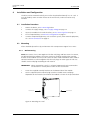
4.1 Installation Procedure.................................................................................... 10
4.2 Mounting ..................................................................................................... 10
4.2.1 Wall Mounting...................................................................................... 10
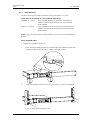
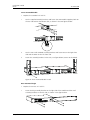
4.2.2 Rack Mounting ..................................................................................... 11
4.3 Supply Voltage.............................................................................................. 14
4.3.1 Change Power Supply parameter .......................................................... 14
4.4 Connections ................................................................................................. 15
4.4.1 COM Ports (RS232 Communication with External Equipment)............... 15
4.4.2 Ethernet Ports....................................................................................... 15
4.4.3 A-bus connection to System 900........................................................... 15
4.4.4 LON Bus ............................................................................................... 16
4.4.5 Error Relay Output ................................................................................ 16
4.4.6 Connection of AUX Inputs and AUX Outputs ........................................ 17
4.5 Accessing Elise3 ............................................................................................ 17
4.5.1 Access via the Network ......................................................................... 17
4.5.2 Access via the Management port ......................................................... 18
4.6 Basic Configuration....................................................................................... 21
12 April 2011 Ver. D