1
Option 37 - Set time duration of override rule
(Option 36 set to 1 or 2)
This establishes the duration of a temperature
override available to the user. Press + until Option 37
is displayed, use V and Λ to select required setting.
Setting 0 Next event (factory setting)
Setting 1 1 hour
Setting 2 2 hours
Setting 3 3 hours
Setting 4 4 hours
GB
Installation Instructions
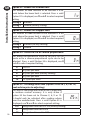
Option 36 - Set temperature override rule
This establishes the degree of temperature override
available to the user. Press + until Option 36 is
displayed, use V and Λ to select required setting.
Setting 0 No limit (factory setting)
Setting 1 Limited to ±2°C
Setting 2 No override allowed
Option 38 - Relay state on low battery detect
(battery products only)
This establishes the position that the relay is driven to
when the unit shuts down due to low battery state.
Press + until Option 38 is displayed, use V and Λ to
select required setting.
Setting 0 Relay parked with output OFF (factory setting)
Setting 1 Relay parked with output ON
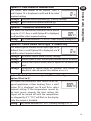
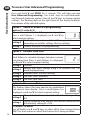
Option 40 - Number of Events per Day
This sets the thermostat to operate with either 2, 4 or
6 switching events per day or to run it in stat mode.
Press + until option 40 is displayed, use Λ or V to
select required setting.
1
Stat mode
2
Two switching events per day
4
Four switching events per day (Factory setting)
6
Six switching events per day
11