1
User's Manual
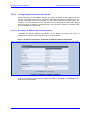
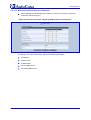
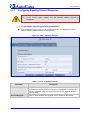
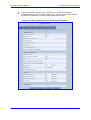
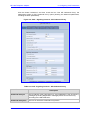
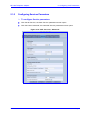
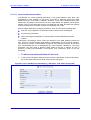
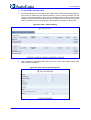
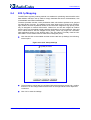
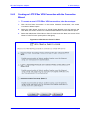
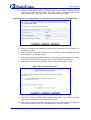
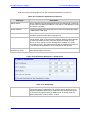
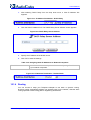
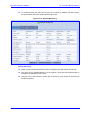
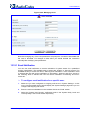
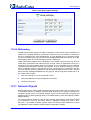
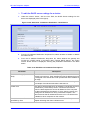
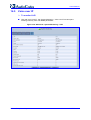
The figure below shows how a speed dial direct call is configured. The call is configured to
one of the pre-configured lines of a remote device (10.16.2.26).
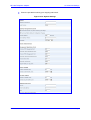
Figure 5-17: VoIP - Speed Dial - Direct Call
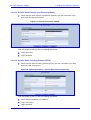
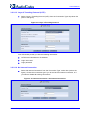
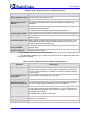
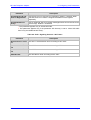
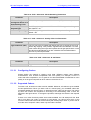
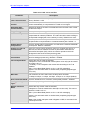
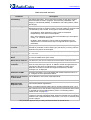
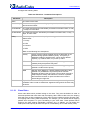
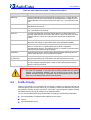
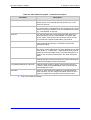
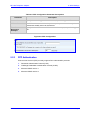
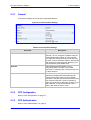
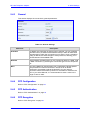
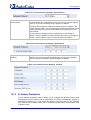
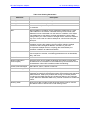
Table 5-17: 'Speed Dial Settings' - Direct Call
Parameter
Description
Speed Dial
A shortcut number which you will dial to call this party.
Destination
The entry's destination, in this case a direct call.
User ID
Specify the remote party's user ID.
IP Address or Host
Name
Specify the remote party's IP Address or host name.
Port
The SIP UDP or TCP port of the remote party.
MP-202 Telephone Adapter
52
Document #: LTRT-50605