1
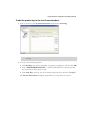
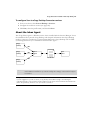
eCopy™ ShareScan® 4.2
Installation and Setup Guide
for ALL
Part Number: 73-ALL (10/2007)
Licensing, Copyright, and Trademark Information
The information in this document is subject to change and does not represent a commitment on
the part of eCopy, Inc. The software described in this document is furnished under a license
agreement. The software may be used or copied only in accordance with the terms of the
agreement. It is against the law to copy the software on any medium except as specified in the
license agreement. No part of this document may be reproduced, transmitted in any form or by
any means, electronic or mechanical, including photocopying, recording, or information storage
and retrieval systems, or translated into any language for any purpose other than the purchaser’s
personal use, without the written permission of eCopy, Inc.
©
1992 - 2008 eCopy, Inc.
eCopy, the eCopy logo, eCopyFax, the Simplify logo, the MailRoom logo, eCopy ShareScan,
eCopy ScanStation, eCopy Desktop, eCopy Quick Connect, eCopy Xpert Compression, UniDoc,
SpeedFax, and SpeedPrint are trademarks of eCopy, Inc. ShareScan, Simplify, and MailRoom are
registered trademarks of eCopy, Inc.
(None)
Captaris and RightFax are trademarks of Captaris, Inc.
IBM, Lotus, and Lotus Notes are trademarks and/or registered trademarks of Lotus
Development Corporation and/or IBM Corporation in the United States, other countries or
both.
Intel and Pentium are registered trademarks of Intel Corporation.
ISIS is a registered trademark of EMC Corporation.
Microsoft, Windows, Windows NT, Outlook, and MS-DOS are registered trademarks and
Windows Server and Windows Vista are trademarks of Microsoft Corporation in the USA and in
other countries.
Part of the software embedded in this product is gSOAP software. Portions created by gSOAP are
Copyright (C) 2001-2004 Robert A. van Engelen, Genivia inc. All Rights Reserved.
The software in this product was in part provided by Genivia Inc and any express or implied
warranties, including, but not limited to, the implied warranties of merchantability and fitness for
a particular purpose are disclaimed. in no event shall the author be liable for any direct, indirect,
incidental, special, exemplary, or consequential damages (including, but not limited to,
procurement of substitute goods or services; loss of use, data, or profits; or business interruption)
however caused and on any theory of liability, whether in contract, strict liability, or tort (including
negligence or otherwise) arising in any way out of the use of this software, even if advised of the
possibility of such damage.
All other terms and products are trademarks or registered trademarks of their respective owners
and are hereby acknowledged.
Table of Contents
Getting Started
Further information
Technical support
. . . . . . . . . . . . . . . . . . . . . . . . . . . . . . . . . . . . .1
. . . . . . . . . . . . . . . . . . . . . . . . . . . . . . . . . . . . . . . . . . . . . . . . . . . . . . . .2
. . . . . . . . . . . . . . . . . . . . . . . . . . . . . . . . . . . . . . . . . . . . . . . . . . . . . . . . . .3
What’s new in ShareScan 4.2
. . . . . . . . . . . . . . . . . . . . . . . . . . . . . . . . . . . . . . . . . . . . . . . . .4
Quick Start: Installing and setting up ShareScan
Product components
Installation tasks
. . . . . . . . . .7
. . . . . . . . . . . . . . . . . . . . . . . . . . . . . . . . . . . . . . . . . . . . . . . . . . . . . . .8
. . . . . . . . . . . . . . . . . . . . . . . . . . . . . . . . . . . . . . . . . . . . . . . . . . . . . . . . .11
Installing the JAR file on a MEAP-enabled device
. . . . . . . . . . . . . . . . . . . . . . . . . . . . . . . . .12
Installing the JAR file on a Ricoh Embedded device running SDK/J version 1.x
. . . . . . . . . . . .14
Installing the JAR file on a Ricoh Embedded device running SDK/J version 2.09 or later
Installing a Canon TWAIN driver
. . . . . . . . . . . . . . . . . . . . . . . . . . . . . . . . . . . . . . . . . . . . . .18
Installing HP Driver for ScanStation 1.2
. . . . . . . . . . . . . . . . . . . . . . . . . . . . . . . . . . . . . . . .19
Installing the HP Driver on the ScanStation
Installing the JAR files on the HP MFP
Configuring the HP MFP
. . . .16
. . . . . . . . . . . . . . . . . . . . . . . . . . . . . . . . . .20
. . . . . . . . . . . . . . . . . . . . . . . . . . . . . . . . . . . . . .20
. . . . . . . . . . . . . . . . . . . . . . . . . . . . . . . . . . . . . . . . . . . . . . . .24
Associating the HP Driver for ScanStation with the MFP
Installing the Konica Minolta TWAIN driver
. . . . . . . . . . . . . . . . . . . . . . . . .25
. . . . . . . . . . . . . . . . . . . . . . . . . . . . . . . . . . . . .26
Installing a Ricoh TWAIN driver
. . . . . . . . . . . . . . . . . . . . . . . . . . . . . . . . . . . . . . . . . . . . . .27
Installing a TWAIN or ISIS driver
. . . . . . . . . . . . . . . . . . . . . . . . . . . . . . . . . . . . . . . . . . . . . .28
Installing the Sharp OSA™ TWAIN Driver
Installing the Toshiba TWAIN driver
. . . . . . . . . . . . . . . . . . . . . . . . . . . . . . . . . . . . . . . . . . .31
Installing the Xerox Driver for ScanStation
Installing the Océ Imagistics Driver
Installing eCopy ShareScan
Licensing devices
. . . . . . . . . . . . . . . . . . . . . . . . . . . . . . . . . . . . . . .29
. . . . . . . . . . . . . . . . . . . . . . . . . . . . . . . . . . . . . .32
. . . . . . . . . . . . . . . . . . . . . . . . . . . . . . . . . . . . . . . . . . . .33
. . . . . . . . . . . . . . . . . . . . . . . . . . . . . . . . . . . . . . . . . . . . . . . . .34
. . . . . . . . . . . . . . . . . . . . . . . . . . . . . . . . . . . . . . . . . . . . . . . . . . . . . . . . .36
Configuring and activating connector profiles
. . . . . . . . . . . . . . . . . . . . . . . . . . . . . . . . . . .68
Specifying services for a connector profile
. . . . . . . . . . . . . . . . . . . . . . . . . . . . . . . . . . .70
Specifying properties for a connector profile
Activating connector profiles
. . . . . . . . . . . . . . . . . . . . . . . . . . . . . . . . .72
. . . . . . . . . . . . . . . . . . . . . . . . . . . . . . . . . . . . . . . . . . . . .80
Configuring and starting the ScanStation Client
. . . . . . . . . . . . . . . . . . . . . . . . . . . . . . . . . .85
iv | Table of Contents
Quick Start: Setting up MFPs to use with Send to eCopy
Setup tasks
. 95
. . . . . . . . . . . . . . . . . . . . . . . . . . . . . . . . . . . . . . . . . . . . . . . . . . . . . . . . . . . . . 96
Creating a network shared folder
Creating an FTP folder
. . . . . . . . . . . . . . . . . . . . . . . . . . . . . . . . . . . . . . . . . . . . . . . . . 98
Supported scan settings
. . . . . . . . . . . . . . . . . . . . . . . . . . . . . . . . . . . . . . . . . . . . . . . . 99
Configuring a Konica Minolta MFP
Scanning documents
. . . . . . . . . . . . . . . . . . . . . . . . . . . . . . . . . . . . . . . . . 97
. . . . . . . . . . . . . . . . . . . . . . . . . . . . . . . . . . . . . . . . . . 100
. . . . . . . . . . . . . . . . . . . . . . . . . . . . . . . . . . . . . . . . . . . . . . . . . 102
Configuring a Ricoh scanning device
. . . . . . . . . . . . . . . . . . . . . . . . . . . . . . . . . . . . . . . . 103
Scanning documents
. . . . . . . . . . . . . . . . . . . . . . . . . . . . . . . . . . . . . . . . . . . . . . . . . 103
Configuring a Sharp MFP
. . . . . . . . . . . . . . . . . . . . . . . . . . . . . . . . . . . . . . . . . . . . . . . . . 104
Creating a profile that uses a shared network folder
Creating a profile that uses an FTP folder
Scanning documents
. . . . . . . . . . . . . . . . . . . . . . . . . . . . . . . . . . 105
. . . . . . . . . . . . . . . . . . . . . . . . . . . . . . . . . . . . . . . . . . . . . . . . . 107
Configuring a Toshiba MFP with an e-Bridge Controller
Setting up the SCAN TO FILE locations
Creating a scan template group
. . . . . . . . . . . . . . . . . . . . . . . . . . 108
. . . . . . . . . . . . . . . . . . . . . . . . . . . . . . . . . . . . 108
. . . . . . . . . . . . . . . . . . . . . . . . . . . . . . . . . . . . . . . . . 109
Creating and configuring scan templates
Securing the MFP
. . . . . . . . . . . . . . . . . . . . . . . . . 104
. . . . . . . . . . . . . . . . . . . . . . . . . . . . . . . . . . 109
. . . . . . . . . . . . . . . . . . . . . . . . . . . . . . . . . . . . . . . . . . . . . . . . . . . . 110
Scanning documents
. . . . . . . . . . . . . . . . . . . . . . . . . . . . . . . . . . . . . . . . . . . . . . . . . 110
Configuring a Toshiba MFP with a GL Controller
Creating a scan template group
. . . . . . . . . . . . . . . . . . . . . . . . . . . . . . . . 111
. . . . . . . . . . . . . . . . . . . . . . . . . . . . . . . . . . . . . . . . . 111
Creating and configuring scan templates
. . . . . . . . . . . . . . . . . . . . . . . . . . . . . . . . . . 112
Enabling file storage in network folders
. . . . . . . . . . . . . . . . . . . . . . . . . . . . . . . . . . . 114
Scanning documents
. . . . . . . . . . . . . . . . . . . . . . . . . . . . . . . . . . . . . . . . . . . . . . . . . 114
Configuring Send to eCopy
. . . . . . . . . . . . . . . . . . . . . . . . . . . . . . . . . . . . . . . . . . . . . . . 115
Using scanned documents at the ScanStation
. . . . . . . . . . . . . . . . . . . . . . . . . . . . . . . . . . 118
Reference: Configuring the system
Starting, stopping, and restarting the Services Manager
Setting security options for a Services Manager
Configuring system properties
. . . . . . . . . . . . . . . . . . . . . . . . . . 120
. . . . . . . . . . . . . . . . . . . . . . . . . . . . . . . . 121
. . . . . . . . . . . . . . . . . . . . . . . . . . . . . . . . . . . . . . . . . . . . . 123
Configuring general system properties
Configuring advanced system properties
Configuring keyboard settings
Configuring Session Logon
. . . . . . . . . . . . . . . . . . 119
. . . . . . . . . . . . . . . . . . . . . . . . . . . . . . . . . . . . 123
. . . . . . . . . . . . . . . . . . . . . . . . . . . . . . . . . . 123
. . . . . . . . . . . . . . . . . . . . . . . . . . . . . . . . . . . . . . . . . . 125
. . . . . . . . . . . . . . . . . . . . . . . . . . . . . . . . . . . . . . . . . . . . 126
|v
Configuring system tracing
Licensing devices
. . . . . . . . . . . . . . . . . . . . . . . . . . . . . . . . . . . . . . . . . . . . .128
. . . . . . . . . . . . . . . . . . . . . . . . . . . . . . . . . . . . . . . . . . . . . . . . . . . . . . . .129
Adding product keys
. . . . . . . . . . . . . . . . . . . . . . . . . . . . . . . . . . . . . . . . . . . . . . . . . .130
Deleting product keys
. . . . . . . . . . . . . . . . . . . . . . . . . . . . . . . . . . . . . . . . . . . . . . . . .131
Adding a device with an embedded Client
Activating licenses
. . . . . . . . . . . . . . . . . . . . . . . . . . . . . . . . . . . . . . . . . . . . . . . . . . . .133
Generating a license report
Monitoring scanning activity
Reporting scanning activity
. . . . . . . . . . . . . . . . . . . . . . . . . . . . . . . . . . . . . . . . . . . . .134
. . . . . . . . . . . . . . . . . . . . . . . . . . . . . . . . . . . . . . . . . . . . . . .135
. . . . . . . . . . . . . . . . . . . . . . . . . . . . . . . . . . . . . . . . . . . . . . . .136
Backing up and sharing configuration files
Remote administration
. . . . . . . . . . . . . . . . . . . . . . . . . . . . . . . . .132
. . . . . . . . . . . . . . . . . . . . . . . . . . . . . . . . . . . . .137
. . . . . . . . . . . . . . . . . . . . . . . . . . . . . . . . . . . . . . . . . . . . . . . . . . . .139
Reference: Common configuration information for
connectors . . . . . . . . . . . . . . . . . . . . . . . . . . . . . . . . . . . . . . . 141
Installing and removing connectors
Configuring connector profiles
. . . . . . . . . . . . . . . . . . . . . . . . . . . . . . . . . . . . . . . . . .142
. . . . . . . . . . . . . . . . . . . . . . . . . . . . . . . . . . . . . . . . . . . . . .144
Configuring and updating connector profiles
Activating connector profiles
. . . . . . . . . . . . . . . . . . . . . . . . . . . . . . .144
. . . . . . . . . . . . . . . . . . . . . . . . . . . . . . . . . . . . . . . . . . . .145
Configuring Document Services
. . . . . . . . . . . . . . . . . . . . . . . . . . . . . . . . . . . . . . . . . . . . .147
Configuring common Properties settings
. . . . . . . . . . . . . . . . . . . . . . . . . . . . . . . . . . . . . .148
Configuring the Display properties
. . . . . . . . . . . . . . . . . . . . . . . . . . . . . . . . . . . . . . .149
Configuring the Content properties
. . . . . . . . . . . . . . . . . . . . . . . . . . . . . . . . . . . . . . .150
Configuring the Express properties
. . . . . . . . . . . . . . . . . . . . . . . . . . . . . . . . . . . . . . .152
Configuring the Search while typing option
Configuring file name and index fields
Configuring the fax address format
. . . . . . . . . . . . . . . . . . . . . . . . . . . . . . . . . . . .156
. . . . . . . . . . . . . . . . . . . . . . . . . . . . . . . . . . . . . . .158
Configuring support for local address books
Configuring connector Services
Copying Services settings
. . . . . . . . . . . . . . . . . . . . . . . . . . . . . . . . .155
. . . . . . . . . . . . . . . . . . . . . . . . . . . . . . . .160
. . . . . . . . . . . . . . . . . . . . . . . . . . . . . . . . . . . . . . . . . . . . .165
. . . . . . . . . . . . . . . . . . . . . . . . . . . . . . . . . . . . . . . . . . . . . .165
Configuring Document Settings
. . . . . . . . . . . . . . . . . . . . . . . . . . . . . . . . . . . . . . . . .166
Configuring Scanner Settings
. . . . . . . . . . . . . . . . . . . . . . . . . . . . . . . . . . . . . . . . . . .170
Configuring Tracing settings
. . . . . . . . . . . . . . . . . . . . . . . . . . . . . . . . . . . . . . . . . . . .171
Reference: Connector-specific configuration information
Copy
173
. . . . . . . . . . . . . . . . . . . . . . . . . . . . . . . . . . . . . . . . . . . . . . . . . . . . . . . . . . . . . . . . .174
vi | Table of Contents
eCopy Connector for Microsoft Exchange
. . . . . . . . . . . . . . . . . . . . . . . . . . . . . . . . . . . . 175
About Exchange Environment connection protocols
Exchange Connectors Wizard Settings
. . . . . . . . . . . . . . . . . . . . . . . . . . 175
. . . . . . . . . . . . . . . . . . . . . . . . . . . . . . . . . . . . 179
Exchange Connectors Properties Settings
. . . . . . . . . . . . . . . . . . . . . . . . . . . . . . . . . . 180
eCopy Connector for Microsoft Exchange Local Address Book Settings
eCopy Connector for Fax via Microsoft Exchange
eCopy Connector for Lotus Notes Mail
. . . . . . . . . . . . . . . . . . . . . . . . . . . . . . . 188
. . . . . . . . . . . . . . . . . . . . . . . . . . . . . . . . . . . . . . . 190
eCopy Connector for Fax via Lotus Notes
eCopy Connector for SMTP using LDAP
. . . . . . . . . . . . . . . . . . . . . . . . . . . . . . . . . . . . . 193
. . . . . . . . . . . . . . . . . . . . . . . . . . . . . . . . . . . . . . 196
SMTP using LDAP connector Wizard settings
. . . . . . . . . . . . . . . . . . . . . . . . . . . . . . . 197
eCopy Connector for SMTP using LDAP Properties
eCopy Connector for Fax via SMTP
eCopy Connector for
Captaris™
Quick Connect
. . . . . . . . . . . . . . . . . . . . . . . . . . . . . . . . . . . 208
. . . . . . . . . . . . . . . . . . . . . . . . . . . . . . . . . . . . . . . . . . 213
. . . . . . . . . . . . . . . . . . . . . . . . . . . . . . . . . . . . . . . . . . . . . . . . . . . . . . . . . 215
Defining a scanning destination
Defining a file naming field
Defining index fields
. . . . . . . . . . . . . . . . . . . . . . . . . . . . . . . . . . . . . . . . . 217
. . . . . . . . . . . . . . . . . . . . . . . . . . . . . . . . . . . . . . . . . . . . 221
. . . . . . . . . . . . . . . . . . . . . . . . . . . . . . . . . . . . . . . . . . . . . . . . . 222
Configuring an index file
. . . . . . . . . . . . . . . . . . . . . . . . . . . . . . . . . . . . . . . . . . . . . . 223
Setting a database as a destination
. . . . . . . . . . . . . . . . . . . . . . . . . . . . . . . . . . . . . . 225
Mapping index fields to fields in a database
. . . . . . . . . . . . . . . . . . . . . . . . . . . . . . . . 227
Using a database as the source of field values
Configuring a data source
Scan to eCopy
Desktop™
. . . . . . . . . . . . . . . . . . . . . . . . . . . . . . 229
. . . . . . . . . . . . . . . . . . . . . . . . . . . . . . . . . . . . . . . . . . . . . 230
. . . . . . . . . . . . . . . . . . . . . . . . . . . . . . . . . . . . . . . . . . . . . . . . . 232
About eCopy Desktop scan inboxes
. . . . . . . . . . . . . . . . . . . . . . . . . . . . . . . . . . . . . . 233
About the Inbox Management Directory
Preconfiguring Scan to eCopy Desktop
Configuring Scan to eCopy Desktop
About the Inbox Agent
Scan to Printer
. . . . . . . . . . . . . . . . . . . . . . . . . . . 201
. . . . . . . . . . . . . . . . . . . . . . . . . . . . . . . . . . . . . . . . . . 206
RightFax™
eCopy Connector for Fax via Print
. . . . . . . . . . . 187
. . . . . . . . . . . . . . . . . . . . . . . . . . . . . . . . . . 235
. . . . . . . . . . . . . . . . . . . . . . . . . . . . . . . . . . . 237
. . . . . . . . . . . . . . . . . . . . . . . . . . . . . . . . . . . . . 238
. . . . . . . . . . . . . . . . . . . . . . . . . . . . . . . . . . . . . . . . . . . . . . . 245
. . . . . . . . . . . . . . . . . . . . . . . . . . . . . . . . . . . . . . . . . . . . . . . . . . . . . . . . . 247
Reference: Managing eCopy-enabled devices
Specifying a default device
. . . . . . . . . . . . . . . . . . . . . . . . . . . . . . . . . . . . . . . . . . . . . . . . 250
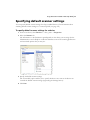
Specifying default scanner settings
Specifying advanced settings
. . . . . . . . . 249
. . . . . . . . . . . . . . . . . . . . . . . . . . . . . . . . . . . . . . . . . . 251
. . . . . . . . . . . . . . . . . . . . . . . . . . . . . . . . . . . . . . . . . . . . . . 252
| vii
Configuring Activity Tracking
. . . . . . . . . . . . . . . . . . . . . . . . . . . . . . . . . . . . . . . . . . . . . . .253
Configuring the Activity Logging function
. . . . . . . . . . . . . . . . . . . . . . . . . . . . . . . . . .254
Configuring the Additional Fields function
. . . . . . . . . . . . . . . . . . . . . . . . . . . . . . . . . .257
Configuring the Document Tracking function
Configuring the ID Services function
Publishing connector profiles
Publishing prerequisites
. . . . . . . . . . . . . . . . . . . . . . . . . . . . . . .258
. . . . . . . . . . . . . . . . . . . . . . . . . . . . . . . . . . . . . .260
. . . . . . . . . . . . . . . . . . . . . . . . . . . . . . . . . . . . . . . . . . . . . . .262
. . . . . . . . . . . . . . . . . . . . . . . . . . . . . . . . . . . . . . . . . . . . . . . .262
Summary of the publishing process
. . . . . . . . . . . . . . . . . . . . . . . . . . . . . . . . . . . . . . .263
Reference: Managing the ScanStation Client
Selecting a different TWAIN driver
. . . . . . . . . . . . . . . . . . . . . . . . . . . . . . . . . . . . . . . . . . .274
Configuring the Client to use a TWAIN driver’s own interface
Starting and stopping the Client
Enabling logging
. . . . . . . . . . . . . . . . . . . . . . . . . . . . . . . . . . . . . . . . . .278
. . . . . . . . . . . . . . . . . . . . . . . . . . . . . . . . . . . . . . . . . . . . . . . .279
. . . . . . . . . . . . . . . . . . . . . . . . . . . . . . . . . . . . . . . . . . . . . . . . . . . . . . . .280
Reference: Using eCopy Connectors
Using the on-screen keyboard
. . . . . . . . . . . . . . . . . . 281
. . . . . . . . . . . . . . . . . . . . . . . . . . . . . . . . . . . . . . . . . . . . . .282
Quick reference to using an eCopy Connector
Copy
. . . . . . . . . . . . . . . . . . . . . .275
. . . . . . . . . . . . . . . . . . . . . . . . . . . . . . . . . . . . . . . . . . . .276
Selecting the ScanStation keyboard
Configuring logon settings
. . . . . . . . . . . 273
. . . . . . . . . . . . . . . . . . . . . . . . . . . . . . . . . .283
. . . . . . . . . . . . . . . . . . . . . . . . . . . . . . . . . . . . . . . . . . . . . . . . . . . . . . . . . . . . . . . . .294
eCopy Connector for Microsoft Exchange
. . . . . . . . . . . . . . . . . . . . . . . . . . . . . . . . . . . . .295
eCopy Connector for Fax via Microsoft Exchange
eCopy Connector for Lotus Notes Mail
. . . . . . . . . . . . . . . . . . . . . . . . . . . . . . . . . . . . . . . .299
eCopy Connector for Fax via Lotus Notes
eCopy Connector for SMTP using LDAP
eCopy Connector for Fax via SMTP
eCopy Connector for
Captaris™
Quick Connect
. . . . . . . . . . . . . . . . . . . . . . . . . . . . . . . . . . . . . . .303
. . . . . . . . . . . . . . . . . . . . . . . . . . . . . . . . . . . . . . . . . .305
. . . . . . . . . . . . . . . . . . . . . . . . . . . . . . . . . . . .307
. . . . . . . . . . . . . . . . . . . . . . . . . . . . . . . . . . . . . . . . . . .309
. . . . . . . . . . . . . . . . . . . . . . . . . . . . . . . . . . . . . . . . . . . . . . . . . . . . . . . . . .310
Scan to eCopy Desktop
Scan to Printer
. . . . . . . . . . . . . . . . . . . . . . . . . . . . . . . . . . . . . .301
RightFax™
eCopy Connector for Fax via Print
. . . . . . . . . . . . . . . . . . . . . . . . . . . . . . . .297
. . . . . . . . . . . . . . . . . . . . . . . . . . . . . . . . . . . . . . . . . . . . . . . . . . .314
. . . . . . . . . . . . . . . . . . . . . . . . . . . . . . . . . . . . . . . . . . . . . . . . . . . . . . . . . .317
Reference: Installation environment
Network environment
. . . . . . . . . . . . . . . . . . 321
. . . . . . . . . . . . . . . . . . . . . . . . . . . . . . . . . . . . . . . . . . . . . . . . . . . .322
Hardware configuration guidelines
. . . . . . . . . . . . . . . . . . . . . . . . . . . . . . . . . . . . . . . . . . .323
viii | Table of Contents
Services Manager PC worksheet
Device worksheet
. . . . . . . . . . . . . . . . . . . . . . . . . . . . . . . . . . . . . . . . . . . . 324
. . . . . . . . . . . . . . . . . . . . . . . . . . . . . . . . . . . . . . . . . . . . . . . . . . . . . . . 326
Firewall and switch worksheet
. . . . . . . . . . . . . . . . . . . . . . . . . . . . . . . . . . . . . . . . . . . . . 327
Network infrastructure worksheet
DNS considerations
. . . . . . . . . . . . . . . . . . . . . . . . . . . . . . . . . . . . . . . . . . 329
. . . . . . . . . . . . . . . . . . . . . . . . . . . . . . . . . . . . . . . . . . . . . . . . . . . . . 330
Using a DNS server on the local network
Configuring the HOSTS file
Novell support
. . . . . . . . . . . . . . . . . . . . . . . . . . . . . . . . . . 330
. . . . . . . . . . . . . . . . . . . . . . . . . . . . . . . . . . . . . . . . . . . . 330
. . . . . . . . . . . . . . . . . . . . . . . . . . . . . . . . . . . . . . . . . . . . . . . . . . . . . . . . . 331
Device setup for MEAP-enabled devices
. . . . . . . . . . . . . . . . . . . . . . . . . . . . . . . . . . . . . . 333
Index . . . . . . . . . . . . . . . . . . . . . . . . . . . . . . . . . . . . . . . . . . . . . . 1
ix
List of Tables
TABLE 1. JAR files for supported HP MFPs . . . . . . . . . . . . . . . . . . . . . . . . . . . . . . . . . . . . . . . .19
TABLE 2. Konica Minolta MFP: Address Book SMB settings . . . . . . . . . . . . . . . . . . . . . . . . . .101
TABLE 3. Konica Minolta MFP: Settings required for eCopy . . . . . . . . . . . . . . . . . . . . . . . . . .102
TABLE 4. Sharp MFP: FTP Destination Control settings . . . . . . . . . . . . . . . . . . . . . . . . . . . . .106
TABLE 5. Send to eCopy: Location settings for target storage folder . . . . . . . . . . . . . . . . . . .117
TABLE 6. System properties: General tab . . . . . . . . . . . . . . . . . . . . . . . . . . . . . . . . . . . . . . .123
TABLE 7. System properties: Advanced tab . . . . . . . . . . . . . . . . . . . . . . . . . . . . . . . . . . . . . .124
TABLE 8. System information: Keyboard Settings tab . . . . . . . . . . . . . . . . . . . . . . . . . . . . . .125
TABLE 9. System properties: Session Logon tab . . . . . . . . . . . . . . . . . . . . . . . . . . . . . . . . . . .127
TABLE 10. System information: Tracing tab . . . . . . . . . . . . . . . . . . . . . . . . . . . . . . . . . . . . . .128
TABLE 11. Product key status options . . . . . . . . . . . . . . . . . . . . . . . . . . . . . . . . . . . . . . . . . .129
TABLE 12. Two profiles for the same connector activated on a single device . . . . . . . . . . . . .144
TABLE 13. Common functions . . . . . . . . . . . . . . . . . . . . . . . . . . . . . . . . . . . . . . . . . . . . . . .148
TABLE 14. Connector Properties: Display tab . . . . . . . . . . . . . . . . . . . . . . . . . . . . . . . . . . . .149
TABLE 15. Connector Properties: Content tab . . . . . . . . . . . . . . . . . . . . . . . . . . . . . . . . . . . .150
TABLE 16. Connector Properties: Express tab . . . . . . . . . . . . . . . . . . . . . . . . . . . . . . . . . . . .152
TABLE 17. Field Editor options . . . . . . . . . . . . . . . . . . . . . . . . . . . . . . . . . . . . . . . . . . . . . . .156
TABLE 18. Field Editor: Available field types . . . . . . . . . . . . . . . . . . . . . . . . . . . . . . . . . . . . .156
TABLE 19. Fax Address Format window access . . . . . . . . . . . . . . . . . . . . . . . . . . . . . . . . . . .158
TABLE 21. Settings for enabling address books . . . . . . . . . . . . . . . . . . . . . . . . . . . . . . . . . . .163
TABLE 20. Settings for creating a local address book database . . . . . . . . . . . . . . . . . . . . . . .163
TABLE 22. Data Link Properties window: Connection tab . . . . . . . . . . . . . . . . . . . . . . . . . . .164
TABLE 23. Services: Document Settings tab . . . . . . . . . . . . . . . . . . . . . . . . . . . . . . . . . . . . .167
TABLE 24. Services: Scanner Settings tab . . . . . . . . . . . . . . . . . . . . . . . . . . . . . . . . . . . . . . .170
TABLE 25. Services: Tracing tab . . . . . . . . . . . . . . . . . . . . . . . . . . . . . . . . . . . . . . . . . . . . . .171
TABLE 26. Exchange: Connection protocols . . . . . . . . . . . . . . . . . . . . . . . . . . . . . . . . . . . . .176
TABLE 27. Wizard settings: Exchange environment . . . . . . . . . . . . . . . . . . . . . . . . . . . . . . . .179
TABLE 28. Exchange Properties: Basic Settings tab . . . . . . . . . . . . . . . . . . . . . . . . . . . . . . . .181
x | Table of Contents
TABLE 29. Exchange Properties: Advanced Account Settings . . . . . . . . . . . . . . . . . . . . . . . . 182
TABLE 30. Exchange Properties: General Settings tab . . . . . . . . . . . . . . . . . . . . . . . . . . . . . 184
TABLE 31. Exchange Properties: Fax Format Settings . . . . . . . . . . . . . . . . . . . . . . . . . . . . . . 185
TABLE 32. Exchange Properties: Advanced Settings tab . . . . . . . . . . . . . . . . . . . . . . . . . . . . 186
TABLE 33. Lotus Notes Mail Properties: Configure tab . . . . . . . . . . . . . . . . . . . . . . . . . . . . . 191
TABLE 34. Fax via Lotus Notes Properties: Configure tab . . . . . . . . . . . . . . . . . . . . . . . . . . . 195
TABLE 35. Wizard settings: SMTP using LDAP . . . . . . . . . . . . . . . . . . . . . . . . . . . . . . . . . . . 197
TABLE 36. LDAP/SMTP Properties: Basic LDAP tab . . . . . . . . . . . . . . . . . . . . . . . . . . . . . . . . 201
TABLE 37. LDAP/SMTP Properties: Advanced LDAP tab . . . . . . . . . . . . . . . . . . . . . . . . . . . . 203
TABLE 38. LDAP/SMTP Properties: SMTP Settings tab . . . . . . . . . . . . . . . . . . . . . . . . . . . . . 204
TABLE 39. LDAP/SMTP Properties: User Logon tab . . . . . . . . . . . . . . . . . . . . . . . . . . . . . . . . 205
TABLE 40. LDAP/SMTP Properties: Fax Format Settings . . . . . . . . . . . . . . . . . . . . . . . . . . . . 205
TABLE 41. RightFax Properties: Configure tab . . . . . . . . . . . . . . . . . . . . . . . . . . . . . . . . . . . 209
TABLE 42. RightFax Properties: Billing Codes tab . . . . . . . . . . . . . . . . . . . . . . . . . . . . . . . . . 211
TABLE 43. Fax via Print Properties: Configure tab . . . . . . . . . . . . . . . . . . . . . . . . . . . . . . . . 213
TABLE 44. Quick Connect Properties: Destination types . . . . . . . . . . . . . . . . . . . . . . . . . . . . 217
TABLE 45. Quick Connect Properties: File Name tab . . . . . . . . . . . . . . . . . . . . . . . . . . . . . . 221
TABLE 46. Quick Connect: Types of index values . . . . . . . . . . . . . . . . . . . . . . . . . . . . . . . . . 224
TABLE 47. Quick Connect: Database types and settings . . . . . . . . . . . . . . . . . . . . . . . . . . . 231
TABLE 48. Scan to eCopy Desktop: Security for ShareScan Inboxes . . . . . . . . . . . . . . . . . . . 233
TABLE 49. Scan to eCopy Desktop inbox creation settings . . . . . . . . . . . . . . . . . . . . . . . . . . 234
TABLE 50. Inbox Management Directory permissions for Windows . . . . . . . . . . . . . . . . . . . 235
TABLE 51. Inbox Management Directory permissions for Novell NetWare (NDS) . . . . . . . . . 236
TABLE 52. Scan to eCopy Desktop Properties: Environment settings . . . . . . . . . . . . . . . . . . 239
TABLE 53. Scan to eCopy Desktop Properties: General settings . . . . . . . . . . . . . . . . . . . . . . 240
TABLE 54. Scan to eCopy Desktop: Destination settings . . . . . . . . . . . . . . . . . . . . . . . . . . . 241
TABLE 55. Scan to eCopy Desktop: Advanced Account settings . . . . . . . . . . . . . . . . . . . . . 243
TABLE 56. Scan to Printer Properties: Configure tab . . . . . . . . . . . . . . . . . . . . . . . . . . . . . . 247
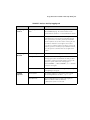
TABLE 57. Devices: Activity Logging tab . . . . . . . . . . . . . . . . . . . . . . . . . . . . . . . . . . . . . . . 255
TABLE 58. Activity Logging: Basic and Extended Fields . . . . . . . . . . . . . . . . . . . . . . . . . . . . 256
xi
TABLE 59. Devices: Document Tracking folder settings . . . . . . . . . . . . . . . . . . . . . . . . . . . . .259
TABLE 60. Devices: ID Service Settings . . . . . . . . . . . . . . . . . . . . . . . . . . . . . . . . . . . . . . . . .261
TABLE 61. Client: ScanStation logon settings . . . . . . . . . . . . . . . . . . . . . . . . . . . . . . . . . . . .279
TABLE 62. Client: Send screen settings . . . . . . . . . . . . . . . . . . . . . . . . . . . . . . . . . . . . . . . . .291
TABLE 63. Client: Post-scanning options . . . . . . . . . . . . . . . . . . . . . . . . . . . . . . . . . . . . . . . .293
TABLE 64. Copy settings . . . . . . . . . . . . . . . . . . . . . . . . . . . . . . . . . . . . . . . . . . . . . . . . . . . .294
TABLE 65. Scan to Printer: Printing and page layout options . . . . . . . . . . . . . . . . . . . . . . . . .319
TABLE 66. Hardware configuration guidelines . . . . . . . . . . . . . . . . . . . . . . . . . . . . . . . . . . . .323
TABLE 67. Services Manager PC worksheet . . . . . . . . . . . . . . . . . . . . . . . . . . . . . . . . . . . . . .324
TABLE 68. Device worksheet . . . . . . . . . . . . . . . . . . . . . . . . . . . . . . . . . . . . . . . . . . . . . . . .326
TABLE 69. Firewall and switch worksheet . . . . . . . . . . . . . . . . . . . . . . . . . . . . . . . . . . . . . . .328
TABLE 70. Network infrastructure worksheet . . . . . . . . . . . . . . . . . . . . . . . . . . . . . . . . . . . .329
xii | Table of Contents
eCopy ShareScan® Installation and Setup Guide | 1
Getting Started
This guide is intended for administrators responsible for installing and configuring eCopy™
ShareScan®. It provides a product overview and describes system requirements and installation
and configuration procedures.
In this chapter
■
Further information . . . . . . . . . . . . . . . . . . . . . . . . . . . . . . . . . . . . . . . . . . . . . . . . . . . . . . . . . . . 2
■
Technical support . . . . . . . . . . . . . . . . . . . . . . . . . . . . . . . . . . . . . . . . . . . . . . . . . . . . . . . . . . . . . 3
■
What’s new in ShareScan 4.2. . . . . . . . . . . . . . . . . . . . . . . . . . . . . . . . . . . . . . . . . . . . . . . . . . . . . 4
2
| Getting Started
Further information
The documentation set consists of the following documents:
■
■
■
Provides information about assembling the
ScanStand that is used with eCopy ScanStation™.
eCopy ScanStand™ Assembly Instructions:
ShareScan Installation and Setup Guide: The Quick Start section of this document
guides you through the initial installation and setup process. The Reference section
provides more detailed information about configuring the system and the eCopy
Connectors. It also describes how to manage the Client and use the eCopy™ Connectors.
ShareScan Help: The Help files contain information about configuring the system,
connectors, and devices. You can easily access the Help from the Administration console.
To access the Administration console help, in the console tree, select a node, such as
“ShareScan” and then click the Help button. The Help opens in the Microsoft
Management Console.
To access help for a specific connector, in the console tree, select the connector and
then click the Connector Help button, or right-click the connector name and then
select Connector Help from the menu.
eCopy ShareScan® Installation and Setup Guide | 3
Technical support
Technical support is available to registered users of eCopy software during the warranty period or
for the duration of your software support and maintenance agreement. Contact your supplier for
details.
The maintenance agreement identifies the service provider. In most cases the dealer or distributor
who provided the eCopy product to your organization also provides support. The dealer or
distributor provides information about getting assistance for product installation, implementation,
and usage. The eCopy Technical Support, Quality Assurance, and Development organizations
provide backup support to the network of dealers and distributors. Policies established with each
distributor of eCopy products determine how customer inquiries are escalated.
When you open a Technical Support case, your service provider will tell you what identification
information you need to provide to validate the status of your support contract.
In addition to support provided by your dealer or distributor, the eCopy Technical Support Web
site — www.ecopy.com/support — provides 24x7 access to a knowledge base that includes
Frequently Asked Questions (FAQs), product support matrices, product information, and other
information.
4
| Getting Started
What’s new in ShareScan 4.2
ShareScan® 4.2 includes new features and enhancements:
■
Two versions of ShareScan 4.2. To accommodate the needs of individual groups or
multiple business groups responsible for the daily workflows and practices, eCopy™ now
offers two versions of ShareScan 4.2. Both versions provide the same security,
administrative, and reporting features. They also include support for add-on connectors
offered by eCopy and by members of the eCopy Connections Alliance Program (eCAP).
eCopy™ ShareScan® Essentials contains features that will satisfy the essential scanning,
routing, and delivery requirements of functional groups, departments, and organizations. It
does this by dynamically integrating with the most common business applications and file
systems. As business requirements increase within a company, many add-on connectors are
available that extend functionality and connectivity to back-end applications. With the
eCopy Desktop™ 9.2 license that is included with ShareScan Essentials, users can securely
scan documents to Adobe's Portable Document Format (PDF) from their PC and then
edit and share the scanned documents.
eCopy™ ShareScan® Suite is the enterprise product for companies that need to integrate
various Business Process Applications. This version is highly flexible and scalable right out
of the box. In addition, it offers real-time integration with the most popular enterprise
content management (ECM) systems. With ShareScan Suite, companies can more
effectively manage the ShareScan system costs and monitor usage, for local as well as
remote implementations. With the additional copies of eCopy Desktop that are included
with ShareScan Suite, many more key office personnel can securely scan documents to
PDF from their PC and then edit and share the scanned documents. The intuitive eCopy
Desktop user interface offers advanced editing tools, including the ability to combine
documents from both paper and electronic sources."
■
Support for Xerox® devices.
■
Support for Océ Imagistic devices.
■
Support for Send to eCopy on Ricoh ScanStation devices.
■
Support for the Microsoft Windows Vista™ operating system. ShareScan Embedded
supports Windows Vista Enterprise and Windows Vista Business. ShareScan for
ScanStation runs on Windows Vista Business.
eCopy ShareScan® Installation and Setup Guide | 5
■
Support for ISIS® (Image and Scanner Interface Specification) scanner drivers.
■
Support for hard keyboards for some Canon MEAP-enabled devices.
■
Support for ScanStation site licenses.
■
■
■
■
■
■
■
■
■
■
Cost Recovery Service: Can now pass Session Logon user credentials as well as Client and
matter information to the eCopy Connector for RightFax, eCopy™ Connector for
Interwoven WorkSite, and Open Text™ Livelink ECM™- eDOCs DM connectors.
ID Services: Available on compatible MFP devices that use identification devices such as
card readers or proximity cards. ID Services allow user authentication credentials from the
identification device to be encrypted and passed to ShareScan. This preserves security and
streamlines the logon process by allowing the user to avoid entering authentication
credentials at the device.
Data Publishing: Available for selected connectors and the Cost Recovery Service.
Document Services: To learn more about Document Services, please contact your eCopy
vendor. After installation, accessible through the Administration console.
The Security Options function, which you can configure for each Services Manager,
enables you to specify whether other Services Managers have the right to add or acquire
devices managed by that Services Manager and to publish connector profiles to that
Services Manager.
Support for the PDF/A document format for all connectors that support PDF.
Support for Microsoft Exchange 2007 and Microsoft Outlook 2007 in the eCopy
Connector for Mail via Microsoft Exchange and the eCopy Connector for Fax via
Microsoft Exchange.
Enhancements to the eCopy Connector for Fax via Microsoft Exchange, including a
Wizard that makes it easy to configure a connector profile.
Enhancements to the eCopy Connector for Microsoft Exchange, including the ability to
configure read receipts.
Enhancements to the eCopy Connector for Fax via SMTP, including a Wizard that makes it
easy to configure a connector profile.
■
Enhancements to Scan to eCopy Desktop.
■
Enhancements to Quick Connect, including support for WebDAV folders as destinations.
6
| Getting Started
eCopy ShareScan® Installation and Setup Guide | 7
Quick Start: Installing and
setting up ShareScan
ShareScan extends the capabilities of digital copiers and scanners. When installing and setting up
the software, you need to understand the product components and the installation tasks.
In this chapter
■
Product components . . . . . . . . . . . . . . . . . . . . . . . . . . . . . . . . . . . . . . . . . . . . . . . . . . . . . . . . . . . 8
■
Installation tasks . . . . . . . . . . . . . . . . . . . . . . . . . . . . . . . . . . . . . . . . . . . . . . . . . . . . . . . . . . . . . 11
■
Installing the JAR file on a MEAP-enabled device . . . . . . . . . . . . . . . . . . . . . . . . . . . . . . . . . . 12
■
Installing the JAR file on a Ricoh Embedded device running SDK/J version 1.x . . . . . . . . . 14
■
Installing a Canon TWAIN driver . . . . . . . . . . . . . . . . . . . . . . . . . . . . . . . . . . . . . . . . . . . . . . . 18
■
Installing HP Driver for ScanStation 1.2 . . . . . . . . . . . . . . . . . . . . . . . . . . . . . . . . . . . . . . . . . . 19
■
Installing the Konica Minolta TWAIN driver . . . . . . . . . . . . . . . . . . . . . . . . . . . . . . . . . . . . . . 26
■
Installing a Ricoh TWAIN driver . . . . . . . . . . . . . . . . . . . . . . . . . . . . . . . . . . . . . . . . . . . . . . . . 27
■
Installing a TWAIN or ISIS driver . . . . . . . . . . . . . . . . . . . . . . . . . . . . . . . . . . . . . . . . . . . . . . . 28
■
Installing the Sharp OSA™ TWAIN Driver . . . . . . . . . . . . . . . . . . . . . . . . . . . . . . . . . . . . . . . 29
■
Installing the Toshiba TWAIN driver. . . . . . . . . . . . . . . . . . . . . . . . . . . . . . . . . . . . . . . . . . . . . 31
■
Installing the Xerox Driver for ScanStation . . . . . . . . . . . . . . . . . . . . . . . . . . . . . . . . . . . . . . . . 32
■
Installing the Océ Imagistics Driver . . . . . . . . . . . . . . . . . . . . . . . . . . . . . . . . . . . . . . . . . . . . . . 33
■
Installing eCopy ShareScan . . . . . . . . . . . . . . . . . . . . . . . . . . . . . . . . . . . . . . . . . . . . . . . . . . . . . 34
■
Licensing devices . . . . . . . . . . . . . . . . . . . . . . . . . . . . . . . . . . . . . . . . . . . . . . . . . . . . . . . . . . . . . 36
■
Configuring and activating connector profiles . . . . . . . . . . . . . . . . . . . . . . . . . . . . . . . . . . . . . . 68
■
Configuring and starting the ScanStation Client . . . . . . . . . . . . . . . . . . . . . . . . . . . . . . . . . . . . 85
8
| Quick Start: Installing and setting up ShareScan
Product components
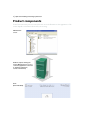
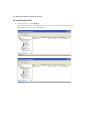
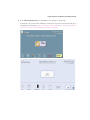
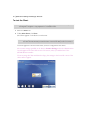
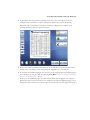
Your Client screen may not look exactly like the one in the illustration. The appearance of the
screen depends on the Ricoh device that you are using.
Administration
console
Network computer running the
Services Manager and one or more
connectors (applications connected
to enterprise applications,
such as e-mail and fax).
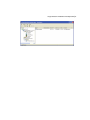
Client
(Ricoh Embedded)
eCopy ShareScan® Installation and Setup Guide | 9
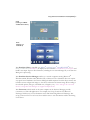
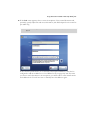
Client
(running on a MEAPenabled Canon device)
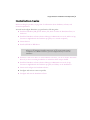
Client
(running on a
ScanStation)
The ShareScan Client is installed on a MEAP®-enabled Canon® imageRUNNER™Ricoh
SDK/J-enabled deviceScanStation. It displays the user interface on the device’s control panel and
handles user input. It passes all information, including the raw scanned image file, to the Services
Manager for processing.
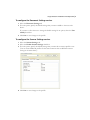
The ShareScan Services Manager resides on a network computer running Microsoft®
Windows® 2000, Windows 2003, Windows XP, or Microsoft Vista. ShareScan does not require
any special server hardware. The Services Manager handles requests from the client, returns user
interface screens and preview images to the client, and creates the master image file according to
the selected options (file type, searchable text, encryption, etc.). It also manages all connected
devices; a single Services Manager can support multiple clients.
The Connectors, which reside on the same computer as the Services Manager, provide
connectivity to back-end applications. For example, the eCopy Connector for Microsoft
Exchange enables users to scan documents and e-mail them using Microsoft Exchange. The
eCopy Connector for Fax via Lotus Notes enables users to scan documents and fax them using
Lotus Notes.
10
| Quick Start: Installing and setting up ShareScan
The eCopy Services, including Bates Numbering Service and Cost Recovery Service, provide
additional capabilities that enhance eCopy ShareScan.
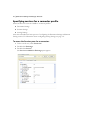
The Administration console is a Microsoft Management Console (MMC) snap-in that enables
system administrators to configure and administer Services Managers, eCopy Connectors, eCopy
Services, and devices.
eCopy ShareScan® Installation and Setup Guide | 11
Installation tasks
Before installing the product, see page 321 for information about hardware, software, and
network requirements.
To install and configure ShareScan, you perform the following tasks:
■
■
Install the ShareScan JAR (Java™ Archive) file, which contains the ShareScan Client, on
the device.
Install the ShareScan software (Services Manager, Administration console, and the eCopy
Connectors supplied with the installation program) on a network computer).
■
License devices.
■
Install a TWAIN or ISIS driver.
Note:
■
■
If you are using the ScanStation only with Send to eCopy, you do not need to install a TWAIN
driver. If you are using the ScanStation with Send to eCopy as well as with scanners
configured to use a TWAIN or ISIS driver, you use a single product key to license the
ScanStation
Install the touch screen driver on the ScanStation. However, you do not need to install this
driver if you have an existing ScanStation on which the driver was pre-loaded.
Install the ShareScan software (Services Manager, Administration console, eCopy
Connectors supplied with the installation program, and Client) on the ScanStation.
■
License and configure the ScanStation device.
■
Configure and activate connector profiles.
■
Configure and start the ScanStation Client.
12
| Quick Start: Installing and setting up ShareScan
Installing the JAR file on a MEAP-enabled
device
The JAR file contains the ShareScan Client.
Before you can acquire Canon MEAP-enabled devices for use with ShareScan, you must install
the JAR file (ShareOp.jar) and the license file on the devices.
Important!
If you must uninstall ShareScan from a MEAP-enabled device, contact Technical Support. The
Canon license allows only a single installation of the JAR file.
Before installing the JAR file, make sure that you turn off the Department ID, the Single Sign-On
(SSO) ID, or the Simple Device Login (SDL), if they are enabled. After installing the JAR file, you
can turn on the IDs again..
To install the JAR file:
1
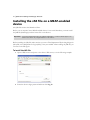
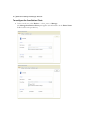
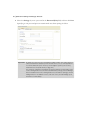
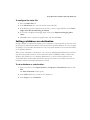
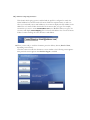
Open a Web browser and point to the device’s Web server, as in the following example:
2
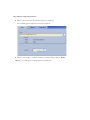
Enter the device’s login password and then click Log In.
eCopy ShareScan® Installation and Setup Guide | 13
3
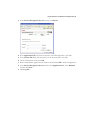
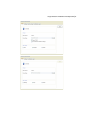
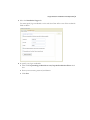
In the Service Management Service window, click Install.
4
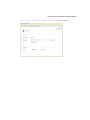
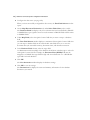
In the Application File field, enter the location of the ShareOp.jar file on the CD.
In the License File field, enter the location of the license.lic file on the CD.
On the confirmation screen, click OK.
Review the ShareScan application information and then click OK to install the application.
In the Service Management Service window, click Application List, select ShareScan
and then click Start.
Click Log Out.
5
6
7
8
9
14
| Quick Start: Installing and setting up ShareScan
Installing the JAR file on a Ricoh Embedded
device running SDK/J version 1.x
The JAR file contains the ShareScan Client.
Before you can use ShareScan with Ricoh Embedded devices, you must install the JAR file
(ShareScanOp.jar) and the DALP file on the devices. They are provided on an SD card.
This procedure assumes that SDK/J version 1.x is installed on the device. Note the slot in which
you installed the card.
If you are not the person who installed the SDK/J and you do not know which slot the SDK/J
SD card is installed in, you can find out by pressing the User Tools/Counter button on the control
panel. Then, on the display panel, press Extended Feature Settings > Extended Features. Note the
SD Card Slot number for the Java™ platform and then press Exit twice.
To install the JAR file:
1
Turn off the main power switch. When the power is off, the Main Power indicator on the
control panel, located above the On indicator for the Operation switch, will no longer be
illuminated.
Note:
2
See the documentation for your device for the location of the main power switch.
Insert the eCopy SD card in the slot that does not contain the SDK/J SD card and then
turn on the main power switch.
The Main Power indicator will be illuminated.
To start the SDK/J platform, press the key that was associated with the platform when it
was installed and then select the Java™ platform from the Other functions display.
4 Press Menu.
5 Press Login. Leave the User Code field blank (you do not need to enter a user code) and
then press .
6 To install the application:
■
Press the Install tab.
3
■
Select the ShareScan Xlet.
■
Select Hard Disk as the destination.
eCopy ShareScan® Installation and Setup Guide | 15
■
When the Ext. feature info screen appears, press OK.
Note:
■
eCopy recommends that you leave the Auto Start option selected during installation of the
JAR file.
When the installation is complete, press OK.
Note:
Do not turn off the main power until the panel displays the Add device to Manager screen.
When the Add device to Manager screen appears, indicating that the application is
initialized, turn off the main power switch and then remove the eCopy SD card.
8 If you removed an SD card from slot 3, insert it back in slot 3 and then turn on the main
power switch.
7
To uninstall and reinstall the JAR file:
To start the SDK/J platform, press the key that was associated with the platform when it
was installed and then select the Java™ platform from the Other functions display.
2 Press Menu and then press Login. Leave the User Code field blank (you do not need to
enter a user code) and then press .
3 To stop the application, select the Stop/Start tab, select the taken Xlet, and then press
Execute.
4 To uninstall the JAR file, select the Uninstall tab, select the ShareScan OP xlet, and then
press OK.
The Uninstallation confirmation window appears. Press OK.
1
Turn off the main power switch.
6 Turn on the main power switch.
7 See the instructions for installing the JAR file (see page 14).
5
16
| Quick Start: Installing and setting up ShareScan
Installing the JAR file on a Ricoh Embedded
device running SDK/J version 2.09 or later
The JAR file contains the ShareScan Client.
Before you can use ShareScan with Ricoh Embedded devices, you must install the JAR file
(ShareScanOp.jar) and the DALP file on the devices. They are provided on an SD card.
This procedure assumes that SDK/J version 2.09 or later is installed on the device. Note the slot
in which you installed the card.
If you are not the person who installed the SDK/J and you do not know which slot the SDK/J
SD card is installed in, you can find out by pressing the User Tools/Counter button on the control
panel. Then, on the display panel, press Extended Feature Settings > Extended Features. Note the
SD Card Slot number for the Java™ platform and then press Exit twice.
To install the JAR file:
1
Turn off the main power switch. When the power is off, the Main Power indicator on the
control panel, located above the On indicator for the Operation switch, will no longer be
illuminated.
Note:
2
See the documentation for your device for the location of the main power switch.
Insert the eCopy SD card in the slot that does not contain the SDK/J SD card and then
turn on the main power switch.
The Main Power indicator will be illuminated.
Press User Tools/Counter.
4 Press Extended Feature Settings.
5 Press Extended Feature Settings again.
6 To install the application:
■
Press the Install tab and then select SD Card.
3
■
Select ShareScan.
■
Select Machine HDD as the installation target and then press Next.
■
When the Extended Feature Settings screen appears, press OK.
Note:
■
eCopy recommends that you leave the Auto Start option selected during installation of the
JAR file.
When the installation is complete, press Exit.
eCopy ShareScan® Installation and Setup Guide | 17
Turn off the main power switch and then remove the eCopy SD card.
8 If you removed an SD card from slot 3, insert it back in slot 3 and then turn on the main
power switch.
With the Auto Start option selected, the application will start when the device is started
up.
7
To uninstall and reinstall the JAR file:
Press User Tools/Counter.
2 Press Extended Feature Settings twice.
3 To stop ShareScan, select Startup Setting and then select ShareScan.
You may have to do this twice. The status must be “Stop”.
1
4
To uninstall the JAR file, select the Uninstall tab, select ShareScan, and then press Yes.
The Complete extended feature uninstallation window appears.
5
Press Exit.
The Ready to uninstall window appears.
Press Exit.
7 Turn off the main power switch.
8 Turn on the main power switch.
9 See the instructions for installing the JAR file (see page 16).
6
18
| Quick Start: Installing and setting up ShareScan
Installing a Canon TWAIN driver
The ScanStation uses a TWAIN driver to get input from the device. You must install and
configure the driver before licensing the device.
If you are using supported Windows operating systems other than Windows Vista, you can use
Canon’s Color Network ScanGear v2.01 or Network ScanGear v2.0.1. If you are using Windows
Vista, you must use Canon’s Color Network ScanGear v2.2 or Network ScanGear v2.2.
eCopy recommends that you install the driver on the domain where it will be used.
To install the driver:
Insert the eCopy ShareScan CD (Disk 2) in the drive. (You can also look for drivers on
your network or download them from the Internet.)
2 Open the Canon folder and then open the folder for the driver that you want to install.
3 Run the installation program, following the instructions on the screen.
1
Note:
4
If you are installing Color Network ScanGear, you must log on using an Administrator
account. eCopy recommends that you read the Readme.txt file provided with the driver. It
provides important information about where to install the driver for “Restricted Users”. It also
provides information about listing Color Network ScanGear and ScanGear Tool on the
Exceptions tab in Windows Firewall.
When the installation is complete, click Finish.
To configure the driver:
Select Start > Programs > driver_name > ScanGear Tool.
2 Click Discover to list the devices on your network that can use this driver.
The tool displays the “Discovering scanners” message and then displays the list of available
scanners.
1
Select the scanner that you want to use and then click Select.
4 Click Test Connection.
The tool should display a message that the selected scanner is available for scanning.
3
Click OK and then click Exit.
If you are using Windows Vista and you use ScanGear Tool to change to a different scanner, you
must select the driver again in the Administration console. You do this on the Status tab in the
Manage ScanStation Client pane.
5
eCopy ShareScan® Installation and Setup Guide | 19
Installing HP Driver for ScanStation 1.2
The ScanStation uses the HP Driver for ScanStation 1.2 to get input from a supported HP MFP.
You must install and configure it before licensing the device.
To set up a ScanStation to use the HP Driver for ScanStation, you perform the following tasks:
■
■
Install the application, ShareScanOP_Driver_for_HP.exe, on the ScanStation (see page 20).
Install Java Archive (JAR) files on the Java™-enabled Hewlett-Packard (HP) device that is
connected to the ScanStation (see page 20). The HP Driver for ScanStation installs two sets
of JAR files on the ScanStation, one set in the Chai2 folder (for older devices) and one set
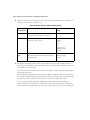
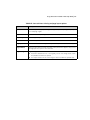
in the Chai4 folder (for newer devices) (see Table 1).
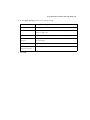
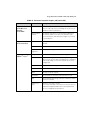
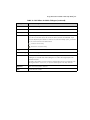
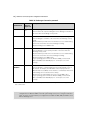
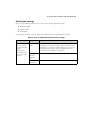
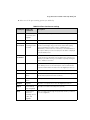
TABLE 1. JAR files for supported HP MFPs
■
■
■
HP MFP
Chai2 folder
Chai4 folder
HP LaserJet 4345
Yes
No
HP LaserJet 4730
Yes
No
HP LaserJet 9040
Yes
No
HP LaserJet 9050
Yes
No
HP LaserJet 9500
Yes
No
HP Digital Sender 9200c
Yes
No
HP LaserJet M3035
No
Yes
HP LaserJet M4345
No
Yes
HP LaserJet M5035
No
Yes
Configure the HP device (see page 24).
Associate the HP Driver with the HP device using the HP Driver for ScanStation Tool (see
page 25).
License the ScanStation (see page 36).
20
| Quick Start: Installing and setting up ShareScan
Installing the HP Driver on the ScanStation
The driver is provided on Disk 2 of the ShareScan CD.
To install the HP Driver:
Insert the eCopy ShareScan CD (Disk 2) in the drive.
2 Open the HP folder and then open the folder for the driver that you want to install.
3 Run the installation program, ShareScanOP_Driver_for_HP.exe, following the
instructions on the screen.
The installation program installs the driver files in the following location:
1
C:\Program Files\eCopy\HP Driver for ScanStation 1.2
4
When the installation is complete, click Finish.
Installing the JAR files on the HP MFP
You can use either of the following programs to install the JAR files:
■
HP Web Jetadmin (see page 20)
■
HP’s Package Loader utility (see page 22)
If you plan to use HP Web Jetadmin, download the software from the HP Web site and install it
before installing the JAR files.
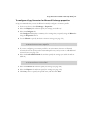
To install the JAR files (using HP Web Jetadmin):
1
To run HP Web Jetadmin:
■
Open a Web browser.
■
In the Address bar, enter Web Jetadmin address information using the following
format .
Format: http://servername:port/
Example: http://MFP01:8000/
■
Press ENTER.
If the Security Alert window opens, click Yes to proceed.
■
Log on to Web Jetadmin.
The Setup Wizard page opens.
eCopy ShareScan® Installation and Setup Guide | 21
2
To select the device on which you want to install the JAR files:
■
In the Navigation section, expand the HP Web Jetadmin, Device Management,
and Device Lists folders by clicking the plus sign (+) next to each.
■
Under Device Lists, select All Devices.
The Device List pane displays the available MFPs.
If the device you want to use is not listed, enter the device’s IP address in the Quick
Device Find field and then click Go. The Device Status page appears. Click All
Devices; the list now includes the new device.
■
3
Select the device that you want to use.
To upload the JAR files:
■
In the Device Tools list, select Application Manager.
The Activity Log appears.
■
In the Toolbox section, under Device Tools, click Install.
The Application Manager displays a list of applications that are currently installed on
the selected device.
■
■
■
■
Scroll to the Upload Device Application section at the bottom of the page.
Click Browse and navigate to the JAR files for HP folder, which is located in the HP
Driver for ScanStation 1.2 folder.
Open the Chai2 or the Chai4 folder, depending on the target device (see Table 1).
Select the hp_sdc-xlD-FI_1.0.7.1.jar file or the hp-ext-20-sdc.1.0.8.5.jar file, depending
on the folder you opened. Click Open and then click Upload file.
The HP Express Loader application now appears in the list.
■
Click Browse again and navigate to the JAR files for HP folder.
■
Select the sharescanop.jar file, click Open, and then click Upload file.
The HPAgent application now appears in the list.
22
| Quick Start: Installing and setting up ShareScan
4
To install the JAR files:
■
Select the check box for HP Express Loader, scroll to the bottom of the page, and
then click Install.
Important!
■
5
The MFP will restart after the application is installed. You must wait for the device to
complete its startup cycle; this may take several minutes. When the Install Device
Applications page indicates that the application has been successfully installed and
when the MFP has completed its startup cycle, you can install the next JAR file.
In the Toolbox section of the Activity Log page, under Device Tools, click Install.
Select the check box for HPAgent, scroll to the bottom of the page, and then click
Install.
In the Toolbox section, under Device Tools, click List. Make sure that both applications
— HPAgent and Simple Document Capture (SDC) — are included in the list.
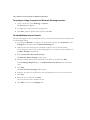
To install the JAR files (using Package Loader):
1
To connect to the HP device:
■
Open a Web browser.
■
In the Address bar, enter device information using the following format:
Format: http: //<device_name or IP_address>/hp/device/this.loader
Example: http://10.10.12.241/hp/device/this.loader
■
Press ENTER
■
Log on to the device.
The Package Loader page opens.
2
Check to see whether the JAR files have already been installed; it is important not to install
a JAR file that is already installed on the device.
■
Navigate to the Reloadable Packages section of the page. This section lists all the
installed packages.
■
If ShareScan OP (for Chai2 devices) or HPAgent (for Chai4 devices) and Simple
Document Capture (SDC) are listed in the Package Name column, the JAR files
have been installed. You can now associate the driver with the device (see page 25).
If the packages are not listed, proceed to the next step.
eCopy ShareScan® Installation and Setup Guide | 23
3
To install the hp_sdc-xlD-FI_1.0.7.1.jar or the hp-ext-20-sdc.1.0.8.5.jar file:
Note:
■
■
■
■
■
You must always install this file before installing the sharescanop.jar file.
If the device’s control panel is displaying a status message from the HP driver for
ScanStation application, press the Home icon to return to the main panel.
Scroll to the Install New Package section.
Next to the Enter Package File field, click Browse and navigate to the JAR files for
HP folder, which is located in the HP Driver for ScanStation 1.2 folder.
Open the Chai2 or the Chai4 folder (see Table 1).
Select the hp_sdc-xlD-FI_1.0.7.1.jar file or the hp-ext-20-sdc.1.0.8.5.jar file. Click
Open and then click Load Package Now.
Important!
The MFP will restart after the application is installed. You must wait for the device to
complete its startup cycle; this may take several minutes. When the Package Loader
page indicates that the JAR file has been successfully loaded and when the MFP has
completed its startup cycle, you can install the next JAR file.
The Simple Document Capture (SDC) application now appears in the Reloadable
Packages list.
4
To install the sharescanop.jar file:
■
Next to the Enter Package File field, click Browse and navigate to the JAR files for
HP folder.
■
Open the Chai2 or the Chai4 folder.
■
Select the sharescanop.jar file, click Open, and then click Load Package Now.
When the Package Loader page displays a message indicating that the JAR file has been
loaded, click Loader Home.
■
The ShareScan (for Chai2 devices) or the HP Agent (for Chai4 devices) application
now appears in the list and on the device’s control panel.
24
| Quick Start: Installing and setting up ShareScan
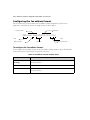
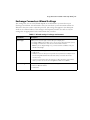
Configuring the HP MFP
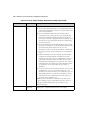
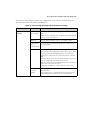
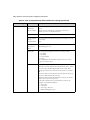
This section applies only to devices using the Chai4 JAR files. You configure the device on the
Configure page.
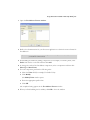
To configure the device:
Open a Web browser.
2 In the Address bar, enter device information using the following format:
Format: http://device_name or IP_address/hp/device/ecopy.agent
1
Example: http://10.10.12.241/hp/device/ecopy.agent
The eCopy HP Driver for ScanStation v2.0.0 page opens.
Click Configure.
4 In the Maximum Paper Size field, select the maximum paper size that your device
supports. For example, you can select A3/Ledger if your device supports page sizes up to
A3/Ledger. The default size, A4/Letter, is smaller than A3/Ledger.
5 In the Tracing field, select On if you want to enable this function. Be aware that enabling
tracing will slow down overall device performance.
6 Click Submit.
3
eCopy ShareScan® Installation and Setup Guide | 25
Associating the HP Driver for ScanStation with the MFP
You use the HP Driver for ScanStation Tool to associate the application with the HP MFP.
To associate the HP Driver with the MFP:
1
Select Start > Programs > eCopy Applications > HP Driver for ScanStation 1.2 >
HP Driver for ScanStation Tool.
The HP Driver for ScanStation Tool window opens.
In the Device area, enter the host name of the device or enter the IP address of the device.
3 Type in the port number, if necessary, or leave the default port number (recommended).
2
Note:
4
Click Test Connection.
■
If the tool displays a message indicating that the scanner is available, click OK.
■
5
The port number specified in the window must match the port number specified in the Port
field on the Configure page for the HP MFP (see page 24).
If the tool displays a message indicating that the scanner is not connected to the
specified device, click OK, and then resolve the problem. For example, make sure that
the device is running or that you entered the correct host name or IP address.
Click OK to save the settings.
You are now ready to license the ScanStation (see page 36).
26
| Quick Start: Installing and setting up ShareScan
Installing the Konica Minolta TWAIN driver
The ScanStation uses a TWAIN driver to get input from the device. You must install and
configure the driver before licensing the device.
You can use Konica Minolta’s TWAIN driver Ver. 2.
To install the driver:
Open a Web browser.
2 Go to www.mykonicaminolta.com.
The Login page opens.
1
Log in.
4 Download the special Konica Minolta TWAIN driver for use with your ScanStation and
your Konica Minolta bizhub device.
5 Install the driver, following the instructions provided with it.
3
eCopy ShareScan® Installation and Setup Guide | 27
Installing a Ricoh TWAIN driver
The ScanStation uses a TWAIN driver to get input from the device. You must install and
configure the driver before licensing the device.
Version 4.0 Ricoh TWAIN drivers include a Network Connection Tool. When you have multiple
devices of the same model type, you use the tool to select the specific device on your network that
you want to use with the driver. If you are using a version 3.0 Ricoh TWAIN driver, your system
will automatically connect to the first device that it finds on your network that uses the driver.
To install the driver:
Insert the eCopy ShareScan CD (Disk 2) in the drive. (You can also look for drivers on
your network or download them from the Internet.)
2 Open the Ricoh folder and then open the folder for the driver that you want to install.
3 Run the installation program, following the instructions on the screen.
4 When the installation is complete, click Finish.
1
To configure the driver:
Select Start > Programs > <driver_name> > Network Connection Tool.
2 Selec the Use a specific scanner check box.
3 Click Search Scanner.
The Search Scanner: Result window lists all devices on the network that can use the
curent TWAIN driver.
1
4
Select the scanner that you want to use and then click OK.
The Network Connection Tool window opens.
5
Click OK.
28
| Quick Start: Installing and setting up ShareScan
Installing a TWAIN or ISIS driver
The ScanStation can use a TWAIN or ISIS driver to get input from the scanner. You must install
and configure the driver before licensing the device.
Drivers are typically included with scanners. However, you may need to update the driver in the
following circumstances:
■
The driver version included with the scanner may not be the most current version.
■
You are installing an ISIS scanner driver on a computer running Windows Vista.
eCopy recommends that you go to the scanner vendor’s Web site to verify that you have the latest
available driver and, if necessary, download the driver, install it on the ScanStation, and then
configure it as needed. You can check driver versions at www.scannerdrivers.com.
eCopy provides the support files that ShareScan needs to work with ISIS drivers. Before installing
the support files, you must install ShareScan (see page 34).
To install the ISIS support files:
1
Double-click the ShareScanIsis_8_0.exe application, which is located on the Scanners
installation CD.
The WinZip Self-Extractor window displays the default path, C:\.
2
Click Unzip.
The files are copied to the PIXTRAN and system32 folders in the WINDOWS folder.
eCopy ShareScan® Installation and Setup Guide | 29
Installing the Sharp OSA™ TWAIN Driver
The ScanStation uses a TWAIN driver to get input from the device. You must install and
configure the driver before licensing the device.
The eCopy Sharp OSA TWAIN driver provides TWAIN support for Sharp OSA™-enabled
MFPs.
Before installing the driver, you must install the Sun Microsystems™ Java™ 2 Platform Standard
Edition Development Kit 5.0, update 10 or later. You can download the update from the Sun Web
site: http://java.sun.com/javase/downloads/index_jdk5.jsp. When you install the JDK, accept
the default settings.
To install the driver:
Insert the eCopy ShareScan CD (Disk 2) in the drive.
2 Open the Sharp OSA TWAIN folder and then open the folder for the driver that you want
to install.
3 Run the installation program, ShareScanOP_Driver_for_Sharp.exe, following the
instructions on the screen.
The installation program installs the driver in the following location:
1
C:\Program Files\eCopy\TWAIN Driver for Sharp OSA
4
When the installation is complete, click Finish.
To register the ScanStation application:
Open a Web browser.
2 In the Address bar, enter the name or the IP address of the Sharp device and then press
ENTER.
The Top Page appears.
1
3
In the navigation pane, select Application Settings and then select External Application
Settings.
The Login page appears.
4
Enter the login name and password and then click Login.
The Standard Application Settings page appears.
5
Click Add.
The Standard Application Registration page appears.
6
Enter the registration settings for the application:
■
Application Name: Enter a descriptive name, such as “eCopy Scans”.
30
| Quick Start: Installing and setting up ShareScan
■
Address for Application: Enter the URL using the following format, where the port
number and “scanstation” are required elements:
http://<IP_Address>:8080/scanstation/
■
7
Timeout: Enter a timeout value for the device.
Click Submit.
The Standard Application Settings page now lists the application you registered.
To configure the driver:
1
Select Start > Programs > eCopy Applications > eCopy Sharp OSA TWAIN Driver
> Driver Configuration Tool.
The eCopy Sharp TWAIN Driver Tool window opens.
In the Device area, enter the host name or the IP Address of the Sharp device.
3 In the Web Server area, enter the IP address or the host name of the ScanStation.
4 Type in the port number, if necessary, or leave the default port number (recommended).
2
Note:
The port number specified in the window must match the port number specified in the
Address for Application field on the Standard Application Registration page.
5
At the Sharp device, select Document Filing on the control panel and then select the
newly registered application on the touch screen.
The eCopy TWAIN Driver screen appears.
6
Click Test Connection.
If the tool displays a message indicating that it found the service on the specified device,
click OK.
If the tool displays a message indicating that it did not find the service on the specified
device, click OK and then resolve the problem.
7
Click OK to save the settings.
eCopy ShareScan® Installation and Setup Guide | 31
Installing the Toshiba TWAIN driver
The ScanStation uses a TWAIN driver to get input from the device. You must install and
configure the driver before licensing the device.
You can use Toshiba’s e-STUDIO Series Remote Scan TWAIN driver.
To install the driver:
Insert the eCopy ShareScan CD (Disk 2) in the drive.
2 Open the Toshiba folder and then open the TWAIN folder.
3 For information about obtaining the required Toshiba driver and firmware, refer to the
Readme.txt file.
4 Install the driver and firmware, following the instructions provided with them.
1
32
| Quick Start: Installing and setting up ShareScan
Installing the Xerox Driver for ScanStation
The ScanStation uses a TWAIN driver to get input from the device. You must install and
configure the driver before licensing the device.
Before installing the driver, you must install the Sun Microsystems™ Java™ 2 Platform Standard
Edition Development Kit 5.0, update 10 or later. You can download the update from the Sun Web
site: http://java.sun.com/javase/downloads/index_jdk5.jsp. When you install the JDK, accept
the default settings.
To install the driver:
Insert the eCopy ShareScan CD (Disk 2) in the drive.
2 Open the Xerox_TWAIN_Driver folder.
3 Run the installation program, ShareScanOP_Driver_for_XEROX.exe, following the
instructions on the screen.
The program installs the driver in the following location:
1
C:\Program Files\eCopy\Xerox Driver for ScanStation
4
When the installation is complete, click Finish.
To configure the driver:
1
Select Start > Programs > eCopy Applications > Xerox Driver for ScanStation >
Xerox Driver Configuration Tool.
The Xerox Driver for ScanStation Configuration window opens.
On the Device tab, enter the host name or the IP Address of the Xerox device in the IP
Address field.
3 In the User Name and Password fields, enter the user name and password for the device
administrator.
4 Select the Capabilities tab and then specify the color capability of the device and whether
the device supports A3/Ledger size paper.
5 When you are finished configuring the driver, click Save.
2
eCopy ShareScan® Installation and Setup Guide | 33
Installing the Océ Imagistics Driver
The ScanStation uses a TWAIN driver to get input from the device. You must install and
configure the driver before licensing the device.
To install the driver:
1
34
| Quick Start: Installing and setting up ShareScan
Installing eCopy ShareScan
Use the ShareScan installation program to install the following components on a network
computer:
■
Client
■
Services Manager
■
Administration console
■
One or more eCopy Connectors supplied with the installation program.
Installing connectors is not the same as activating them. You can install all the connectors suitable
to your environment now and activate them when you need to use them. For example, if you are
in a Windows environment, you do not need to install the Lotus Notes Mail and Fax connectors.
(If you want to install a connector later, you must go through the installation process again.)
To install the software:
1
Insert the eCopy ShareScan CD (Disk 1) in the drive.
The Launch window opens,
Click Install ShareScan.
3 Select the language for the installation and then click OK.
The Welcome window opens.
2
4
Click Next.
If your computer does not meet the minimum requirements, the installation program
displays a system requirements message. Read the message and then click Install to
proceed.
The Welcome window opens again.
5
Click Next.
The Components window opens.
6
Click Next.
The Connectors window opens.
7
Select the connectors you want to install.
Note:
You can use the Copy Connector on some, but not all, devices running eCopy ShareScan
Embedded software. If you try to activate a Copy connector profile on an unsupported device,
the system will display an error message. You can use the Fax via Print Connector only on a
ScanStation.
eCopy ShareScan® Installation and Setup Guide | 35
8
Click Next.
You must install the Lotus Notes client before you can install the Lotus Notes e-mail or fax
connector. The Lotus Notes e-mail and fax connectors will not be available for installation
unless the Lotus Notes client is installed on the computer running the Services Manager.
If the Lotus Notes client installation program prompts you to choose between the MultiUser Install option and the Single User Install option, make sure that you select the Single
User Intall option.
9
Click OK to continue the installation.
If you selected an e-mail or fax connector, the Internet Address Book Support window
opens.
■
■
If you do not plan to install the address book on this computer, select No and then
click Next.
If you plan to install the address book on this computer, select Yes and then click Next.
The system checks for the required components, it does not install SQL Express.
Note:
ShareScan uses Microsoft SQL Server Express 2005 (SQL Express) to store manually entered
addresses and fax numbers in a database. If you plan to use this function, you must install the
version of SQL Express provided on the ShareScan CD (see page 161).
When the installation is complete, click OK to return to the Launch window.
11 Select Optional Components > Install SQL Express and, when prompted, enter a
password.
You will use the password when you configure the connector profiles from the
Administration console. The password must contain a minimum of 6 characters and must
include alpha and numeric characters.
10
Follow the prompts provided by the Microsoft SQL Server 2005 Setup program and
accept all of the default settings.
13 When the installation is complete, click Finish.
12
36
| Quick Start: Installing and setting up ShareScan
Licensing devices
You license the product from the Administration console. To do this, you perform the following
tasks:
■
Select a Services Manager (see page 37).
■
Add the product key to the local license database.
■
Add an eCopy-enabled device to the Services Manager.
■
Activate the license and generate a license report (see page 61).
■
Set up a supported multifunction peripheral (MFP) that you plan to use with the
ScanStation’s Send to eCopy feature (see page 95).
eCopy ShareScan® Installation and Setup Guide | 37
To select a Services Manager:
1
Select Start > Programs > eCopy Applications > ShareScan Administration.
The Select ShareScan Manager window opens. The first Services Manager in the list is
most often the local computer, the one that you typically want to administer.
2
In the list, select the Services Manager that you want to use.
■
If the Services Manager that you want to use is not listed, click Discover to refresh the
list.
■
If the Services Manager is still not listed, enter the machine name and IP address in the
edit field, for example, enter ECOPY1 (10.10.10.10).
38
| Quick Start: Installing and setting up ShareScan
3
Click OK.
The Administration console opens.
eCopy ShareScan® Installation and Setup Guide | 39
To add the product key to the local license database:
1
In the console tree, select System Information and then select Licensing.
Note:
2
If you received your keys in electronic form, you may want to copy and paste them from a text
file (TXT).
Use any of the following methods:
■
Click New Key, enter the key (manually or by pasting a copied key), and then click OK.
■
■
Click <ENTER PRODUCT KEY> to make the edit field active, enter the product
key in the field, and then press ENTER.
Click Load Keys, select the text file containing the produt keys, and then click Open.
The License Information tab displays the product key or keys that you entered.
40
| Quick Start: Installing and setting up ShareScan
To add an eCopy-enabled device to the Services Manager:
Make sure that the device that you want to license is running.
2 In the console tree, right-click Devices and then select Add a new device.
The Add Device window lists all available devices. The window displays IP Address
information, the name of the device, the software version, the Services Manager that is
currently managing the device, and the domain.
1
Select the device that you want to license and then click OK.
4 When the system prompts you to confirm the device that you want to add to the device
list, click Yes.
The system displays the product key information.
3
eCopy ShareScan® Installation and Setup Guide | 41
To add the product key to the local license database:
1
In the console tree, select System Information and then select Licensing.
Note:
2
If you received your keys in electronic form, you may want to copy and paste them from a text
file (TXT).
Use any of the following methods:
■
Click New Key, enter the key (manually or by pasting a copied key), and then click OK.
■
■
Click <ENTER PRODUCT KEY> to make the edit field active, enter the product
key in the field, and then press ENTER.
Click Load Keys, select the text file containing the produt keys, and then click Open.
The License Information tab displays the product key or keys that you entered.
42
| Quick Start: Installing and setting up ShareScan
To add an eCopy-enabled device to the Services Manager:
Make sure that the device that you want to license is running.
2 In the console tree, right-click Devices and then select Add a new device.
The Add Device window lists all available devices. The window displays IP Address
information, the name of the device, the software version, the Services Manager that is
currently managing the device, and the domain.
1
Select the device that you want to license and then click OK.
4 When the system prompts you to confirm the device that you want to add to the device
list, click Yes.
The system displays the product key information.
3
eCopy ShareScan® Installation and Setup Guide | 43
To add the product key to the local license database:
1
In the console tree, select System Information and then select Licensing.
Note:
2
Use either of the following methods:
■
Click New Key, enter the key (manually or by pasting a copied key), and then click OK.
■
3
If you received your keys in electronic form, you may want to copy and paste them from a text
file (TXT).
Click <ENTER PRODUCT KEY> to make the edit field active, enter the product
key in the field, and then press ENTER.
When you have added the product key, the Services Manager prompts you to select the
source, the TWAIN driver.
44
| Quick Start: Installing and setting up ShareScan
4
Select the driver and then click Select.
The system displays the product key information.
eCopy ShareScan® Installation and Setup Guide | 45
To add the product key to the local license database:
1
In the console tree, select System Information and then select Licensing.
Note:
2
Use any of the following methods:
■
Click New Key, enter the key (manually or by pasting a copied key), and then click OK.
■
3
If you received your keys in electronic form, you may want to copy and paste them from a text
file (TXT).
Click <ENTER PRODUCT KEY> to make the edit field active, enter the product
key in the field, and then press ENTER.
When you have added the product key, the Services Manager prompts you to select the
source, the TWAIN driver.
46
| Quick Start: Installing and setting up ShareScan
4
Select the driver and then click Select.
The system displays the product key information.
eCopy ShareScan® Installation and Setup Guide | 47
To add the product key to the local license database:
1
In the console tree, select System Information and then select Licensing.
Note:
2
Use either of the following methods:
■
Click New Key, enter the key (manually or by pasting a copied key), and then click OK.
■
3
If you received your keys in electronic form, you may want to copy and paste them from a text
file (TXT).
Click <ENTER PRODUCT KEY> to make the edit field active, enter the product
key in the field, and then press ENTER.
When you have added the product key, the Services Manager prompts you to select the
source, the TWAIN driver.
If your company has multiple MFP devices that use the selected driver, the system may
prompt you to select the one that you want to license.
48
| Quick Start: Installing and setting up ShareScan
4
Select the driver and then click Select.
The system displays the product key information.
eCopy ShareScan® Installation and Setup Guide | 49
To add the product key to the local license database:
1
In the console tree, select System Information and then select Licensing.
Note:
2
Use either of the following methods:
■
Click New Key, enter the key (manually or by pasting a copied key), and then click OK.
■
3
If you received your keys in electronic form, you may want to copy and paste them from a text
file (TXT).
Click <ENTER PRODUCT KEY> to make the edit field active, enter the product
key in the field, and then press ENTER.
When you have added the product key, the Services Manager prompts you to select the
source, the TWAIN or ISIS driver. If you have installed an ISIS driver, [ISIS] will appear at
the end of the driver name.
50
| Quick Start: Installing and setting up ShareScan
4
Select the driver and then click Select.
If you selected an ISIS driver, the Configure Device Settings window appears. After
configuring the device, click OK.
The system displays the product key information.
eCopy ShareScan® Installation and Setup Guide | 51
To add the product key to the local license database:
1
In the console tree, select System Information and then select Licensing.
Note:
2
If you received your keys in electronic form, you may want to copy and paste them from a text
file (TXT).
Use either of the following methods:
■
Click New Key, enter the key (manually or by pasting a copied key), and then click OK.
52
| Quick Start: Installing and setting up ShareScan
■
Click <ENTER PRODUCT KEY> to make the edit field active, enter the product
key in the field, and then press ENTER.
When you have added the product key, the Product Key Information window opens. You
use the same Send to eCopy key to license TWAIN-enabled devices.
eCopy ShareScan® Installation and Setup Guide | 53
To add the product key to the local license database:
1
In the console tree, select System Information and then select Licensing.
Note:
2
If you received your keys in electronic form, you may want to copy and paste them from a text
file (TXT).
Use either of the following methods:
■
Click New Key, enter the key (manually or by pasting a copied key), and then click OK.
■
Click <ENTER PRODUCT KEY> to make the edit field active, enter the product
key in the field, and then press ENTER.
54
| Quick Start: Installing and setting up ShareScan
When you have added the product key, the Product Key Information window opens. You
use the same Send to eCopy key to license TWAIN-enabled devices.
eCopy ShareScan® Installation and Setup Guide | 55
To add the product key to the local license database:
1
In the console tree, select System Information and then select Licensing.
Note:
2
If you received your keys in electronic form, you may want to copy and paste them from a text
file (TXT).
Use either of the following methods:
■
Click New Key, enter the key (manually or by pasting a copied key), and then click OK.
■
Click <ENTER PRODUCT KEY> to make the edit field active, enter the product
key in the field, and then press ENTER.
56
| Quick Start: Installing and setting up ShareScan
When you have added the product key, the Product Key Information window opens. You
use the same Send to eCopy key to license TWAIN-enabled devices.
eCopy ShareScan® Installation and Setup Guide | 57
To add the product key to the local license database:
1
In the console tree, select System Information and then select Licensing.
Note:
2
Use either of the following methods:
■
Click New Key, enter the key (manually or by pasting a copied key), and then click OK.
■
3
If you received your keys in electronic form, you may want to copy and paste them from a text
file (TXT).
Click <ENTER PRODUCT KEY> to make the edit field active, enter the product
key in the field, and then press ENTER.
When you have added the product key, the Services Manager prompts you to select the
source, the TWAIN driver.
58
| Quick Start: Installing and setting up ShareScan
4
Select the driver and then click Select.
The system displays the product key information.
eCopy ShareScan® Installation and Setup Guide | 59
To add the product key to the local license database:
1
In the console tree, select System Information and then select Licensing.
Note:
2
Use either of the following methods:
■
Click New Key, enter the key (manually or by pasting a copied key), and then click OK.
■
3
If you received your keys in electronic form, you may want to copy and paste them from a text
file (TXT).
Click <ENTER PRODUCT KEY> to make the edit field active, enter the product
key in the field, and then press ENTER.
When you have added the product key, the Services Manager prompts you to select the
source, the TWAIN driver.
60
| Quick Start: Installing and setting up ShareScan
4
Select the driver and then click Select.
The system displays the product key information.
eCopy ShareScan® Installation and Setup Guide | 61
To activate the license and generate a report:
1
To activate the license through the Internet, click Activate Now.
Note:
If you cannot activate a license immediately, you have 30 days in which to activate it.
The activation process only takes a couple of minutes.
2
Read the registration message, click OK, and then click Done.
62
| Quick Start: Installing and setting up ShareScan
3
Click Report to generate a license report.
eCopy ShareScan® Installation and Setup Guide | 63
The eCopy Registration Web site enables you to upload the product key information needed to
register eCopy-enabled devices from the license report. You typically complete the registration
process after adding one or more product keys to the License Information pane and generating
the license report. If you add more product keys later, you will need to repeat the registration
process.
64
| Quick Start: Installing and setting up ShareScan
To enable TWAIN:
1
In the console tree, select Devices > <device_name> > Manage > Status and then select
the Enable TWAIN check box.
2
To select the driver:
■
Click the Browse button
.
The Services Manager prompts you to select the source, the TWAIN driver.
■
Select the Konica Minolta TWAIN driver.
■
In the Manage ScanStation Client pane, click Save.
eCopy ShareScan® Installation and Setup Guide | 65
To enable TWAIN:
1
In the console tree, select Devices > <device_name> > Manage > Status and then select
the Enable TWAIN check box.
2
To select the driver:
■
Click the Browse button
.
The Services Manager prompts you to select the source, the TWAIN driver.
■
Select the e-STUDIO Remote Scan driver.
The Toshiba driver’s TopAccessDocMon Local Discovery window opens.
Note:
■
■
To use a different MFP with the driver, you must uninstall the driver, restart the computer,
reinstall the driver, and then select the MFP you want to use.
Click Start Discovery, select the TWAIN-enabled device that you want to use, and
then click OK.
In the Manage ScanStation Client pane, click Save.
66
| Quick Start: Installing and setting up ShareScan
To view the device list:
1
In the console tree, select Devices.
The new device is listed in the right pane. (To change the view, right-click in the right pane,
click View, and then select the desired view.)
eCopy ShareScan® Installation and Setup Guide | 67
68
| Quick Start: Installing and setting up ShareScan
Configuring and activating connector
profiles
After licensing a device, you configure one or more profiles for each connector that you want to
use and then activate the profiles on a device.
When you configure a connector profile, you associate it with a button that appears on the main
ShareScan Client screen. When a user presses a button, the connector uses the properties and
services specified in the connector profile associated with the button. For example, the following
screens illustrate the relationship between the Display properties for an Exchange connector
profile and the Scan and Mail button on the Client screen.
eCopy ShareScan® Installation and Setup Guide | 69
You can configure multiple profiles for each connector and you can display up to nine buttons on
the screen.
This section describes the basic process of configuring and activating a connector profile, using
the eCopy Connector for Microsoft Exchange as an example. It does not provide any information
about configuring a local address book, which is a more advanced function. For detailed
information about configuring a profile for this connector, see page 175.
Before configuring this profile, you should create a generic Microsoft Exchange account for
ShareScan to use. The profile uses the ShareScan User Account information to log on to the
Exchange server and retrieve the Global Address List.
70
| Quick Start: Installing and setting up ShareScan
Specifying services for a connector profile
There are three core services available to connector profiles:
■
Document Settings
■
Scanner Settings
■
Tracing Settings
This section describes the basic process of configuring the Document Settings and Scanner
Setting services. For information about configuring Tracing Settings, see page 171.
To access the Services pane for a connector:
In the console tree, select Connectors.
2 Double-click Exchange.
3 Double-click Services.
The Services available for Exchange pane appears.
1
eCopy ShareScan® Installation and Setup Guide | 71
To configure the Document Settings service.
Select the Document Settings tab.
2 For each option, specify the default settings that you want available to the user at the
device.
If you want to allow the user to change the default setting for an option, select the User
modify check box.
1
3
Click Save to save changes to the profile.
To configure the Scanner Settings service.
Select the Scanner Settings tab.
2 Select the Enable Scanner Settings check box.
3 For each option, specify the default settings that you want this connector profile to use.
(You can create additional profiles for the same connector that use different scanner
settings at the same device.)
1
4
Click Save to save changes to the profile.
72
| Quick Start: Installing and setting up ShareScan
Specifying properties for a connector profile
This section describes the basic process of configuring the following properties:
■
Display
■
ShareScan user (on the Configure tab)
■
Content
■
Express mode
To access the Properties tab for a connector:
1
In the console tree, select Connectors.
The console displays all the installed connectors. (To change the view, right-click in the
right pane, click View, and then select the view you want to use.)
2
Double-click Exchange.
The console displays the Properties and Services icons.
eCopy ShareScan® Installation and Setup Guide | 73
3
Double-click Properties.
The Exchange Properties pane appears.
To configure the Display properties:
Select the Display tab.
2 To modify the image associated with the connector profile’s button, click the Browse
button next to the Image field, locate the image that you want to use, and then click
Open.
3 To modify the button label, click in the Label field and enter the new text.
4 Click Save.
The Save Profile window opens.
1
5
Enter exchange_express as the name of the profile, or leave “default” as the name, and
then click Save.
74
| Quick Start: Installing and setting up ShareScan
To configure the ShareScan user properties:
1
Select the Configure tab. This tab looks a little different for each connector, but most of
the connectors, especially the e-mail and fax connnectors, contain similar types of settings.
Note:
Some connectors, such as the Exchange Connector, include a Wizard that walks you through
the standard environment settings. For information about using the Wizard to initially
configure an Exchange connector profile, see page 177.
eCopy ShareScan® Installation and Setup Guide | 75
2
Click Properties.
The Exchange Properties window opens.
3
Select the Basic Settings tab.
4
Enter the ShareScan User information and then click Test.
When the console displays the “Test successful” message, proceed to the next step.
76
| Quick Start: Installing and setting up ShareScan
5
Select the General Settings tab.
■
■
■
To configure the profile to enable users to send scanned documents as e-mail
attachments from their personal Microsoft Exchange account, select the Send from
personal account option.
If you do not want to configure the profile to enable users to send scanned documents
as e-mail attachments from their personal Microsoft Exchange account, clear the Send
from personal account option. The connector will send the scanned documents from
the ShareScan User Account.
To configure the profile to enable users to send scanned documents only to the logged
on user, select the Send to self option. The Send screen will not appear on the Client
screen at the device.
6
When you have specified the basic and advanced settings, click OK.
The Settings Summary displays the current basic and advanced settings.
7
Click Save to save changes to the profile.
eCopy ShareScan® Installation and Setup Guide | 77
To configure the Content properties:
1
Select the Content tab.
To specify the default subject that will be available to the user at the device, select it in the
Subjects list. The user can accept the default subject or enter a new subject.
3 To specify the default note, select Notes in the Message area and then select a note.
4 The Content tab enables you to specify the default subject or note information that will be
available to a user at an eCopy-enabled device.
5 Click Save to save changes to the profile.
2
78
| Quick Start: Installing and setting up ShareScan
To configure Express properties:
1
Select the Express tab.
This feature enables you to create a profile that minimizes user interaction at the device;
the Send screen will not appear on the Client screen at the device.
Select the Enable check box.
3 Enter information in the Subject and Note fields.
The user at the device will not have to specify a subject line or a note.
2
Note:
The connector will not use the default subject line or notes specified on the Content tab.
eCopy ShareScan® Installation and Setup Guide | 79
4
To specify one or more recipients, click the Add button associated with the To: field.
The Add Recipients window opens.
5
With the Search while typing option selected, enter the first few characters of a recipient’s
name. As you type, the system displays names that match the characters you entered.
6
Select each recipient that you want to include on the To: list and then click To -> in the
Message Recipients area.
7
Click OK.
The console displays the recipients in the To: list. The user at the device will not have to
select any recipients.
8
Click Save to save changes to the profile.
80
| Quick Start: Installing and setting up ShareScan
Activating connector profiles
This section describes the process of activating a connector profile on a device.
To access the Device Properties pane for a device:
In the console tree, select Devices.
2 Select a device.
3 Select Properties.
The Device Properties pane displays the list of available connectors and the number of
profiles that have been created for each connector.
1
Note:
The Arrange button enables you to position connector buttons in a particular order on the
device’s touch screen.
eCopy ShareScan® Installation and Setup Guide | 81
To activate a connector profile on the selected device:
1
Select the Activate Connector check box for Exchange.
The Select Connector Profiles window opens. If you have not saved a profile’s settings,
the profile name appears in red.
82
| Quick Start: Installing and setting up ShareScan
Select a configured profile, such as “exchange_express”.
3 If your company uses Document Services, use the Select a Document Service Profile list
to select the Document Services profile that you want to associate with the connector
profile.
4 Click OK.
The No. of Profiles column indicates that you have activated one connector profile and
the Document Service profile name appears in the Document Services column.
2
eCopy ShareScan® Installation and Setup Guide | 83
5
In the Device Properties pane, click Save to save changes to the profile.
At the device, the touch screen will display a button for each active connector profile, up to
a maximum of nine buttons. (If you are using the Client with Send to eCopy, the settings in
the lower left corner of the following screen will not appear.)
84
| Quick Start: Installing and setting up ShareScan
eCopy ShareScan® Installation and Setup Guide | 85
Configuring and starting the ScanStation
Client
This section provides you with basic information about configuring and starting the ScanStation
Client. For information about managing the Client, see page 273. For information about using
eCopy Connectors, see page 281.
Note:
If you are using ScanStation with Send to eCopy, you must set up and configure the MFP device
before starting the Client (see page 95).
86
| Quick Start: Installing and setting up ShareScan
To configure the ScanStation Client:
1
In the console tree, select Devices > <device_name> > Manage.
The Manage ScanStation Client pane appears. The information in the Driver Name
field is based on the product key.
eCopy ShareScan® Installation and Setup Guide | 87
88
| Quick Start: Installing and setting up ShareScan
If you are using a TWAIN driver, the Use TWAIN user interface for settings check box
may enable you to configure the Client to display the interface provided by the TWAIN
driver.
If you set up an MFP device to use with Send to eCopy, this pane will include a Send to
eCopy tab. (To enable Send to eCopy on a Ricoh MFP, clear the Enable TWAIN check
box on the Status tab and then click Save. The driver name changes to “eCopy SendTo
ScanStation”.)
eCopy ShareScan® Installation and Setup Guide | 89
If you are using a TWAIN driver on this ScanStation, select Enable TWAIN.
90
| Quick Start: Installing and setting up ShareScan
2
Select the Settings tab, enter a password in the Password (Exit) field, and then click Save.
Specifying an exit password prevents unauthorized users from quitting the Client.
Important!
By default, the system keys are secured and the taskbar is hidden. This ensures that users
cannot shut down the ScanStation, invoke the Start menu, or access other applications.
You cannot disable this option. However, even though the system keys are secured,
authorized users can quit the Client (see page 276).
The system key combination, Ctrl+Alt+Del, invokes the Windows Security window. If the
client is running under an account with local administrator privileges, the Task Manager
button is disabled. If the client is running under an account with user privileges, the Task
Manager button is not disabled. However, if the user clicks it, the Task Manager opens,
and then closes immediately.
eCopy ShareScan® Installation and Setup Guide | 91
3
Select the ScanStation Logon tab.
You must specify logon credentials on this tab. The Client will not start if the credentials
fields are blank.
4
To specify your logon credentials:
■
Select the Use preceding credentials to start/stop the ScanStation Client check
box.
■
Enter your user name, password, and domain.
■
Click Save.
92
| Quick Start: Installing and setting up ShareScan
To start the Client:
Note:
If you are using ShareScan on a Windows Vista operating system, you must start the Client by
selecting Start > Programs > eCopy Applications > ScanStation Client.
Select the Status tab.
2 Under Client Status, click Start.
The Client appears on the device’s touch screen.
1
Note:
Depending on the device that is connected to the ScanStation, you may be prompted to select
the device the first time that you start the Client or the first time that you select a connector.
A button appears for each connector that you have configured for the device.
The scanner settings specified on the device’s Scanner Settings tab in the Administration
console appear in the lower left corner of the screen, unless you enabled use of the
TWAIN driver’s interface.
If you are using the Client with Send to eCopy, the settings in the lower left corner of the
screen will not appear.
eCopy ShareScan® Installation and Setup Guide | 93
3
Press the connector button.
If prompted, select your TWAIN-enabled device.
If the TWAIN driver’s user interface window opens, specify the settings that you want to
use and then press the driver’s “Scan” button.
4
To quit the Client, use either of the following methods:
■
If you are using the hard keyboard, press ESC or ALT+F4.
When the Exit window opens, enter the exit password and then select Yes.
■
If you are using the on-screen (soft) keyboard, press About.
On the Version tab, press
(Exit), enter the exit password and then press Yes.
94
| Quick Start: Installing and setting up ShareScan
eCopy ShareScan® Installation and Setup Guide | 95
Quick Start: Setting up MFPs
to use with Send to eCopy
eCopy ScanStation™ enables users of supported multifunction peripheral (MFP) devices to scan
documents and send them to a shared storage folder on a ScanStation. The ScanStation must be
licensed to use eCopy Send to eCopy.
Note:
In translated versions of this guide, some translations appear in parentheses. This is because they refer
to functions in software products not manufactured by eCopy. The guide attempts to provide the
best translation of those functions. If you are unsure of the meaning of any of these translations,
please consult the manufacturer's documentation.
In this chapter
■
Setup tasks . . . . . . . . . . . . . . . . . . . . . . . . . . . . . . . . . . . . . . . . . . . . . . . . . . . . . . . . . . . . . . . . . . 96
■
Creating a network shared folder . . . . . . . . . . . . . . . . . . . . . . . . . . . . . . . . . . . . . . . . . . . . . . . . 97
■
Creating an FTP folder . . . . . . . . . . . . . . . . . . . . . . . . . . . . . . . . . . . . . . . . . . . . . . . . . . . . . . . . 98
■
Supported scan settings. . . . . . . . . . . . . . . . . . . . . . . . . . . . . . . . . . . . . . . . . . . . . . . . . . . . . . . . 99
■
Configuring a Konica Minolta MFP . . . . . . . . . . . . . . . . . . . . . . . . . . . . . . . . . . . . . . . . . . . . . 100
■
Configuring a Ricoh scanning device . . . . . . . . . . . . . . . . . . . . . . . . . . . . . . . . . . . . . . . . . . . . 103
■
Configuring a Sharp MFP . . . . . . . . . . . . . . . . . . . . . . . . . . . . . . . . . . . . . . . . . . . . . . . . . . . . . 104
■
Configuring a Toshiba MFP with an e-Bridge Controller . . . . . . . . . . . . . . . . . . . . . . . . . . . . 108
■
Configuring a Toshiba MFP with a GL Controller . . . . . . . . . . . . . . . . . . . . . . . . . . . . . . . . . 111
■
Configuring Send to eCopy. . . . . . . . . . . . . . . . . . . . . . . . . . . . . . . . . . . . . . . . . . . . . . . . . . . . 115
■
Using scanned documents at the ScanStation . . . . . . . . . . . . . . . . . . . . . . . . . . . . . . . . . . . . . 118
96
| Quick Start: Setting up MFP devices to use with Send to eCopy
Setup tasks
Before setting up an MFP that you plan to use with Send to eCopy, make sure that you install
eCopy™ ShareScan and then license the product using a Send to eCopy key, as described earlier in
this guide.
You must then perform the following tasks:
■
Create a network shared folder on the ScanStation to temporarily store the scanned image
files.
■
For some MFPs, create an FTP folder to temporarily store the scanned image files.
■
Configure the MFP.
■
Create a profile to use with Send to eCopy.
■
Configure the ScanStation Client to use Send to eCopy.
■
Create connector profiles and activate them on the ScanStation that you are using with
Send to eCopy.
eCopy ShareScan® Installation and Setup Guide | 97
Creating a network shared folder
eCopy recommends that you create a network shared folder on the ScanStation before you
configure the MFP.
Since the MFP requires write access to the network shared folder, make sure that you assign
appropriate permissions to the folder.
eCopy recommends that you name the folder “Toshiba_drop”.
To make sure that the folder can be accessed, go to a different computer on the network and try
to create a folder in the shared folder. Then try to copy a text file into it. If the system displays any
error messages, check the permissions on the shared folder.
98
| Quick Start: Setting up MFP devices to use with Send to eCopy
Creating an FTP folder
If your company does not have an FTP site, you must create one. See your Microsoft Internet
Information Services (IIS) documentation for information about creating the FTP site; you may
want to specify C:\eCopy as the home directory for the site.
eCopy recommends that you follow these guidelines when creating the FTP site:
■
Create the FTP site on the ScanStation.
■
Clear the Allow Anonymous Connections check box on the Security Accounts tab.
■
Enter the name of a local user who will have access to the FTP site. (You may want to
create a dedicated local user account named “FTPeCopy”.)
After creating the FTP site, perform the following tasks:
■
Open a Web browser and make sure that the FTP site is active.
■
Create a folder on the FTP site. Use a descriptive name, such as “eCopyScans”.
For security reasons, you may want to limit access to the FTP folder to a single user.
■
Make sure that you can copy a file to the FTP folder.
■
Make sure that you create the local user account specified on the Security Accounts tab.
eCopy ShareScan® Installation and Setup Guide | 99
Supported scan settings
Send to eCopy can retrieve scanned image documents from the designated SMB folder or FTP
folder only when the output format specified at the MFP is TIFF (single-page or multi-page) or
JPEG. If the output format is JPEG, the software converts the scanned documents to eCopy
(CPY) format.
eCopy strongly recommends that users do not select PDF as the output format for documents
that they want to use with Send to eCopy.
Since Send to eCopy runs on many different MFPs, the available scanner settings, including
output format and image resolution, depend on the MFP.
100
| Quick Start: Setting up MFP devices to work with Send to eCopy
Configuring a Konica Minolta MFP
To configure a Konica Minolta MFP to use with Send to eCopy, you perform the following tasks:
■
Register a destination.
■
Specify address book settings.
■
Register a “program” for use on the MFP. The “program” refers to a destination and a set
of scan settings that are registered together.
To configure the MFP:
Make sure that the MFP is running.
2 Connect to the Konica Minolta MFP by entering the IP address in the address bar of
Internet Explorer, as in the following example:
1
http://10.10.12.999
The Konica Minolta Web Connection page for a public user opens, displaying
information about the MFP.
3
To register a destination:
■
Click Scan.
The Address Book List page opens.
■
Click New Registration.
The New Registration page opens.
4
To specify address book settings:
■
Select SMB and then click Next.
The Address Book (SMB) page opens.
■
Specify the address book settings (see Table 2) and then click Apply.
■
When the “Address Book registration is complete” message appears, click OK.
The new destination appears in the Address Book list.
eCopy ShareScan® Installation and Setup Guide | 101
5
To register the program:
■
In the navigation pane, click Program.
The Program List page opens.
■
Click New Registration.
The New Registration page opens.
■
Select SMB and then click Next.
The Program (SMB) page opens. For Send to eCopy, you must at least specify the
settings required for eCopy (see Table 3). However, you can specify any other scan
settings that you want the program to use.
■
Click Apply.
■
When the “Program registration is complete” message appears, click OK.
The program appears in the Program List.
TABLE 2. Konica Minolta MFP: Address Book SMB settings
Field
Description
Name
The destination name.
Index
The index tab on which you want the destination to appear.
Host Address
The IP address of the ScanStation where you created the SMB folder.
File Path
The path to the SMB folder.
User ID
The ID used to log on to the ScanStation.
Password
The password used to log on to the ScanStation.
102
| Quick Start: Setting up MFP devices to work with Send to eCopy
TABLE 3. Konica Minolta MFP: Settings required for eCopy
Field
Description
No.
The registration number. This number identifies the program on the Program tab at the
MFP.
Name
The registration name, such as “eCopy Scans”.
Destination
Information
The destination that you registered in step 3. (To specify the destinaton, select the Select
from Address Book option, click the icon next to the field, select the destination.)
Scanning documents
You scan documents to the shared network folder that you created for use with Send to eCopy.
To scan documents:
Load your originals into the MFP.
2 Press the Scan button on the control panel.
3 On the Program tab, select the program you registered, such as “eCopy Scans”.
4 Press the Start button on the control panel to start scanning.
1
eCopy ShareScan OP Installation and Setup Guide
| 103
Configuring a Ricoh scanning device
Before scanning documents for use with Send to eCopy, you must set up Ricoh's Scan to Folder
or Scan to FTP feature on your Ricoh MFP. Scan to Folder and Scan to FTP enable you to scan
documents to shared folders that other users or applications, such as Send to eCopy, can access.
Refer to your Ricoh documentation or to the Ricoh Support Knowledge Base for information
about setting up Scan to Folder or Scan to FTP.
Scanning documents
Scan documents to the designated network folder that you created for use with Send to eCopy.
The scanning process varies according to the MFP.
Fiery-enabled Ricoh MFPs
The following instructions apply to Fiery-enabled Ricoh MFPs.
To scan documents:
1
2
3
4
5
6
Load your originals into the MFP.
Select Fiery.
Select Scan.
Select Preset and then select Destination Preset.
Scroll to the eCopy destination and then select Load.
Press the Green button to start scanning.
Ricoh controllers on MFPs
The following instructions apply to MFs with Ricoh controllers.
To scan documents:
1
2
3
4
5
Load your originals into the MFP.
Select Scanner.
Select Folder.
Scroll to the eCopy destination.
Press the Green button to start scanning.
104
| Quick Start: Setting up MFP devices to work with Send to eCopy
Configuring a Sharp MFP
To configure a Sharp MFP to use with Send to eCopy, you create a profile that uses a shared
network folder (see page 104) that uses the Microsoft SMB (Server Message Block) Protocol, or a
profile that uses an FTP folder (see page 105).
You can then scan documents to the scan destination (see page 107).
Creating a profile that uses a shared network folder
If you are using a shared network folder (SMB) to store scanned image documents on the
ScanStation, you specify the path to the target folder in a profile. You can use an existing profile
or you can create a new profile. The user at the MFP selects the scan destination specified in the
profile.
You should use the Sharp Network Scanner Tool — not the Web Setup button — to create any
profiles that you plan to use with Send to eCopy.
The instructions in this section assume that you have installed Sharpdesk and accepted the default
profiles. The procedure describes only the steps that you need to complete to enable use of the
MFP with Send to eCopy.
To create a profile that uses a shared network folder:
1
To run the Network Scanner Tool, select Start > Programs > Sharpdesk > Network
Scanner Tool.
The Profiles tab lists all available profiles. You can use an existing profile with Send to
eCopy.
2
On the Profiles tab, click New.
The Properties for Profile window opens.
Specify the profile name, which will appear on the MFP’s control panel, and descriptive
information, such as, “Scan to shared folder for eCopy”.
4 Select the Move File to Folder check box and then click Details.
The Send To Folder window opens.
3
eCopy ShareScan® Installation and Setup Guide | 105
5
If the default folder is the network shared folder that you created on the ScanStation (see
page 97), click OK. Otherwise, click Browse, select the target folder, and then click OK.
The Send To Folder window displays the name of the target folder.
6
Click OK to return to the main Network Scanner Tool window.
The Profiles tab now lists the new profile.
Click Apply to save the new profile on the MFP or MFPs specified on the Scanners tab
and then click Close.
8 Click OK to quit the program.
7
Creating a profile that uses an FTP folder
When you configure the MFP, you specify information about the target FTP folder (see page 98)
and the authorized FTP user in a profile.
Make sure that you have the MFP’s IP address before you begin.
To create a profile that uses an FTP folder:
Make sure that the MFP is running.
2 Open a Web browser and then connect to the Sharp MFP by entering the address in the
address bar of Internet Explorer, as in the following example:
1
http://device_IP_address
3
Press ENTER.
The System Information page opens.
4
Under Image Send Management, click Destination and then log on to the MFP.
106
| Quick Start: Setting up MFP devices to work with Send to eCopy
Under New Destination, click FTP.
6 Under FTP Destination Control, make sure that you specify the information that Send to
eCopy requires (see Table 4) in addition to any information that the MFP requires.
5
Note:
7
To use this profile with Send to eCopy, you must enter user name, password, and directory
information, even though the screen indicates that the fields are optional.
Click Submit.
When the system displays the “Your request was successfully processed” message, the
profile is available at the MFP
.
TABLE 4. Sharp MFP: FTP Destination Control settings
Field
Description
Hostname or IP Address
The address of the FTP site, such as, 10.10.12.110.
User Name
The name of the FTP user created to access the FTP site, such a, “FTPeCopy”.
Password
The password of the FTP user.
Directory
The path to the target FTP folder created for temporary storage of the scanned
image documents, such as “\scans” or “\scans\HR”.
eCopy ShareScan® Installation and Setup Guide | 107
Scanning documents
You scan documents to the scan destination specified in the profile that you created for use with
Send to eCopy.
To scan documents:
1
2
3
4
5
Load your originals into the MFP.
Press the Image Send button on the control panel.
Press Address Directory on the touch screen.
Select the profile that you created for use with Send to eCopy.
Press the Start button on the control panel to start scanning.
108
| Quick Start: Setting up MFP devices to work with Send to eCopy
Configuring a Toshiba MFP with an e-Bridge
Controller
To configure a Toshiba MFP to use with Send to eCopy, you perform the following tasks:
■
Set up the SCAN TO FILE locations (see page 108).
■
Create a scan template group (see page 109).
■
Create and configure scan templates (see page 109).
■
Secure the MFP (see page 110).
You can then scan documents using the scan template (see page 110).
Setting up the SCAN TO FILE locations
Use the following procedure to set up SCAN TO FILE locations.
To set up the SCAN TO FILE locations:
1
Connect to the Toshiba MFP by entering the IP address or its SMB name in the address
bar of Internet Explorer, as in the following examples:
http://10.1.33.31/
http://Solutions-450/
2
3
4
5
6
Select the Administration tab and then log in as “Admin” (the default password is
“123456”).
Select Save as file.
Under Local Storage Path, select Send scanned documents directly to the storage
path.
Under Destination, select Use Network folder Destination.
Under both Remote 1 and Remote 2, specify the following settings:
Option
Description/Setting
Allow the following network
folder to be used as a destination
Select this option.
Protocol
SMB
Network Path
\\eCopy_IP\Toshiba_drop\ or \\ShareName\Toshiba_drop\
Login User Name and Password
A fully-qualified user name (domain\user_name) and password for
the specified machine.
eCopy ShareScan® Installation and Setup Guide | 109
Save the information.
8 Click Log Out.
7
Creating a scan template group
Use the following procedure to create a scan template group on the MFP.
To create a scan template group:
Select the Registration tab.
2 Select a template group that is “Undefined”, such as “001”.
3 Enter a name for the group, such as “eCopy ScanStation”.
4 Save the information.
1
Creating and configuring scan templates
This section specifies only the required settings. You can specify other settings to make each
template unique. Examples of templates that you might want to create are:
■
1-sided (Auto Color and Auto paper size)
■
2-sided (Auto Color and Auto paper size)
To create and configure scan templates:
Select the “eCopy ScanStation” template group.
2 Select an “undefined” template.
3 Select the Scan and Save as file options and then click Select Agent.
4 Select Panel Setting, specify the following settings, and then click Save.
1
5
Option
Description/Setting
Caption1 and Caption2
Information that describes the specific settings.
Automatic Start
Enable. (Available only with e-Bridge version 3.0.0 and later.)
Click Save as file Setting, specify the following settings, and then click Save.
Option
Description/Setting
File Format
TIFF-S (single-page TIFF).
Use local folder
Clear this option.
Remote 1
Select this option (required).
110
| Quick Start: Setting up MFP devices to work with Send to eCopy
6
7
Select Scan Setting, specify the following settings, and then click Save.
Option
Description/Setting
Single/2-Sided Scan
Specify as needed for the template.
Resolution
300 dpi.
At the top of the screen, click Save to save all the information.
Important!
Selecting “Auto Color” or “Full Color” as the Color Mode setting will affect the configuration
saved under the Save as file Setting area. These color selections automatically reset the file
format to PDF. Review the setting before saving the template.
Securing the MFP
You may want to disable the MFP’s ability to send files to locations other than to the ScanStation.
To do this, a service technician must perform the procedure described in this section.
To secure the MFP:
To secure (disable) eFiling, set “08-1433” to 1.
2 To secure (disable) Scan to Disk, set “08-1434” to 1.
3 To secure (disable) e-mailing, disable both the SMTP Client and the SMTP Server under
Administration > Network.
1
Scanning documents
Use the following procedure to scan documents using the scan template.
To scan documents using the scan template:
Load your originals into the MFP.
2 Press the Template button, which is a round button located on the control panel.
3 Press the name of the template group, such as “eCopy ScanStation”.
4 Press the name of the template you want to use, such as “1-Sided”.
If the Automatic Start option is enabled, the MFP begins scanning the pages and sends the
scanned image documents to the shared folder.
1
If the Automatic Start option is not enabled, you must press the Scan button on the touch
screen or press the Start button on the control panel to start scanning.
eCopy ShareScan® Installation and Setup Guide | 111
Configuring a Toshiba MFP with a GL
Controller
To configure a Toshiba MFP to use with Send to eCopy, you perform the following tasks:
■
Create a scan template group (see page 111).
■
Create and configure scan templates (see page 112).
■
Enable file storage in network folders (see page 114).
You can then scan documents using the scan template (see page 114).
Creating a scan template group
Use the following procedure to create a scan template group on the MFP.
To create a scan template group:
1
Connect to the Toshiba MFP by entering the IP address or its SMB name in the address
bar of Internet Explorer, as in the following examples:
http://10.10.9.88/
http://Solutions-45/
2
3
4
5
6
7
Select Scan.
Select Templates.
Select Template Groups.
Select New to create a new template group.
Enter a name for the template group, such as “eCopy”.
Save the information.
112
| Quick Start: Setting up MFP devices to work with Send to eCopy
Creating and configuring scan templates
This section specifies only required settings. You can specify other settings to make each template
unique. Examples of templates that you might want to create are:
■
1-sided (Auto Color and Auto paper size)
■
2-sided (Auto Color and Auto paper size)
To create and configure scan templates:
Select the “eCopy” template group.
2 Click New.
3 Under Template Name, specify the following settings:
1
Option
Description/Setting
Caption1 and Caption2
Information that describes the specific settings.
Template No.
The next available value.
Under Template Icon, select the icon that you want to display on the selection button.
5 Under Scan Setting, set the resolution to 300 dpi.
4
eCopy ShareScan® Installation and Setup Guide | 113
6
7
Under Agent Settings, specify the following settings:
Option
Description/Setting
Send To
File.
Location
Network. (If you cannot select it, see “Enabling file storage in network
folders” on page 114.)
Path
\\eCopy_IP\Toshiba_drop\ or \\Share-Name\Toshiba_drop\
User Name and
Password
A fully-qualified user name (domain\user_name) and password for the
specified machine.
File Format
Single Page TIFF (G4).
Immediately print
scanned documents
Clear this option.
Click OK.
114
| Quick Start: Setting up MFP devices to work with Send to eCopy
Enabling file storage in network folders
Use the following procedure to enable file storage in network folders on GL controllers.
To enable file storage in network folders on GL controllers:
Click the Administration tab and then select Setup.
2 Select Fax/Scan Agents.
3 Select Send to File.
4 Make sure the following settings are selected:
1
5
Option
Description/Setting
Storage Path
Select Send scanned documents directly to the storage path.
Remote 1
Select Allow user to select network folder to be used as a destination.
Save the information.
Scanning documents
Use the following procedure to scan documents using the scan template.
To scan documents using the scan template:
1
2
3
4
5
6
7
Load your originals into the MFP.
Press the Printer/Network button on the control panel.
Press the Scan button on the touch screen.
Select Private next the bottom edge of the touch screen.
Press the name of the template group, such as “eCopy”.
Press the name of the template you want to use.
Select Scan.
eCopy ShareScan® Installation and Setup Guide | 115
Configuring Send to eCopy
The Send to eCopy tab is available in the eCopy ShareScan Administration console only after you
license the ScanStation using a Send to eCopy product key. (To enable Send to eCopy on a Ricoh
MFP, clear the Enable TWAIN check box on the Status tab and then click Save.)
To configure Send to eCopy:
1
In the console tree, select Devices > <device_name> > Manage.
Note:
On the Status tab, make sure that the Enable TWAIN check box is not selected.
2
Select the Send to eCopy tab.
3
Under Configuration, specify a number of seconds. When the ScanStation software finds
files in the storage folder that are older than the specified number of seconds, it deletes
them.
116
| Quick Start: Setting up MFP devices to work with Send to eCopy
4
Under Location, specify the information about the target storage folder (see Table 5).
Click Save.
6 Create the eCopy Connector profiles that you want to use and then activate them on the
ScanStation (see page 68 in the Installation and Setup Guide for Ricoh TWAIN devices).
7 Restart the Services Manager.
5
eCopy ShareScan® Installation and Setup Guide | 117
TABLE 5. Send to eCopy: Location settings for target storage folder
Field
Description/Setting
Type
Available folder types are “SMB” and “FTP”.
Select SMB.
Select SMB or FTP. (Your selection must match the type of shared network folder you
created.)
Select FTP.
Folder
For an SMB location, enter the path to the target storage folder, such as:
■
C:\KonicaMinolta_drop
■
C:\Ricoh_scans
■
C:\Toshiba_drop
■
\\<IP_address>\Sharp_drop (You must specify the path using the MFP’s IP address.)
For an FTP location, specify the FTP folder, such as “\scans” or “\scans\HR”.
Hostname
For an SMB location, enter the IP address of the computer where the Services Manager is
installed, such as “10.10.9.111”.
For an FTP location, enter the IP address of the FTP site, such as “10.10.12.245”.
Login
Enter the name of the user who has access to the folder. For an FTP folder, the name must
match the FTP user name, such as “FTPeCopy”.
Password
Enter the password associated with the user name.
118
| Quick Start: Setting up MFP devices to work with Send to eCopy
Using scanned documents at the
ScanStation
Users, at MFPs configured for use with Send to eCopy, scan documents to the destination storage
folder specified on the MFP. The scanned documents are then available for use with eCopy
Connectors installed on the ScanStation.
The user at the ScanStation can modify the output and image processing options before retrieving
the scanned documents from the storage folder for use with eCopy Connectors.
To use scanned documents at the ScanStation:
On the main ScanStation screen, click Scanner Settings if you want to modify the output
and image processing options.
2 Press a connector button, such as “Scan and Mail”.
The connector retrieves the scanned documents from the storage folder and displays them
on the scan preview screen.
1
eCopy ShareScan® Installation and Setup Guide | 119
Reference: Configuring the
system
When you install ShareScan, the Administration console, an MMC (Microsoft Management
Console) snap-in, is installed along with the Services Manager and any selected eCopy connectors.
You use the Administration console to manage Services Managers, connectors, and eCopyenabled devices.
An eCopy-enabled device can be either of the following types of devices:
■
■
A multifunction peripheral (MFP) or scanner that is externally connected to an eCopy
ScanStation™.
An MFP with eCopy ShareScan Embedded software running in the device.
The Services Manager supports a single device connected to a ScanStation or multiple devices
running ShareScan Embedded software.
The Administration console automatically detects the Services Managers on your network and lets
you select the one that you want to use.
In this chapter
■
Starting, stopping, and restarting the Services Manager . . . . . . . . . . . . . . . . . . . . . . . . . . . . . 120
■
Setting security options for a Services Manager. . . . . . . . . . . . . . . . . . . . . . . . . . . . . . . . . . . . 121
■
Configuring system properties . . . . . . . . . . . . . . . . . . . . . . . . . . . . . . . . . . . . . . . . . . . . . . . . . 123
■
Licensing devices . . . . . . . . . . . . . . . . . . . . . . . . . . . . . . . . . . . . . . . . . . . . . . . . . . . . . . . . . . . . 129
■
Monitoring scanning activity. . . . . . . . . . . . . . . . . . . . . . . . . . . . . . . . . . . . . . . . . . . . . . . . . . . 135
■
Reporting scanning activity . . . . . . . . . . . . . . . . . . . . . . . . . . . . . . . . . . . . . . . . . . . . . . . . . . . . 136
■
Backing up and sharing configuration files . . . . . . . . . . . . . . . . . . . . . . . . . . . . . . . . . . . . . . . 137
■
Remote administration . . . . . . . . . . . . . . . . . . . . . . . . . . . . . . . . . . . . . . . . . . . . . . . . . . . . . . . 139
120
| Reference: Configuring the system
Starting, stopping, and restarting the
Services Manager
The Services Manager runs as a Windows service. You start or stop, and restart, the Services
Manager from the Administration console.
To start, stop, or restart a Services Manager:
To start, stop, or restart a Services Manager, use either of the following methods:
■
■
In the console tree, right-click the name of the Services Manager. When the shortcut menu
displays the available commands, click the command that you want to use.
In the console tree, select the name of the Services Manager and then click the appropriate
button on the console toolbar.
Start
Stop
Restart
eCopy ShareScan® Installation and Setup Guide | 121
Setting security options for a Services
Manager
The Security Options function, which you can configure for each Services Manager, enables you
to specify whether other Services Managers have the right to add or acquire devices managed by
that Services Manager and to publish connector profiles to that Services Manager.
For example, in a ScanStation environment, you might want to designate a specific ScanStation as
the main system where you configure connector profiles and publish them to other ScanStations.
On that main ScanStation, you would enable the security option that keeps all other Services
Managers from publishing profiles to it. You might then set the security options on the other
ScanStations to allow publishing only by the Services Manager on the main ScanStation.
In a ShareScan Embedded environment, you might want to set the security options for a specific
Services Manager to allow other Services Managers to add devices managed by it and to publish
connector profiles to it.
If you enable security for a Services Manager and add IP addresses to the list of allowed Services
Managers, and you later clear the Enable Security option, the addresses stay in the list, but the
Services Manager ignores it.
To block access by other Services Managers:
1
In the console tree, select the name of the Services Manager and then click the Display
Security Options button on the console toolbar.
The Security Options window opens.
Select the Enable option. By default, this option is disabled.
3 Select the Prevent addition of devices and connector profile pubishing option. Other
Services Managers will not have the right to add or acquire devices managed by this
Services Manager or to publish connector profiles to it.
4 Click OK.
2
122
| Reference: Configuring the system
To grant access to other Services Managers:
1
In the console tree, select the name of the Services Manager and then click the Display
Security Options button on the console toolbar.
The Security Options window opens.
Select the Enable option. By default, this option is disabled.
3 Select the Allow addition of devices and connector profile publishing option.
4 In the address field, enter the IP addresses of the Services Managers to which you want to
grant access and then click Add.
The addresses appear in the Manager IP addresses list.
2
Note:
Even if addresses appear in the list of allowed Managers, access by those Services Managers
will be blocked if you select the Prevent addition of devices and connector publishing option.
Repeat step 4 until you have added the addresses of all the Services Managers to which you
want to grant access. Those Service Managers will have the right to add or acquire devices
managed by this Services Manager or to publish connector profiles to it.
6 Click OK.
5
To remove access rights from a Services Manager:
1
In the console tree, select the name of the Services Manager and then click the Display
Security Options button on the console toolbar.
The Security Options window opens.
In the Manager IP addresses list, select the addresses and then click Remove.
3 Click OK.
The system prompts you to confirm that you want to remove the selected IP addresses.
2
4
Click OK.
eCopy ShareScan® Installation and Setup Guide | 123
Configuring system properties
You can specify system properties that apply to all devices connected to the selected Services
Manager. The System Properties pane contains tabs that enable you to specify general and
advanced properties, keyboard settings, Session Logon settings, and tracing information.
The System Properties pane also contains a Bates Numbering tab; Bates Numbering is an add-on
eCopy Service. For more information, see the eCopy Bates Numbering Service Administrator’s Guide.
Configuring general system properties
The General tab displays version, language, and operating system information. It also enables you
to specify port information and a scanning mode for eCopy-enabled devices with ShareScan
Embedded software.
To configure general system properties:
In the console tree, select System Information > Properties and then select the General
tab.
2 Configure the general system properties (see Table 6).
3 Click Save.
1
TABLE 6. System properties: General tab
Section
Field
Name
Description
Product
Information
Port
The TCP/IP port to use for communication between the Services Manager and
eCopy-enabled devices. The default is 9100.
If you need to change this setting, make sure that you also change the port
number that is specified on each device’s Manage node.
Scanning
Mode
Enable Start
Button
Enables the Start button to be used to initiate scanning on a device with
ShareScan Embedded software. When this option is enabled, users at the
device must press the Start button after selecting a scanning function or when
they want to scan additional pages using the Scan More button on the scan
preview screen.
Configuring advanced system properties
The Advanced tab enables you to configure properties for encryption, the searchable text engine,
secure deletion of temporary files, and color compression.
124
| Reference: Configuring the system
To configure advanced system properties:
In the console tree, select System Information > Properties and then select the
Advanced tab.
2 Configure the advanced properties (see Table 7).
3 Click Save.
1
TABLE 7. System properties: Advanced tab
Section
Field Name
Description
Encryption
properties
Password
Minimum
The minimum number of characters that make up the password. When
you specify the minimum password length, remember that the longer
the password, the more difficult it is to break.
Lengtha
Password must
be alphanumeric
Requires that passwords include a combination of characters and
numbers. This helps ensure that passwords are not dictionary words
and are not easily guessed.
Searchable
Text Engine
Properties
Select a language
for Searchable
Text creation
The language that you want the Searchable Text engine (the OCR
engine) to use. The default is the language specified on the Keyboard
Settings tab.
The list of languages depends on the YTR files that are installed in the
ShareScanOPManager\OCR\Lib folder. The ShareScan installation
program installs the language files that are supported by the current
version.
Secure Delete
Enable secure
delete of
temporary files
Enables complete deletion of temporary image files from the PC
running the Services Manager. When this check box is selected,
ShareScan writes over the files in the ShareScanOPTemp folder multiple
times with random characters. There may be a small performance
penalty associated with selecting this option.
Color
Compression
High
The best text quality and the smallest file size.
Medium
The best image quality.
a. Document
encryption is only as strong as the password used to generate the encryption key. The rules specified on this
tab are enforced when you enable encryption on the Services > Document Settings tab for a connector profile. If a user
at a device enters a password that does not meet the requirements, an error message appears and the user must enter
a different password.
eCopy ShareScan® Installation and Setup Guide | 125
Configuring keyboard settings
The Keyboard Settings tab enables you to select a language for the hard keyboard as well as for
the on-screen keyboard. It also enables you to configure additional settings for the on-screen
keyboard.
Notes:
ScanStation devices support a hard keyboard and the on-screen keyboard; for information about
specifying the keyboard to be used on a ScanStation, see the “Configuring the keyboard” section” in
the documentation provided with your ScanStation.
Some devices running ShareScan Embedded software support a hard keyboard and the on-screen
keyboard; in these cases, ShareScan detects the hard keyboard automatically. You do not have to
specify which keyboard to use on the device.
Some devices running ShareScan Embedded software support only the on-screen keyboard.
To configure keyboard settings:
In the console tree, select System Information > Properties and then select the
Keyboard settings tab.
2 Configure the keyboard settings (see Table 8).
3 Click Save.
1
TABLE 8. System information: Keyboard Settings tab
Section
Field Name
Description
Keyboard Settings
Select a language
for the keyboard
The keyboard language.
Default .com entry
On-screen keyboard only. The default extension for the .com
key, such as .com.
Add more entries
On-screen keyboard only. Used to specify additional extensions
to include in the list that appears when the user at the device
presses the arrow next to the .com key.
Additional entries can contain more than eight characters.
Used to add more entries.
Used to delete entry.
126
| Reference: Configuring the system
Configuring Session Logon
When you enable Session Logon, users at a device only need to log on a single time to ShareScan;
their logon information is effective for the entire session. The users do not have to enter their
logon information each time they select a connector during the current session; the Services
Manager passes the session logon information to the connector.
Note:
If a user needs to access different servers, and the logon credentials are not the same on those servers,
the system will prompt the user to enter logon information, even when Session Logon is enabled.
If you enable Session Logon for the Quick Connect, LDAP/SMTP, or Fax via SMTP connectors,
eCopy recommends that you refer to the connector-specific configuration section for information
about selecting the authentication type.
To configure Session Logon:
1
2
3
4
5
In the console tree, select System Information > Properties and then select the Session
Logon tab.
Select Enable Session Logon.
Configure the Session Logon settings (see Table 9).
Click Save.
Restart the Services Manager to apply the settings.
eCopy ShareScan® Installation and Setup Guide | 127
TABLE 9. System properties: Session Logon tab
Section
Field Name
Directory
Services
Search
Parameters
Authentication
Type
Description
The directory service that manages your list of users: Windows
Active Directory or Novell Directory Services.
Domain
The Windows domain, or, for Novell, the preferred NDS Server
Name or IP address.
Search On
The search criterion by which the system searches the user list:
■
Windows Active Directory: First Name, Last Name, Display
Name, or Account Name.
■
Novell Directory Services: First Name, Last Name, or User ID.
Base DN
The base DN (distinguished name), or directory root, which is the
starting point of the search. This option defaults to the root of the
main tree. Use this option to select the specific DN or Context
where you want the search to begin.
Scope
The scope of the search at one level down from the Base DN or
down to the lowest level of the tree.
Directory Access
The type of access required to retrieve user names from the
directory:
■
Anonymous: No user name or password required. This is the
default setting.
■
Use Credentials: The user name and password required to
access the directory service.
Search while typing
Enables or disables the Search while typing option at the device.
The type of authentication required by the server: Windows or
Novell. Displays the authentication type selected under Directory
Services.
128
| Reference: Configuring the system
Configuring system tracing
The system can write transaction information to a trace file to help with troubleshooting. You
typically use this feature only when you are working with Technical Support. Enabling tracing will
slow down overall system performance.
To configure system tracing:
In the console tree, select System Information > Properties and then select the Tracing
tab.
2 Configure the settings (see Table 10).
3 Click Save.
1
TABLE 10. System information: Tracing tab
Section
Field Name
Description
File Tracing
Properties
Off/On
Disables or enables file tracing.
Directory
The location of the trace file.
Max. Size
The maximum size of the trace file.
eCopy ShareScan® Installation and Setup Guide | 129
Licensing devices
Every device that you use with eCopy software requires a valid license. To obtain a license, you
add a unique product key, valid for use with a single eCopy-enabled device, to the local license
database (see page 130). Site licenses, valid for activation with a predefined number of devices, are
also available (see page 130). eCopy recommends that you leave the license database on the local
hard drive. You activate the product key by obtaining a license code from the eCopy activation
Web site (see page 133).
To license a device running ShareScan Embedded software, you must add the device to the
Services Manager after entering the product key (see page 132).
A product key must be added to the license database before the Services Manager can assign it to
a device. Once the key is assigned to a device, it is no longer available for use with other devices.
Note:
If you assign a device to another Services Manager, the license moves with the device.
In the Administration console, the License Information tab displays the status of each product
key in the license database (see Table 11). If you are using a ScanStation, a single product key will
be listed.
TABLE 11. Product key status options
Status
Description
Activated
The key has been assigned to a device and the license has been activated.
Not Activated
The key has been assigned to a device but the license has not been activated (30
day grace period is in effect).
Expired
The key has been assigned to a device but has expired (you must delete the key
and obtain a new key).
Activation Required
The key has been assigned to a device but has not been activated and the 30
day grace period has expired (you must activate the license to use the device).
Blank
The key has not been assigned to a device and is available for use.
130
| Reference: Configuring the system
Adding product keys
There are three ways to add product keys to the license database:
■
Enter each key manually (see page 130). To avoid typing errors, you should copy and paste
the key.
eCopy recommends that you use this method when licensing a device connected to a
ScanStation.
■
Import the keys from a text file (see page 130). This is the easiest method to use if you
receive your product keys electronically. If you buy a 10-pack of the product, you receive a
separate CD that contains a text file with the keys that you can import.
eCopy recommends that you use this method when licensing devices that are running
ShareScan Embedded software.
■
Use a site license.
When your organization purchases a site license, you receive a single site key, valid for
activation with a predefined number of devices. When you activate the key for a device,
eCopy associates the serial number of the device with the site key. When the number of
devices associated with the key reaches the predefined limit, you can no longer use the site
key to activate devices. To find out how many activations remain on your site license, call
Technical Support.
To enter a product key manually:
In the console tree, select System Information > Licensing.
2 Use either of the following methods to enter the product key:
■
Click <ENTER PRODUCT KEY> to make the edit field active, enter the product
key in the field, and then press ENTER.
1
■
Click New Key and enter the product key in the window that opens.
The system automatically fills in the remaining fields with information about the
product key.
eCopy ShareScan® Installation and Setup Guide | 131
3
Click OK.
When you add a product key for a ScanStation, the Select Source window opens. Select
the appropriate TWAIN driver and then click Select. The system adds the ScanStation to
the list of devices and then displays the Product Key Information window. You can
immediately activate the key via the Internet (recommended), or activate it later (see
page 133).
When you add a product key for a device running ShareScan Embedded software, the
License Information tab displays product key information. You must now add the device
(see page 132).
To import product keys:
1
Create a text (.txt) file containing all your product keys, or, if you received a CD with
product keys, access the text file on the CD. If you received your product keys by e-mail,
you can copy and paste them into Notepad and save the file with a .txt extension.
Make sure you enter the product keys accurately. The Load Keys function does not report
invalid keys.
In the console tree, select System Information > Licensing.
3 Click Load Keys.
The Open window opens.
2
4
Select the text file containing the product keys and then click Open.
The License Information tab displays the imported keys.
Deleting product keys
You should only delete a key if you are upgrading the license type, for example, if you are
upgrading the key from “Evaluation” to “Full Product”. If you delete a key that has been
activated, you may lose the use of that key.
Note:
If you assign a device to another Services Manager, the license moves with the device; therefore, you
do not need to delete the key manually.
132
| Reference: Configuring the system
Adding a device with an embedded Client
An embedded device is a device running ShareScan Embedded software. You can manage
multiple devices with embedded Clients from the Administration console. Each device is
associated with a Services Manager. New devices, from the same manufactuer, inherit their initial
settings from the default device.
To add a device with an embedded Client:
Make sure the ShareScan Client is installed and running on the device.
2 In the console tree, select System Information > Licensing and then verify that you have
an available product key of the appropriate type (see page 130.)
3 In the console tree, right-click Devices and then click Add a new device.
The Services Manager can detect devices using Multicast UDP or SNMP. While UDP is
generally faster, it may not work in certain network environments (see page 322).
1
■
If the device you want to add is listed, select it and then click OK.
■
If no devices are listed, select SNMP in the Protocol list and then click Refresh.
■
If there are still no devices listed, click Advanced, enter the name or IP address of the
device, and then click OK.
If the device is configured for use with another Services Manager, the system displays a
notification message.
If acquisition of the device has been disabled using the Security Options feature for the
Services Manager, ShareScan displays an error message prompting you to contact the
administrator for the device. For information about setting security options, see page 121.
4
If access is allowed, click Yes to transfer ownership to the current Services Manager.
An X will appear next to the device name in the original Services Manager’s device list. The
original Services Manager can re-acquire the device only by right-clicking the device name
and then clicking Re-acquire device; this is because the device no longer appears in the
device list.
5
If prompted, click Activate Now to activate your license immediately (recommended), or
click Activate Later to activate your license later (see page 133).
eCopy ShareScan® Installation and Setup Guide | 133
Activating licenses
When you assign a product key to a device, you can activate the device’s license immediately
(recommended), or you can activate it later. You have 30 days in which to activate the license.
Internet activation is fast and easy.
Important!
As soon as you activate your licenses, generate a license report (see page 134).
To obtain a license code manually:
If you do not have an Internet connection, use the Report button on the License
Information tab to generate a text file containing your product key information.
2 Print the report file.
3 From any computer with an Internet connection, go to https://activation.ecopy.biz and
obtain a license code for each key.
4 On the License Information tab, activate each license individually.
1
To activate all licenses via the Internet:
On the License Information tab, click Activate.
2 When prompted, click Yes to continue.
1
To activate a single license:
In the console tree, select System Information > Licensing.
2 On the License Information tab, double-click the product key you want to activate.
3 Use one of the following methods to activate the license:
■
If you have an Internet connection, click Activate via Internet.
1
The system sends information to the eCopy activation Web server, which returns a
license code. Use the license code to activate your license.
■
If you do not have an Internet connection, click Activate Manually and then follow
the instructions for obtaining a license code manually.
134
| Reference: Configuring the system
Generating a license report
The license report helps you recover your product keys and license codes, if necessary. You should
generate a license report whenever you activate your licenses. Keep the report in a safe place in
case you need to restore the license information. A printed report is also useful if you need to
manually activate product keys from another computer.
To generate a license report:
In the console tree, select System Information > Licensing.
2 On the License Information tab, click Report.
The Save As window opens.
1
Specify a location for the file.
4 Click Save.
3
eCopy ShareScan® Installation and Setup Guide | 135
Monitoring scanning activity
The Activity Monitor enables you to monitor scanning activity on a Services Manager. This is
useful for finding bottlenecks as it shows all activity and timing information in real time.
To access and manage the activity log:
1
In the console tree, select System Information > Activity Monitor.
The Activity area displays a list of all requests and status information.
Click Start Monitoring or Stop Monitoring.
3 In the Filter list, select “none” to view activity for all Services Managers or select a specific
Services Manager whose activity you want to view.
4 To send a text version of the activity log to a file, right-click in the list and then select Send
to File.
The Save As window opens.
2
Select a location and file name for the activity log and then click Save.
6 Click Clear if you want to clear all existing entries from the activity log.
5
136
| Reference: Configuring the system
Reporting scanning activity
The Reporting function enables you to display the total number of pages scanned. The report can
include activity for all devices connected to a Services Manager or for a single device.
To view a report of scanning activity:
In the console tree, select System Information > Reporting.
2 Select the appropriate option:
■
Manager: Displays the total number of pages scanned at each device connected to the
selected Services Manager.
1
■
Device: Displays the total number of pages scanned at the selected device. After
selecting a device, specify the time period for which you want to create the report.
Click Print to print the current bar graph.
4 Click Refresh to update the graph to reflect recent activity.
3
eCopy ShareScan® Installation and Setup Guide | 137
Backing up and sharing configuration files
The Export / Import utility enables you to perform the following administrative tasks:
■
Copy configuration files to a backup directory.
■
Restore the Services Manager to a previously-saved configuration.
■
Copy configuration files to other Services Managers.
The configuration files include the following items:
■
The system profile and forms, System*.xml.
■
The profiles and forms associated with all installed connectors, <connector>*.xml.
■
All image files used by the connectors.
Important!
When you import connector profiles and forms, the imported information overwrites the existing
information.
To export files:
1
To access the utility, use either of the following methods:
■
Select the Services Manager and then click the Export or Import Profiles icon on the
Administration console toolbar.
■
Right-click the Services Manager and then select Export / Import Utility.
The Export / Import Utility window opens.
Click Export configuration.
3 Select the items and connectors to back up.
4 Select the target folder.
If you are copying files to share with other Services Managers, select a shared folder that
the other Services Managers can access.
2
5
Click Export.
ShareScan creates a time-stamped subdirectory within the target folder and copies the
specified files from the \Data and \Images folders associated with each selected
connector, including the System connector.
6
When the copying is complete, click Done.
138
| Reference: Configuring the system
To import files:
1
To access the utility, use either of the following methods:
■
Select the Services Manager and then click the Export or Import Profiles icon on the
Administration console toolbar.
■
Right-click the Services Manager and then select Export / Import Utility.
The Export / Import Utility window opens.
Click Import configuration.
3 Select the files and connectors to import.
If you are importing files that were exported from another Services Manager, the utility
does not import system data.
2
Select the folder containing the files you want to use.
5 Click Import.
6 Click Yes to shut down the Services Manager while the files are imported.
ShareScan will restart the Services Manager when the import is complete.
4
7
Click Done.
eCopy ShareScan® Installation and Setup Guide | 139
Remote administration
When the Services Manager, the Administration console, and all available connectors are installed
on a network computer, for example, in an information technology (IT) department, you can
perform the following tasks for eCopy-enabled devices on the network:
■
Connect remotely to a single device and configure its system properties.
■
Connect remotely to a single device and configure its device properties.
■
Publish sets of connector profiles to multiple devices.
Note:
You cannot configure connectors from an Administration console that is installed on a remote
computer.
Setting up remote administration involves installing ShareScan on a remote computer and then
granting the appropriate access rights.
By default, remote access to the Services Manager is limited to domain administrators. A domain
administrator must grant access rights to anyone else who needs remote access to a Services
Manager.
The only users who need remote access rights are those who will configure system and device
properties. Users who publish connector profiles do not need remote access rights.
To provide users with remote access to a Services Manager:
1
To select the users to whom you want to provide remote access, use either of the following
methods:
■
Select the Services Manager and then click the Displays user list for remote access
icon on the Administration console toolbar.
■
Right-click the Services Manager and then click Display user list.
The Select Users window opens.
140
| Reference: Configuring the system
In the Domain list, select your domain controller.
3 In the Name field, enter the first few letters of the first name of the person whose name
you want to add to the list.
The system displays all the names that match the letters you entered.
2
4
Select a user and then click Add
The system adds the user to the user list.
5
Repeat steps 3 and 4 until you have added all the names you require to the list and then
click OK.
To remove a user from the user list:
1
To display the user list, use either of the following methods:
■
Select the Services Manager and then click the Displays user list for remote access
icon on the Administration console toolbar.
■
Right-click the Services Manager and then click Display user list.
The Select Users window opens. The list box displays the users who have been granted
remote access.
Select the user you want to remove from the list.
3 Click Remove.
2
eCopy ShareScan® Installation and Setup Guide | 141
Reference: Common
configuration information
for connectors
An eCopy™ ShareScan system can use the following types of connectors:
■
■
■
eCopy Connectors that are included with the ShareScan product. The following connectors
are supplied on the ShareScan CD: Mail via Microsoft Exchange, Fax via Microsoft
Exchange, Lotus Notes Mail, Fax via Lotus Notes, Mail via SMTP using LDAP, Fax via
SMTP, Fax via Print, Scan to Printer, Scan to eCopy Desktop, and Copy.
The following connectors are also available for download or purchase, depending on your
version of ShareScan: Quick Connect, Captaris™ RightFax™, Microsoft® SharePoint®,
Livelink ECM™, Interwoven WorkSite, OpenText™ Livelink ECM™-eDOCs DM,
EMC® Documentum®, and Canon® imageWARE™.
Third-party connectors, developed using the ShareScan Software Development Kit (SDK).
You configure connectors by creating connector profiles that specify various settings, such as the
appearance of the connector’s button and the image format that you want to use during scanning.
You can create multiple profiles for each connector and you can activate each connector profile
on multiple devices. You can also publish groups of connector profiles to all eCopy-enabled
devices on the network.
In this chapter
■
Installing and removing connectors . . . . . . . . . . . . . . . . . . . . . . . . . . . . . . . . . . . . . . . . . . . . . 142
■
Configuring connector profiles. . . . . . . . . . . . . . . . . . . . . . . . . . . . . . . . . . . . . . . . . . . . . . . . . 144
■
Configuring common Properties settings. . . . . . . . . . . . . . . . . . . . . . . . . . . . . . . . . . . . . . . . . 148
■
Configuring connector Services . . . . . . . . . . . . . . . . . . . . . . . . . . . . . . . . . . . . . . . . . . . . . . . . 165
142
| Reference: Common configuration information for connectors
Installing and removing connectors
During initial installation of the ShareScan software, you can install any of the eCopy Connectors
supplied on the installation CD (see page 34). To install a connector supplied with the ShareScan
installation CD that you did not install during the initial installation of ShareScan, you use the
Program Maintenance option. You access this option through the Add or Remove Programs
function in Control Panel or by running the ShareScan installation program again.
This topic also provides instructions on how to install connectors purchased separately and
supplied on their own CD. Depending on your version of ShareScan, you may also be able to
download connectors. For more information on downloading connectors please see the
instructions provided with your ShareScan CD.
To install a connector from the ShareScan CD after initial installation:
In Control Panel, select Add or Remove Programs.
2 Select eCopy ShareScan and then click Change.
The Wizard’s Welcome window opens.
1
3
Click Next.
The Program Maintenance window opens.
4
Click Modify and then click Next.
The Custom Setup window opens.
Select the connectors that you want to install and then click Next.
6 Click Install and then follow the instructions.
5
To remove a connector supplied on the ShareScan CD:
In Control Panel, select Add or Remove Programs.
2 Select eCopy ShareScan and then click Change.
The Wizard’s Welcome window opens.
1
3
Click Next.
The Program Maintenance window opens.
4
Click Modify and then click Next.
The Custom Setup window opens.
5
Select the connectors that you want to remove and then follow the instructions.
eCopy ShareScan® Installation and Setup Guide | 143
To install an eCopy Connector from a separate CD:
If you are installing any connector other than those supplied on the ShareScan CD, run the setup
program and follow the instructions. The setup program installs the software and registers it on
the Services Manager. The connector then appears in the console tree.
To remove an eCopy Connector supplied on a separate CD or by
download :
Run the connector's installation program and then select the Uninstall option.
2 When the uninstall process is complete, run ShareScan Administration.
The Remove icon appears next to the name of the connector that you uninstalled. It
indicates that the connector has been uninstalled or is otherwise unavailable
1
3
In the console tree, right-click the name of the connector you uninstalled and then click
Delete to remove it from the Connectors node.
To refresh the list of connectors:
To refresh the list of connectors, use either of the following methods:
■
■
In the console tree, right-click Connectors and then click Refresh Connectors.
Select the Connectors node and then click the Refresh connectors button on the
Administration console toolbar.
144
| Reference: Common configuration information for connectors
Configuring connector profiles
Each connector profile defines a set of configuration options for that connector. You can
configure multiple profiles for each connector. In addition, you can activate multiple profiles for
each connector on a single device. For example, you can create two unique profiles for the
Exchange connector and activate both on Device X.
TABLE 12. Two profiles for the same connector activated on a single device
Profile Name
Profile Description
Device
Expense Reports
Scans and sends expense reports to a Payroll inbox.
Device X
Resumes
Scans and sends resumes to a Human Resources inbox.
Device X
Configuring and updating connector profiles
Before you can activate a connector profile on a device, you must configure and save at least one
profile for the connector. After you configure a profile, it is available for activation in the device’s
Properties window.
You can use the Copy to option to copy settings between profiles for the same connector (see
page 165).
To configure and save a new profile:
In the console tree, select the connector for which you want to create a profile.
2 Select Properties, specify the settings for the profile, and then click Save.
The Save Profile window opens.
1
Enter a name for the new profile.
4 Click Save to save the changes to the profile.
5 Select Services and then specify the settings for the profile.
6 Click Save to save changes to the profile.
3
eCopy ShareScan® Installation and Setup Guide | 145
To update an existing profile:
1
2
3
4
5
In the console tree, select the connector whose profile you want to modify.
In the list of profiles, select the profile you want to modify.
Update the Properties settings and then click Save.
In the Save Profile window, select the target profile and then click Save.
Update the Services settings and then click Save.
Note:
If you update the Services settings before updating the Properties settings and you then click
Save, the Save Profile window opens. You must then select the target profile.
Activating connector profiles
To make connector profiles available at a device, you activate the connectors and then select the
connector profiles. You can activate up to nine connector profiles on each device.
Each connector profile that is activated on a device is represented by a separate button on the
touch screen. While you can create as many profiles as you like for a connector, you can activate a
maximum of nine connector profiles on a single device.
To activate connector profiles:
In the console tree, select Devices > <device_name> > Properties.
2 Select the Selection tab and then select the Activate Connector check box for the
connector that you want to activate.
The Select Connector Profiles window opens.
1
In the Select Profiles column, select the connector profile that you want to activate.
4 If your company uses Document Services, use the Select a Document Service Profile list
to select the Document Service profile that you want to associate with the connector
profile. For more information on Document Services, see page 147.
The Document Service profile name appears next to the connector profile name in the
table.
3
5
Click OK and then click Save.
You can only select configured profiles, which appear in black. Unconfigured profiles
appear in red.
146
| Reference: Common configuration information for connectors
6
Select the Selection tab and then click Arrange.
The Arrange Profiles window opens.
Use the Move Up and Move Down buttons to arrange the profiles in the list in the order
in which you want the connector buttons to appear on the touch screen and then click
Save.
8 Select the Selection tab and then click Save.
The profile is activated on the device.
7
Note:
You can publish connector profiles individually or in groups to one or more eCopy-enabled
devices (see page 262).
eCopy ShareScan® Installation and Setup Guide | 147
Configuring Document Services
When you purchase and install a Document Service, the service is visible from the Document
Services node in the Administration console tree. ShareScan enables you to create profiles for the
document service and associate them with your connector profiles. When a user at the device
scans a document using a connector with an associated document service, the document is
scanned, processed by the document service, and then passed to the connector workflow.
An example of a Document Service is an Image Processing Service from a third-party vendor that
you want to integrate into your workflow to perform functions like document modification and
enhancement (line removal, de-skew, de-speckle, anti-aliasing etc.) on your scanned documents.
To learn more about Document Services, please contact your eCopy vendor.
To configure a Document Service
1
In the console tree, select Document Services and then double-click the document
service you want to configure.
The configuration tabs for the service open in the right pane. The available tabs and
settings will vary depending on the service.
Configure the service settings.
3 Click Save, select or specify the Document Service profile name, then click Save.
4 When you activate a connector (see page 145), you can now associate the Document
Service profile with the connector profile for use at the device.
2
Note:
You can only associate a single Document Service profile with a single connector profile.
148
| Reference: Common configuration information for connectors
Configuring common Properties settings
This section describes how to configure the properties and operations that are common to
multiple connectors.
■
Display (see page 149)
■
Content (see page 150)
■
Express (see page 152)
■
Search while typing (see page 155)
■
Field creation (see page 156)
■
Fax address format (see page 158)
■
Support for address books via SQL Express (see page 160)
For a table that lists each setting and the connector that uses it, see the “About configuring general
Properties settings” topic in the Administration console Help.
Common functions
The following table describes functions that are common to many ShareScan operations.
TABLE 13. Common functions
Function
Description
Defaults
Restores the default settings, such as the Display properties. Deletes any custom entries.
Edit
Edits the selected entry.
Delete
Deletes the selected entry.
Move Up
Moves the selected entry up in a list. The top item in a list is the default.
Move Down
Moves the selected entry down in the list.
eCopy ShareScan® Installation and Setup Guide | 149
Configuring the Display properties
The Display tab specifies the image and label that will be used on the connector button, which
appears on the touch screen.
To configure the Display properties:
In the console tree, select <connector_name> > Properties.
2 Select the Display tab and then specify the settings (see Table 14).
3 Click Save, select or specify the profile name, and then click Save.
1
TABLE 14. Connector Properties: Display tab
Field
Description
Image
Used to select a .gif or .jpg file. .gif files have the advantage of transparency.
Maximum dimensions for the image are 64x64 pixels.
Label
Used to enter up to three short lines of text. Press ENTER between each line.
To make sure the lines of text fit on the button, save the connector profile, activate the connector,
and then view the button on the device’s touch screen.
150
| Reference: Common configuration information for connectors
Configuring the Content properties
The Content tab specifies the properties for subjects, notes, and bylines that are included in
messages sent by e-mail and fax connector profiles. Users at the device can select an existing
subject or note or enter their own subject or note. Subjects appear on the subject lines; notes are
included in the message body.
To configure the Content properties:
In the console tree, select <connector_name> > Properties.
2 Select the Content tab and then specify the settings (see Table 15).
3 Click Save, select or specify the profile name, and then click Save.
1
TABLE 15. Connector Properties: Content tab
Section
Field/Button
Description
Message
For e-mail connectors,
the Subject and Notes
options appear in the
Message list.
For fax connectors, only
the Subject option
appears in the Message
list.
Cover Sheet Notes
(applies only to the
RightFax Connector)
Add
Adds a new subject or note to the list of subjects and notes
available to the user at the device.
You can use the following variables:
■
$$USER_NAME$$: Can be used in a subject line or in a
note. Replaces the variable with the sender name.
■
$$RECIPIENTS$$: Can be used only in a note. Replaces the
variable with the recipient name(s). You can use this
variable, however, in a RightFax Connector cover sheet
note.
■
$$FILESIZE$$: Can be used in a subject line or in a note.
Replaces the variable with the size of the file (in KB).
■
$$FILENAME$$: Can be used in a subject line or in a note.
Replaces the variable with the name of the file.
■
$$PAGECOUNT$$: Can be used in a subject line or in a
note. Replaces the variable with the number of pages in the
document.
eCopy ShareScan® Installation and Setup Guide | 151
TABLE 15. Connector Properties: Content tab (continued)
Section
Field/Button
Email Address Format
in Message Content
(applies to the Lotus
Notes Mail Connector)
Determines how recipient names will appear in the body of the
message when the $$RECIPIENTS$$ variable is included.
Tip! When you send mail to multiple recipients from a personal
Lotus Notes account, the eCopy agent on the Domino server
creates an individual message for each recipient. Including the
$$RECIPIENTS$$ variable in a note enables recipients to see
who else received the message.
Name@Domai
n.com
Displays the recipient’s Internet e-mail address.
FirstName MI
LastName
Displays the recipient’s “friendly” name, as it appears in the
Lotus Notes address list. If the name does not appear in the
Lotus Notes address list, the recipient’s Internet e-mail address
appears.
Byline
(applies only to e-mail
connectors)
.
Description
Appears at the bottom of the message body. The byline used
depends on the format of the scanned document attachment.
Custom
Includes the specified byline for scanned documents whose
format is PDF or TIFF.
Enable .cpy file
format byline
Includes the standard eCopy byline for scanned documents
whose format is eCopy (CPY). The standard byline is:
"To view .cpy files, download the latest free eCopy Viewer at:
http://www.ecopy.com/downloads/viewer."
152
| Reference: Common configuration information for connectors
Configuring the Express properties
The Express function enables you to reduce the amount of time that your users spend at the
device. You do this by enabling Express in a connector profile and specifying information, such as
a recipient's name, on the Express tab. The profile enables the user at the device to scan and send
documents without having to enter additional information.
Note:
When you configure an Express profile for a connector and Session Logon is enabled for the system,
users must still enter their session logon credentials on the main ShareScan Logon screen.
You can configure multiple profiles with Express enabled. Each profile can store documents in
different locations.
Depending on the connector, the Express tab enables you to preconfigure information that
accompanies the scanned document.
To configure the Express properties:
1
Configure the properties on all the other tabs for the connector profile.
If you configure Express first and then try to save the profile, the system will display an
error message and you will not be able to save the profile.
Select the Express tab.
3 Select Enable and then specify the settings (see Table 16). The available settings depend
on the connector.
4 Click Save, select or specify the profile name, and then click Save.
2
.
TABLE 16. Connector Properties: Express tab
Connector
Field/Button
Description
eCopy Connectors for:
Microsoft Exchange
Lotus Notes
SMTP using LDAP
Subject
The subject line for the e-mail to which the scanned document
is attached.
Note
The text included in the body of the e-mail to which the
scanned document is attached.
To:
List of e-mail addresses that will receive the e-mail. To add
more recipients, press Add and then use the Add Recipients
window to add recipients from your address book. See
“Express Add Recipients settings” in the Connector Help.
Cc:
eCopy ShareScan® Installation and Setup Guide | 153
TABLE 16. Connector Properties: Express tab (continued)
Connector
Field/Button
Description
eCopy Connectors for:
Fax via Microsoft
Exchange
Fax via SMTP
Destination List
When you enable the Express mode, you can use the available
buttons to add, edit, remove, and change the positions of the
destinations in the Destinations list.
Fax Destination
window
The window opens when you click the Add or Edit buttons.
The window enables you to name your destination, add
account information, and enable and configure a cover sheet
for the destination.
Subject
The subject line for the fax to which the scanned document is
attached.
Fax Number
The fax number to which the scanned document is sent.
Attach Cover
Page/Sheet
Attaches a cover page to the fax.
Billing Code 1
Includes the first billing code set on the Billing Codes tab.
Test
Tests that the billing code is correctly configured for RightFax.
When you click Test, the labels of the Billing Code 1 and Billing
Code 2 fields change to reflect the field titles shown on the
Configure tab.
Billing Code 2
Includes the second billing code set on the Configuration tab.
Description
Describes the billing code.
Name
The name of the fax recipient.
Fax Number
The fax number to which the scanned document is sent.
Note
The text included in the body of the fax to which the scanned
document is attached
Attach Cover
Sheet
Attaches a cover page to the fax.
A cover sheet can only be sent if the Use Cover Sheet option is
enabled in the RightFax FaxUtil client for the authenticated
user (see your RightFax documentation).
eCopy Connector for
Fax via Lotus Notes
eCopy Connector for
Captaris™ RightFax™
154
| Reference: Common configuration information for connectors
Setting up Scan to eCopy Desktop with Express functions
There is no separate Express tab for the Scan to eCopy Desktop Connector. The following
procedure enables you to configure Scan to eCopy Desktop to use Express functions.
To configure Scan to eCopy Desktop to use Express:
In the console tree, select System Information > Properties and then select the Session
Logon tab.
2 Configure Session Logon (see page 126).
3 In the console tree, select Scan to Desktop > Properties and then select the Configure
tab.
4 You can create an Express connector profile for a scan inbox or for a destination folder.
To create an Express connector profile for a scan inbox:
1
■
Select Scan Inbox/Home Folder Settings and then click the Properties button.
The Scan to Desktop Properties window opens.
■
■
■
Configure and test the Environment Settings.
Select the General Settings tab and then select Scan to Self as the Recipient Type.
Authenticate Users is selected automatically.
Click OK to return to the Configure tab.
To create an Express connector profile for a destination folder:
■
Select Destination Settings and then click the Properties button.
The Scan to Desktop Properties window opens.
■
■
Select a destination folder and make sure that Enable subfolder navigation is not
selected.
Select one of the following user authentication options: None, Runtime credentials
from Scan to Desktop, Service account from Scan to Desktop.
These options do not require the user to provide credentials at the device.
■
5
Test the credentials and then click OK to return to the Configure tab.
Click Save, select or specify the profile name, and then click Save.
eCopy ShareScan® Installation and Setup Guide | 155
Configuring the Search while typing option
The Search while typing option enables ShareScan to automatically search for matching address
list entries after each character the user enters. This is a useful feature when the user is searching a
long list for an entry. The user does not have to type the entire name in the field.
Example:
A user wants to enter “Chris Levesque” in a user name field. As the user enters “c”, the Client displays the first
address entry that begins with “c”. As the user enters “h”, the Client displays the first address entry that begins
with “ch”. As the user enters “r”, the Client displays the first address entry that begins with “chr”. If there are
multiple users with the name “Chris”, the user can press the down arrow and select “Chris Levesque”.
eCopy recommends that you select this option only when the address list server responds fast
enough to allow rapid auto-completion.
By default, this option is enabled. If you do not want to use it, you must clear the Search while
typing check box.
If the Search while typing option is not enabled, a user can manually activate the option. If the
ScanStation Client is configured to use the hard keyboard, the user enters one or more characters
and then presses the Search icon. If the Client is configured to use the on-screen (soft) keyboard,
the user enters one or more characters and then presses the Search button.
Example:
A user enters “c”’ and nothing happens. The user then presses the Search icon or button. The Client then fills in
the field with the first address list entry beginning with “c”.
156
| Reference: Conmmon configuration information for connectors
Configuring file name and index fields
You use the Field Editor or the Index Field Editor to add or edit fields that the user sees in the
Client. When you create file name fields or index fields, you select the field type in the editor.
The following fields are available in the Field Editor window:
TABLE 17. Field Editor options
Section
Field
Description
Properties
Name
The identifier for the field (15 characters maximum).
Type
The field type (see Table 18).
Default
The default value (optional).
User modify
Enables the user to modify the default value.
Minimum
The minimum number of characters allowed.
Maximum
The maximum number of characters allowed.
Remember
The number of most recently used values to display in the drop-down list.
Field Size
The following table lists all available field types. Each editor supports a unique group of field
types.
TABLE 18. Field Editor: Available field types
Field Type
Available Settings
Alphanumeric
Field size: The minimum and maximum number of characters allowed.
Remember: The number of previous entries to display when the user is prompted for the
naming information. If set to zero, no previous values appear in the drop-down list.
Batch Number
Length: The maximum number of digits allowed for the batch number, including leading
zeroes.
Leading zeroes: Pads all values with leading zeroes to make their length equal to the
maximum field size. For example, if you specify “3” in the Length field and you enable
leading zeroes, batches are numbered “001”, “002”, … , “010”, “011”, … , “100”,
“101”, … , “999”.
If you do not enable leading zeroes, batches are numbered “1”, “2”, etc.
Database
The database location in which the list of values for the field is stored. Only available in
Quick Connect.
Date
Format: The appropriate date format according to local conventions.
Destination Path
The path to the network location where the document is stored.
eCopy ShareScan® Installation and Setup Guide | 157
TABLE 18. Field Editor: Available field types (continued)
Field Type
Available Settings
Device Name
No additional settings.
File Name
The name of the scanned file.
File Size
The size (in KB) of the scanned file.
List
Required: If you select this option, the user at the device must select a value from the list.
If you do not select this option, the user at the device can leave the field blank. If you
select the Required option and do not want to select the User Modify option, you should
set one of the list items as the default value.
Creates a new list entry.
Deletes the selected list entry.
Logged on User
The user whose credentials were used to scan the document at the device.
Number of Pages
The number of pages in the scanned document.
Numeric
Field Size: The minimum and maximum number of digits allowed.
Leading zeroes: Pads all values with leading zeroes to make their length equal to the
maximum field size.
Remember: The number of previous entries to display when the user is prompted for the
naming information. If set to zero, no previous values appear in the drop-down list.
Separator
Value: The field separator character.
Time
Format: The time format.
158
| Reference: Common configuration information for connectors
Configuring the fax address format
For fax connectors, you must define the fax address format required by your fax server
application or Internet fax service. A sample format is shown below:
Recipient Name
Fax Number
Prefix
Name Separator
Suffix
Fax Prefix
Cover Page Attached
To configure the fax address format:
You configure the fax address format in the Fax Address Format window. The following table
shows the location of the window for each fax connector:
TABLE 19. Fax Address Format window access
Connector
Window access
Fax via Microsoft
Exchange
From the connector Wizard or on the Fax Format tab of the Fax via Exchange
Properties window.
Fax via Lotus Notes
On the Fax Format tab in the connector's Properties window.
Fax via SMTP
From the connector Wizard or on the Fax Format tab of the Fax via SMTP
Properties window.
eCopy ShareScan® Installation and Setup Guide | 159
1
Open the Fax Address Format window..
2
Refer to the documentation for your fax server application to obtain the correct format for
fax addresses.
Important!
Since fax application vendors change these formatting schemes frequently, make sure
you obtain the current format.
Start building the address by adding components. For example, to include a prefix, select
Prefix from the list on the left and then click Add.
4 To change the order of the fax address components, select a component and then click
Move Up or Move Down.
5 For each component, perform the following tasks:
■
Select the Value field (for example, Fax Prefix Value).
3
■
Click Modify.
The Modify Value window opens.
■
Enter the appropriate prefix value.
■
Click OK.
The completed string appears in the Fax Address Format window.
6
When you finish building the fax address, click OK to close the window.
160
| Reference: Common configuration information for connectors
Configuring support for local address books
ShareScan supports the use of Microsoft SQL Server Express 2005 (SQL Express) for the storage
of e-mail and fax addresses in local address books.
Important!
You must use the version of the SQL Express installation program that is provided on the
ShareScan CD and accessed through the Optional Components menu. Using any other method
of installation, such as downloading SQL Express from the Internet, will not provide the
configuration settings required for SQL Express to work correctly with ShareScan.
If you are using Microsoft Windows 2000, you must install MDAC 2.8 because it is not included
with Windows 2000.
When enabled, the ShareScan address book stores e-mail addresses and fax numbers typed in at
the eCopy-enabled device. This enables users at a device to select addresses and fax numbers from
a local address book instead of having to type a recipient’s complete address or fax number each
time.
All Services Managers can share the address book database, which can be on any computer on
your network. However, you may choose to create multiple databases on the same SQL Express
installation. For example, you may choose to create one database for the Engineering department
and another database for the Sales department. If you are using a combination of e-mail and fax
connectors, eCopy recommends that you create a separate database for each department.
Note:
All e-mail and fax connectors provided by eCopy, Inc., include global address book support that
enables users at an eCopy-enabled device to select recipients from a Global Address List. Therefore,
you do not need to configure SQL Express for global address book support. You only need to
configure SQL Express for local address book support.
eCopy ShareScan® Installation and Setup Guide | 161
Installing SQL Express
You must install SQL Express using the ShareScan installation program.
To install SQL Express:
Insert the ShareScan installation CD into the CD drive and then click Optional
Components.
2 Select Install SQL Express and follow the on-screen instructions.
During installation, SQL Server prompts you for a password. You will need this password
when you create an address book database. The password must contain a minimum of 6
characters and must include alpha and numeric characters.
1
Note:
The version of SQL Express provided with ShareScan does not require any further configuration.
However, should you need to check the configuration settings, you can access the SQL Server
Configuration Manager from the Start menu of your computer. For more information on the installed
SQL product, see the Help file available from the Help menu in the SQL Server Configuration Manager.
162
| Reference: Common configuration information for connectors
Creating a local address book database
You can create a local address book database on any PC running the Services Manager. Once you
have created the database, it is available to all other Services Managers on the network.
Note:
SQL Server must be running when you create the database.
If you are using a firewall, you must add SQLSERVER.exe and UDP Port 1434 to the exceptions list.
To create a local address book database:
In the console tree, select your e-mail or fax connector, select Properties, and then select
the Address Books or Local Address Book tab.
2 Under Local Address Book or under Address Books (for Lotus Notes connectors), click
Create.
The Create an Internet/Fax Address Book Database window opens.
1
Specify the settings (see Table 20) and then click Create.
4 To use the new address book with the current Services Manager, click Connect Now.
After connecting to the database, a sample entry appears.
3
To enable the local address book for use with the connector, select Enable (see Table 21).
6 Click Save, select or specify the profile name, and then click Save.
5
eCopy ShareScan® Installation and Setup Guide | 163
TABLE 20. Settings for creating a local address book database
Field/Button
Description
SQL Server Name list
The computer where you installed SQL Express.
If the server name does not appear on the list, you can enter it manually.
You must add the suffix \SQLEXPRESS to the server name.
For example: mycomputer\SQLEXPRESS.
Administrator’s user ID
User name: sa
Password: The password you entered when you installed SQL Express.
Address Book Name
The name you select for the address book.
The following table documents all the settings on the Address Books and Local Address Book
tabs, including the settings for the Lotus Notes Address Book and the LDAP Directory.
TABLE 21. Settings for enabling address books
Field/Button
Description
Enable
Enables users to search for and select recipients from the specified address book.
In addition, when a local address book is enabled, you can add, delete, import, and
export addresses that will then be available at the device. An imported address list
must be a text file with a list of comma-separated values (CSV) in the following format:
■
E-mail connectors: Last_Name,First_Name,Email_Address
■
Fax connectors: Last_Name,First_Name,Fax_Number
You export an address book database to a CSV file.
Search On
(available for Internet
address books and
Lotus Notes Address
Books)
The address book field against which you want the connector to search for addresses.
The available fields depend on the connector.
How ShareScan searches for a matching name depends on the Search Behavior
setting.
Address Book
(available for Lotus
Notes Address Books)
Selects the Global Address List.
Search
(available for Lotus
Notes address books)
Enables or disables the Search while typing option at the device (see page 155).
Note: For the Exchange mail and fax connectors, and for the SMTP mail and fax
connectors, the Wizard auttomatically activates the Search while typing option. You
can configure the option manually on the Basic Settings tab of the Properties window.
164
| Reference: Common configuration information for connectors
Configuring connector profiles to use address books
After creating and enabling address books, you can configure connector profiles to use them.
To configure connector profiles to use address books:
In the console tree, select your e-mail or fax connector, select Properties, and then click
the Local Address Book or Address Books tab.
2 Under Local Address Book or Address Book (for Lotus Notes connectors), click
Choose.
The Data Link Properties window opens.
1
Select the Provider tab and then select Microsoft OLE DB Provider for SQL Server.
4 Select the Connection tab and then specify your connection settings (see Table 22).
5 Click OK to close the window.
6 To verify that you can manually add an entry to the address book, click Add, enter user
information in the Add a Contact window, and then click Add.
3
If the address book is not enabled, select Enable.
8 Click Save, select or specify the profile name, and then click Save.
7
TABLE 22. Data Link Properties window: Connection tab
Step
Option
Select or enter a
server name.
Enter information to
log on to the server.
Description
The name of your server.
Use a specific user name
and password
User name: sa
Password: The password specified when you installed
SQL Express.
Allow saving password
Required for correct configuration of the address book.
Select the database
on the server.
The address book that you want the connector to use.
Test Connection
Tests the connection.
eCopy ShareScan® Installation and Setup Guide | 165
Configuring connector Services
This section describes how to configure the connector Services that are common to multiple
connectors.
■
Document Settings (see page 166)
■
Scanner Settings (see page 170)
■
Tracing settings (see page 171)
Copying Services settings
Each connector profile can have its own set of Services settings. When the settings are similar
between connector profiles, you may want to copy them. The Copy To button in the Services
pane enables you to copy settings. (If you have configured only one profile for the selected
connector, the button is not available.
To copy Services settings
1
In the console tree, select <connector_name> > Services.
The Services pane appears.
Select the connector profile whose settings you want to copy.
3 Click Copy To.
The Copy Services Settings window opens. The Copy From field displays the name of
the currently selected connector profile.
2
In the To list, select the target profile.
5 In the Select Profile Settings area, select each profile setting (Document Settings, Scanner
Settings, or Tracing) that you want to copy to the target profile.
6 Click OK.
The Services pane appears.
4
7
Select the target profile and then click Save
166
| Reference: Common configuration information for connectors
Configuring Document Settings
The Document Settings tab enables you to specify default settings for options specific to a
connector profile, including encryption, searchable text, and image format. It also enables you to
specify whether users at the eCopy-enabled device can change the settings; user-modifiable
options are available when the user presses the Services button on the Client’s scan preview
screen.
Note:
Each connector profile supports a unique group of settings.
To configure the default Document Settings:
In the console tree, select <connector_name> > Services and then select the Document
Settings tab.
2 Specify the default settings (see Table 23). To find out which settings are available for each
connector, see the Document Settings Matrix topic in the Help.
3 Click Save, select or specify the profile name, and then click Save.
1
eCopy ShareScan® Installation and Setup Guide | 167
TABLE 23. Services: Document Settings tab
Option
Setting
Description
Encryption
(for PDF and
eCopy file
formats
only)
On
Prompts the user to enter an encryption password. All scanned documents will be
encrypted.
If you also select the User modify option, the user can choose encryption on a
document by document basis.
Off
Document encryption will not be available for use with the profile.
User
modify
The user can override the default setting.
Document
Security
Sets document passwords and permissions (see the Document Security Settings
topic in the Connector help).
Searchable
Text
(for PDF,
PDF/A, and
eCopy file
formats
only)
On
Processes all scanned documents using the OCR engine and embeds searchable
text in the file.
If you also select the User modify option, the user can choose whether to make
the document text searchable on a document by document basis.
Off
Searchable text will not be available for use with the profile.
User
modify
The user can override the default setting.
File Format
TIF Fax
TIF
PDF
PDF/A
eCopy
Specifies the default format. TIF Fax supports Group3 2D 1-bit. TIF supports
Group4 2D 1-bit, GrayScale 8-bit, and Color 24-bit.
If you select a TIF option, you must disable the Searchable Text and Encryption
options; they are not compatible with the TIF format.
Color pages that are scanned using the PDF or eCopy format are automatically
compressed.
User
modify
The user can override the default setting.
168
| Reference: Common configuration information for connectors
TABLE 23. Services: Document Settings tab (continued)
Option
Setting
Document
Name
Default
Blank Page
Removal
(for blackand- white
documents
only)
Bates
Numbering
Description
The default naming format for the scanned documents:
DeviceName_ConnectorID_<DateTime>.ext
Specify
Name
Specifies a default file name for the scanned documents.
Advanced
Specifies the fields that are used to build a file name for the scanned documents.
You use the Add/Edit File Name Fields window and the Field Editor to specify the
fields. See the Advanced file naming settings topic in the Help for more
information.
The system adds the Authenticated User name to the file name only if Session
Logon is enabled.
User
modify
The user can override the default setting. Only available if you select the Specify
Name option.
On
Removes blank pages from the scanned documents when the file size is within
the range specified in the Threshold field.
Off
Retains blank pages in the scanned documents.
Threshold
If Blank page removal is set to “On”, the Threshold value is the size of the file, in
kilobytes, that triggers a search for blank pages. The threshold can be an absolute
value or a range, for example: “10” or “10-25”.
User
modify
The user can override the default setting.
On
Will be available for use with the selected profile. When Bates Numbering is
enabled, the Bates Numbering button appears on the Client’s scan preview
screen.
Off
Will not be available able for use with the profile.
eCopy ShareScan® Installation and Setup Guide | 169
TABLE 23. Services: Document Settings tab (continued)
Option
Setting
Description
Batching
(for PDF and
eCopy file
formats
only)
On
Will be available for use with the profile.
Off
Will not be available for use with the profile.
Number
of pages
Creates a new document after the specified number of pages. You specify the
number of pages by clicking the Pages button and entering the number.
File size
Creates a new document when the file reaches a specified size. You specify the
file size by clicking the Size button and entering the size, in kilobytes (KB).
Blank
page
Creates a new document when the system finds a blank page within the range
specified in the Threshold field.
For black-and-white documents, if the Blank Page Removal option is set to “On”,
the blank pages that divide the documents are removed from the final scanned
document(s).
User
modify
The user can turn batching on or off, but cannot change the type of batching.
On
When Activity Tracking is enabled for a device, this option creates a black-andwhite PDF file, without encryption or searchable text information, and stores the
file in the folder specified on the Document Tracking tab (in the Activity Tracking
pane).
The name of the PDF file is added to the Activity Tracking log.
Off
Disables Document Tracking.
Activity Tracking, which is a separate feature, may still be enabled.
Document
Tracking
(not
available for
the Copy
connector)
170
| Reference: Common configuration information for connectors
Configuring Scanner Settings
The Scanner Settings tab enables you to attach default scanner settings to a connector profile. For
example, assume that a user always scans to Legal size paper with the scaling option set to 90%.
You can specify the settings in a profile so that the user at the device does not have to change
them.
If the device does not support a setting that you specify in the profile, the connector uses the
device’s default settings.
To configure the default Scanner Settings:
In the console tree, select <connector_name> > Services and then click the Scanner
Settings tab.
2 Specify the default settings (see Table 24).
3 Click Save, select or specify the profile name, and then click Save.
1
TABLE 24. Services: Scanner Settings tab
Setting
Description
Enable Scanner
Settings
Activates the scanner settings for the profile.
Input Paper Size
Paper sizes currently supported by the Services Manager. The default setting is “Use
Default”, which enables the profile to use the device’s default setting for this option.
Output Paper Size
Paper sizes currently supported by the Services Manager. The default setting is “Use
Default”, which enables the profile to use the device’s default setting for this option.
Scaling
Available values between 20 and 100 percent.
Resolution
Supported resolutions between 100 and 600 dpi.
Two-Sided
Standard options, for example: single-sided, double-sided (book type) and doublesided (calendar type).
Color Depth (Pixel)
Supported color types.
eCopy ShareScan® Installation and Setup Guide | 171
Configuring Tracing settings
The Tracing tab enables you to configure the capture of trace information in a log file; this
information helps troubleshoot connector issues. You typically do this only when working with
Technical Support. Tracing will slow down overall system performance.
To configure the Tracing settings:
In the console tree, select <connector_name> > Services and then select the Tracing tab.
2 Specify the default settings (see Table 25).
3 Click Save, select or specify the profile name, and then click Save.
1
TABLE 25. Services: Tracing tab
Section
Field Name
Description
Enable Tracing
On/Off
Enables or disables tracing.
File
Daily
Creates a new log file each day.
Unlimited file size
Adds all log entries to a single file.
When file size reaches
Creates a new file when the file size reaches the specified limit.
Rolling filenames
If Tracing is configured for the automatic creation of new files,
appends a numeric identifier to ensure uniqueness of file names.
Log file Location
Specifies the folder where log files will be stored.
172
| Reference: Common configuration information for connectors
eCopy ShareScan® Installation and Setup Guide | 173
Reference: Connectorspecific configuration
information
This section provides information about configuring settings specific to each connector. For
information about configuring the properties and operations that are common to multiple
connectors, see page 148. For information about configuring connector Services that are
common to multiple connectors, see page 165.
In this chapter
■
Copy . . . . . . . . . . . . . . . . . . . . . . . . . . . . . . . . . . . . . . . . . . . . . . . . . . . . . . . . . . . . . . . . . . . . . . 174
■
eCopy Connector for Microsoft Exchange . . . . . . . . . . . . . . . . . . . . . . . . . . . . . . . . . . . . . . . 175
■
eCopy Connector for Fax via Microsoft Exchange . . . . . . . . . . . . . . . . . . . . . . . . . . . . . . . . . 188
■
eCopy Connector for Lotus Notes Mail. . . . . . . . . . . . . . . . . . . . . . . . . . . . . . . . . . . . . . . . . . 190
■
eCopy Connector for Fax via Lotus Notes . . . . . . . . . . . . . . . . . . . . . . . . . . . . . . . . . . . . . . . 193
■
eCopy Connector for SMTP using LDAP . . . . . . . . . . . . . . . . . . . . . . . . . . . . . . . . . . . . . . . . 196
■
eCopy Connector for Fax via SMTP . . . . . . . . . . . . . . . . . . . . . . . . . . . . . . . . . . . . . . . . . . . . 206
■
eCopy Connector for Captaris™ RightFax™ . . . . . . . . . . . . . . . . . . . . . . . . . . . . . . . . . . . . . 208
■
eCopy Connector for Fax via Print. . . . . . . . . . . . . . . . . . . . . . . . . . . . . . . . . . . . . . . . . . . . . . 213
■
Quick Connect. . . . . . . . . . . . . . . . . . . . . . . . . . . . . . . . . . . . . . . . . . . . . . . . . . . . . . . . . . . . . . 215
■
Scan to eCopy Desktop™. . . . . . . . . . . . . . . . . . . . . . . . . . . . . . . . . . . . . . . . . . . . . . . . . . . . . 232
■
Scan to Printer . . . . . . . . . . . . . . . . . . . . . . . . . . . . . . . . . . . . . . . . . . . . . . . . . . . . . . . . . . . . . . 247
174
| Reference: Connector-specific configuration information
Copy
Copy enables users to perform a variety of copying functions using eCopy ShareScan Embedded
software. When you activate the connector on a device running the embedded Client, the user
does not need to quit the Client to make copies.
You can create Copy connector profiles on any PC running the Services Manager, and you can
publish them to any Services Manager that supports the ShareScan Embedded software.
Copy is available for some, but not for all, embedded devices. If you try to activate a Copy profile
on an unsupported device, the system will display an error message.
Note:
You cannot use a Copy profile on a ScanStation.
To configure a Copy profile:
In the console tree, select Copy > Properties.
2 Select the Display tab and then specify the Image and Label settings (see page 149).
3 Click Save, select or specify the profile name, and then click Save.
4 In the console tree, select Copy > Services.
Tracing is the only service available for Copy.
1
Select the Tracing tab and then specify the settings (see page 171).
6 Click Save, select the profile name, and then click Save.
5
eCopy ShareScan® Installation and Setup Guide | 175
eCopy Connector for Microsoft Exchange
The eCopy Connector for Microsoft Exchange enables a user to send scanned documents from
an eCopy-enabled device as e-mail attachments from a generic Microsoft Exchange account or
from the user’s personal Microsoft Exchange account. eCopy recommends that you create a
generic Microsoft Exchange account for use by ShareScan.
While ShareScan always uses the ShareScan User account information to log on to the Exchange
server and to retrieve the Global Address List, it sends scanned documents from this account only
if the Send from personal account option is not selected.
If the Send from personal account option is selected, the connector prompts the user to log on at
the device. The Wizard selects the Send from personal account option automatically.
About Exchange Environment connection protocols
The eCopy Connector for Microsoft Exchange supports four combinations of connection
protocols that can be used to connect to your Exchange server, depending on your environment.
The Wizard automatically selects the protocol based on the Exchange environment information
that you supply. For information about the available combinations of protocols and the
environments in which they can be used, see Table 26.
176
| Reference: Connector-specific configuration information
TABLE 26. Exchange: Connection protocols
Protocol
Combination
Microsoft
Outlook
Required?
Description
MAPI/MAPI
Yesa
Specifically designed for the Exchange 5.5 server only.
Performs best if the computer running the Services Manager is a member of
the forest where the Exchange server(s) reside.
LDAP/MAPI
Yesa
Best suited for intranet environments where the computer running the
Services Manager is a member of the forest where the Exchange server(s)
reside.
Requires that the specified Service Account has access to a Global Catalog
Server in the forest where the Services Manager is running.
Requires Exchange Server 2000 or later.
LDAP/WEBDAV
No
Best suited for intranet environments where the computer running the
Services Manager is not necessarily a member of the forest where the
Exchange server(s) reside.
Requires that the specified Service Account has access to a Global Catalog
Server in the forest where the Services Manager is running.
Requires Exchange server 2000 or later.
If your operating system is Microsoft Windows 2000, you must install
Microsoft ADO (ActiveX Data Objects) 2.8. for this protocol to work
correctly.
WEBDAV/
WEBDAV
No
Best suited for Internet environments where the computer running the
Services Manager is communicating with a front-end Exchange server on
the Internet. For example, in small satellite offices employees can use
Outlook Web Access (OWA) over the Internet to communicate with a frontend Exchange server located at a remote facility.
Requires the front-end Exchange server to be version 2000 or later.
If your operating system is Microsoft Windows 2000, you must install
Microsoft ADO (ActiveX Data Objects) 2.8. for this protocol to work
correctly.
a. You
must install Microsoft Outlook on the same computer as the Services Manager so that the two applications can
share common DLLs.
.
Note:
When Microsoft Outlook is required, you must configure it as the default mail package. You must
configure Microsoft Outlook 2000 to work with your Exchange server prior to using the ScanStation
Client. eCopy also recommends that you configure Microsoft Outlook 2002, 2003, and 2007 to work
with the Exchange server.
eCopy ShareScan® Installation and Setup Guide | 177
To configure eCopy Connector for Microsoft Exchange properties:
eCopy recommends that you use the Wizard to initially configure a connector profile.
In the console tree, select Exchange > Properties.
2 Select the Display tab and then specify the settings (see Table 14).
3 Select the Configure tab.
The Configure tab displays a summary of the settings that you specify using the Wizard or
using the Properties button.
1
4
Use the Wizard to specify the basic connector settings (see page 179).
Note:
Use the Properties button on the Configure tab only if you need to make custom
modifications after the initial configuration.
If you are configuring a connector profile for an environment that uses an External
Associated Account (EAA) and contains multiple forests, and you want to add additional
account forests, see page 178.
6 Select the Local Address Book tab and then specify the settings (see Table 20 and see
Table 21).
5
Note:
This tab allows you to create, configure, and enable an Internet address book. All the fields
are documented in the referenced tables.
Select the Content tab and then specify the settings (see page 150).
8 Select the Express tab and then specify the settings (see page 152).
9 Click Save, select or specify the profile name, and then click Save.
7
178
| Reference: Connector-specific configuration information
To configure eCopy Connector for Microsoft Exchange services:
1
In the console tree, select Exchange > Services.
The Services pane appears.
Configure the connector services (see page 165).
3 Click Save, select the profile name, and then click Save.
2
To add additional account forests:
This procedure applies only to environments that use an External Associated Account (EAA) and
contain multiple forests.
After using the Wizard to configure your environment settings, select Properties on the
Configure tab and then select the Advanced Settings tab.
2 Make sure that the current protocol matches the protocol for your environment.
If you change the protocol, the system will prompt you to re-enter the user credentials on
the Basic Settings tab (Table 28).
1
3
Select Use External Associated Account.
The Resource Forest Settings window opens.
4
Enter the Global Catalog Server information (see Table 32) and then click OK.
In the Exchange Properties pane, the Additional Account Forests section becomes
active.
5
Click New.
The Account Forest Settings window opens.
Enter the Account Forest and Service Account information for the new account forest.
7 Click Test.
8 When the test is successful, click OK.
The new account forest is added to the list.
6
9
Click OK to return to the Configure tab.
eCopy ShareScan® Installation and Setup Guide | 179
Exchange Connectors Wizard Settings
The settings that you see in the Wizard depend on the information you enter about your
Exchange environment. The information that you enter about your environment enables the
Wizard to select the correct connection protocol. The settings that appear in the subsequent
windows are a filtered subset of the settings in the Properties window. You will see only the
settings that are appropriate for the environment that you select.
TABLE 27. Wizard settings: Exchange environment
Field Name
Description
Server type
Enables you to select the type of server that your company uses:
■
Exchange 2000 or later: Enables you to choose any of the Environment options.
■
Exchange 5.5: Makes the other selections in the window inactive.
Note: If you are using Exchange 5.5, you must use Microsoft Outlook as your
default mail package.
Environment
Enables you to select the type of environment that your company uses:
■
Single Forest
■
Multiple Forests: Use this option if you have users spread across multiple forests
and are using EAA (External Associated Account) to associate users in the
resource forest.
■
Hosted over the Internet: Use this option if you have an Internet environment
where your users access the server using Outlook Web Access (OWA).
Connect using
Enables you to select the type of connection used by your environment:
■
Microsoft Outlook Libraries
■
HTTP/HTTPS
180
| Reference: Connector-specific configuration information
The Wizard prompts you to enter information based on your choice of environment settings. See
the following tables for descriptions of the information required for each field:
■
Windows Server Account window: see Table 28, Exchange Properties: Basic Settings
tab.
This window is available only if you select Exchange 5.5 as your server type.
■
■
Windows Active Directory Server Account window: see Table 28, Exchange Properties:
Basic Settings tab.
Exchange Server window: see Table 29, Exchange Properties: Advanced Account
Settings.
This window is available only if you select HTTP/HTTPS as your connection protocol.
■
Resource Forest window: see Table 32, Exchange Properties: Advanced Settings tab.
This window is available only if you select Multiple Forests as your environment.
■
Fax Format window: see Table 31, Exchange Properties: Fax Format Settings.
This window is available only if you are configuring the eCopy Connector for Fax via
Microsoft Exchange. It enables you to specify the format of the fax addresses used by your
server.
Exchange Connectors Properties Settings
The Properties window enables administrators who are more familiar with Exchange server
environments to fine-tune the settings without relying on the Wizard. eCopy recommends that
you use the Wizard to initially configure a connector profile.
The Properties settings that are available depend on the connection protocols supported by your
environment. Although the window opens to the Basic settings tab, you should verify that the
correct connection protocols are displayed on the Advanced tab before specifying the settings on
the other tabs. If you specify your settings and then change the protocol, the system prompts you
to re-enter the user credentials on the Basic Settings tab.
eCopy ShareScan® Installation and Setup Guide | 181
TABLE 28. Exchange Properties: Basic Settings tab
Section
Field/Button Name
Description
ShareScan
User name
The user name for logging on to the Exchange server.
The connector does not accept user names that contain spaces.
Make sure that the user logon name specified in the Windows
Active Server Directory or Exchange account does not contain
spaces.
Password
The Exchange account password.
Domain
The Windows domain to which this user belongs (for Windows
authentication).
Exchange server
The name of the Exchange server.
Advanced
(Advanced Account
Settings)
The advanced settings depend on the connection protocol
selected for your Exchange environment (see page 175). For
information about the different protocol combinations and the
associated settings, see Table 29.
Test
Validates the logon information.
Search while typing
Enables or disables the Search while typing option at the device.
Usera
Search
a.
eCopy recommends that you create a generic Microsoft Exchange account for use by ShareScan.
182
| Reference: Connector-specific configuration information
The following table describes the advanced account settings for each combination of protocols.
For information about the protocols, see Table 26.
TABLE 29. Exchange Properties: Advanced Account Settings
Protocol Combination
(Advanced Settings tab)
Field/Button Name
Description
MAPI/MAPI
Uses MAPI to retrieve the user
information when the Search
while typing option is enabled,
and to send scanned documents.
Mailbox name different
from the User name
Tells the connector to use the name specified
in the Mailbox name field if the mailbox name
is different from the user name for any reason.
Mailbox name
The mailbox name that is used by the user
account.
E-mail ID
The e-mail ID of the user account.
Locate server at
runtime
Enables the user at the device to select a
server.
Always use the
following server
The name of the Global Catalog Server to be
used at the device.
Port
The port that you want the server to use.
Server requires SSL for
communication
Select this option if the Global Catalog Server
requires a Secure Socket Layer (SSL).
Add Base DN
Defines a starting point for the Global Catalog
Server search that takes place from the
authentication window at the device. When
you select a base DN (Distinguished Name),
the Search while typing option searches the
forest below the location of the Base DN.
The browse button opens the Start Search At
window, where you can select a Base DN in
the Active Directory forest.
Only users within the DN can authenticate,
however, documents can be sent to any user
in the forest.
If this field is left blank, the search includes the
entire forest.
LDAP/MAPI
If the connector cannot find a
Global Catalog Server, it prompts
you to use the Advanced Account
Settings window to configure the
Global Catalog Server settings.
eCopy ShareScan® Installation and Setup Guide | 183
TABLE 29. Exchange Properties: Advanced Account Settings (continued)
Protocol Combination
(Advanced Settings tab)
Field/Button Name
Description
LDAP/WEBDAV
Uses the same Global Catalog
Server options as the ones
available for the LDAP/MAPI
combination, along with the
following WEBDAV settings for
the Exchange server.
Server requires SSL for
communication
Select this option if the Exchange server
requires a Secure Socket Layer (SSL).
Use UPN format for
User Credentials
([email protected])
Enables you to pass user credentials to your ISP
(Internet Service Provider) using the UPN (User
Principal Name) format:
UserName@DNSDomainName.
The connector uses
NETBIOSDOMAIN\Username unless this option
is selected.
Server uses formsbased authentication
Presents an Outlook Web Access (OWA),
forms-based login screen to the user at the
device.
Server uses nonstandard port
Specifies a non-standard port for all WEBDAV
communication.
Note: Do not select this option if you are using
Exchange 2007 with LDAP/WEBDAV or
WEBDAV/WEBDAV.
Specify a front-end
Exchange server
Sends All WEBDAV communication through
the specified front-end Exchange server.
Enter the domain
names that the user can
select at the device.
Enables the user at the device to select a
domain from the domain names you enter in
the Domains field.
Username different
from mailbox name
Select this option if Active Directory user
names and mailbox names do not match.
When you select this option, the Search while
typing option will not be available on the
Logon screen at the device; the connector will
use the name that the user enters.
WEBDAV/WEBDAV
Uses the same WEBDAV settings
as the ones available for the
LDAP/WEBDAV combination:
■
Server requires SSL for
communication
■
Server uses forms-based
authentication
■
Server uses non-standard port
184
| Reference: Connector-specific configuration information
All the settings in this table apply to the eCopy Connector for Microsoft Exchange. Settings that
also apply to the eCopy Connector for Fax via Microsoft Exchange are indicated in the table.
TABLE 30. Exchange Properties: General Settings tab
Section
Field Name
Description
Sender
Settings
(Available in
the eCopy
Connector
for Fax via
Microsoft
Exchange.)
Send from personal
account
Enables users to send e-mail from their personal Exchange account,
rather than from the ShareScan User account (specified on the Basic
Settings tab).
Prompts the user at the device to log on to Exchange. The user can
enter his or her personal logon information or, if authorized, another
user’s logon information. The connector sends each e-mail from the
specified account.
Add messages to
Sent Items folder
Saves sent messages in the user’s Sent Items folder.
Allow user to select
recipients
Enables the user at the device to select recipients for the scanned
documents.
Allow user to add
recipients to Cc list
Enables the user at the device to send a copy of a message to one or
more recipients who are not the primary recipients.
Send to self
Disables the list of recipients and sends the scanned documents only
to the logged on user. You can use the $$FILENAME$$ variable on the
Subject or Notes line to distinguish among scanned documents.
Recipient
Settings
eCopy ShareScan® Installation and Setup Guide | 185
TABLE 30. Exchange Properties: General Settings tab (continued)
Section
Field Name
Description (continued)
Other
General
Settings
Search Global
Address List
Enables the user at the device to search the Global Address List and
select recipients from it.
Search Outlook
Contacts
(Available in the
eCopy Connector for
Fax via Microsoft
Exchange for LDAP/
WEBDAV and
WEBDAV/WEBDAV
protocols.)
Enables the user at the device to search the Outlook Contacts folder
and select recipients from it.
While Microsoft Outlook supports more than one Contacts folder per
user, the connector searches for addresses only in the default Contacts
folder. If a user needs access to addresses in a specific Contacts folder,
the user must make that folder the default folder. Since this procedure
is not the same for all Outlook clients, refer to your Outlook
documentation for information about how to make a Contacts folder
the default folder.
Enable user to
manually enter
addresses when
sending e-mail
Enables the user at the device to enter e-mail addresses that do not
belong to any of the other address books or to the Contacts folder.
Message
Options
Enables configuration message settings that are also available through Microsoft Outlook and
OWA (Outlook Web Access): Importance, Sensitivity, Delivery Receipt, Read Receipt.
Selecting the User Modify option for any of these settings displays an Options button on the
Send screen at the device. The button opens a Message Options screen where the user can
configure the available options for the scanned document.
Fax Format settings are available only for the eCopy Connector for Fax via Microsoft Exchange.
TABLE 31. Exchange Properties: Fax Format Settings
Section
Field Name
Description
Fax Address
Format
Cover Page /
No Cover page
Displays the fax format that you define in the Fax Address Format
window.
Format
Opens the Fax Address Format window where you define the fax
address format required by your fax server application or Internet fax
service.
Refer to the documentation for your fax application to obtain the
correct format for the fax address.
Since fax application vendors change these formatting schemes
frequently, make certain you obtain the current format.
Valid characters in Fax number
Enables you to define the characters allowed by your fax application
or service as part of a fax address.
186
| Reference: Connector-specific configuration information
TABLE 32. Exchange Properties: Advanced Settings tab
Section
Field
Name
Description
Use External
Associated Account
Available only if the
LDAP/MAPI or LDAP/
WEBDAV combination
is selected.
Enables you to connect
between a resource
forest and one or more
Resource
Forest
Opens the Resource Forest Settings window where you specify
information about a Global Catalog Server in the resource domain:
■
Locate Global Catalog Server at runtime: Selects a server in the
specified domain at runtime.
■
Always use the following server in the Resource Forest: Specifies
the name of the Global Catalog Server to be used at the device.
■
Base DN: Defines a starting point for the Global Catalog Server
search from the authentication window at the device. When you
select a base DN (Distinguished Name), the Search while typing
option searches the forest below the location of the Base DN.
The connector uses the credentials specified on the Basic Settings tab
to log on to the specified Global Catalog Server.
Additional Account
Forests
List table
Enables you to add account forests to the list if you have more than
one forest or edit settings for existing account forests.
If there is a two-way trust between the account forest and the resource
forest, and the user account specified on the Basic Settings tab is an
enabled user in the resource forest, you do not need to specify
additional service accounts for additional account forests.
The Account Forest Settings window enables you to specify
information about the Account Forest and the Service Account:
■
Locate Global Catalog Server at runtime: Selects a server in the
specified domain at runtime.
■
Always use the following Global Catalog Server: Specifies the
name of the Global Catalog Server to be used at the device.
■
Use Account information specified on the Basic Settings tab or
Specify Account settings (see Table 28): Specifies the Service
Account for the account forest.
Connection Protocol
Current
Protocol
The connection protocol used by your environment (see Table 26). The
default is LDAP/MAPI.
If you change the protocol, the system will prompt you to re-enter the
user credentials on the Basic Settings tab. The only settings that are
preserved when you change protocols are the user name, password,
domain, and Exchange server.
account forestsa.
a. An
Exchange Resource Forest runs Exchange and hosts mailboxes. An Account Forest holds active users and groups.
EAA is useful if you want to manage multiple account forests from a central location.
eCopy ShareScan® Installation and Setup Guide | 187
eCopy Connector for Microsoft Exchange Local Address
Book Settings
This Local Address Book tab enables you to configure the local address books that store Internet
e-mail addresses entered at the device, addresses that are not in the Global Address List or in the
Contacts folder. For information about creating and configuring address books, see page 160.
When you select the Enable user to manually enter addresses when sending e-mail option on the
General Settings tab and you enable the Internet Address Book option on the Local Address
Book tab, the system automatically adds the addresses entered by a user at the device to the local
address book.
188
| Reference: Connector-specific configuration information
eCopy Connector for Fax via Microsoft
Exchange
The eCopy Connector for Fax via Microsoft Exchange enables users to scan and fax documents
from an eCopy-enabled device through an e-mail-to-fax gateway on the Microsoft Exchange
server. To use this connector, you must have a network fax server and the appropriate Exchange
server plug-in.
The recipient’s fax number is included in the To field (on the ShareScan Client) in the format
required by the fax server. The server plug-in recognizes the recipient address as a fax number and
hands the request off to the network fax server for delivery as a fax.
While ShareScan always uses the ShareScan User account information to log on to the Exchange
server and retrieve the Global Address List, it sends scanned documents from this account only if
the Send from personal account option is not selected.
If the Send from personal account option is selected, the connector prompts the user to log on at
the device. The Wizard selects the Send from personal account option automatically.
Note:
The eCopy Connector for Fax via Microsoft Exchange and the eCopy Connector for Microsoft
Exchange have many common functions and settings. Where common information exists, crossreferences in this section are to the relevant section of the eCopy Connector for Microsoft Exchange
documentation.
About Exchange Environment connection protocols
The eCopy Connector for Fax via Microsoft Exchange supports four combinations of connection
protocols that can be used to connect to your Exchange server, depending on your environment.
The Wizard automatically selects the protocol based on the Exchange environment information
that you supply. for more information about the available combinations of protocols and the
environments in which they can be used, see Table 26.
eCopy ShareScan® Installation and Setup Guide | 189
To configure eCopy Connector for Fax via Microsoft Exchange properties:
eCopy recommends that you use the Wizard to initially configure a connector profile. Use the
Properties button on the Configure tab only if you need to make custom modifications after the
initial configuration.
In the console tree, select Fax via Exchange > Properties.
2 Select the Display tab and then specify the settings (see Table 14).
3 Select the Configure tab.
The Configure tab displays a summary of the settings that you specify using the Wizard or
the Properties window (see page 179).
1
4
Use the connector Wizard to specify the basic settings (see Table 27).
This includes specifying the Fax Format tab (see page 158).
5
If you are configuring a connector profile for an environment that uses an External
Associated Account (EAA) and contains multiple forests, and you want to add additional
forests (see page 178).
Select the Local Address Book tab and then specify the settings (see Table 20 and see
Table 21).
Select the Content tab and then specify the settings (see Table 15).
Select the Express tab and then specify the settings (see Table 16).
Click Save, select or specify the profile name, and then click Save.
6
7
8
9
To configure eCopy Connector for Fax via Microsoft Exchange services:
1
In the console tree, select Fax via Exchange > Services.
The Services pane appears.
Configure the connector services (see page 165).
3 Click Save, select the profile name, and then click Save.
2
190
| Reference: Connector-specific configuration information
eCopy Connector for Lotus Notes Mail
The eCopy Connector for Lotus Notes Mail enables users to send scanned documents from an
eCopy-enabled device as e-mail attachments from a generic Lotus Notes account or from the
user’s personal Lotus Notes account. eCopy recommends that you create a generic Lotus Notes
account for use by ShareScan.
Before e-mail can be sent from a personal Lotus Notes account, you configure the eCopyMail
pass-through database on a Domino HTTP server. Refer to the technical documentation in the
following directory for further information and setup instructions:
c:\Program
Files\eCopy\ShareScanOP\ShareScanOPManager\Connectors\LNotesMail\PassThruDB
The connector provides access to the Lotus Notes address book as well as to the local Internet
address book. When a user sends e-mail from a personal Lotus Notes account, a copy of the
message is automatically delivered to the sender’s Inbox folder.
Important!
You must install the Lotus Notes client before you can install the Lotus Notes e-mail or fax
connector. The Lotus Notes e-mail and fax connectors will not be available for installation unless
the Lotus Notes client is installed on the computer running the Services Manager.
If the Lotus Notes client installation program prompts you to choose between the Multi-User
Install option and the Single User Install option, make sure that you select the Single User Intall
option.
ShareScan typically uses the login name specified in the Active ID file to access the Global
Address List, while sending messages from the user’s personal Lotus Notes account.
To configure eCopy Connector for Lotus Notes Mail properties:
In the console tree, select Lotus Notes Mail > Properties.
2 Select the Display tab and then specify the settings (see Table 14).
3 Select the Configure tab and then specify the settings (see Table 33).
4 Select the Address Books tab and then specify the settings (see Table 20 and see
Table 21).
1
Note:
This tab allows you to configure and enable the Lotus Notes Address Book and create,
configure, and enable an Internet address book. All the fields are documented in the
referenced tables.
Select the Content tab and then specify the settings (see Table 15).
6 Select the Express tab and then specify the settings (see Table 16).
7 Click Save, select or specify the profile name, and then click Save.
5
eCopy ShareScan® Installation and Setup Guide | 191
TABLE 33. Lotus Notes Mail Properties: Configure tab
Section
Field/Button
Description
ShareScan User
The account used to
access the Global
Address List.
Active ID File
The name of the Lotus Notes ID file installed on the local
computer.
User Name
The user name associated with the Active ID file.
Password
The password associated with the Active ID file.
Test
Validates the logon information.
Send from personal
account
Sends e-mail from a personal Lotus Notes account, rather
than from the ShareScan User account. This option is
available only if the Lotus Notes Address Book option is
enabled (on the Address Books tab).
If you select this option, you must configure a Domino
HTTP/HTTPS server to use the eCopyMail pass-through
database and specify the Domino Server, Mail Send Port,
and encryption options.
Domino Server
The name of the HTTP/HTTPS server where the eCopyMail
pass-through database is installed:
■
For HTTP: Enter the server name, IP address, or fully
qualified domain name, as appropriate, for your
Domino environment.
■
For SSL/HTTPS: Enter the server name exactly as it
appears in the SSL certificate. For example, if the
name is “lsphere.ecopydocs.com”, enter this text in
the field.
Mail Send Port
The port number used to send mail (defaults are 80 for
HTTP; 443 for SSL/HTTP).
Use SSL/HTTPS
Encrypts communication with the server using SSL/HTTPS
Email Send Options
Send to self
Disables the list of recipients and sends the scanned
documents only to the logged on user. You can use the
$$FILENAME$$ name variable on the Subject or Notes line
to distinguish among scanned documents.
Enable user to Cc recipients when sending
mail
Enables the user at the device to send a copy of a
message to one or more recipients who are not the
primary recipients.
192
| Reference: Connector-specific configuration information
To configure eCopy Connector for Lotus Notes Mail services:
1
In the console tree, select Lotus Notes Mail > Services.
The Services pane appears.
Configure the connector services (see page 165).
3 Click Save, select the profile name, and then click Save.
2
eCopy ShareScan® Installation and Setup Guide | 193
eCopy Connector for Fax via Lotus Notes
The eCopy Connector for Fax via Lotus Notes enables users to scan and fax documents from an
eCopy-enabled device through an e-mail-to-fax gateway on the Lotus Notes server. To use this
connector, you must have a network fax server and the appropriate Lotus Notes server plug-in.
The scanned document, along with sender and recipient information, is sent to the Lotus Notes
server using the local Lotus Notes client.
Before faxes can be sent from a personal Lotus Notes account, you must configure the eCopyMail
pass-through database on a Domino HTTP server. Refer to the technical documentation in the
following directory for further information and setup instructions:
c:\Program
Files\eCopy\ShareScanOP\ShareScanOPManager\Connectors\LNotesMail\PassThruDB
The connector provides access to the Lotus Notes address book as well as to the local Internet
address book. When a user sends e-mail from a personal Lotus Notes account, a copy of the
message is automatically delivered to the sender’s Inbox folder.
Important!
You must install the Lotus Notes client before you can install the Lotus Notes e-mail or fax
connector. The Lotus Notes e-mail and fax connectors will not be available for installation unless
the Lotus Notes client is installed on the computer running the Services Manager.
If the Lotus Notes client installation program prompts you to choose between the Multi-User
Install option and the Single User Install option, make sure that you select the Single User Intall
option.
The recipient’s fax number is included in the To field (on the ShareScan Client) in the format
required by the fax server. The server plug-in recognizes the recipient address as a fax number and
hands the request off to the network fax server for delivery as a fax.
ShareScan typically uses the login name specified in the Active ID file to access the Global
Address List, while sending messages from the user’s personal Lotus Notes Mail account.
194
| Reference: Connector-specific configuration information
To configure the eCopy Connector for Fax via Lotus Notes properties:
In the console tree, select Fax via Lotus Notes > Properties.
2 Select the Display tab and then specify the settings (see Table 14).
3 Select the Configure tab and then specify the settings(see Table 34).
4 Select the Fax Format tab, which displays samples of the current fax address format, and
then specify the Fax format (see page 158).
If your fax server uses an embedded tag, enter the tag in the Cover Page Via Embedded
Tag field. (Some fax servers, including Captaris™ RightFax™, use an embedded tag to
indicate that a cover page is required.) When a user requests a cover page, ShareScan adds
the embedded tag string to the body of the message.
1
5
Select the Address Books tab and then specify the settings (see Table 20 and see
Table 21).
Note:
This tab allows you to configure and enable the Lotus Notes Address Book and create,
configure, and enable a fax address book. All the fields are documented in the referenced
tables.
Select the Content tab and then specify the settings (see Table 15).
7 Select the Express tab and then specify the settings (see Table 16).
8 Click Save, select or specify the profile name, and then click Save.
6
eCopy ShareScan® Installation and Setup Guide | 195
TABLE 34. Fax via Lotus Notes Properties: Configure tab
Section
Field/Button Name
Description
ShareScan Usera
The account used to
access the Global
Address List.
Active ID File
The name of the Lotus Notes ID file installed on the local
computer.
User Name
The user name associated with the Active ID file.
Password
The password associated with the Active ID file.
Test
Validates the logon information.
Send from personal
account
Sends e-mail from a personal Lotus Notes account, rather
than from the ShareScan User account. This option is
available only if the Lotus Notes Address Book option is
enabled (on the Address Books tab).
If you select this option, you must configure a Domino HTTP/
HTTPS server to use the eCopyMail pass-through database
and specify the Domino Server, Mail Send Port, and
encryption options.
Domino Server
The name of the HTTP/HTTPS server where the eCopyMail
pass-through database is installed:
■
For HTTP: Enter the server name, IP address, or fully
qualified domain name, as appropriate, for your Domino
environment.
■
For SSL/HTTPS: Enter the server name exactly as it
appears in the SSL certificate. For example, if the name is
“lsphere.ecopydocs.com”, enter this text in the field.
Mail Send Port
The port number used to send mail (defaults are 80 for
HTTP; 443 for SSL/HTTP).
Use SSL/HTTPS
Encrypts communication with the HTTP server using SSL/
HTTPS.
Email Send Options
a.
eCopy recommends that you create a generic Lotus Notes account for use by ShareScan.
To configure eCopy Connector for Fax via Lotus Notes services:
1
In the console tree, select Fax via Lotus Notes > Services.
The Services pane appears.
Configure the connector services (see page 165).
3 Click Save, select the profile name, and then click Save.
2
196
| Reference: Connector-specific configuration information
eCopy Connector for SMTP using LDAP
The eCopy Connector for SMTP using LDAP enables users to send scanned documents from an
eCopy-enabled device as e-mail attachments using an SMTP server on the network. When a user
sends e-mail from a personal SMTP account, the system prompts users to log on to validate their
identity. The Global Address List is provided by an LDAP server.
eCopy recommends that you use the Wizard to initially configure a connector profile.
To configure the eCopy Connector for SMTP using LDAP properties:
In the console tree, select LDAP/SMTP > Properties.
2 Select the Display tab and then specify the settings (see Table 14).
3 Select the Configure tab.
The Configure tab displays a summary of the settings that you specify using the Wizard or
using the Properties window.
1
Use the Wizard to specify the basic connector settings (see Table 35).
Note:
4
Use the Properties button on the Configure tab only if you need to make custom
modifications after the initial configuration.
Select the Local Address Books tab and then specify the settings (see Table 20 and see
Table 21).
Note:
This tab allows you to reate, configure, and enable an Internet address book. All the fields are
documented in the referenced tables.
Select the Content tab and then specify the settings (see Table 15).
6 Select the Express tab and then specify the settings (see Table 16).
7 Click Save, select or specify the profile name, and then click Save.
5
eCopy ShareScan® Installation and Setup Guide | 197
To configure the eCopy Connector for SMTP using LDAP services:
1
In the console tree, select LDAP/SMTP > Services.
The Services pane appears.
Configure the connector services (see page 165).
3 Click Save, select the profile name, and then click Save.
2
SMTP using LDAP connector Wizard settings
The Wizard enables administrators to initially configure the connector. Many windows contain a
Test button that enables you to validate the logon information or test the server connection.
TABLE 35. Wizard settings: SMTP using LDAP
Wizard Window
Field
Description
LDAP Server Type
Server Type
The available server types:
■
Generic LDAP Server
■
Windows Active Directory
■
Windows Active Directory (Untrusted)
■
Novell eDirectory
■
Netscape LDAP Server
■
Open LDAP Server
■
IBM Domino Server
Your selection enables the Wizard to set your user ID, e-mail address,
first name, last name, and common name. If your server type is not on
the list, select the Generic LDAP Server option.
Windows Active
Directory Server
Account
Available only if
you select Active
Directory as the
server type.
Account
Settings
Active Directory Server Account settings:
User name
■
Password
■
Domain
The Wizard uses this information to set the user DN and server name.
■
198
| Reference: Connector-specific configuration information
TABLE 35. Wizard settings: SMTP using LDAP (continued)
Wizard Window
Field
Description
LDAP Server
Settings
Not available if you
select Active
Directory as the
server type.
LDAP Server
Settings
■
Connect
Anonymously
Select LDAP User
Not available if you
select Active
Directory as the
server type.
LDAP server settings:
Server
■
Port
■
User DN
■
Password
You must provide the full user DN if the server requires it. The Wizard
assumes that the server is using the default port number (389). The
Wizard resets the port back to 389 if it was changed in the Properties
window.
Bypasses the Select LDAP User window and allows anonymous
connection to the LDAP server, if the server supports anonymous
authentication.
Enables you to select a user from the LDAP tree in the Select LDAP User
window.
eCopy ShareScan® Installation and Setup Guide | 199
TABLE 35. Wizard settings: SMTP using LDAP (continued)
Wizard Window
Field
Description
Search Settings
Start Search
At
The node on the LDAP tree from which all searches should begin. If
you do not know the node, click the Browse button and then select
the node from the tree structure in the selection window.
Search scope
Select a search level:
All levels below search starting point: Allows expanded searching.
■
One level below search starting point: Optimizes LDAP queries and
improves performance.
■
Sender Search
Recipient
Search
(for Mail via
SMTP using
LDAP only)
SMTP Settings
The search criterion that the server uses to find the sender:
■
First Name
■
Last Name
■
Common Name
■
User ID
The setting defines the information that the user sees on the Logon
screen at the device.
The search criterion that the server uses to find the recipient:
Common Name
■
First Name
■
Last Name
■
User ID
The setting defines the information that the user sees on the Send
screen at the device.
Tip: If you are using an Active Directory server and want the list of
recipients to display groups as well as individuals, eCopy recommends
that you retain the default setting, Common Name. If you select any
other search criterion, users who want to send documents to a group
must enter the complete e-mail address of the group at the device.
■
Search while
typing
Enables or disables the Search while typing option at the device (see
page 155)
Server
The SMTP server name.
Port
The SMTP port number.
200
| Reference: Connector-specific configuration information
TABLE 35. Wizard settings: SMTP using LDAP (continued)
Wizard Window
Field
Description
User Logon
Settings
None
Sends the user at the device directly to the Send screen without
displaying the Logon screen. If you select this option, you must specify
a generic e-mail address or select the User modify option, or select
both.
Generic email
A generic e-mail address that is used as the sender account for all email.
User modify
The user at the device can modify the sender’s e-mail address.
LDAP
Requires the user at the device to enter the user name and password
specified for the LDAP server.
Windows
domain
Enables users at the device to use their Windows logon information,
via the SAMAccountName attribute, to log on.
The Domain field specifies the Windows domain name, populated
from the Account Settings window. This is required if you select the
Windows option.
Available only if you select Active Directory as the server type.
Novell tree
The Novell tree. This is required if you select the Novell option.
Available only if you select eDirectory as the server type.
Cover Page /
No Cover
Page
Displays the fax format that you define in the Fax Address Format
window.
Format
Opens the Fax Address Format window where you define the fax
address format required by your fax server application or Internet fax
service (see page 158).
Refer to the documentation for your fax application to obtain the
correct format for the fax address.
Since fax application vendors change these formatting schemes
frequently, make certain you obtain the current format.
Fax Address
Format
(For Fax via SMTP
using LDAP only.)
Settings
Summary
Enables you to review your settings. Use the Back button if you need to
change any settings. Use the Finish button to apply your settings to the
connector profile.
eCopy ShareScan® Installation and Setup Guide | 201
eCopy Connector for SMTP using LDAP Properties
The Properties window enables administrators who are more familiar with LDAP to fine-tune the
settings, without relying on the Wizard. Many windows contain a Test button that you use to
validate the logon information or test the server connection.
TABLE 36. LDAP/SMTP Properties: Basic LDAP tab
Section
Field
Description
LDAP Server
The server that
will provide the
Global Address
List; the same
server is used for
sender
authentication if
LDAP
authentication is
enabled.
Server
The IP address, DNS name, or URL of the LDAP server associated
with the directory you want to use.
Port
The LDAP port number. The default is 389. If this does not work, try
3268.
Server requires SSL
for communication
Requires the client to use SSL to communicate with the server.
User DN
The distinguished name (DN) of the server account. The account
must have the appropriate permissions to query the supplied base
DN and extract attributes from the query results.
Password
The password associated with the server account.
Connect
Anonymously
Allows anonymous connection to the LDAP server, if the server
supports anonymous authentication.
202
| Reference: Connector-specific configuration information
TABLE 36. LDAP/SMTP Properties: Basic LDAP tab (continued)
Section
Field
Description
Search
Base DN
The DN of the base or root of the directory in which to search. This
varies depending on the server you are using and the portion of the
directory you wish to search.
Examples of potential base DNs are:
■
“DC=ecopy”
■
“CN=users”
■
“DC=ecopy “DC=com”
■
“OU=marketing,DC=ecopy”
If you leave this field blank, the connector uses “DC=” and tries to
obtain the directory root from the LDAP server automatically.
Search scope
Select a search level:
■
All levels below search starting point: Allows expanded
searching.
■
One level below search starting point: Optimizes LDAP queries
and improves performance.
Sender Search
The search criterion that the server uses to find the sender:
■
First Name
■
Last Name
■
Common Name
■
User ID
The setting defines the information that the user sees on the Logon
screen at the device.
Recipient Search
(for Mail via SMTP
using LDAP only)
Search while typing
The search criterion that the server uses to find the recipient:
Common Name
■
First Name
■
Last Name
■
User ID
The setting defines the information that the user sees on the Send
screen at the device.
Tip: If you are using an Active Directory server and want the list of
recipients to display groups as well as individuals, eCopy
recommends that you retain the default setting, Common Name. If
you select any other search criterion, users who want to send
documents to a group must enter the complete e-mail address of
the group at the device.
■
Enables or disables the Search while typing option at the device
(see page 155).
eCopy ShareScan® Installation and Setup Guide | 203
.
TABLE 37. LDAP/SMTP Properties: Advanced LDAP taba
Section
Field
LDAP
Attributes
If you use a nonstandard
attribute in the
e-mail, First
Name, Last
Name, and
Common Name
fields, enter the
attribute name
in the field.
Class
Description
The LDAP class to which the attributes you want to query belong:
DominoPerson
■
Person
■
User
■
User ID
The attribute that your system uses to query the user ID:
SAMAccountName
■
uid
■
e-mail
First name
The attribute that your system uses to query the mail id:
■
mail
■
e-mail
The attribute that your system uses to query the user’s first name:
givenName
■
sn
■
uid
■
SAMAccountName
■
Last name
Common
name
Custom LDAP
Attributes
The attribute that your system uses to query the user’s last name:
■
sn
■
givenName
■
uid
■
SAMAccountName
The attribute that your system uses to query the user’s common name:
uid
■
SAMAccountName
■
sn
■
cn
■
givenName
■
Control the display of sender and recipient information at the device.
Use square brackets to define custom attributes and static text to enter
elements that remain constant, as in the following example that displays
the sender or recipient’s title and their company (eCopy):
[title] – eCopy
John Smith (Software Engineer – eCopy)
“title” is an LDAP attribute that belongs to the Person class.
a. This
tab enables you to customize your queries to the LDAP database and choose the LDAP attributes to query
204
| Reference: Connector-specific configuration information
TABLE 38. LDAP/SMTP Properties: SMTP Settings tab
Section
Field/Button
Description
SMTP Server
Server
The IP address or DNS name of the SMTP server to use for outgoing
messages. If the server supports anonymous access, it must be
disabled if you want to use SMTP authentication.
Port
The SMTP port number (default is 25).
Allow user to
select recipients
Enables the user at the device to select recipients for the scanned
documents:
■
Allow user to add recipients to Cc list: Enables the user at the
device to send a copy of a message to one or more recipients
who are not the primary recipients.
■
Send copy to Sender: Automatically delivers a copy of the
message to the person specified in the From field.
Send to self
Disables the list of recipients and sends the scanned documents only
to the logged on user.
None
Use if the SMTP server does not require authentication.
Use Sender’s User
ID, LDAP
Attribute, and
runtime password
Uses the sender’s LDAP authentication information to connect to the
SMTP server.
Login As
Enables the user at the device to connect to the SMTP server without
being prompted for authentication information. The connector uses
the specified user name and password.
Runtime: Prompt
Sender for a user
name and
password
Prompts the user at the device to enter a user name and password
when the user presses the Send button on the Send screen.
Mail Account
(For Mail via
SMTP using
LDAP only.)
SMTP Server
Logon
Available only if
SMTP Basic
Authentication is
enabled on the
server.
Note: If Session
Logon is
enabled, and SSL
is not enabled,
eCopy
recommends
that you select
“None” or
“Login As”.
eCopy ShareScan® Installation and Setup Guide | 205
TABLE 39. LDAP/SMTP Properties: User Logon tab
Section
Field
Description
Logon
Send from a generic account
Sends the user at the device directly to the Send screen
without displaying the Logon screen. If you select this option
you must specify a generic e-mail address or select the User
modify option, or select both.
If you do not want to use the LDAP Address Book, you must
select this option.
Generic e-mail
A generic e-mail address that is used as the sender account
for all e-mail.
User modify
The user at the device can modify the sender’s e-mail address.
LDAP
Requires the user at the device to enter the user name and
password specified for the LDAP server.
Windows domain
Enables users at the device to use their Windows logon
information, via the SAMAccountName attribute, to log on.
The Domain field specifies the Windows domain name. This is
required if you select the Windows option.
Available only if you select Active Directory as the server type.
Novell
The Novell tree. This is required if you select the Novell
option.
Available only if you select eDirectory as the server type.
Fax Format settings are available for the eCopy connector for Fax via SMTP only.
TABLE 40. LDAP/SMTP Properties: Fax Format Settings
Section
Field Name
Description
Fax Address Format
Cover Page /
No Cover page
Displays the fax format that you define in the Fax Address Format
window.
Format
Opens the Fax Address Format window where you define the fax
address format required by your fax server application or Internet fax
service.
Refer to the documentation for your fax application to obtain the
correct format for the fax address.
Since fax application vendors change these formatting schemes
frequently, make certain you obtain the current format.
206
| Reference: Connector-specific configuration information
eCopy Connector for Fax via SMTP
The eCopy Connector for Fax via SMTP enables users to scan and fax documents from an
eCopy-enabled device through an SMTP e-mail-to-fax gateway. To use this connector, you must
have a network fax server and the appropriate SMTP server plug-in.
The scanned document along with the sender and recipient information is sent to the SMTP
server as a MIME-formatted mail message.
The recipient's fax number is included in the To field (on the ShareScan Client) in the format
required by the fax server. The server plug-in recognizes the recipient address as a fax number and
hands the request off to the network fax server for delivery as a fax.
To configure eCopy Connector for Fax via SMTP properties:
In the console tree, select Fax via SMTP > Properties.
2 Select the Display tab and then specify the settings (see Table 14).
3 Select the Configure tab
The Configure tab displays a summary of the settings that you specify using the Wizard or
the Properties window.
1
The Enable LDAP Address Book option is selected by default. To disable this option
you must select Send from a generic account as your User Logon setting (see Table 39).
5 Use the connector Wizard to specify the basic settings (see Table 35).
This includes specifying the Fax format (see Table 40).
4
Use the Properties button on the Configure tab only if you need to make custom
modifications after the initial configuration. (see page 201).
Select the Local Address Book tab and then specify the settings (see Table 20 and see
Table 21).
7 Select the Content tab and then specify the settings (see Table 15).
8 Select the Express tab and then specify the settings (see Table 16).
9 Click Save, select or specify the profile name, and then click Save.
6
.
Note:
The eCopy Connector for Fax via SMTP and the eCopy Connector for SMTP using LDAP have many
common functions and settings. Where common information exists, cross-references in this section
are to the relevant section of the eCopy Connector for SMTP using LDAP documentation.
eCopy ShareScan® Installation and Setup Guide | 207
To configure eCopy Connector for Fax via SMTP services:
1
In the console tree, select Fax via SMTP > Services.
The Services pane appears.
Configure the connector services (see page 165).
3 Click Save, select the profile name, and then click Save.
2
208
| Reference: Connector-specific configuration information
eCopy Connector for Captaris™ RightFax™
The eCopy Connector for Captaris™ RightFax™ enables users to scan and fax documents from
an eCopy-enabled device through an existing RightFax server. The connector is compatible with
RightFax Server 9.0 with Service Pack 2 and 9.3.
When configured appropriately, users can send files from their personal RightFax account and
access their personal RightFax phone book for recipient selection. Delegation, cover pages, and
billing codes are also supported when configured on the RightFax server.
When you install the connector, the required RightFax API files are automatically installed on the
PC where the Services Manager is installed.
Important!
The RightFax client software must not be installed on the system where the ShareScan Services
Manager is installed.
Setup for Windows NT authentication
To use Windows NT authentication with a RightFax connector profile, perform the following
steps:
■
■
■
■
Link all RightFax user accounts that will use the connector profile to a Windows NT
domain user ID. To do this, you run the RightFax Enterprise Fax Manager application,
double-click a user account, select the Identification tab, and then select the Use Integrated
Windows NT Security check box.
Grant “Log on Locally” permission to the RightFax users.
Make sure that the RightFax server and the system running the Services Manager are in the
same domain.
On a Windows 2000 system, grant the user running the Administration console “Act as
part of the operating system (SE_TCB_NAME)" privileges”.
eCopy ShareScan® Installation and Setup Guide | 209
To configure eCopy Connector for Captaris™ RightFax™ properties:
In the console tree, select RightFax > Properties.
2 Select the Display tab and then specify the settings (see Table 14).
3 Select the Configure tab and then specify the settings (see Table 41).
4 Save the connector profile before proceeding to the Billing Codes tab.
Saving the profile enables the connector to populate the billing code fields correctly.
1
Select the Billing Codes tab and then specify the settings (see Table 42).
6 Select the Content tab and then specify the settings (see Table 15).
7 Select the Express tab and then specify the settings (see Table 16).
8 Click Save, select or specify the profile name, and then click Save.
5
TABLE 41. RightFax Properties: Configure tab
Section
Field/Button
Description
RightFax Server
Server
The name of your RightFax server.
User
The name of the user account with which to log on to the
RightFax server and retrieve the user list. If you plan to use
Windows NT authentication, enter the user name for a
Windows NT domain account.
Password
The account password.
Test
Validates the connection to the RightFax server.
Send from personal
account
Sends the fax from the logged on user’s personal RightFax
account (or from a delegate account). If you do not select this
option, the connector sends faxes from the user account
specified in the User field.
Use Windows NT
authentication
Available only for RightFax Server 8.7 and later. If selected, all
users must log on to the RightFax server using their Windows
NT credentials (for setup information, see page 208.)
Use delegation
Enables users with Admin access rights to send faxes on behalf
of other users. Specific delegation rights must be set up on the
RightFax server.
210
| Reference: Connector-specific configuration information
TABLE 41. RightFax Properties: Configure tab (continued)
Section
Field/Button
Description
Phone Books
Enable
Enables the user's personal RightFax phone book to be
available for recipient selection.
Add new recipients
Enables users to add new recipients to their personal phone
book using the Save Recipient option on the Send > Details
screen at the device.
Limit to phone
book recipients
Enables users to send faxes only to recipients already in the
phone book.
Yes/No
Specifies the default setting for cover sheets.
Important! A cover sheet can only be sent with a fax if the
Use Cover Sheet option is enabled in the RightFax FaxUtil
client for the authenticated user (see your RightFax
documentation).
Hide buttons
If you select this option, the connector profile hides the cover
sheet buttons from the user and uses your selected default
setting (Yes or No) to determine whether to attach a cover
sheet.
In all cases, if the authenticated user’s RightFax account has
not been configured to send cover sheets, an error message
appears when the user presses the Send button.
Cover Sheet Default
eCopy ShareScan® Installation and Setup Guide | 211
TABLE 42. RightFax Properties: Billing Codes tab
Section
Field/Button
Description
Billing
Codes
Fields 1, 2, and 3
Displays the available billing codes that are defined on the RightFax server.
You can enable the fields for use with scanned documents. Each enabled
field appears on the Billing Codes screen at the device. (If you do not
enable any fields, the Billing Codes screen does not appear.) For each field,
select the appropriate options.
The title of Field 3 is always “Description”.
Enable
Prompts the user to select or enter a billing code. If the field is defined as
required on the RightFax server, it appears with an asterisk (*) on the
Billing Codes screen and the user must enter a value in the field. You must
enable the first field in order to enable the second field, and the second
field to enable the third field.
Verify
Validates the information entered by the user at the device against the list
of billing codes defined on the RightFax server. You must enable
verification for the first field in order to enable verification for the second
field. There is no Verify option for the third field (the description field).
Read billing
codes from Cost
Recovery
If your company uses the Cost Recovery Service, you can choose to obtain
the billing codes directly from the service through eCopy Data Publishing.
When the Read billing codes from Cost Recovery option is selected, the
Verify option is disabled for all billing codes. For more information on Cost
Recovery, see the eCopy Cost Recovery Service Administrator's Guide.
Cost
Recovery
Billing codes
form display
options
Enables you to control the display of the Billing Codes form at the device:
Hide Billing Codes form: The form does not appear at the device.
■
Show Billing Codes form: The form at the device displays the fields
that you enable on the Billing Codes tab. Users can modify the
contents of the fields.
■
Show Billing Codes form read-only: The form at the device displays the
fields that you enable on the Billing Codes tab. Users cannot modify
the contents of the fields.
■
212
| Reference: Connector-specific configuration information
To configure eCopy Connector for Captaris™ RightFax™ services:
In the console tree, select RightFax > Services.
2 Configure the connector services (see page 165).
3 Click Save, select the profile name, and then click Save.
1
Notes:
If you use Express with a RightFax connector profile, you must save the connector profile, with the
RightFax server information, before you test your Express configuration.
If you select the Send from personal account option on the Configure tab and then configure the
connector profile to use Express, the connector will prompt the user at the device to enter
authentication information.
eCopy ShareScan® Installation and Setup Guide | 213
eCopy Connector for Fax via Print
The eCopy Connector for Fax via Print enables users to scan and fax documents from an eCopyenabled device through a third-party fax driver. The fax driver displays its own user interface, if
any, on the ScanStation. Some fax drivers display an e-mail client.
Note:
You can create Fax via Print profiles on any Services Manager and publish them to any Services
Manager that supports the ShareScan Embedded software. However, you cannot run Fax via Print on
a device running the ShareScan Embedded software.
You must configure the ScanStation Client to use the hard keyboard. This is because the soft
keyboard does not support third-party fax driver interfaces.
Before configuring a Fax via Print connector profile, install the fax driver on the ScanStation, or, if
supported by the driver, on a network print server.
To configure eCopy Connector for Fax via Print properties:
In the console tree, select Fax via Print > Properties.
2 Select the Display tab and then specify the settings (see Table 14).
3 Select the Configure tab and then specify the settings (see Table 43).
4 Click Save, select or specify the profile name, and then click Save.
1
TABLE 43. Fax via Print Properties: Configure tab
Field
Description
Print Driver
The available print drivers.
Authentication
Specifies the type of user authentication at the device:
■
None: The connector will not prompt the user for logon information.
■
Novell NetWare: The default Novell tree.
■
Windows: The default Windows domain.
Users at the device can change the Novell tree or Windows domain when they enter
their logon information.
214
| Reference: Connector-specific configuration information
To configure eCopy Connector for Fax via Print services:
1
In the console tree, select Fax via Print > Services.
The Services window appears.
Configure the connector services (see page 165).
3 Click Save, select the profile name, and then click Save.
2
eCopy ShareScan® Installation and Setup Guide | 215
Quick Connect
Quick Connect enables users to scan documents and deliver them to predetermined network
locations, Web locations, databases, or to an SMTP server, with minimal data entry requirements.
It is ideally suited to environments where large numbers of documents must be scanned quickly
into automated or manual workflows. For example, a human resources department might use
Quick Connect to scan incoming job applications and deliver them to a central repository for
review.
Note:
Quick Connect supports Oracle® Database 10g. When you install Oracle Client 10g, select the
Custom Installation option and then make sure that you select the Oracle Provider for OLE DB
component. This enables Quick Connect to connect to the Oracle database and store scanned
documents and other information.
You can configure the connector so that users only have to press a few keys and do not have to
enter any data. To accomplish this, you perform the following tasks:
■
Configure the connector to use a single destination (with subfolder navigation disabled).
■
Define a default file name that the user cannot modify.
■
Create an index file with index fields that the user cannot modify.
■
Specify “no authentication” or pre-define the logon information.
When a user presses an appropriately configured Quick Connect button and then presses the
Next button, Quick Connect scans the document and delivers it to the pre-defined destination
without further user intervention.
216
| Reference: Connector-specific configuration information
To configure Quick Connect properties:
1
2
3
4
5
6
In the console tree, select Quick Connect > Properties.
Select the Display tab and then specify the settings (see Table 14).
Select the Destinations tab and then define a scanning destination (see page 217).
Select the File Name tab and then define any file naming fields (see page 221).
Select the Index File tab and then define any index fields (see page 222).
Click Save, select or specify the profile name, and then click Save.
To configure Quick Connect services:
1
In the console tree, select Quick Connect > Services.
The Services pane appears.
Configure the connector services (see page 165).
3 Click Save, select the profile name, and then click Save.
2
eCopy ShareScan® Installation and Setup Guide | 217
Defining a scanning destination
The Destinations tab enables you to define scanning destinations. You must define at least one
destination. If you define more than one destination, Quick Connect will prompt the user to
select one during the scanning process.
To define a destination:
Select Quick Connect > Properties.
2 Select the Destinations tab and then click New.
The New destination window opens.
1
In the Name field, type the name of the new destination.
4 Specify the type of destination (see Table 44) and then specify information for the new
destination.
5 When you have defined the new destination, click OK.
The Destinations list includes the new destination.
3
TABLE 44. Quick Connect Properties: Destination types
Destination
Type
Section
Field/
Button
Description
Windows
Folder, Novell
NetWare
Folder, FTP
Folder,
WebDAV
Folder
Folder location
Path to the
folder
Destination information for the scanned documents.
For Windows or Novell folders, click the Browse
button and then select an existing folder or create a
new folder and then select it. For an FTP folder, enter
the FTP location, such as “ftp://ftp01/scans”. (The
Browse button is not available for FTP folders.) For a
WebDAV folder, enter the Web location, such as
“http:/10.10.10.100/scans” or “https:/10.10.10.100/
scans”.
Enable
subfolder
navigation
Enables users to select a subfolder at the device.
Maximum
folder level
The number of folder levels down that users may
navigate.
Acquire
Scheme
Applies only to WebDAV Folder option. Enables you to
select an authentication scheme (NTLM, NTLM/
Kerberos, or Basic.) After selecting the scheme, the
authentication options specified in the scheme are
enabled.
218
| Reference: Connector-specific configuration information
TABLE 44. Quick Connect Properties: Destination types (continued)
Destination
Type
Section
Field/
Button
Description
Authentication
Authenticate
User
The options are:
■
None: Sends scanned documents to the
destination without requiring user authentication.
The Services Manager requires write access to the
destination.
■
Logon as: Sends scanned documents to the
destination using the specified authentication
information; the user does not need to enter
authentication information at the device. Specify
the domain/tree, user ID, and password to use for
authentication. The specified account requires
write access to the destination.
■
RunTime: The user at the device must log on to
the destination before the scanned document is
sent. You specify the domain/tree to use for
authentication.
Note: If you select FTP Folder as a destination type and
Session Logon is enabled, eCopy recommends that
you select "None" or "Logon as" as the
authentication type.
eCopy ShareScan® Installation and Setup Guide | 219
TABLE 44. Quick Connect Properties: Destination types (continued)
Destination
Type
Section
Field/
Button
Description
SMTP
Message
SMTP Server
Name
The name of the server to use when sending scanned
documents.
Port
The port number of the server.
Personal
Account
Sends scanned documents from the user’s personal email account.
Generic
account
Sends scanned documents from a generic account.
Use this field to specify the return address that will
always be used by the connector.
Cc: Sender
Sends a copy of scanned documents to the sender.
Authenticate
user and
Domain
(available only
if you select
the Personal
account
option)
The options are:
■
Windows: Sends scanned documents from the
personal account in the specified Windows
domain.
■
Novell NetWare: Sends scanned documents from
the personal account in the specified Novell tree.
■
LDAP: Sends scanned documents from the
personal account specified in the LDAP Server
Settings window
Note: If you select SMTP Message as the destination
type and Session Logon is enabled, eCopy
recommends that you select the same authentication
type that you selected for Session Logon.
To
Specifies SMTP destinations. You add recipients by
clicking Add and then entering an SMTP address in
the Add Recipient window.
Subject
A subject line for the message.
Data source,
Catalog,
Table, and
Column
Sets a database as a destination, enabling users at the
device to scan documents and store them in the
destination database. Database mapping allows you
to store the name of the document and the file
extension. For information about setting a database
destination, see page 225.
Send From
Destination
Database
Destination
220
| Reference: Connector-specific configuration information
TABLE 44. Quick Connect Properties: Destination types (continued)
Destination
Type
Section
Field/
Button
Description
Destination
List
Destinations
Name,
Location, and
Network
Enables you to create a list of destinations to which
the connector profile can send scanned documents.
When you add a destination to the list, you specify the
destination name, type, and location, as well as the
authentication information. The New destination
window then lists all the destinations.
Note: To make sure that users have to log on, at most
once, at the device, you cannot mix certain
combinations of destination type and authentication
in a destination list. For example, if you add a
Windows Folder destination that uses Runtime
authentication to the destination list, you cannot then
add a Novell NetWare Folder destination that uses
Runtime authentication. If you add a Windows Folder
or Novell NetWare Folder destination that uses
Runtime authentication, and you then add an FTP
Folder destination, a message appears indicating that
the user’s Windows or Novell credentials will be used
to authenticate against the FTP server. Invalid options
will not be available in the Authenticate User list.
eCopy ShareScan® Installation and Setup Guide | 221
Defining a file naming field
The file name generated at the eCopy-enabled device is composed of one or more fields. Quick
Connect includes several file naming options:
■
You can configure a connector profile to use the default file name, which names scanned
documents using the following format:
format: device-connector-date-time.ext
result: machine01-QuickConnect1-03172005-112259.pdf
■
You can build a file name using fields that you define. For example, you can build a file
name that contains the company name, the date, and the time, as in the following example:
eCopy03172005141847.pdf
■
You can specify whether users can modify all or part of the file name. For example, you can
build a file name that contains the company name, a city, the date, and the time. You can
allow users to modify the city name, but not the company name, as in the following
example:
“eCopyParis03172005142327.pdf”, “eCopyRome03172005142327.pdf”,
“eCopyLondon03172005142327.pdf”
You use the Field Editor (see Table 17) to define the fields to use in a file name and their default
values. The Default, User modify, and Required fields are not available with all field types.
The following options are available if a scanned document already exists in a selected destination:
TABLE 45. Quick Connect Properties: File Name tab
Option
Description
Overwrite always
Replaces an existing scanned document with the one the connector is currently
saving.
Return error
Displays an error message prompting the user at the device to change the file name.
Create unique file
name
Adds a unique number to the file name, for example “filename.1”, “filename.2”. The
scanned document is saved to the specified destination using a unique file name and
the existing document is not overwritten.
222
| Reference: Connector-specific configuration information
To define file naming fields:
Select the File Name tab.
2 Click New.
3 Use the Field Editor (see Table 17) to define a file name field and its default values.
The Default, User modify, and Required fields are not available with all field types.
1
Click OK.
5 Repeat this procedure for each new file naming field.
6 Click Save, select or specify the profile name, and then click Save.
4
Defining index fields
When you configure Quick Connect’s document indexing option, the connector prompts the user
to enter information in one or more fields. The information describes the content of the
document, such as a case ID, a client name, or a document type. Quick Connect saves the index
information with the scanned document. This option is useful with back-end applications that can
process the scanned documents (image files) and index files in the destination folder.
To define index fields:
Select the Index File tab.
2 Click New.
3 Use the Index Field Editor (see Table 17) to define an index field and its default values.
The Default, User modify, and Required fields are not available with all field types.
1
Click OK.
5 Repeat this procedure for each new index field.
6 Click Save, select or specify the profile name, and then click Save.
4
eCopy ShareScan® Installation and Setup Guide | 223
Configuring an index file
When a user enters indexing information at a device, Quick Connect writes the field names and
their values to an index file or to a database table. The index file has the same name as the scanned
document, but has a different file extension. The available formats of the index file are:
■
XML
■
CSV (comma-separated value)
■
TSV (tab-separated value)
■
Database
Examples
CSV
Case_Number,Client,Operator135643,eCopy,sjones
XML
<?xmlversion="1.0" encoding="UTF-8" ?>
<Data>
<index id=”Case_Number”>135643</index>
<index id=”Client”>eCopy</index>
<index id=”Operator”>sjones</index>
</Data>
When the Batching option is enabled on the Document Settings tab (see Table 23), you can
configure Quick Connect to create a single index file that will record the index values entered at
the device for all the scan jobs in a batch.
■
The connector uses the information on the File Name tab to generate a name for the index
file (see page 221); if you do not configure a file name, the connector uses the default file
naming rule.
If the naming rule includes the Batch Number field, the connector sets the current batch
number in that field; otherwise, the connector adds an underscore (_) to the batching
number, as in “document-20070131_1.pdf ”.
If a file name already exists and the Create unique file name option is configured, the
connector adds a period to the rolling number, as in “document-20070131_1.1.pdf ”.
224
| Reference: Connector-specific configuration information
■
There are three types of index values. The type of index value determines the frequency of
changes to index values (see Table 46).
TABLE 46. Quick Connect: Types of index values
■
Type of
index value
Description
Used with following field
types
System
The index field retains the same index value when
the user at the device starts a new scan job.
Device Name
Scan Job
The index values in index fields of this type are the
same for the entire scan job.
Alphanumeric
Numeric
Date
Time
List
Logged on user
Destination path
Database
Batching
Job
A scan job can comprise multiple batching jobs. The
index values in index fields of this type change for
each batching job.
File name
Number of pages
File size
The Repeat unchanging index values option enables you to record the index values for a
batch job each time the user enters the index values, even if the user at the device enters the
same index values many times.
If you do not select this option, the connector records the system- and scan job-dependent
index values only once.
Since batching job-dependent index values have different values based on the batching job,
they will be recorded multiple times, by default. However, if there is only a single batching
job, the index values will be treated like system- and scan job-dependent values.
If you select this option, batching job-dependent index values will be recorded in a
different node (for an XML file) or a different row (for CSV and TSV files, and database
tables). This does not apply when the connector is processing only one batch scanning job.
eCopy ShareScan® Installation and Setup Guide | 225
To configure the index file:
1
2
3
4
5
Select the Index File tab.
In the File Format area, select the format of the index file.
If the Batching option is enabled and you want to create a single index file, select Create
single index file when Batching is enabled.
If you want to duplicate unchanging index values, select Repeat unchanging index
values.
Click Save, select or specify the profile name, and then click Save.
Setting a database as a destination
Setting a database as a destination enables you to configure a connector profile so that users at the
device can scan and index documents and store them in the specified database. You can configure
the profile to store the index information in a file, in the same database as the scanned document,
or in a different database.
When you set a database as a destination, you can use the Map Document Destination feature to
map the name and file extension of the scanned document to STRING fields in a table in the
database. This enables you, or a database administrator, to create associations between the
scanned document and any index information that the user enters on the Index screen for the
document, wherever that index information is stored.
To set a database as a destination:
1
In the console tree, select Quick Connect > Properties > Destinations and then click
New.
The New destination window opens.
In the Name field, enter a name for the destination.
3 In the Type list, select Database.
2
226
| Reference: Connector-specific configuration information
4
Configure the data source (see page 230).
When you have successfully configured the data source, the Data Field Selector window
opens.
5
On the Map Document Destination tab, under Select Table Name, select a table.
The Database Fields list displays only those columns that have been defined as IMAGE
or STRING data types. Quick Connect stores documents in IMAGE fields and file names
in STRING fields.
6
Under Map Fields, select the Quick Connect field that you want to map to a database
field.
The Data Field Selector window displays a maximum of three Quick Connect fields that
you can map to database fields in the selected table. The fields allow you to store the
document data (the scanned document), document name, and document extension.
7
In the Database Field column, select the target field.
An administrator with knowledge of the database should know what data type to select for
each Quick Connect field. For example, the Document Data (BLOB) field must be
mapped to an IMAGE data type field for SQL and Access databases or to a BLOB data
type field for Oracle databases.
8
Click OK.
The New destination window displays the database settings.
9
Click OK to save the settings.
The Destinations list displays the name and summary information for the database
destination you created.
eCopy ShareScan® Installation and Setup Guide | 227
Mapping index fields to fields in a database
This feature enables you to specify a database to store index values entered at an eCopy-enabled
device. You can map any type of Quick Connect index field to fields in an SQL, Access, or Oracle
database. When a user enters values in mapped index fields, the connector profile stores the values
in the associated database fields.
Note:
The connector profile stores all mapped index values in the target database as STRING data, regardless
of the type of index field.
If you are storing scanned documents in a database and you want to create a relationship between
the database fields where the documents are stored and the database fields where the index values
are stored, make sure that one of the mapped index fields is of the type “File Name”. Index fields
of type “File Name” automatically use the file name of the scanned document that is stored in the
database destination.
Example:
You configured a connector profile to scan insurance claims using the following file naming format:
<eCopy><Claims><Date><Time>
You configured the profile to store the scanned documents, named as shown below, in the target database:
eCopyClaims20060523123318.pdf
eCopyClaims20060523123319.pdf
eCopyClaims20060523123320.pdf
You created several Quick Connect index fields to capture account information and mapped them to fields in a
database.
To associate the database record used to store the scanned documents with the database record used to store
the scanned document’s index values, you must have an index field of type “File Name” that captures the file
name during scanning.
If you modify the name of an index field, the mapping becomes invalid. You must always re-map
mapped index fields after you change them.
You can map one index field to one database field.
228
| Reference: Connector-specific configuration information
To map index fields to fields in a database:
In the console tree, select Quick Connect > Properties.
2 Select the Index File tab, click New, and then define each index field that you want to map
(see page 222).
3 Under File Format, select Database and then click Map Fields.
If you have not yet configured a data source, configure it now (see page 230).
1
If you previously configured a data source, the Data Field Selector window opens. It
displays the connection information.
■
■
To use the current data source, proceed to step 4.
If you do not want to use the current data source, click Modify to select a different data
source. When the Select Recent Data Source window opens, click New and follow
the instructions for configuring a new data source (see page 230).
On the Map Database Fields tab, under Select Table Name, select a table.
5 Under Map Fields, which displays the index fields that you created, select the Quick
Connect index field that you want to map to a database field. You do not have to map all
the Quick Connect fields.
In the Database Field column, which only displays fields of STRING data type, select the
target field. The index values that the user at the device enters in the index fields will be
stored in the database fields after the document is scanned.
4
6
Click OK to save the settings and return to the Index File tab.
Note:
The Index File tab does not indicate whether an index field is mapped to a database field.
eCopy ShareScan® Installation and Setup Guide | 229
Using a database as the source of field values
You can create a file name field or an index field that uses a database as the source of field values.
Users at the device can then select from a list of available values for that field.
If the database administrator modifies, in a database, values that are associated with a Quick
Connect field, users will have access to the changed values. You do not need to make any changes
to the field in the Administration console.
To use a database as the source of field values:
In the console tree, select Quick Connect > Properties > File Name or Index File.
2 Click New.
The Field Editor or Index Field Editor window opens.
1
In the Name field, enter a name for the new field.
4 In the Type field, select Database as the type.
5 Configure the database.
If you have previously configured a data source, the Select Recent Data Source window
opens.
3
■
■
To use an existing data source, select it and then click OK.
If you do not want to use an existing data source, click New. The Configure Data
Source window opens. Follow the instructions for configuring a new data source (see
page 230).
If you have not previously configured a data source, the Configure Data Source window
opens. Follow the instructions for configuring a new data source (see page 230).
After selecting or configuring a data source, the Data Field Selector window opens.
On the Choose Field tab, select a table, select a column in the table, and then select the
default file name or index value from the list of available values. The user at the device can
accept the default value for the field or select a value from the list.
7 Click OK to return to the Field Editor or Index Field Editor window.
The window displays the settings you have configured.
6
Select the Required option if you want to require users at the device to specify a file name
or index value.
9 Click OK to save the settings and return to the File Name or Index File tab.
The tab displays the name and summary information for the Database field you created.
8
230
| Reference: Connector-specific configuration information
Configuring a data source
You can configure an existing data source or a new data source.
To configure an existing data source:
1
If the Select Recent Data Source window opens, select the data source that you want to
use and then click OK.
The Data Field Selector window opens.
2
Perform one of the following functions:
■
Map the document destination for the index fields (see page 226).
■
■
Map Quick Connect index fields to database fields (see page 228).
Set the default values for file name or index fields that will use a database as the source
of values (see page 229).
To configure a new data source:
1
In the New destination window, click Configure.
The Configure Data Source window opens.
Select the database type.
3 Specify the appropriate settings (see Table 47).
4 After specifying the settings, click Test Connection.
5 When the system displays the “Successfully attached to the database” message, click OK
twice.
The Data Field Selector window opens.
2
6
Perform one of the following functions:
■
Map the document destination for the index fields (see page 226).
■
■
Map Quick Connect index fields to database fields (see page 228).
Set the default values for file name or index fields that will use a database as the source
of values (see page 229).
eCopy ShareScan® Installation and Setup Guide | 231
TABLE 47. Quick Connect: Database types and settings
Database type
Settings
Microsoft Access
Specifies the path to the Access database (*.MDB), which can be on a local drive or on a
Universal Naming Convention (UNC) path.
If the database is on a local drive and does not require a user name and password, select
the Blank Username and Password check box.
If the database is on a UNC path, enter the appropriate credentials. The user must have
permission to access the specified path.
Microsoft SQL
Specifies the SQL server, user name, and password used to access the SQL Server, and the
Catalog/Database.
■
SQL Server: The SQL server that you want to use. If the Microsoft Data Access Objects
component is installed on the computer, the system automatically fills the SQL Server
list with the names of SQL servers on the local segment of the network and you can
select the server from the list. If MDAO is not installed, you can type the server name
in the field.
■
Username: SQL server user name.
■
Password: Password for the specified user.
■
Catalog/Database: The database where you want to start browsing tables. You can
select the catalog or database from the list, if MDAO is installed, or you can type the
catalog or database name in the field.
Oracle
Specifies the listener, user name, and password used to access the Oracle database.
■
TNS Name: Listener on the Oracle database server.
■
Username: Oracle user name for the integrated security user on the target database.
■
Password: Oracle password for the specified user.
232
| Reference: Connector-specific configuration information
Scan to eCopy Desktop™
The eCopy™ Scan to eCopy Desktop Connector enables ShareScan users at an eCopy-enabled
device to scan documents and send them to recipients’ scan inboxes or to network home
directory folders, where the scanned documents can be retrieved by eCopy Desktop. For
information about using eCopy Desktop, refer to the eCopy Desktop documentation or Help.
Depending on the configuration of the connector, the recipient may be the user scanning the
document or any other eCopy Desktop user whose scan inbox is set up to receive scanned
documents via the connector. The connector can also be configured to send scanned documents
to Windows, Novell, or FTP folders.
The following list provides several notes about this connector:
■
■
When a ShareScan user at an eCopy-enabled device chooses a recipient, the scanned
document is delivered to the recipient’s scan inbox or to the specified folder in the
recipient’s network home directory.
You can configure the connector to secure the scan inboxes of recipients. Users must enter
the network password associated with a recipient’s scan inbox before the connector can
send scanned documents to the scan inbox. The Authenticate users option is automatically
selected when the inbox type is set to “Home Directories”.
Any user can send a scanned document to any user’s scan inbox. However, only the owner
can read from the scan inbox.
■
The list of available recipients that appears on the Specify Recipient screen (in the
ShareScan Client) includes all users in the Windows Active Directory or Novell eDirectory,
unless you restrict usage by choosing a base DN that limits the scope of the search.
eCopy ShareScan® Installation and Setup Guide | 233
About eCopy Desktop scan inboxes and home directories
eCopy Desktop can use both scan inboxes and network home directories to store scanned
documents received from the Scan to eCopy Desktop Connector:
■
Scan inboxes: The connector creates scan inboxes when users first use the connector at a
device. The connector creates scan inboxes in folders located beneath the Inbox root
directory.
When the connector creates scan inboxes, it assigns the permissions needed to ensure the
appropriate level of scan inbox privacy. The connector uses the ShareScan Administrator
group you designate in the Scan to Desktop Properties window to implement the required
security.
TABLE 48. Scan to eCopy Desktop: Security for scan inboxes
System
Role
Permissions
Windows Active
Directory
Administrators
Full control
Domain Administrators
Full control
Not used in workgroups
<groupname>
(your designated ShareScan
Administrator group)
Full control
<owner>
Read or Delete
Admin
Full control
<groupname>
(your designated ShareScan
Administrator group)
Full control
<owner>
Full control
Novell (NDS)
234
| Reference: Connector-specific configuration information
■
Home Directories: The network administrator must create these directories. If you
configure the connector to use a network home directory to store scanned documents, the
connector automatically uses the Scan to Self and Authenticate Users options.
Network security ensures that only the Local Administrator, the ShareScan Administrator,
and the local user can read from or write to the root of the network home directory or to
the specified subdirectory. Scan to eCopy Desktop must connect to the specified folder as
the owner of the home directory.
Important!
Network home directories configured through a logon script are not supported.
You configure a Scan to eCopy Desktop connector profile to scan to a single inbox type: scan
inboxes or network home directories. You cannot configure the connector profile to scan to both
types of inboxes. However, if you modify the inbox type in the connector profile, so that some
users have scan inboxes while others have network home directories, both types of inboxes can
co-exist on the same system.
The following table shows sample scan inbox paths:
TABLE 49. Sample scan inbox locations
System
User
Domain
Inbox path
Windows Active
Directory
User1
Using the Single
domain mode option
(recommended)
\\Inbox_Root\User1
Windows Active
Directory
User1
Using the Multiple
domain mode option
(only if required)
\\Inbox_Root\xyz.com\User1
Novell (NDS)
Cn=testuser
ou=engineering
0=eCopy
When using the Use
user ID for folder
names option
(recommended)
\\Inbox_Root\.testuser.engineering.ecopy
Novell (NDS)
Cn=testuser
ou=engineering
0=eCopy
When using the Use
eDirectory hierarchy
(only if required)
\\Inbox_Root\eCopy\engineering\testuser
eCopy ShareScan® Installation and Setup Guide | 235
About the Inbox root directory
The Inbox root directory, which was called “Inbox Management Directory” in previous versions
of ShareScan, contains scan inboxes and a file named “userdirs.txt”. When users at a device use
the connector for the first time, their names and the paths to their scan inboxes or network home
directories are added to the userdirs.txt file.
The Inbox Agent uses the userdirs.txt file to provide eCopy Desktop with the path information
that eCopy Desktop needs to connect to scan inboxes or network home directories (see
page 245).
Before you can use the Scan to eCopy Desktop Connector, you must configure the Inbox root
directory (see page 237).
The connector automatically assigns specific file and folder permissions to ensure inbox security
(see Table 50 or see Table 51) depending on your network environment.
TABLE 50. Inbox root directory permissions (Windows)
File or folder
Role
Permissions
<Inbox root
directory>
Administrators
Full control: applied automatically
Domain Admins (not used in workgroups)
Full control: applied automatically
<groupname>
(your designated ShareScan Administrator
group)
Full control: applied automatically.
Everyone
List folder: applied manually.
Administrators
Full control: applied automatically.
Domain Admins (not used in workgroups)
Full control: applied automatically.
<groupname>
(your designated ShareScan Administrator
group)
Full control: applied automatically.
Everyone
None: applied manually.
userdirs.txt
236
| Reference: Connector-specific configuration information
TABLE 51. Inbox root directory permissions (Novell NetWare [NDS])
File or folder
Role
Permissions
<Inbox root
directory>
Admin
Full control
Domain Admins (not used in workgroups)
Full control: applied automatically
<groupname>
(your designated ShareScan Administrator
group)
Full control
Everyone
File scan
Admin
Full control
Domain Admins (not used in workgroups)
Full control: applied automatically
<groupname>
(your designated ShareScan Administrator
group)
Full control
Everyone
None
userdirs.txt
Supporting multiple Inbox root directories
For information on the support of multiple Inbox root directories, refer to the Ask eCopy
knowledge base, or contact eCopy Customer Support.
eCopy ShareScan® Installation and Setup Guide | 237
Preconfiguring Scan to eCopy Desktop
Notes:
If you are migrating from an earlier version of eCopy ShareScan and have already configured an Inbox
root directory, you can use the existing location and settings. You can also import profiles from earlier
versions of the connector using the Import / Export tool in the Administration console. For more
information see the Administration console Help.
If you have a Novell network with multiple trees, you must set the Preferred tree field in the Novell
client configuration so that the eCopy Inbox Agent and Scan to eCopy Desktop Connector will
function properly.
Before you can configure Scan to eCopy Desktop in the Administration console, a network
administrator must complete the following steps.
To preconfigure Scan to eCopy Desktop:
Create the Inbox root directory. If the directory is on a Microsoft or Novell network, you
must share it.
2 Create a service account that will deliver scanned documents to scan inboxes or to network
home directories.
3 Add the service account to a new or existing group in one of the following locations:
■
On the domain controller, for Windows domain-based networks.
1
■
On NDS , for Novell networks.
■
On the local machine, for workgroups.
ShareScan uses this group when assigning permissions to the Inbox root directory and
scan inboxes.
Note:
If multiple Services Managers are pointing to the same userdirs.txt file in the Inbox root
directory, the group to which the service account belongs must be identical on all those
Services Managers.
Give the group Full Control access rights to the Inbox root directory.
5 For workgroup implementations only, on the PC where the scan inboxes are located, create
a local account for each user of Scan to eCopy Desktop.
4
238
| Reference: Connector-specific configuration information
Configuring Scan to eCopy Desktop
After completing the pre-configuration steps, you can configure the connector.
To configure Scan to eCopy Desktop Connector properties:
1
2
3
4
5
6
In the console tree, click Scan to Desktop > Properties.
Select the Display tab and then specify the settings (see Table 14).
Select the Configure tab.
Select Scan Inbox/Home Folder Settings and then click Properties.
In the Environment Type list, select the environment type, specify the settings (see
Table 52 and see Table 53), and then click OK.
If the connector profile uses destinations, select Destination Settings, click Properties,
specify the settings (see Table 54 and see Table 55), and then click OK.
This option allows you to send scanned documents to network locations, such as Windows,
Novell, or FTP folders.
7
Select Inbox Agent > Start Service. The Inbox Agent provides eCopy Desktop with the
path information that eCopy Desktop needs to connect to scan inboxes or network home
directories.
The first time you click Start Service, the Inbox Agent registry settings are automatically
configured.
8
Click Save, select or specify the profile name, and then click Save.
Scan Inbox/Home Folder settings
The environment settings depend on the environment type that you select in the Scan to Desktop
Properties window. The general settings are the same for all environments. The connector
supports the following environments:
■
Windows Active Directory
■
Novell eDirectory
■
Local Computer (Workgroup): Select this option if you do not have a domain controller or
NetWare server on your network, or if you are authenticating in a workgroup. If you select
this option, each user must have an account on the local computer.
eCopy ShareScan® Installation and Setup Guide | 239
TABLE 52. Scan to eCopy Desktop Properties: Environment settings
Section
Field/Button
Description
Service Account
User Name
Password
The authentication information for the administrative user
account created by your network administrator.
If you select Windows Active Directory as the environment
type, you must also specify a domain.
If you select Novell eDirectory as the environment type, you
must also specify a tree.
Advanced
Enables you to configure the Advanced Account Settings.
Test
Validates the authentication information. If validation is
successful, the user name turns blue. If the user name remains
red, make sure that the account is a member of your
designated ShareScan Administrator group.
ShareScan
Administrator
Group
When the test is successful, the Group field is populated with
the list of groups to which the service account belongs.
Inbox Root
UNC Path
Specifies the path to the Inbox root directory. If the system
prompts you to update permissions, click the Yes button; this
ensures the security of scan inboxes and of the userdirs.txt file.
The system creates an empty userdirs.txt file in the selected
directory (unless a file already exists).
(Windows
environment)
Single domain
mode
(recommended)
Select this option if you upgraded from a version of ShareScan
prior to version 4.2, or if you are running ShareScan 4.2 as
well as prior versions of ShareScan in the same environment.
Multiple domain
mode (only if
required)
Select this option only if you are running ShareScan 4.2
exclusively.
Use user ID for
folder names
(recommended)
Select this option if you upgraded from a version of ShareScan
prior to version 4.2, or if you are running ShareScan 4.2 as
well as prior versions of ShareScan in the same environment.
Use eDirectory
hierarchy (only if
required)
Select this option only if you are running ShareScan 4.2
exclusively.
(Novell environment)
240
| Reference: Connector-specific configuration information
TABLE 53. Scan to eCopy Desktop Properties: General settings
Section
Field/Button
Description
Inbox Settings
Inbox Type
Scan Inboxes: Scans documents to scan inboxes.
Home Directories: Scans documents to a network home
directory. This option is not available if you select Local
Computer (Workgroup) as the environment type.
Recipient Type
Multiple: Enables users at the device to select multiple
recipients for scanned documents. This option is not available
if you select Home Directories as the inbox type.
Scan To Self: Sends the scanned documents to the logged-on
user's scan inbox or network home directory.
Subdirectory
Available when you select Home Directories as the inbox type.
eCopy recommends that you scan to a subdirectory in the
network home directory. If the subdirectory does not exist at
the time of scanning, the connector will create it using the
credentials of the authenticated user.
Even if you select this option, users can select existing scan
inboxes to receive scanned documents.
Authenticate Users
Secures the scan inboxes of recipients. Users must enter the
network password associated with the recipient’s scan inbox
to send scanned documents.
This option can only be modified if you select Scan Inboxes as
the Inbox Type and Multiple as the Recipient Type.
Search while typing
Enables or disables the Search while typing function at the
device.
Search
If a scanned image file already exists
Specifies the action for the connector to take if the recipient’s
scan inbox already contains a scanned document with the
same file name:
■
Overwrite Always: Overwrites any file with the same
name.
■
Show Error Message: Displays a message prompting the
user to specify a new file name.
eCopy ShareScan® Installation and Setup Guide | 241
Destination settings
Scan to eCopy Desktop enables you to scan to the following destination types:
■
Windows Folder
■
Novell Folder
■
FTP Folder
For each type of folder you must supply the folder location and authentication settings.
TABLE 54. Scan to eCopy Desktop: Destination settings
Section
Field
Description
Folder Location
(For an FTP folder
you must enter and
test the
authentication
information before
you select a folder
location.)
path to the
folder
Destination information for the scanned documents.
For Windows or Novell, click the Browse button and then select an
existing folder or create a new folder and then select it. For an FTP
folder, enter the FTP location, such as "ftp://ftp01/scans". (The
Browse button is not available for FTP folders.)
Enable
subfolder
navigation
Enables users to select a subfolder at the device.
Maximum
folder levels
The number of folder levels down that users may navigate.
242
| Reference: Connector-specific configuration information
TABLE 54. Scan to eCopy Desktop: Destination settings (continued)
Section
Field
Description
Authentication
Authenticate
User
■
Advanced
Enables you to configure the Advanced Account Settings.
The options are:
None: Sends scanned documents to a local destination without
requiring user authentication. The service account requires write
access to the destination.
■
Specify Credentials (Authenticate user at runtime): After
selecting this option, you specify the user ID, password, and
domain. This enables the type-ahead function at the device.
Users log on at the device using their network credentials, which
are then used to store any documents that are scanned using
this connector profile.
■
Specify Credentials (No runtime authentication): Afer selecting
this option, you specify the user ID, password, and domain. The
specified account, which requires write access to the
destination, is used to store documents that are scanned using
this connector profile. The user at the device is not required to
log on.
■
Runtime credentials from Scan to Desktop: Uses the Runtime
credentials specified through the Scan Inbox/Home Folder
Settings. Use this option if you are configuring the connector to
scan to both a destination and a scan inbox or home folder
during the same scanning session. At the device, the connector
authenticates the user using the specified credentials and does
not prompt the user to log on when the user sends to a
destination.
■
Service account from Scan to Desktop: Uses the service account
credentials. The service account requires write acess to the
destination. The user at the device is not required to log on. For
Windows/Novell folders, you specify the domain/tree, user ID,
and password to use for authentication. For FTP folders, you
specify the user ID and password.
Note: If you select FTP Folder as a destination type and Session
Logon is enabled, eCopy recommends that you select "None" or
"Specify Credentials (Authenticate user at runtime" as the
authentication type.
eCopy ShareScan® Installation and Setup Guide | 243
Advanced account settings are used in the configuration of scan inboxes and destinations for
Windows Active Directory and Novell eDirectory.
TABLE 55. Scan to eCopy Desktop: Advanced Account settings
Environment type
Field name
Description
Windows Active
Directory
Global Catalog
Server settings
Locate server at runtime: Enables the user to select a server at the
device.
Always use the following server: The name of the Global Catalog
Server to be used at the device.
LDAP Port
The port that you want the server to use. Default is 3268.
Server requires
SSL for
communication:
Select this option if the Global Catalog Server requires a Secure
Socket Layer (SSL).
Base DN
Defines a starting point for the Global Catalog Server search that
takes place from the authentication window at the device. When
you select a base DN (Distinguished Name), the Search while
typing option searches the forest below the location of the Base
DN.
The Browse button opens the Start Search At window, where you
can select a Base DN in the Active Directory forest.
Only users within the DN can authenticate. However, documents
can be sent to any user in the forest.
If this field is left blank, the search includes the entire forest.
Domain
Controller
settings
LDAP Port: The port that you want the domain controller to use.
Default is 389.
Server requires SSL for communication: Select this option if the
Global Catalog Server requires a Secure Socket Layer (SSL).
244
| Reference: Connector-specific configuration information
TABLE 55. Scan to eCopy Desktop: Advanced Account settings (continued)
Environment type
Field name
Description
Novell eDirectory
Novell
eDirectory
Server settings
Locate server at runtime: Enables the user to select a server at the
device.
Always use the following server: The name of the Novell
eDirectory Server to be used at the device.
LDAP Port
The port that you want the server to use. Default is 389.
Server requires
SSL for
communication
Select this option if the Novell eDirectory Server requires a Secure
Socket Layer
(SSL).
Server allows
Anonymous
Bind
eDirectory can obtain information from the server without
authenticating the user.
Search On
The search criterion that the server uses to find the sender:
■
First Name
■
Last Name
■
Common Name
■
User ID
The setting defines the information that the user sees on the
Logon screen at the device.
Base DN
Defines a starting point for the Global Catalog Server search that
takes place from the authentication window at the device. When
you select a base DN (Distinguished Name), the Search while
typing option searches the forest below the location of the Base
DN.
The browse button opens the Start Search At window, where you
can select a Base DN in the Novell forest.
Only users within the DN can authenticate; however, documents
can be sent to any user in the forest.
If this field is left blank, the search includes the entire forest.
Examples of potential base DNs are:
■
“DC=ecopy”
■
“CN=users”
■
“DC=ecopy “DC=com”
■
“OU=marketing,DC=ecopy”
eCopy ShareScan® Installation and Setup Guide | 245
To configure Scan to eCopy Desktop Connector services:
In the console tree, select Scan to Desktop > Services.
2 Configure the connector services (see page 169).
3 Click Save, select the profile name, and then click Save.
1
About the Inbox Agent
The eCopy Inbox Agent is a Windows service that is installed with the Services Manager. It uses
the userdirs.txt file to provide eCopy Desktop with the path information that eCopy Desktop
needs to connect to scan inboxes or network home directories. eCopy Desktop uses the UDP
(User Datagram Protocol) to communicate with the Inbox Agent.
eCopy
Desktop
UDP
eCopy
Desktop
UDP
UDP
Inbox
Agent
Scan
inbox
userdirs.txt
eCopy
Desktop
Important!
The default UDP server port is 9999 and the client port is 8888. The default multicast server and
client IP address is 239.254.5.6. If you need to change these settings, contact Customer Support
for assistance.
Example
If you are logged on to your PC as <auser>, eCopy Desktop sends a UDP message to the Inbox Agent
requesting the path to your scan inbox. The Inbox Agent looks up <auser> in the userdirs.txt file and returns the
path to eCopy Desktop, which uses it to open <auser>’s scan inbox.
246
| Reference: Connector-specific configuration information
If you do not enable the Inbox Agent, each eCopy Desktop user must manually configure the
path to the scan inbox. For information about configuring eCopy Desktop, see the eCopy
Desktop documentation or Help.
eCopy ShareScan® Installation and Setup Guide | 247
Scan to Printer
The eCopy Scan to Printer Connector enables users at an eCopy-enabled device to scan and print
documents to a network printer, regardless of its physical location. Users can select various
printing and page layout options.
To configure eCopy Scan to Printer Connector properties:
In the console tree, select Scan to Printer > Properties.
2 Select the Display tab and then specify the settings (see Table 14).
3 Select the Configure tab and then specify the settings (see Table 56).
4 Click Save, select or specify the profile name, and then click Save.
1
TABLE 56. Scan to Printer Properties: Configure tab
Field/Button
Description
Enable Express
Mode
Does not display the settings screen to the user at the device. The scanned
documents print directly to the default printer, using the default print settings from
the print driver.
Available Printers
The printers that will be available at the device.
Set default printer
Used to specify the default printer. The name of the default printer appears in blue at
the top of the list.
248
| Reference: Connector-specific configuration information
To configure eCopy Scan to Printer Connector services:
In the console tree, select Scan to Printer > Services.
2 Configure the connector services (see page 165).
3 Click Save, select the profile name, and then click Save.
1
eCopy ShareScan® Installation and Setup Guide | 249
Reference: Managing eCopyenabled devices
Managing eCopy-enabled devices involves various tasks, such as specifying the default device. For
information about adding devices running ShareScan Embedded software, see the “Adding a
device with an embedded Client” section in the installation guide provided with the embedded
products.
In this chapter
■
Specifying a default device . . . . . . . . . . . . . . . . . . . . . . . . . . . . . . . . . . . . . . . . . . . . . . . . . . . . 250
■
Specifying default scanner settings . . . . . . . . . . . . . . . . . . . . . . . . . . . . . . . . . . . . . . . . . . . . . . 251
■
Specifying advanced settings . . . . . . . . . . . . . . . . . . . . . . . . . . . . . . . . . . . . . . . . . . . . . . . . . . . 252
■
Configuring Activity Tracking. . . . . . . . . . . . . . . . . . . . . . . . . . . . . . . . . . . . . . . . . . . . . . . . . . 253
■
Configuring the Document Tracking function . . . . . . . . . . . . . . . . . . . . . . . . . . . . . . . . . . . . 258
■
Configuring the ID Services function . . . . . . . . . . . . . . . . . . . . . . . . . . . . . . . . . . . . . . . . . . 260
■
Publishing connector profiles . . . . . . . . . . . . . . . . . . . . . . . . . . . . . . . . . . . . . . . . . . . . . . . . . . 262
250
| Reference: Managing eCopy-enabled devices
Specifying a default device
You can specify a default device from which new devices inherit their initial configuration of
connector profiles. For example, if the default device is configured to use the Exchange and Scan
to Printer connectors, new devices are automatically configured to use the same connectors.
Note:
Devices can only inherit connector profiles from a default device from the same manufacturer.
If you do not specify a default device, new devices will not be configured to use any connectors.
To specify the default device:
In the console tree, right-click the device name.
2 Select Set as default device.
1
eCopy ShareScan® Installation and Setup Guide | 251
Specifying default scanner settings
You can specify default scanner settings for eCopy-enabled devices. (For information about
attaching default scanner settings to a connector profile, see page 170.)
To specify default scanner settings for a device:
In the console tree, select Devices > <device_name> > Properties.
2 Select the Scanner tab.
The information on the Preferences pane depends on the device you are using. See the
Administration console Help for a table that describes some of the scanning preferences
and associated options that you may see.
1
3
Specify the default scanner settings.
The User modify option enables you to specify whether or not users at the device can
override the default scanner settings (by pressing the Settings button)
4
Click Save.
252
| Reference: Managing eCopy-enabled devices
Specifying advanced settings
When you configure a Ricoh Embedded device, you can specify the type of panel that the Client
must use. This is useful because, with many different devices and panels available, it can be
difficult for the Client to detect the correct type of panel. When you select the panel color, the
Client can send correct information to the Services Manager about how to process the scanned
documents and return them to the Client.
Since Ricoh devices are energy-efficient products that comply with the energy guidelines
promoted by the Environmental Protection Association (EPA) ENERGY STAR program, the
devices enter a “sleep”, or low-power, state, after a certain period of inactivity, or “timeout’. You
may want to prevent a device from entering a “sleep” state for the following reasons:
■
■
If a device that you have already added to the console is in the “sleep” state when you start
ShareScan Administration, the device will be marked by a red “x” in the console tree. This
is because the Administration console can no longer verify Services Manager information
for the device.
If you try to add a device that is in a “sleep” state, the Administration console will not be
able to detect it and, therefore, the device will not appear in the list of available devices.
To specify advanced settings:
1
In the console tree, select Devices > <device_name> > Properties.
The Device Properties pane appears.
2
Select the Tracing tab.
The information in the eCopy Client Settings area enables you to configure the capture
of trace information; this information helps troubleshoot connector issues. You typically
do this only when working with Technical Support. Tracing will slow down overall system
performance..
3
Click Advanced.
The Advanced window opens.
In the Select Panel Color list, select the color for the device you are configuring:
COLOR, GRAYSCALE, or MONOCHROME.
5 If you need to prevent the device from entering a "sleep" state, make sure that the Energy
Star Compliant option is not selected.
6 Click Save.
4
eCopy ShareScan® Installation and Setup Guide | 253
Configuring Activity Tracking
The Activity Tracking function writes detailed information about each job to a log file.
Alternatively, you can use the eCopy Cost Recovery Service to integrate the selected device with
an Equitrac or Copitrak terminal. For more information, see the eCopy Cost Recovery Service
Administrator’s Guide.
The Activity Tracking function enables you to perform the following tasks:
■
Configure the Activity Logging function (see page 254)
■
Configure additional activity tracking fields (see page 257)
■
Configuring the Document Tracking function (see page 258)
254
| Reference: Managing eCopy-enabled devices
Configuring the Activity Logging function
When the Activity Logging function is enabled for a device, the Services Manager generates a log
file. The general format for each record in the log file is:
<Date>|<Time>|<Connector Label>|<Number of Pages in Document>|<ConnectorSpecific Fields>|<SUCCESS/FAILURE>|<Device Name>
If you select the Extended Fields function, the log file includes the preceding fields and may
include the following fields:
<Document Size>|<BATES- ON>|<DOC SENT>|<DOC TRACKED>|<USERNAME>|<DOMAIN>
If a user sends a scanned document to multiple recipients, each name is separated with a
semicolon.
To configure the Activity Logging function:
In the console tree, select Devices > <device_name> > Activity Tracking.
2 Select the Activity Logging tab and then select Enable.
1
Specify the settings (see Table 57).
4 Click Save.
3
eCopy ShareScan® Installation and Setup Guide | 255
TABLE 57. Devices: Activity Logging tab
Section
Field/Button
Description
Activity Log
Location
Activity Log Location
field
The full path and file name for the log file,
ShareScanOPActivity.log. The location must be in the
current Windows domain or in a trusted Windows domain.
Credentials
Enables you to create secured access to the log file. The
Credentials button opens the Enter Credentials window
where you enter the user name, password, and domain
that are required to access the location of the log file. The
specified user must have access rights to the location.
If you choose to put the log file in a location on your local
computer, you do not need to specify credentials. However,
the Local System account must have access rights to the
location.
Maximum Log Size
The maximum size for the log file, in kilobytes (KB).
Rolling filenames
Specifies whether to use rolling file names when the
existing log file reaches the maximum size and you want
the system to create a new log file. When you select this
option, the system renames the existing log file —
“ShareScanOP.001”, “ShareScanOP.002”, etc. — and then
creates the new log file.
Overwrite oldest events
Specifies whether to overwrite existing entries, starting at
the beginning of the log file.
Field Separator
The separator character to use between each log field.
The following characters are valid: , / \ |* ? " < > :
Extended Fields
Specifies additional fields to include in the log file, in
addition to the basic fields (see Table 58).
By default, this option is not selected.
Activity Log
Overflow
Log Field
Properties
256
| Reference: Managing eCopy-enabled devices
TABLE 58. Activity Logging: Basic and Extended Fields
Field
Description
Date
The date the document was scanned.
Time
The time the document was scanned.
Connector label
The connector label specified on the Display tab.
Number of pages in
document
The number of pages in the scanned document.
Connector-specific
fields
Connector-specific fields. Typically this field in the log file includes “From”, “To”,
“Recipients” and “Destination List” information.
SUCCESS / FAILURE
Specifies whether the scan job completed successfully or failed.
Device name
The name of the device, such as “User01”.
Document size
The size in kilobytes of the scanned document.
BATES-ON
Records this information only if the Extended Fields option is selected and Bates
Numbering Service is enabled for the current job.
DOC SENT
The file name of the scanned document that the connector creates and sends to a
destination, such as:
USER589_EXCHANGE_01252007-104003.PDF
DOC TRACKED
The file name of the copy of the scanned document that the Services Manager
creates and stores in a document tracking folder, when the Document Tracking
service (see page 258) is enabled for the connector profile, such as:
USER589_Exchange_01-25-2007-104009.pdf
USERNAME
The name of the user logged on through Session Logon.
In some cases the logged on user may not be the same as the user sending the
scanned document. For example, when a connector is configured to use a generic
e-mail account to send scanned documents, the Services Manager will record
both the name of the logged on user and the name used for the generic e-mail
account.
DOMAIN
The domain specified for Session Logon.
eCopy ShareScan® Installation and Setup Guide | 257
Configuring the Additional Fields function
The Additional Fields function enables you to obtain more tracking information, such as an
account number or patient ID, from users at the device. The system prompts users to enter the
information before the document is scanned. The system adds the information to each entry in
the log file, immediately before the machine name.
Note:
The Additional Fields function is not available if you are using the Cost Recovery Service.
To configure additional activity tracking fields:
In the console tree, select Devices > <device_name> > Activity Tracking.
2 Select the Activity Logging tab and then select Enable.
3 Select the Additional Fields tab and then select Enable.
1
4
To create a new activity tracking field, click New.
The Field Editor window opens.
Specify the settings (see page 156) and then click OK.
6 Click Save.
5
258
| Reference: Managing eCopy-enabled devices
Configuring the Document Tracking function
The Document Tracking function enables you to save a copy of every scanned document, as a
PDF file, in a secure network location that is in the same domain as the Services Manager PC.
This function also adds the name of the PDF file to the Activity Tracking log.
The Document Tracking function works only when Activity Tracking is enabled for the device.
You turn the Document Tracking function on or off for individual connector profiles (see
Table 23).
To configure the Document Tracking function:
In the console tree, select Devices > <device_name> > Activity Tracking.
2 Select the Activity Logging tab and then select Enable.
3 Select the Document Tracking tab.
1
Specify the settings (see Table 59).
5 Click Save.
4
eCopy ShareScan® Installation and Setup Guide | 259
TABLE 59. Devices: Document Tracking folder settings
Section
Field
Description
Folder
Location
Location field
The full path and file name for the folder. The location must be in the
current Windows domain or in a trusted Windows domain.
Credentials to
access the
folder
location
User Name
The user name, password, and domain that are required to access the
folder.
The user must have access rights to the specified location.
Password
Domain
Use Activity
Tracking
Credentials
Uses the same credentials that are specified using the Credentials button
on the Activity Logging tab. If you select this option, the system fills in the
credentials on this screen.
260
| Reference: Managing eCopy-enabled devices
Configuring the ID Services function
ID Services are available on compatible MFP devices that use identification devices such as card
readers or proximity cards. ID Services allow user authentication credentials from the
identification device to be encrypted and passed to ShareScan. This preserves security and
streamlines the logon process by allowing the user to avoid entering authentication credentials at
the device.
To configure ID Services:
1
In the console tree, select the device for which you want to enable the ID Service and then
select Activity Tracking.
The right pane displays the Activity Tracking information.
2
On the Activity Tracking tab, select Enable and then click Save.
ID Services cannot be activated unless Activity Tracking is enabled.
3
Select the ID Services tab.
Enable the service and specify the settings (see Table 60).
5 Click Save.
The ID Service settings are saved for the selected device.
4
eCopy ShareScan® Installation and Setup Guide | 261
6
Verify that Session Logon is configured correctly:
■
In the console tree, select System Information > Properties.
■
■
Select the Session Logon tab.
Depending on the requirements of your identification device, enable or disable the
Enable Session Logon option.
TABLE 60. Devices: ID Service Settings
Section
Field Name
Description
ID Services
Enable
Enables all functions on the ID Services tab.
Port
The port number must match the TCP port configured for the
identification device. The default port is 9425.
Enable Tracing
Writes ID Service transaction information to a trace file to help with
troubleshooting. You typically only do this when you are working with
Technical Support. Enabling tracing slows down overall system
performance.
Type
Enables encryption for your ID Service, if appropriate:
■
None: Passes credentials to ShareScan without encryption.
■
Triple DES: Enables you to encrypt the information that is sent from
the application that is supplying the credentials to ShareScan. You
do this by creating an encryption key that you store on the
computer where the Services Manager is running and on the ID
Service device.
Path
Specifies a path to the storage destination for the encryption key on the
device where the Services Manager is running.
Key
Generates the encryption key and stores it in the file:
Encryption
eCopyKey.txt.
You must manually copy this file to the ID Service device. If you
regenerate the key, you must copy the new key to the ID Service device.
Important: All devices that use ID Services and are managed by the
same Services Manager must use the same encryption key. After
generating a key for the first device, When you configure subsequent
devices you must select the same path you selected for the first device.
ShareScan automatically recognizes the key file that is already in the
storage destination.
262
| Reference: Managing eCopy-enabled devices
Publishing connector profiles
You can publish groups of connector profiles to one or more eCopy-enabled devices. You can
publish to eCopy ScanStation™ devices and to devices running eCopy ShareScan Embedded
software at the same time.
Publishing prerequisites
Following these rules helps ensure that a published group of connector profiles runs successfully
on the target devices:
■
The source device cannot be the same as any of the target devices.
■
The source device and the target devices must be in the same domain.
■
File paths that you specify during publishing must be valid on the target devices.
■
■
■
The version level of third-party client software, such as Lotus Notes, Microsoft Outlook,
and Captaris™ RightFax™, must be the same on the source device and the target devices.
On the target device, install only those connectors whose profiles you plan to select for
publishing from the source device. The Administration console will report successful
publishing for any connector profiles that are not installed on the target devices, but they
will be ignored on the target device.
Make sure that the Administration console is not running on the target devices. (If the
Administration console is running, an error message will appear in the status column.)
eCopy ShareScan® Installation and Setup Guide | 263
Summary of the publishing process
Before publishing the profiles, the Publish function performs the following steps:
■
■
■
Makes a copy of all the required files in the Base location specified in the Publish
Connector Profiles window.
Creates a folder named “eCopyPublishingInfo” under the Base location folder.
Creates backup copies of current connector profiles on the target device, storing the copies
in the <installation_directory>\ShareScanOPManager\BackupConnectorProfiles folder on
the target device.
During publishing, the status for each device is updated. If an error message appears in the Status
column for the device, double-click the error to retrieve details about it.
If a group of profiles includes a profile for a connector that is not supported on a target device,
Publish ignores it. For example, assume that you created a group that includes profiles for the
following connectors: Copy, Exchange, Quick Connect, Scan to eCopy Desktop, and Fax via
Print. You want to publish this group to a ScanStation device and to an embedded device. The
Publish function will ignore Fax via Print when it publishes the group of profiles to the embedded
device.
264
| Reference: Managing eCopy-enabled devices
To create a new group of profiles:
1
In the console tree, right-click Devices and then select Publish connector profiles.
The Publish Connector Profiles window opens.
2
In the Base location field, specify where you want to save the publishing information.
eCopy ShareScan® Installation and Setup Guide | 265
3
Click New.
The Create Profile window opens.
In the Profile Name field, enter a name for the group of connector profiles.
5 In the Activate Connector column, select a connector for which you want to include one
or more profiles.
The Select Connector Profiles window opens.
4
266
| Reference: Managing eCopy-enabled devices
6
Select the connector profiles that you want to publish and then click OK.
The Create Profile window opens.
Select additional connector profiles that you want to publish. You can publish up to nine
connector profiles to any device.
8 When you have finished selecting the connector profiles to include in the group, click OK.
The Publish Connector Profiles window lists the new profile. The table specifies the
profile name and the number of connector profiles included in it.
7
Note:
Although Copy is not supported on ScanStation devices and Fax via Print is not supported on
devices running ShareScan Embedded software, the Publish function does not keep you from
selecting these connectors. The Publish function does not know what devices will use the
group of profiles you are creating.
To add target devices:
1
In the console tree, right-click Devices and then select Publish connector profiles.
The Publish Connector Profiles window opens.
2
Click Manage.
The Manage window opens.
eCopy ShareScan® Installation and Setup Guide | 267
3
If the device that you want to add is not on the list, click Add Devices. The Select
Devices window opens. Go to step 4.
If the device that you want to add is on the list, select its check box and then click Done.
4
In the Select Devices window, select the device type, ScanStation or Embedded.
If you select ScanStation, the list of available devices includes the available ScanStations. If
you select Embedded, the list displays the available Services Managers.
If a device or Services Manager does not appear on the list, specify the device or Services
Manager name or the IP address and then click Add.
268
| Reference: Managing eCopy-enabled devices
5
In the list of available devices, select the target devices:
■
ScanStation devices: Select each ScanStation that you want to publish the profile to
and then click Add.
The devices are listed in the Target area.
■
For Embedded devices: Select the Services Manager name to view the devices that it
supports. Select the check box next to the name to select all its devices, or select the
check box next to each device that you want to publish the profile to. Then click Add.
If acquisition of the device has been disabled using the Security Options feature for the
Services Manager, ShareScan displays an error message prompting you to contact the
administrator for the device. For information about setting security options, see
page 121.
6
When you have selected all the target devices, click Done.
To publish a group of profiles:
1
In the console tree, right-click Devices and then click Publish connector profiles.
The Publish Connector Profiles window opens.
Click Manage and then select the check box next to each target device.
3 For each device, in the Profile (select one) column, select the group of profiles that you
want to publish.
4 Click Publish.
The connector profiles in the group are published to the device.
2
eCopy ShareScan® Installation and Setup Guide | 269
To save profiles and publishing information:
1
In the console tree, right-click Devices and then click Publish connector profiles.
The Publish Connector Profiles window opens.
Leave the specified Base location or select a new one.
3 Click Save.
All current profiles and publishing information are saved in the eCopyPublishingInfo
folder under the Base location folder.
2
To delete a group:
1
In the console tree, right-click Devices and then click Publish connector profiles.
The Publish Connector Profiles window opens.
Select the group of profiles that you want to remove.
3 Click Delete.
4 Click Yes to delete the profile.
2
270
| Reference: Managing eCopy-enabled devices
To edit a group:
1
In the console tree, right-click Devices and then click Publish connector profiles.
The Publish Connector Profiles window opens.
Select the group of profiles that you want to modify.
3 Click Edit.
The Modify Device Profile window opens.
2
Add or remove connector profiles.
5 Click Arrange.
The Arrange Profiles window opens.
4
6
Use the Move up and Move down buttons to specify the order in which you want the
connector profile buttons to appear at the device and then click Save.
The Modify Device Profile window opens.
7
Click OK.
The Publish Connector Profiles window opens.
8
Click Save.
All current profiles and publishing information are saved in the eCopyPublishingInfo
folder under the Base location folder.
eCopy ShareScan® Installation and Setup Guide | 271
To create a copy of a group:
Sometimes it is easier to copy and edit an existing group of connector profiles than to create a
new group from scratch.
1
In the console tree, right-click Devices and then click Publish connector profiles.
The Publish Connector Profiles window opens.
Select the group of profiles that you want to copy.
3 Click Edit.
The Modify Device Profile window opens.
2
4
Enter a name for the new group, select Save As, and then click OK.
A copy of the group of profiles is saved under the new name.
Note:
You can edit the copied group of profiles before saving it to the Base location.
To use a backup copy of connector profiles on a target device:
Start the Administration console on the target device.
2 Import the backup copy from the BackupConnectorProfiles folder on the target device
(see page 137).
1
To use published profiles on a different device:
Start the Administration console on the target device on which you want to use the
published profiles.
2 Import the profiles and publishing information from the eCopyPublishingInfo folder,
which is under the Base location folder on the source device (see page 137).
1
272
| Reference: Managing eCopy-enabled devices
eCopy ShareScan® Installation and Setup Guide | 273
Reference: Managing the
ScanStation Client
The eCopy™ ScanStation™ Client runs on an MFP or scanner connected to a ScanStation.
You manage and configure the Client from the Administration console. Developers can use the
console to select a test file for use with the SDK simulator.
Note:
The Client for the ShareScan Embedded product is contained in a JAR file that you install on an MFP.
You manage and configure the embedded Client using the appropriate service for the MFP, as
described in the “Installing the JAR file” section in the installation guide provided with the embedded
products. You do not manage the embedded Client from the Administration console.
In this chapter
■
Selecting a different TWAIN driver . . . . . . . . . . . . . . . . . . . . . . . . . . . . . . . . . . . . . . . . . . . . . 274
■
Configuring the Client to use a TWAIN driver’s own interface . . . . . . . . . . . . . . . . . . . . . . . 275
■
Starting and stopping the Client . . . . . . . . . . . . . . . . . . . . . . . . . . . . . . . . . . . . . . . . . . . . . . . . 276
■
Selecting the ScanStation keyboard . . . . . . . . . . . . . . . . . . . . . . . . . . . . . . . . . . . . . . . . . . . . . 278
■
Configuring logon settings . . . . . . . . . . . . . . . . . . . . . . . . . . . . . . . . . . . . . . . . . . . . . . . . . . . . 279
■
Enabling logging . . . . . . . . . . . . . . . . . . . . . . . . . . . . . . . . . . . . . . . . . . . . . . . . . . . . . . . . . . . . 280
274
| Reference: Managing the ScanStation Client
Selecting a different TWAIN driver
You select a TWAIN driver when you license a TWAIN scanner. You may need to select a
different driver if you change the device or if you selected the wrong driver.
Note:
The TWAIN driver that you select must be from the same manufacturer as the device.
To select a different TWAIN driver:
In the console tree, select Devices > <device_name> > Manage.
2 Select the Status tab.
If you are using a Send to eCopy key, a Send to eCopy tab appears in Device properties
pane.
1
Select Enable TWAIN.
4 The Browse button next to the Driver Name field becomes active.
5 Click the Browse button ( ).
The Select Source window opens.
3
6
Select the driver name and then click Select.
The Client is now configured to use the new driver.
eCopy ShareScan® Installation and Setup Guide | 275
Configuring the Client to use a TWAIN
driver’s own interface
Depending on the TWAIN driver you select for use on the ScanStation Client, you may be able to
configure the Client to use the TWAIN driver's own interface.
When you select this option, the Administration console interface changes; the Scanner tab for
the device hides the scanner settings and the Use TWAIN user interface for settings option
appears on the device’s Status tab.
The Client interface changes in the following ways:
■
■
■
The icons for the scanner settings in the lower left corner of the main Client screen will not
appear.
When a user at the device presses a connector button, the Client will display the TWAIN
driver’s own interface. After the user specifies the scanner settings and initiates the
scanning process, the driver transfers the scanned images to the scan preview screen on the
Client.
When a user at the device presses the Scanner Settings button on the scan preview screen,
the Settings tab will include the Image and Output tabs, but not the Page and Scanner tabs.
To configure the Client to use the TWAIN driver’s own interface:
In the console tree, select Devices > <device_name> > Manage.
2 Select the Status tab.
If you are using a Send to eCopy key, a Send to eCopy tab appears in the Device
properties pane.
1
If you are using a Send to eCopy key that supports the use of both Send to eCopy and a
TWAIN driver, select Enable TWAIN.
4 Select Use TWAIN user interface for settings.
5 Click Save.
3
276
| Reference: Managing the ScanStation Client
Starting and stopping the Client
You can start the Client at the device or from the Administration console. If the Windows Task
Manager is open when you start the Client, the Client will automatically close it.
Note:
On a ShareScan system running on Windows Vista, you cannot start the Client from the
Administration console.
To start the Client at the device:
Select Start > Programs > eCopy Applications.
2 Select ScanStation Client.
1
To quit the Client at the device:
By default, there are two ways to quit the Client at the device:
■
■
If the Client is configured to use a hard keyboard, press ESC or ALT+F4 and then press the
Yes button in the Exit window.
If the Client is configured to use the on-screen (soft) keyboard, press ABOUT and then
press the Exit icon.
You can configure the Client so that users must enter a password in order to quit the Client.
To configure and start the Client from the Administration console:
1
In the console tree, select Devices > <device_name> > Manage.
The Manage ScanStation Client pane displays Client information and enables you to
configure settings for the Client.
2
Select the Status tab.
The information in the Driver Name field is based on the product key.
3
To keep unauthorized users from quitting the Client, select the Settings tab, enter a
password in the Password (Exit) field, and then click Save.
eCopy ShareScan® Installation and Setup Guide | 277
4
Select the ScanStation Logon tab.
■
Make sure that this tab contains logon credentials. The Client will not start if the
credentials fields are blank.
■
5
Select the Use preceding credentials to start/stop the ScanStation Client option.
Select the Status tab.
■
Under Client Status, click Start.
The Client opens on the touch screen. A button appears for each connector that you
have configured for the device.
To stop the Client from the Administration console:
In the console tree, select Devices > <device_name> > Manage.
2 Under Client Status, click Stop.
1
To stop and then restart the Client from the Administration console:
In the console tree, select Devices > <device_name> > Manage.
2 Under Client Status, click Restart.
1
278
| Reference: Managing the ScanStation Client
Selecting the ScanStation keyboard
You can configure the ScanStation Client to use a hard keyboard or an on-screen (soft) keyboard.
There are several situations where you may want to enable the on-screen keyboard:
■
■
■
You are using the product on an old ScanStation (black box).
You need to use a keyboard language other than English, French, Italian, German, or
Spanish. The client supports on-screen keyboards in Danish, Dutch, English (UK), English
(US), Finnish, French, German, Italian, Norwegian, Portuguese, Spanish, and Swedish.
You do not want to leave a hard keyboard in a public, unsecured area.
Important!
By default, the system keys are secured and the taskbar is hidden. This ensures that users at the
device cannot shut down the ScanStation, invoke the Start menu, or access other applications.
You cannot disable this option. However, even though the system keys are secured, authorized
users can quit the Client (see page 276).
The system key combination of CTRL+ALT+DEL opens the Windows Security window. If the Client
is running under an account with local administrator privileges, the Task Manager button is
disabled. If the Client is running under an account with user privileges, the Task Manager button
is not disabled. However, if the user at the device clicks the button, the Task Manager window
opens, and then closes immediately.
To select the keyboard:
1
In the console tree, select Devices > <device_name> > Manage.
The Device properties pane appears.
2
Select the Settings tab.
Under Keyboard, select the hard keyboard or the soft keyboard option.
Click Save.
Select the Status tab.
Restart the Client.
3
4
5
6
eCopy ShareScan® Installation and Setup Guide | 279
Configuring logon settings
You can configure the ScanStation to automatically start the Client and log on as a specified user
whenever the ScanStation is started. If you do not do this, you must start the Client manually each
time you start the ScanStation.
When you are remotely connected to the Administration console, you may find it useful to restart
the ScanStation. You can do this using the Reboot ScanStation button on the ScanStation Logon
tab. The target ScanStation will display a warning that includes a 10 second waiting period.
To configure logon settings:
1
In the console tree, select Devices > <device_name> > Manage.
The Device properties pane appears.
Select the ScanStation Logon tab.
3 Under Automatic Logon to Windows, specify the settings (see Table 61).
4 Click Save.
2
TABLE 61. Client: ScanStation logon settings
Option
Description
Log on automatically at
ScanStation startup with the
following credentials
At ScanStation startup, or when the device is restarted, automatically
logs on to Windows using the specified user name, password, and
domain.
Use preceding credentials to
start/stop the ScanStation
Client
Logs on using the specified user name, password, and domain. This
option is required if you want to start, stop, or restart the Client from
the Administration console.
Automatically start ScanStation
Client at startup (all users)
Starts the Client as soon as a user logs on to the ScanStation or after an
automatic logon. If you are only using the specified logon information
to start and stop the Client, users can log on to the ScanStation using
credentials other than the ones specified on this tab.
280
| Reference: Managing the ScanStation Client
Enabling logging
You may need to enable Client logging when you are working with Technical Support to
troubleshoot a problem.
To enable logging:
1
In the console tree, select Devices > <device_name> > Manage.
The Device properties pane appears.
Select the Settings tab.
3 Under Advanced, select Logging.
2
Note:
4
The Test file field enables developers working with the SDK to select a file that can be used
with the simulator. This functionality is only available in development mode. For information
about developing connector applications, refer to the documentation provided with the
eCopy ShareScan Connector SDK.
Click Save.
eCopy ShareScan® Installation and Setup Guide | 281
Reference: Using eCopy
Connectors
After you configure connector profiles and activate them on a device, you use a profile by
selecting its button on the Client screen. The “look and feel” of the Client depends on whether
you are using a device with an embedded Client or a device connected to an eCopy ScanStation™.
This section uses ScanStation screens to illustrate procedures; if you are not using a ScanStation,
your screens will look different. The screens use the default icons included with ShareScan.
In this chapter
■
Using the on-screen keyboard. . . . . . . . . . . . . . . . . . . . . . . . . . . . . . . . . . . . . . . . . . . . . . . . . . 282
■
Quick reference to using an eCopy Connector . . . . . . . . . . . . . . . . . . . . . . . . . . . . . . . . . . . . 283
■
Copy . . . . . . . . . . . . . . . . . . . . . . . . . . . . . . . . . . . . . . . . . . . . . . . . . . . . . . . . . . . . . . . . . . . . . . 294
■
eCopy Connector for Microsoft Exchange . . . . . . . . . . . . . . . . . . . . . . . . . . . . . . . . . . . . . . . 295
■
eCopy Connector for Fax via Microsoft Exchange . . . . . . . . . . . . . . . . . . . . . . . . . . . . . . . . . 297
■
eCopy Connector for Lotus Notes Mail. . . . . . . . . . . . . . . . . . . . . . . . . . . . . . . . . . . . . . . . . . 299
■
eCopy Connector for Fax via Lotus Notes . . . . . . . . . . . . . . . . . . . . . . . . . . . . . . . . . . . . . . . 301
■
eCopy Connector for SMTP using LDAP . . . . . . . . . . . . . . . . . . . . . . . . . . . . . . . . . . . . . . . . 303
■
eCopy Connector for Fax via SMTP . . . . . . . . . . . . . . . . . . . . . . . . . . . . . . . . . . . . . . . . . . . . 305
■
eCopy Connector for Captaris™ RightFax™ . . . . . . . . . . . . . . . . . . . . . . . . . . . . . . . . . . . . . . 307
■
eCopy Connector for Fax via Print. . . . . . . . . . . . . . . . . . . . . . . . . . . . . . . . . . . . . . . . . . . . . . 309
■
Quick Connect. . . . . . . . . . . . . . . . . . . . . . . . . . . . . . . . . . . . . . . . . . . . . . . . . . . . . . . . . . . . . . 310
■
Scan to eCopy Desktop. . . . . . . . . . . . . . . . . . . . . . . . . . . . . . . . . . . . . . . . . . . . . . . . . . . . . . . 314
■
Scan to Printer . . . . . . . . . . . . . . . . . . . . . . . . . . . . . . . . . . . . . . . . . . . . . . . . . . . . . . . . . . . . . . 317
282
| Reference: Using eCopy Connectors
Using the on-screen keyboard
The sequence of some procedures depends on whether you are using a hard keyboard or the onscreen keyboard for text input.
Notes:
ScanStation devices support a hard keyboard and the on-screen keyboard; for information about
specifying the keyboard to be used on a ScanStation, see the “Configuring the keyboard” section” in
the documentation provided with your ScanStation.
Some devices running ShareScan Embedded software support a hard keyboard and the on-screen
keyboard; in these cases, ShareScan detects the hard keyboard automatically. You do not have to
specify which keyboard to use on the device.
Some devices running ShareScan Embedded software support only the on-screen keyboard.
The following screen illustrates an on-screen (soft) keyboard.
Moves the insertion point or moves through a
multi-line edit field.
Deletes a character to the left of the insertion
point.
Selects from a list of file extensions.
On-screen keyboard
On a device with an embedded Client, the keyboard appears when you press a button or field that
requires text input. On a ScanStation, the keyboard appears when you press the keyboard icon.
When a connector prompts you to enter information in more than one field, the on-screen
keyboard includes the Next Field button. You use this button to move from field to field as you
enter the requested information.
On a device with an embedded Client, you use the Add to List button to select multiple items and
the Show List button to see all previously selected list items.
eCopy ShareScan® Installation and Setup Guide | 283
Quick reference to using an eCopy
Connector
This section provides you with a general procedure for using an eCopy Connector to scan and
send a document. For information about functions unique to each connector, refer to the
connector-specific information in this guide.
This general procedure includes information about performing functions that are common to
many connectors, such as specifying document and scanner settings. The actual steps that your
users will perform will depend on the connector profile they use. For example, if you configure a
connector profile to use the Express function (see page 152), users will not need to perform many
of the steps included in the procedure in this section.
This procedure uses the eCopy Connector for Microsoft Exchange as an example. The connector
profile uses the following configuration settings:
■
Enable Session Logon
■
Send from personal account
■
Add messages to Sent Items folder
■
Allow user to select recipients
■
Allow user to add recipients to Cc list
■
Search Global Address List
■
Search Outlook Contacts
■
Enable user to manually enter addresses when sending e-mail
■
Default subject line and note
The process described in this section assumes that you are using the hard keyboard, which is
available on a ScanStation and on some devices running ShareScan Embedded software.
This section uses ScanStation screens to illustrate procedures; if you are not using a ScanStation,
your screens will look different. The screens use the default icons included with ShareScan.
284
| Reference: Using eCopy Connectors
To use an eCopy Connector:
Place your document in the feeder or on the glass.
2 Access the Client.
On a MEAP-enabled Canon device with an embedded Client, press the black arrow on the
device’s touch panel to cycle through the embedded applications until the main Client
screen appears.
1
On a ScanStation, the touch screen always displays the main Client screen.
When Session Logon is enabled, the Logon screen is the first Client screen.
eCopy ShareScan® Installation and Setup Guide | 285
3
If your system is configured to use the Session Logon feature, enter your user credentials
on the Logon screen.
If you enabled Search while typing on the Session Logon tab, the connector will search
for matching address list entries after each character you enter in the User Name field.
Select your name from the list, enter your password and domain, and then press OK.
The main Client screen appears. When Session Logon is enabled, the main screen includes
a Log Out button.
Default scanner settings
Note:
4
If you configured the ScanStation Client to use the TWAIN driver’s own user interface (see
page 275), the default scanner settings will not appear.
On the main Client screen, review the default scanner settings.
286
| Reference: Using eCopy Connectors
5
Press Scanner Settings to change any of the settings, such as the paper size, color depth,
brightness, and resolution (see page 170) and then press OK.
Note:
6
If you configured the ScanStation Client to use the TWAIN driver’s own interface, the Page
and Scanner tabs will not appear. You specify the settings through the TWAIN driver’s
interface when it appears.
After changing the scanner settings, press the button associated with the connector, such as
Scan and Mail, to start scanning the document.
The Client displays the “Scanning. Please wait...” message in the lower left corner of the
screen.
Note:
If you configured the ScanStation Client to use the TWAIN driver’s own interface, the Client
displays the interface. Specify the settings that you want to use and then press the TWAIN
driver’s “Scan” button. The driver scans the pages and transfers them to the Client.
eCopy ShareScan® Installation and Setup Guide | 287
7
If prompted, enter any pre-scan information that the connector requests. (You can
configure some connectors to request information before they scan the document.)
When the connector finishes scanning the document, it displays the last page of the
scanned document on the scan preview screen.
Review the scanned documents. The buttons on the left side of the scan preview screen
enable you to view, delete, rotate, and change the magnification of the images.
9 If necessary, scan additional pages or re-scan any of the original pages by placing the pages
in the feeder or on the glass and then pressing Scan More. (If you are using the TWAIN
driver’s own interface, press Insert.)
When you scan additional pages, the Client inserts them after the page that is currently
displayed on the scan preview screen. For example, if the Client is displaying page 5 of an
8-page document and you scan 2 more pages, the Client inserts the new pages after page 5.
8
288
| Reference: Using eCopy Connectors
10
Press Document Settings to review the settings, such as the file format (see page 166).
The settings are grouped on two tabs, Services and More. The More tab appears only if
you enable the Batching or Blank Page Removal settings.
Change any user-modifiable settings and then press OK.
12 When you have scanned all the pages in the document and are satisfied with the settings,
press the delivery button (Send or Next, depending on the Client).
13 If prompted, enter any additional information requested by the connector. For example, if
Session Logon is not enabled, and if the connector profile is configured to send scanned
documents from a personal e-mail account, the system will prompt you to log on.
11
Note:
If the profile is configured to send scanned documents from a generic ShareScan User
account; you will not need to log on.
eCopy ShareScan® Installation and Setup Guide | 289
14
If the Send screen appears, select or enter the recipients of the scanned document and,
optionally, specify subject line and notes information. (The fields depend on the connector
[see Table 62].)
Note:
If the profile is configured to use the Express or Send to self features, the Send screen will not
appear.
If the connector profile allows you to manually enter recipient addresses, it may also be
configured to add those addresses to a local address book (see page 164). The next time
you want to send a document to those recipients, you will be able to select them from the
local address book. You will not have to manually enter the addresses again.
290
| Reference: Using eCopy Connectors
If the Search while typing option is enabled and the profile is configured to search the
Global Address List and the Outlook Contacts folder for recipient names, as well as to
allow you to manually enter e-mail addresses, the connector displays the first address in the
address list or Contacts folder that matches the characters that you type. For example,
assume that you want to enter [email protected] in the To field. When you type c, the
connector will display CentralShipping, if it is in the Global Address List or in the Contacts
folder. Continue entering the entire Internet e-mail address.
15
When you are ready to send the document, press the delivery button (Send or Next,
depending on the Client).
After the connector sends the document, a screen similar to the following screen appears.
This particular screen appears when Session Logon is enabled.
eCopy ShareScan® Installation and Setup Guide | 291
16
Select one of the post-scanning options (see Table 63):
TABLE 62. Client: Send screen settings
Field/Option
Applicable
connectors
Description
From
E-mail, Fax via
Lotus Notes, and
RightFax
If this field is blank, enter your e-mail address in the field.
To
E-mail
The primary recipients.
Address
Book Search
Fax via Microsoft
Exchange and Fax
via SMTP
If the recipient is already in your address book or Exchange contacts (Fax
via Microsoft Exchange only) you can use the Search while typing
option. Depending on how the search is configured by your
administrator, search on the first or last name, or the email address of
the recipient. When you select a recipient, the fax number is displayed
in the Fax Number field.
Number or
Fax Number
Fax
The recipient's fax number (required).
For Fax via Microsoft Exchange or Fax via SMTP, if the recipient is not
already in your address book, you can add the recipientby clicking the
Save to Address book button.
Search
RightFax
Specifies the user ID of a recipient to search for in your RightFax phone
book. When you move to the next field, the connector will fill in the
recipient and fax number information from the RightFax phone book.
CC:
E-mail
One or more recipients who are not the primary recipients.
First Name
Fax via Lotus
Notes
The recipient’s first name (optional for Fax via Microsoft Exchange and
Fax via SMTP, required for Fax via Lotus Notes).
Last Name
Fax via Lotus
Notes
The recipient’s last name (optional).
Recipient
RightFax
The name of a recipient who is not in the RightFax phone book.
Subject
E-mail and fax,
but not RightFax
The subject to include in the subject line (optional).
Notes
E-mail, Fax via
Microsoft
Exchange, Fax via
SMTP, and
RightFax
Notes to include in the message body (optional). Useful if you attach a
cover sheet (RightFax).
292
| Reference: Using eCopy Connectors
TABLE 62. Client: Send screen settings (continued)
Field/Option
Applicable
connectors
Description
Message
Options
Exchange (e-mail)
Message settings that are also available through Microsoft Outlook and
OWA (Outlook Web Access): Importance, Sensitivity, Delivery Receipt,
Read Receipt.
The availability of each setting depends on the configuration of the
connector profile.
Attach Cover
Page
or
Use Cover
Sheet
Fax
Specifies whether to attach a cover page to the fax.
RightFax: If you select Yes and your RightFax account is not configured
to use a cover sheet, the connector ignores your selection. The
connector profile can be configured to hide the cover page buttons so
that the user does not see them on the Send screen.
Details
RightFax
Displays information about the specified recipient. If the user exists in
the RightFax phone book, you cannot change any of the information
about the user. Phone book entries can only be changed on the
RightFax server.
To add a new recipient to the RightFax phone book, enter the name in
the Recipient field and then press Details. Specify a user ID and add
other information about the user. Under Save Recipient, select Yes and
then press OK.
Send As
RightFax
If you have appropriate rights on the RightFax server to send faxes from
another user’s account, press Send As. Select the RightFax user ID of the
other user and then press OK.
eCopy ShareScan® Installation and Setup Guide | 293
TABLE 63. Client: Post-scanning options
Option
Description
Log Out
Displays the Logon screen. Appears only when Session Logon is enabled.
New Job
Displays the main Client screen. Appears only when Session Logon is enabled.
Done
Displays the main Client screen. Appears only Session Logon is not enabled.
New Document
Displays the scan preview screen so that you can scan a new document using the current
settings. Place the new document in the feeder or on the glass and then press Scan More
(if you are using the Client’s interface). Press Insert (if you are using the TWAIN driver’s
own interface). (If you are using a device with an embedded Client, you can press the
device’s Start button to scan the new document.
New Destination
Enables you to send the scanned document to another connector. Select the target
connector in the list and then press New Destination. The Client opens the target
connector and displays the scanned document on the scan preview screen. Press Next
and then follow the prompts provided by the target connector.
294
| Reference: Using eCopy Connectors
Copy
Copy is available for some devices running ShareScan Embedded software. If you try to activate a
Copy profile on an unsupported device, the system will display an error message.
Before using a connector, review the quick reference section (see page 283). That section includes
information about performing functions that are common to many connectors, such as specifying
scanner and document settings.
To use Copy:
1
2
3
4
5
6
Place your document in the feeder or on the glass.
Access the Client.
On the main Client screen, press Copy.
Specify the settings (see Table 64). The available settings depend on the device.
When you have specified the settings, press Copy.
The device copies your document and the Copy Status window opens.
Press Done.
TABLE 64. Copy settings
Setting
Description
Paper Tray
The paper tray to use.
Color Mode
The color mode. Available only on color devices.
Image Mode
The image mode that best corresponds to the document that you are copying.
Brightness
Move the slider or use the + and - buttons to adjust the brightness.
Number of Copies
The number of copies.
Finisher
Enables you to specify the finishing mode.
Two-sided
Enables you to specify two-sided mode.
Image Quality
Adjustment
Enables you to remove the background color from the document and to prevent
bleed-thru.
eCopy ShareScan® Installation and Setup Guide | 295
eCopy Connector for Microsoft Exchange
Before using a connector, review the quick reference section (see page 283). That section includes
information about performing functions that are common to many connectors, such as specifying
scanner and document settings.
To use eCopy Connector for Microsoft Exchange:
1
2
3
4
5
6
7
8
Place your document in the feeder or on the glass and then access the Client.
If prompted, enter your logon information.
On the main Client screen, press Scanner Settings to change any user-modifiable settings.
After changing the settings, press OK.
Press the button associated with the connector to start scanning the document.
When the connector finishes scanning the document, review the scanned pages on the scan
preview screen. If necessary, scan additional pages or re-scan any of the original pages.
Press Document Settings to review and change any user-modifiable settings. After
changing the settings, press OK.
When you have scanned all the pages in the document and are satisfied with the settings,
press the delivery button (Send or Next, depending on the Client).
If the Output File Name screen appears, leave the default file name or enter a new name.
The number of screens, and the buttons you press to continue to subsequent screens,
depends on the Client.
296
| Reference: Using eCopy Connectors
If prompted, enter your user name and password.
10 If the Send screen appears, select or enter the recipients of the scanned document, and,
optionally, specify subject line and notes information (see Table 62).
9
If the Options button appears at the bottom of the screen, you can configure one or more
of the following message options: Importance, Sensitivity, Delivery Receipt, Read
Receipt.
12 Press the delivery button (Send or Next, depending on the Client).
13 Select one of the post-scanning options (see Table 63).
11
eCopy ShareScan® Installation and Setup Guide | 297
eCopy Connector for Fax via Microsoft
Exchange
Before using a connector, review the quick reference section (see page 283). That section includes
information about performing functions that are common to many connectors, such as specifying
scanner and document settings.
To use eCopy Connector for Fax via Microsoft Exchange:
1
2
3
4
5
6
7
8
Place your document in the feeder or on the glass and then access the Client.
If prompted, enter your logon information.
On the main Client screen, press Scanner Settings to change any user-modifiable settings.
After changing the settings, press OK.
Press the button associated with the connector to start scanning the document.
When the connector finishes scanning the document, review the scanned pages on the scan
preview screen. If necessary, scan additional pages or re-scan any of the original pages.
Press Document Settings to review or change any user-modifiable settings. After
changing the settings, press OK.
When you have scanned all the pages in the document and are satisfied with the settings,
press the delivery button (Send or Next, depending on the Client).
If prompted, enter your user name and password.
298
| Reference: Using eCopy Connectors
9
If the Send screen appears, specify the settings (see Table 62).
■
If the recipient is in your local address book or Outlook contacts, you can search by fax
number, first name, or last name, depending on how your connector is configured.
When you select a name in the, Search field the fax number appears in the Fax
Number field.
■
10
If the recipient is not in your address book or Outlook contacts, enter the fax number
in the Fax Number field. You can add the information to your local Address book by
clicking the Save to Address Book button and entering the recipient’s information in
the New Address Book Entry window. This also adds the recipient’s information to
the cover sheet.
Press the delivery button (Send or Next, depending on the Client)..
Note:
11
If you do not want to add the recipient to your address book, enter the fax number in the Fax
Number field and press the delivery button (Send or Next, depending on the Client). When the
Cover Page Information screen appears, select Send without saving, enter the recipient’s
name, and press OK.
Select one of the post-scanning options (see Table 63).
eCopy ShareScan® Installation and Setup Guide | 299
eCopy Connector for Lotus Notes Mail
Before using a connector, review the quick reference section (see page 283). That section includes
information about performing functions that are common to many connectors, such as specifying
scanner and document settings.
To use eCopy Connector for Lotus Notes Mail:
1
2
3
4
5
6
7
8
Place your document in the feeder or on the glass and then access the Client.
If prompted, enter your logon information.
On the main Client screen, press Scanner Settings to change any user-modifiable settings.
After changing the settings, press OK.
Press the button associated with the connector to start scanning the document.
When the connector finishes scanning the document, review the scanned pages on the scan
preview screen. If necessary, scan additional pages or re-scan any of the original pages.
Press Document Settings to review or change any user-modifiable settings. After
changing the settings, press OK.
When you have scanned all the pages in the document and are satisfied with the settings,
press the delivery button (Send or Next, depending on the Client).
If the Output File Name screen appears, leave the default file name or enter a new name.
The number of screens, and the buttons you press to continue to subsequent screens,
depends on the Client.
300
| Reference: Using eCopy Connectors
If prompted, enter your user name and password.
10 If the Send screen appears, specify the settings (see Table 62).
11 Press the delivery button (Send or Next, depending on the Client).
12 Select one of the post-scanning options (see Table 63).
9
eCopy ShareScan® Installation and Setup Guide | 301
eCopy Connector for Fax via Lotus Notes
Before using a connector, review the quick reference section (see page 283). That section includes
information about performing functions that are common to many connectors, such as specifying
scanner and document settings.
To use eCopy Connector for Fax via Lotus Notes:
1
2
3
4
5
6
7
8
9
Place your document in the feeder or on the glass and then access the Client.
If prompted, enter your logon information.
On the main Client screen, press Scanner Settings to change any user-modifiable settings.
After changing the settings, press OK.
Press the button associated with the connector to start scanning the document.
When the connector finishes scanning the document, review the scanned pages on the scan
preview screen. If necessary, scan additional pages or re-scan any of the original pages.
Press Document Settings to review or change any user-modifiable settings. After
changing the settings, press OK.
When you have scanned all the pages in the document and are satisfied with the settings,
press the delivery button (Send or Next, depending on the Client).
If prompted, enter your user name and password.
If the Send screen appears, specify the settings (see Table 62). If a fax number, first name,
or last name is in a local fax address book, entering information in any of those three fields
may fill in the information in the other two fields.
302
| Reference: Using eCopy Connectors
Press the delivery button (Send or Next, depending on the Client).
11 Select one of the post-scanning options (see Table 63).
10
eCopy ShareScan® Installation and Setup Guide | 303
eCopy Connector for SMTP using LDAP
Before using a connector, review the quick reference section (see page 283). That section includes
information about performing functions that are common to many connectors, such as specifying
scanner and document settings.
To use eCopy Connector for SMTP using LDAP:
1
2
3
4
5
6
7
8
Place your document in the feeder or on the glass and then access the Client.
If prompted, enter your logon information.
On the main Client screen, press Scanner Settings to change any user-modifiable settings.
After changing the settings, press OK.
Press the button associated with the connector to start scanning the document.
When the connector finishes scanning the document, review the scanned pages on the scan
preview screen. If necessary, scan additional pages or re-scan any of the original pages.
Press Document Settings to review or change any user-modifiable settings. After
changing the settings, press OK.
When you have scanned all the pages in the document and are satisfied with the settings,
press the delivery button (Send or Next, depending on the Client).
If the Output File Name screen appears, leave the default file name or enter a new name.
The number of screens, and the buttons you press to continue to subsequent screens,
depends on the Client you are using.
304
| Reference: Using eCopy Connectors
If prompted, enter your user name and password.
10 If the Send screen appears, select or enter the recipients of the scanned documents, and,
optionally, specify subject line and notes information (see Table 62).
11 Press the delivery button (Send or Next, depending on the Client).
12 Select one of the post-scanning options (see Table 63).
9
eCopy ShareScan® Installation and Setup Guide | 305
eCopy Connector for Fax via SMTP
Before using a connector, review the quick reference section (see page 283). That section includes
information about performing functions that are common to many connectors, such as specifying
scanner and document settings.
To use eCopy Connector for Fax via SMTP:
1
2
3
4
5
6
7
8
Place your document in the feeder or on the glass and then access the Client.
If prompted, enter your logon information.
On the main Client screen, press Scanner Settings to change any user-modifiable settings.
After changing the settings, press OK.
Press the button associated with the connector to start scanning the document.
When the connector finishes scanning the document, review the scanned pages on the scan
preview screen. If necessary, scan additional pages or re-scan any of the original pages.
Press Document Settings to review or change any user-modifiable settings. After
changing the settings, press OK.
When you have scanned all the pages in the document and are satisfied with the settings,
press the delivery button (Send or Next, depending on the Client).
If prompted, enter your user name and password.
306
| Reference: Using eCopy Connectors
9
If the Send screen appears, specify the settings (see Table 62).
■
If the recipient is in your local address book, you can search by fax number, first name,
or last name, depending on how your connector is configured. When you select a name
in the, Search field the fax number appears in the Fax Number field.
■
10
If the recipient is not in your address book, enter the fax number in the Fax Number
field. You can add the information to your local Address book by clicking the Save to
Address Book button and entering the recipient’s information in the New Address
Book Entry window. This also adds the recipient’s information to the cover sheet.
Press the delivery button (Send or Next, depending on the Client).
Note:
11
If you do not want to add the recipient to your address book, enter the fax number in the Fax
Number field and press the delivery button (Send or Next, depending on the Client). When the
Cover Page Information screen appears, select Send without saving, enter the recipient’s
name, and press OK.
Select one of the post-scanning options (see Table 63).
eCopy ShareScan® Installation and Setup Guide | 307
eCopy Connector for Captaris™ RightFax™
Before using a connector, review the quick reference section (see page 283). That section includes
information about performing functions that are common to many connectors, such as specifying
scanner and document settings.
To use eCopy Connector for Captaris™ RightFax™:
1
2
3
4
5
6
7
8
Place your document in the feeder or on the glass and then access the Client.
If prompted, enter your logon information.
On the main Client screen, press Scanner Settings to change any user-modifiable settings.
After changing the settings, press OK.
Press the button associated with the connector to start scanning the document.
When the connector finishes scanning the document, review the scanned pages on the scan
preview screen. If necessary, scan additional pages or re-scan any of the original pages.
Press Document Settings to review or change any user-modifiable settings. After
changing the settings, press OK.
When you have scanned all the pages in the document and are satisfied with the settings,
press the delivery button (Send or Next, depending on the Client).
If prompted, enter your user name and password.
If you configured RightFax to capture billing information, the Billing Codes screen
appears.
308
| Reference: Using eCopy Connectors
9
Enter the billing code information by selecting a billing code from the drop-down list
associated with each field. You must complete all required fields.
The code you select for the first field determines the codes that are available for selection
in the other fields. The third field is the description associated with the second field.
Note:
10
If your company uses the Cost Recovery Service to populate the billing code fields, your ability
to change the contents may be restricted.
If the Send screen appears, specify the settings (see Table 62).
Press the delivery button (Send or Next, depending on the Client).
12 Select one of the post-scanning options (see Table 63).
11
eCopy ShareScan® Installation and Setup Guide | 309
eCopy Connector for Fax via Print
Before using a connector, review the quick reference section (see page 283). That section includes
information about performing functions that are common to many connectors, such as specifying
scanner and document settings.
To use eCopy Connector for Fax via Print:
1
2
3
4
5
6
7
8
9
10
11
Place your document in the feeder or on the glass and then access the Client.
If prompted, enter your logon information.
On the main Client screen, press Scanner Settings to change any user-modifiable settings.
After changing the settings, press OK.
Press the button associated with the connector to start scanning the document.
When the connector finishes scanning the document, review the scanned pages on the scan
preview screen. If necessary, scan additional pages or re-scan any of the original pages.
Press Document Settings to review or change any user-modifiable settings. After
changing the settings, press OK.
When you have scanned all the pages in the document and are satisfied with the settings,
press the delivery button (Send or Next, depending on the Client).
If prompted, enter your user name and password.
Complete the information requested by the fax driver and press its “Send” or “Exit” key.
Press the delivery button (Print).
Select one of the post-scanning options (see Table 63).
310
| Reference: Using eCopy Connectors
Quick Connect
Before using a connector, review the quick reference section (see page 283). That section includes
information about performing functions that are common to many connectors, such as specifying
scanner and document settings.
To use Quick Connect:
1
2
3
4
5
6
7
8
Place your document in the feeder or on the glass and then access the Client.
If prompted, enter your logon information.
On the main Client screen, press Scanner Settings to change any user-modifiable settings.
After changing the settings, press OK.
Press the button associated with the connector to start scanning the document.
When the connector finishes scanning the document, review the scanned pages on the scan
preview screen. If necessary, scan additional pages or re-scan any of the original pages.
Press Document Settings to review or change any user-modifiable settings. After
changing the settings, press OK.
When you have scanned all the pages in the document and are satisfied with the settings,
press the delivery button (Send or Next, depending on the Client).
If prompted, enter your user name and password.
eCopy ShareScan® Installation and Setup Guide | 311
9
If the Folder Navigation screen appears, select the target subfolder in the destination
folder.
Path field
Continue to select subfolders in the list until the complete path appears in the path field
and then press Next.
11 If the File Name screen appears, specify the information in the fields and then press
Next.
10
312
| Reference: Using eCopy Connectors
12
If the Index File screen appears, specify the information in the index fields.
eCopy ShareScan® Installation and Setup Guide | 313
Press the delivery button (Send or Next, depending on the Client).
14 Select one of the post-scanning options (see Table 63).
13
314
| Reference: Using eCopy Connectors
Scan to eCopy Desktop
Before using a connector, review the quick reference section (see page 283). That section includes
information about performing functions that are common to many connectors, such as specifying
scanner and document settings.
To use Scan to eCopy Desktop:
1
2
3
4
5
6
Place your document in the feeder or on the glass and then access the Client.
If prompted, enter your logon information.
On the main Client screen, press Scanner Settings to change any user-modifiable settings.
After changing the settings, press OK.
Press the button associated with the connector to start scanning the document.
When the connector finishes scanning the document, review the scanned pages on the scan
preview screen. If necessary, scan additional pages or re-scan any of the original pages.
If the Output File Name screen appears, leave the default file name or enter a new name.
The number of screens, and the buttons you press to continue to subsequent screens,
depends on the client you are using.
eCopy ShareScan® Installation and Setup Guide | 315
7
If prompted, enter your Scan to eCopy Desktop logon information.
If the profile is configured to allow a single recipient, the scanned document is sent directly
to your scan inbox.
8
If the profile is configured to allow multiple recipients, the Specify Recipients screen
appears. Enter the first characters of the name of a registered user. When the complete
name appears, press ENTER.
316
| Reference: Using eCopy Connectors
9
If the profile is configured to allow you to send the document to a storage folder, the
Folder Navigation screen appears. Select the storage destination for the scanned
document.
Press the delivery button (Send or Next, depending on the client).
11 Select one of the post-scanning options (see Table 63).
10
eCopy ShareScan® Installation and Setup Guide | 317
Scan to Printer
Before using a connector, review the quick reference section (see page 283). That section includes
information about performing functions that are common to many connectors, such as specifying
scanner and document settings.
To use Scan to Printer:
1
2
3
4
5
6
7
Place your document in the feeder or on the glass and then access the Client.
If prompted, enter your logon information.
On the main Client screen, press Scanner Settings to change any user-modifiable settings.
After changing the settings, press OK.
Press the button associated with the connector to start scanning the document.
When the connector finishes scanning the document, review the scanned pages on the scan
preview screen. If necessary, scan additional pages or re-scan any of the original pages.
Press Document Settings to review or change any user-modifiable settings. After
changing the settings, press OK.
When you have scanned all the pages in the document and are satisfied with the settings,
press the delivery button (Send or Next, depending on the Client).
318
| Reference: Using eCopy Connectors
8
Select a printer and then specify the settings (see Table 65).
The available options depend on the selected printer.
When you are ready to send the document, press the delivery button (Print).
10 Select one of the post-scanning options (see Table 63).
9
eCopy ShareScan® Installation and Setup Guide | 319
TABLE 65. Scan to Printer: Printing and page layout options
Option
Description
Collate
Prints the copies in the proper binding order. Applies only when printing multiple copies
of a multi-page original.
Duplex
Specifies whether to print single-sided or double-sided copies.
Paper Tray
Available paper trays.
Resolution
Available output resolutions.
Pages per sheet
The number of reduced-size originals that you want to print on the same sheet of paper.
Page numbers
Prints the page number beneath each image on the printed sheet. Applies only if you set
the Pages per sheet option to more than one.
Page scaling
Page scaling options:
Actual Size: Maintains the size of the original; portions of the image that lie outside
the printable area will not be printed.
■
Fit to Paper: Reduces the size of the image so that it fits within the printable area.
■
320
| Reference: Using eCopy Connectors
eCopy ShareScan® Installation and Setup Guide | 321
Reference: Installation
environment
eCopy™ ShareScan® is a client/server-based application. It is designed to work with the Canon®
Multifunctional Embedded Application Platform (MEAP™)Ricoh SDK/J architecture.
ShareScan can support from 1 to 25 MEAP-enabled imageRUNNER SDK/J-enabled digital
copiers per PC, depending on the capacity of the PC and the expected type of scanning workload.
The Services Manager on an eCopy ScanStation™ supports a single digital copier or scanner.
This section describes the hardware, software, and network requirements for setting up the
Services Manager and eCopy-enabled devices. Please complete the worksheets in this chapter
before your scheduled installation and make sure that all devices are configured as required.
In this chapter
■
Network environment . . . . . . . . . . . . . . . . . . . . . . . . . . . . . . . . . . . . . . . . . . . . . . . . . . . . . . . . 322
■
Hardware configuration guidelines . . . . . . . . . . . . . . . . . . . . . . . . . . . . . . . . . . . . . . . . . . . . . . 323
■
Services Manager PC worksheet. . . . . . . . . . . . . . . . . . . . . . . . . . . . . . . . . . . . . . . . . . . . . . . . 324
■
Device worksheet . . . . . . . . . . . . . . . . . . . . . . . . . . . . . . . . . . . . . . . . . . . . . . . . . . . . . . . . . . . 326
■
Firewall and switch worksheet . . . . . . . . . . . . . . . . . . . . . . . . . . . . . . . . . . . . . . . . . . . . . . . . . 327
■
Network infrastructure worksheet . . . . . . . . . . . . . . . . . . . . . . . . . . . . . . . . . . . . . . . . . . . . . . 329
■
DNS considerations . . . . . . . . . . . . . . . . . . . . . . . . . . . . . . . . . . . . . . . . . . . . . . . . . . . . . . . . . 330
■
Novell support. . . . . . . . . . . . . . . . . . . . . . . . . . . . . . . . . . . . . . . . . . . . . . . . . . . . . . . . . . . . . . 330
■
Device setup for MEAP-enabled devices. . . . . . . . . . . . . . . . . . . . . . . . . . . . . . . . . . . . . . . . . 333
322
| Reference: Installation environment
Network environment
ShareScan uses TCP ports for communication between the Client and the server application on
the PC running the Services Manager. Several ports must be available (not blocked) in order to
enable this communication (see page 327). Internal network traffic between the client and server
is minimal.
You can use multicast UDP to automatically discover and connect to other Services Managers for
remote administration. Multicast UDP also provides a fast way to discover eCopy-enabled
devices. If you choose not to open the multicast UDP ports, you can connect manually to other
Services Managers and discover devices using Simple Network Management Protocol (SNMP).
ShareScan runs on domain-based networks and in workgroup environments. In a domain
environment, the system supports both static and dynamic IP addresses. The Domain Name
System (DNS) is used to resolve host names in a domain environment. In a workgroup
environment, all eCopy-enabled devices and Services Managers must have static IP addresses.
eCopy-enabled devices and the Services Manager can be on different subnets or virtual local area
networks (VLANs) provided that the devices can communicate with the Services Manager using
an IP address.
ShareScan does not support network attached storage (NAS) devices.
A ScanStation is connected to a device on the network. If the device is not on the same network
segment as the ScanStation, there can be performance issues.
For information about Novell support, see page 331.
eCopy ShareScan® Installation and Setup Guide | 323
Hardware configuration guidelines
To help you gauge hardware requirements, there are three typical usage scenarios and the
hardware requirements for each scenario (see Table 66).
TABLE 66. Hardware configuration guidelines
Scenario type
Description
Hardware requirements
General office
use
A typical office environment where
multiple multifunction peripherals (MFPs)
support a combination of printing,
copying, and scanning.
Equivalent to an Intel® Pentium® 4 (P4)
2.4 GHz machine with Hyper-Threading
enabled and with 1 GB of RAM
(recommended). The minimum RAM
requirement is 512 MB.
Light production
scanning
An environment where multiple devices
scan simultaneously for continuous periods
with occasional creation of searchable text.
Requires CPU-intensive OCR processing by
the Services Manager.
Dual processor P4 3.2 GHz machines with
Hyper-Threading enabled and with at least
1 GB of RAM.
Heavy
production
scanning
Same as light production scanning except
that searchable text is created for all
scanned pages. Includes file batching.
Dual processor Xeon machines with at
least 1 GB of RAM.
For the most effective throughput, consider the following information:
■
■
■
Memory is the most important element in the achievement of efficient throughput. If the
Services Manager PC is supporting more than 3 devices, it must have at least 512 MB of
RAM.
While a fast IDE drive (7200 RPM) is acceptable, a fast SCSI drive (15,000 RPM) improves
throughput. NTFS is the required drive format.
Desktop or workstation P4 or Xeon class machines with more memory are more effective
than traditional server-class machines, such as Intel Pentium III class machines with high
I/O throughput.
For the maximum number of devices supported for each hardware configuration and usage
scenario, refer to the eCopy Web site. Your company's network configurations, the amount of
simultaneous scanning, and the use of the Create Searchable Text option can affect system
performance, which in turn can affect the supported number of devices.
324
| Reference: Installation environment
Services Manager PC worksheet
Each site requires at least one network PC to run the Services Manager; each Services Manager
can support multiple eCopy-enabled devices.
You should not install the Services Manager on a PC that is also running Microsoft Exchange
server.
Copy and complete the following worksheet for each Services Manager you plan to install.
TABLE 67. Services Manager PC worksheet
Item
Notes
CPU (type/speed)
Review the hardware configuration
guidelines (see page 323).
RAM
Services
Manager PC
Example
P4/2.4 GHz
512 MB
Operating system
Windows 2000 Professional
Windows 2000 Server
Windows XP Professional
Windows 2003 Server
Microsoft Windows Vista. ShareScan
Embedded supports Windows Vista
Enterprise and Windows Vista Business.
ShareScan for ScanStation runs on
Windows Vista Business.
Use the latest service packs and critical
updates.
Windows XP
Drive size
Minimum 40 GB.
40 GB
Drive type and format
IDE or SCSI drive. NTFS format is required.
IDE/NTFS
Network interface
card
10/100 NIC is required.
10/100
TCP/IP installed
Required.
Yes
Client for Microsoft
Networks installed
Required.
Yes
Novell® client
installed
Required only for Novell authentication of
scan inboxes on a Novell server.
No
IP address (or DHCP)
Static IP address is required in workgroup
configurations.
DHCP
eCopy ShareScan® Installation and Setup Guide | 325
TABLE 67. Services Manager PC worksheet (continued)
Item
Notes
Services
Manager PC
Example
DNS server address
Required only if you are using DNS (see
page 330).
192.168.1.113
Domain or workgroup
Runs in either environment.
domain
Domain name
Enter a name, if applicable.
ecopy
Network login name
and password
Name used during normal operation (must
be a local administrator). Have password
available during installation.
sharescan
Local firewall
It is recommended that you disable
firewalls on this PC (see page 325).
Closed
Local security policy
Log on locally rights must be assigned to all
“Domain Users”.
Yes
Managing firewalls
If you choose to enable a firewall, make sure the required ports are open for communication
between the Services Manager and the eCopy-enabled devices.
In the Windows Firewall program, the firewall is on by default. On the Exceptions tab, you must
add the following programs and port:
■
ShareScanOPManager.exe
■
ShareScanOPAgent.exe
■
ShareScanOPClient.exe
■
MMC.exe
■
InboxAgent.exe
■
SQLServer.exe (if you are using the Internet Address Book)
■
UDP port 1434 (if you are using SQL Express)
326
| Reference: Installation environment
Device worksheet
Copy and complete the worksheet below for each eCopy-enabled device that you plan to use with
ShareScan. For information about obtaining or modifying the current MEAP-enabled device
settings, see page 333.
TABLE 68. Device worksheet
Notes
Device
Example
Model
eCopy-enabled device.
iR 5020
Aficio2060
Location
Physical location of the device.
1-B32
Language
English
IP address (or DHCP)
Domain-based networks: eCopy recommends
that you use static IP addresses.
Workgroups: You must use static IP addresses.
10.10.10.68
Gateway address
Leave blank unless required by other
applications.
<blank>
Primary DNS server
Domain-based networks: Not required.
However, if you do not specify a DNS server, the
Services Manager PC must have a static IP
address.
Workgroups: Leave this field blank.
10.10.10.10
Secondary DNS server
Leave blank.
<blank>
Host name
A unique name for the device that must not
exceed 60 characters.
eCopyClient1-B32
Domain name
Enter a name, if applicable.
ecopy
Important!
If you must uninstall the ShareScan JAR file from the MEAP device, contact Technical Support for
assistance. The Canon license allows only a single installation of the JAR file.
eCopy ShareScan® Installation and Setup Guide | 327
Firewall and switch worksheet
Certain TCP ports must be open for communication between the devices on the network. You
can open the required ports (on switches, routers, or firewalls) between specific devices; you do
not need to open a required port to all devices on the network.
9100 is the main port used for communication between the Services Manager and an eCopyenabled device. You can change the port number through the Administration console. If you
change the port number, make the appropriate changes to your device settings.
eCopy-enabled device (with embedded
application)
eCopy Desktop Client
Router, switch, or firewall
ShareScan
Services Manager
eCopy Inbox Agent
Copy and complete the worksheet for each router, switch, firewall, or multi-homed PC that could
affect communication.
328
| Reference: Installation environment
TABLE 69. Firewall and switch worksheet
Item
Description
Manufacturer
Firewall or
other device
Example
Cisco
Model
Location
2-C22
9030, 9100
Must be open for communication between the Services
Manager and eCopy-enabled devices. You can open the
required ports between specific devices.
Open
8899, 9988 on
multicast IP
address
Optional, for encrypted UDP communication between the
Services Manager and eCopy-enabled devices.
Open
8888, 9999 on
multicast IP
address
239.254.5.6
Required, if you are using the eCopy Inbox Agent with
Scan to eCopy Desktop.
Optional, for unencrypted UDP communication between
eCopy Inbox Agent, Services Manager, and eCopy Desktop
clients.
Open
9200 - 9250
Used internally on PCs where the Services Manager is
running. No special configuration is required.
Default
9010, 9101
Used for communication between the Administration
console and the eCopy Agent service.
7125
Used internally on PCs where the Services Manager is
running.
239.254.5.6a
a. 239.254.5.6
is an administratively scoped Class D IP address. It is used so that the packets are contained within the
network. The multicast source relies on multicast-enabled routers to forward the packets.
eCopy ShareScan® Installation and Setup Guide | 329
Network infrastructure worksheet
Multiple domains and multiple workgroups are supported only if the Services Manager and all
eCopy-enabled devices are configured to communicate with one other via TCP or UDP, without
any port filtering or blocking.
Depending on the topology of the network, degradation in performance can occur when devices
span multiple domains. ShareScan supports child domains provided that the devices and the
Services Manager can communicate using an IP address. When devices cross domains, the system
checks to see whether the device can resolve the IP address by name. If it cannot resolve the
address, the device communicates using the IP address of the Services Manager.
TABLE 70. Network infrastructure worksheet
Item
Notes
Workgroup or
domain-based
network?
Network
Example
Domain
Devices span single
or multiple domains?
eCopy recommends a single domain for
best performance.
Single domain
Devices span single
or multiple
workgroups?
eCopy recommends a single workgroup for
best performance.
Not applicable
Microsoft Active
Directory installed?
Required on domain-based networks to
support remote access to the Services
Manager.
Yes
Devices on different
subnets or VLANs?
eCopy-enabled devices and the Services
Manager can be on different subnets or
virtual LANs (VLANs), provided that the
devices can communicate with the Services
Manager using an IP address.
Yes
Router configured to
pass packets
between subnets or
VLANs?
Required when devices span multiple
subnets or VLANs.
Yes
330
| Reference: Installation environment
DNS considerations
The Services Manager must be able to resolve the names of associated devices, whether through a
Domain Name Service (DNS) server on the local network or through the HOSTS file on the
Services Manager PC.
DNS should only be enabled on an eCopy-enabled device when there is a DNS server on the
local network.
Using a DNS server on the local network
Make sure the DNS server on the local network automatically registers the host names and IP
addresses of all devices on the local network. Older versions of operating systems and DNS
servers do not do this automatically.
You can use the ping <name> command to see if a device is registered.
Note:
When you assign an IP address to an eCopy-enabled device, it can take a while for the device to
appear in the DNS server's local table. During this time ShareScan may not function correctly. If you
are experiencing problems, refresh the DNS server or manually add the devices to the local table.
Configuring the HOSTS file
If you do not have a DNS server on the local network, add the IP addresses and host names to the
HOSTS file in the \Windows\System32\Drivers\Etc directory on the Services Manager PC, as
in the following example:
#
#
#
#
#
#
This is a sample HOSTS file used by Microsoft TCP/IP for Windows.
This file contains the mappings of IP addresses to host names. Each
entry should be kept on an individual line. The IP address should
be placed in the first column followed by the corresponding host name.
The IP address and the host name should be separated by at least one
space.
# For example:
#
#
102.54.94.97
38.25.63.10
127.0.0.1
rhino.acme.com
x.acme.com
localhost
10.10.10.99
EnabledDevice
# source server
# x client host
eCopy ShareScan® Installation and Setup Guide | 331
Novell support
On Novell networks, ShareScan does not support direct communication between the Services
Manager and eCopy-enabled devices. However, when the Novell client is installed on the PC that
is running the Services Manager, some connectors (Quick Connect, Scan to eCopy Desktop, and
LDAP/SMTP) can use a back-end Novell server for authentication and temporary file storage (of
scan inboxes).
Novell environment for eCopy-enabled devices with embedded Clients
Device 1
Services Manager
Device 2
TCP/IP
Novell server
Device 3
Novell client
Other connectors
Scan to eCopy Desktop
Novell environment for ScanStation
Services Manager
Novell server
Novell client
Other
connectors
Scan to eCopy Desktop
332
| Reference: Installation environment
Although Windows includes the Microsoft Client for NetWare Networks, eCopy has not tested
ShareScan with this client software and cannot recommend it. You should install the same
NetWare client you are using on the rest of your networked PCs. eCopy strongly recommends that
you install the latest 32-bit Novell client.
Note:
If you have a Novell network with multiple trees, you must set the Preferred tree field in the Novell
client configuration for the eCopy Inbox Agent (see page 245) and Scan to eCopy Desktop connector
to function properly.
eCopy ShareScan® Installation and Setup Guide | 333
Device setup for MEAP-enabled devices
These instructions describe how to obtain or configure the network settings on a MEAP-enabled
device.
To configure network settings on a MEAP-enabled device.
On the device keypad, press Additional Functions.
2 Press System Settings.
3 Press Network Settings.
The Network Settings window appears.
1
4
Press TCP/IP Settings.
The TCP/IP Settings window appears.
5
Press IP Address Settings.
The IP Address Settings window appears.
6
Verify the following settings and then press OK.
■
DHCP: Not recommended in a domain-based network environment. Do not enable in
a workgroup environment.
■
IP Address: Use of static IP addresses is highly recommended.
■
Subnet Mask: Set according to site guidelines. ShareScan does not use this setting.
■
7
Gateway Address: Should be blank, unless another MEAP application requires a
specific gateway address.
In the TCP/IP Settings window, press DNS Server Settings.
The DNS Server Settings window appears.
334
| Reference: Installation environment
8
Verify the following settings and then press OK.
■
Primary Server (DNS): Not required in a domain-based network environment.
However, if you do not specify a DNS server, the Services Manager PC must have a
static IP address. In a workgroup environment, this field must be blank.
■
Secondary Server (DNS): Leave this field blank.
■
Host Name: Enter a unique name for the device, up to 60 characters.
■
Domain Name: Enter a domain name, if applicable.
■
Dynamic DNS Update: Should be set to On.
Press Done until the main screen appears.
10 Power cycle the device so that the new settings will take effect.
9
Index
A
access
to Activity Log file 255
to addresses in Contacts folder 185
to devices 121, 132, 268
to Document Tracking folder 259
to FTP folders 105
to FTP sites
to Global Catalog Server
to Help and Technical Support 2
to LDAP server 198
to network shared folders 97
to Quick Connect destinations 217
to remote devices 329
to RightFax server 209
to Session Logon directories 127
to ShareScan Client 284
Access databases 225
mapping index values to 227
path to 231
account forests (Exchange) 178
activating
connector profiles 145
licenses 133
See also licensing devices, product keys
Active Directory. See Windows Active
Directory
Active ID file 190, 191, 193, 195
Activity Logging 253, 255
Activity Tracking
configuring 254
configuring additional fields for 257
Actual Size option 319
adding messages to Sent Items folder
Exchange 184
Additional Fields,configuring for Activity
Tracking 257
address books
adding recipients from 152
connector profiles and 164
creating databases for 162
in Microsoft Outlook 185
used to register Konica Minolta
destination 100
addresses
adding 164
in Contacts folder 185
Administration console 10
installing 34
remote administration from 139
advanced system properties 123
See also Services Manager
Alphanumeric field type 156
anonymous access
Session Logon and 127
to FTP sites
to LDAP server 198, 201
to SMTP server 204
authentication
against Exchange server 181, 183
against LDAP server 198, 201
against SMTP server 204
Fax via Print users and 213
home directories and (Scan to eCopy
Desktop) 234
Quick Connect and 217
scan inboxes on Novell server 324, 331
Session Logon and 127
SMTP addresses and 219
Windows NT, on RightFax 209
automatic search for address list entries 155
B
backing up configuration files 137
base DN 127, 202
Batch Number field type 156
Batching option 169
Bates Numbering Service
enabling 168
billing codes 211
Express and 153
selecting 308
blank page removal 168
blocking access to devices 121
bylines, in e-mail connectors 151
C
Captaris RightFax. See RightFax Connector
2 | Index
Cc recipients of scanned documents 152, 184,
191, 204
Cc sender 219
Chai folders (HP Driver for ScanStation) 19
child domains 329
class, LDAP 203
Client for Microsoft Networks 324
Client (embedded) 9
accessing 284
installing 34
look and feel of 281
managing 273
Client (ScanStation) 9, 118
accessing 284
exiting from 276
installing 34
logging, enabling 280
look and feel of 281
managing 273
starting and stopping 85
troubleshooting 280
collating pages 319
Color Compression setting 124
Color Depth setting 170
Color Network ScanGear driver 18
color panel selection (Ricoh Embedded
devices) 252
Common name attribute (LDAP) 203
common Properties settings 148
See also connector profiles.
configuration files 137
See also Services Manager
connecting to SMTP server without
authenticating 204
connection protocols, used by Microsoft
Exchange Connector See protocols, used
by Microsoft Exchange Connector
connector profiles 68, 144
activating 68, 145
address books and 164
common Properties settings 148
configuring 68, 144
inheritance of 250
managing groups of 264
publishing 262
updating 144
using 281
connectors 9
button image and label settings 149
installing 34
installing and removing 142
quick reference to using 283
refreshing list of 142
Services for, configuring 165
types of 141
Contacts folder, accessing addresses in 185
Content settings 150
Copitrak cost recovery system
activity tracking and 253
Copy
configuring 174
using on embedded devices 294
Cost Recovery Service 211, 253
additional fields not available with 257
cover pages
attaching 153, 189, 206
notes, specified in RightFax 150
credentials. See Activity Logging, Document
Tracking, logon (ScanStation).
CSV format
for address lists 163
for index files (Quick Connect) 223
custom LDAP attributes 203
D
DALP file (Ricoh Embedded) 14, 16
data link properties (address books) 164
data source (Quick Connect), configuring 230
database
address books. See address books
as source of index values (Quick
Connect) 229
destination types (Quick Connect) 219
eCopyMail pass-through 190, 191, 195
location for index values, specifying 227
setting as destination 225
settings 231
Database field type 156
Date field type 156
default cover sheet setting (RightFax) 210
default device, inheritance of connector
profiles from 250
default scanner settings 251
Default.com entry 125
|3
delegation (RightFax) 209
deleting
product keys 131
registered users 236
temporary image files 124
destination folders (Quick Connect) 217
destination list (Quick Connect) 220
Destination Path field type 156
destination types (Quick Connect) 217
detecting embedded devices 132
Device Name field type 157
device worksheet, for eCopy-enabled
devices 326
directory services for Session Logon 127
disabling list of recipients (LDAP/SMTP) 204
Display settings 149
distinguished name 201
DNS server 330
Document Settings
configuring 166
Document Name option 168
Document Security option 167
reviewing and modifying at device 288
Document Tracking 258
configuring 258
enabling 169
location of folder for 259
Domain Name System (DNS) 322
domains
multiple, support for 329
Session Logon and 127
Domino HTTP server 190, 191, 195
DominoPerson attribute (LDAP) 203
double-sided scanning (duplex) 319
dynamic IP addresses 322
E
e-Bridge Controller 108
eCopy Connector for Captaris RightFax. See
RightFax Connector
eCopy Connector for Fax via Lotus Notes. See
Fax via Lotus Notes Connector
eCopy Connector for Fax via Microsoft
Exchange. See Fax via Microsoft Exchange
Connector.
eCopy Connector for Fax via SMTP. See Fax
via SMTP Connector.
eCopy Connector for Lotus Notes Mail. See
Lotus Notes Mail Connector
eCopy Connector for Microsoft Exchange. See
Microsoft Exchange Connector.
eCopy Connector for SMTP using LDAP. See
SMTP using LDAP Connector
eCopy format 167
eCopy HP Driver for ScanStation 19
eCopy Scan to eCopy Desktop Connector. See
Scan to eCopy Desktop Connector.
eCopy Scan to Printer Connector. See Scan to
Printer Connector
eCopy ShareScan Connector SDK. See SDK.
eCopy Sharp OSA TWAIN Driver 29
eCopy Xerox TWAIN Driver 32
eCopyMail pass-through database 190, 191,
195
e-mail address format, in Lotus Notes Mail
messages 151
e-mail sending options 191, 195
embedded devices
adding 132
Copy available on 294
Fax via Print not available on 213
embedded tags, used by fax server 189, 193,
206
encryption properties 124, 167
Environment setting (Exchange) 179
Equitrac cost recovery system
activity tracking and 253
e-Studio Series Remote Scan TWAIN
driver 31
exceptions, firewall 325
Exchange server 181
exit password (ScanStation) 276
Export utility 137
Express
configuring 152
Scan to eCopy Desktop and 154
Scan to Printer and 247
External Associated Accounts (EAA) 178
F
fax address books 164, 298
fax address format, configuring 158
See also Fax via Lotus Notes Connector, Fax
via Microsoft Exchange Connector, Fax
4 | Index
via SMTP Connector, RightFax
Connector
fax drivers 213
eCopy Connector for Fax via Print. See Fax
via Print Connector.
fax number 153
Fax via Lotus Notes Connector 193
configuring 194
fax address format, configuring for 158
using 301
Fax via Microsoft Exchange Connector 188
configuring 189
fax address format, configuring for 158
using 297, 303, 305
Fax via Print Connector 213
configuring 213
using 309
Fax via SMTP Connector 206
configuring 206
fax address format, configuring for 158
field types 156, 157
fields (file name and index)
configuring 156
separator character 157
size of 156
types of 156, 157
File Format option 167
File Name field type 157
file name fields 156
entering information in 311
File Size field type 157
file storage, on GL controllers 114
firewalls
firewall and switch worksheet 328
managing 325
Fit to Paper option 319
Folder Navigation screen 311
forests. See account forests, resource forests
FTP folders 98
creating 98
Sharp MFPs and 104
See also Send to eCopy
G
general system properties 123
See also Services Manager
generic e-mail accounts 200
Lotus Notes 190
Microsoft Exchange 181
generic e-mail accounts (SMTP using
LDAP) 205
generic LDAP server 197
Global Address List 190, 196
Global Catalog Server 176
groups, displaying in Active Directory list of
recipients (SMTP using LDAP) 199, 202
H
hard keyboard. See keyboard
hardware configuration guidelines 323
Help, accessing 2
hiding settings screen 247
host names, resolving 322
HOSTS file 330
HP Driver for ScanStation 19
installing and configuring 20
HP Package Loader 19, 20
HP Web Jetadmin 19, 20
I
IBM Domino Server 197
ID Services 260
IDE drive 323
image files, naming 168
image format, of scanned document 167
Image Quality setting 124
image, for connector button 149
Import utility 138
Inbox Agent (Scan to eCopy Desktop) 245
ports used with 328
index fields (Quick Connect) 156
entering information in 312
mapping to database 227
using database as source of index values 229
index files (Quick Connect)
format of 223
inheritance of connector profiles 250
Input Paper Size setting 170
installation environment 321
installing
connectors 142
HP Driver for ScanStation 19
JAR files 12, 14, 16, 19
Lotus Notes e-mail or fax connectors 35
|5
ShareScan 34
SQL Express 161
TWAIN driver 18, 26, 27, 29, 31, 32, 33
TWAIN or ISIS driver 28
Internet Address Book 35, 164, 325
ISIS driver
installing 28
J
JAR files
embedded Client contained in 273
installing 12, 14, 16, 19
JDK, Sun Microsystems 29
K
keyboard
Fax via Print and 213
on-screen, configuring 125
on-screen, using 282
ScanStation Client, selecting a 278
Search while typing option and 155
See also Services Manager
Konica Minolta MFPs
configuring 100
sending to scan destination from 102
using with Send to eCopy 100
L
label, for connector button 149
language
for keyboard 125
for searchable text creation 124
LDAP
advanced and custom attributes 203
custom attributes 203
server 197, 198, 201
users, selecting from LDAP tree 198
LDAP/MAPI protocol configuration 176
LDAP/WEBDAV protocol configuration 176
license report, generating 134
licensing devices 36, 129
status options 129
See also product keys
List field type 157
listener, on Oracle database server 231
Local Address Book 164, 177, 196, 289
log files
activity tracking information captured
in 253
tracing information captured in 171
Logged on User field type 157
logon settings (ScanStation) 279
look and feel of Client 281
Lotus Notes
Address Book 191, 195
client installation 35, 190
ID file See Active ID file
Lotus Notes Mail Connector 190
configuring 190
format of e-mail address in messages 151
using 299
M
magnifying scanned documents 287
Mail Account settings 204
Mail Send Port 191, 195
main ShareScan screen 285
MAPI/MAPI protocol configuration
(Exchange) 176
mapping index fields (Quick Connect) 227
MDAO component 231
MEAP-enabled devices, network settings
for 333
memory, and Services Manager PC 323
message settings (e-mail and fax
connectors) 150
MFPs, setting up to use with Send to
eCopy 96
Microsoft
Access databases. See Access databases
Active Directory. See Windows Active
Directory
Client for NetWare Networks 332
Management Console (MMC) snap-in 10
Microsoft Data Access Objects
component 231
Outlook, configuration requirements 176
Microsoft Exchange Connector 175
basic Properties settings for 181
configuring 177
Properties window 180
using 295
Wizard settings 179
More tab (Document Settings) 288
6 | Index
Multicast UDP. See UDP
multiple forests environment (Exchange) 179
N
naming file name and index fields 156
Netscape LDAP Server 197
NetWare client 332
network attached storage (NAS) devices 322
Network Connection Tool (Ricoh) 27
network environment 322
network home directories 234
Network ScanGear driver 18
network settings (MEAP-enabled
devices) 333
network shared folders
creating 97
Konica Minolta MFPs and 102
Ricoh MFPs and 103
Sharp profiles for 104
See also Send to eCopy
notes (e-mail and fax connectors)
configuring 150
in e-mail messages 152
specifying 289
Novell
client 324
Directory Services 127
eDirectory 197
support for 331
NTFS drive format 323
Number of Pages field type 157
Numeric field type 157
O
OCR engine 124, 167
on-screen keyboard. See keyboard
Open LDAP Server 197
opening
multicast UDP ports 322
ports 325, 327
Oracle databases
listener on server 231
mapping index values to 227
path to 231
Output File Name screen 295, 299, 303, 314
Output Paper Size setting 170
P
P4 class machines 323
Package Loader (HP) 20
page layout options 319
page number, including on scanned page 319
paper trays, selecting 319
password
for encryption 124, 167
for LDAP server account 201
for quitting Client (ScanStation) 276
PDF files, saving scanned documents to 167,
258
permissions
for network shared folders 97
for ShareScan Inboxes 233
See also encryption properties
phone books (RightFax) 210
Pixel setting 170
ports 123, 322, 327
changing 327
LDAP server 201
numbers used by Inbox Agent (Scan to
eCopy Desktop) 245
opening 327
SMTP server 204
post-scanning options 291
power state selection (Ricoh Embedded
devices) 252
Preferred tree field 332
print drivers (Fax via Print) 213
printers
printing options 319
scanning and printing to 247
selecting 247
product keys 130, 134
activating 133
adding 130
deleting 131
recovering 134
See also licensing devices
profiles. See connector profiles
protocols, used by Microsoft Exchange
Connector 176
publishing connector profiles 262
adding target devices 266
creating a new group 264
See also connector profiles
|7
Q
Quick Connect 215
configuring 216
destination types 217
scanning destinations 217
using 310
quick reference to using connectors 283
quitting ScanStation Client 276
R
recipients of scanned documents
disabling list of (LDAP/SMTP) 204
selecting 289
recovering product keys 134
reduced-size originals, printing on same
page 319
refreshing list of connectors 142
registered users, list of 236
remembering recently used values 156
remote administration 139, 329
access to Services Manager 329
See also Services Manager
removing
blank pages, from scanned documents 168
connectors from system 142
users from user list 140
reporting scanning activity 136
See also Services Manager
resolution
of printed output 319
of scanned documents 170
resolving mismatch between user names and
mailbox names (Exchange) 183
restarting ScanStation Client 277, 279
restoring Services Manager 137
reviewing scanned documents 287
Ricoh MFPs
configuring 103
using with Send to eCopy 103
Ricohs
sending to scan destination from 103
RightFax Connector 208
configuring 209
fax address format and 158
RightFax server settings 209
using 307
rolling filenames
in Activity Log file 255
in tracing log files 171
Runtime authentication 217
S
SAMAccountName attribute (LDAP) 203,
205
saving scanned documents to PDF files 258
scaling during scanning 170, 319
Scan Inboxes 233
scan inboxes 233
See also Scan to eCopy Desktop Connector
scan preview screen 287
scan templates 109
creating and configuring 109, 112
creating group of 109
using 110, 114
Scan to eCopy Desktop Connector 232
configuring 238
Express function and 154
using 314
SCAN TO FILE locations (e-Bridge
Controller) 108
Scan to Printer Connector 247
configuring 247
using 317
scanner settings
changing at device 285
configuring 170
specifying defaults for 251
supported by Send to eCopy 99
scanning activity, reporting 136
scanning documents 286, 287
post-scanning options 291
selecting recipients for 289
sending 288
scanning mode (embedded devices) 123
ScanStand Assembly Instructions 2
ScanStation 119
Copy not available on 174
Fax via Print available on 213
logon settings 279
See also ShareScan Embedded
Send to eCopy and 95
scope, of searches 127, 199, 202
SCSI drive 323
SDK 280
8 | Index
search settings
for Session Logon 127
for SMTP using LDAP 199, 202
Search while typing option 127, 155, 181, 199,
202, 289
searchable text engine properties 124, 167
Secure Delete option 124
security
for network home directories 234
for ScanStations 278
for Services Managers 121, 132, 268
for ShareScan Inboxes 233
of Toshiba MFPs 110
See also encryption properties, Scan to eCopy
Desktop Connector
Send to eCopy 95
configuring 115
network shared folders and 97
setting up MFPs to use with Send to
eCopy 95
setup tasks 96
using documents scanned by ScanStation
Client 118
sending scanned documents
from generic account 205
from personal account 191, 195, 209
only to self 191, 195
to sender or only to self 204
separator character, specifying for fields 157
Server type setting 179
Services Manager 9
address book databases and 162
installing 34
Microsoft Exchange Server and 324
RightFax API files installed on 208
selecting 37
starting and stopping 120
Services tab 288
Session Logon 284
configuring 126
document naming and 168
Express function and 152
See also logon settings (ScanStation), Services
Manager
ShareScan Embedded
See also ScanStation
ShareScan Inboxes
permissions for 233
security for 233
ShareScan User account 181, 191, 195
ShareScanAdmin group 233
ShareScan, installing 34
sharing configuration files 137
Sharp MFPs
Network Scanner Tool 104
using with Send to eCopy 104
single forest environment (Exchange) 179
single-sided scanning 319
size of file name or index fields 156
sleep mode (Ricoh Embedded devices) 252
SMTP Message (destination type) 219
SMTP server 204
e-mail-to-fax gateway 206
logon settings 204
settings 199
SMTP using LDAP Connector 196
advanced LDAP attributes 203
basic LDAP settings 202
configuring 196
Properties window 201
SMTP server settings 204
user logon settings 205
Wizard settings 197
SNMP 132, 322
soft keyboard. See keyboard
SQL databases
mapping index values to 227
path to 231
SQL Express 35
installing 161
SQL Server 164
SSL 201
SSL/HTTPS, using 191, 195
starting
ScanStation Client 85, 276, 279
Services Manager 120
static IP addresses 322
stopping
ScanStation Client 85, 277
Services Manager 120
subfolder navigation (Quick Connect) 217
subject lines (e-mail and fax connectors) 152,
153
|9
configuring 150
specifying 289
support, technical 3
system properties
configuring 123
See also Services Manager
system tracing
configuring 128
See also Services Manager
T
target devices, adding. See publishing
connector profiles
target subfolders, selecting 311
TCP ports. See ports
technical support 3
Test file field, used with SDK simulator 280
threshold setting 169
TIF formats 167
time format, selecting 157
TNS Name (on Oracle database server) 231
Toshiba MFPs 108, 111
file storage on GL controllers 114
securing 110
using with Send to eCopy 108, 111
Tracing settings
configuring 171
trace file 128
tracking. See Activity Tracking
transaction information 128
troubleshooting 128
ScanStation Client 280
TSV format
for index files (Quick Connect) 223
TWAIN driver
configuring ScanStation Client to use
driver’s own interface 275
installing 18, 26, 27, 28, 29, 31, 32, 33
selecting a different one 274
two-sided scanning 170
type of file name or index field, specifying 156
U
UDP 132, 322
ports 328
used to connect to scan inboxes 245
used to detect embedded devices 132
uninstalling ShareScan 12
user
DN 201
ID (LDAP) 203
User Logon Settings 200
userdirs.txt file 236
V
variables in subject lines and notes (e-mail and
fax connectors) 150
VLANs 322, 329
W
Web Jetadmin (HP) 20
WEBDAV/WEBDAV protocol configuration
(Exchange) 176
Windows Active Directory 127, 197
displaying groups in list of recipients 199,
202
domain-based networks and 329
logging on via Windows logon 200, 205
mismatch between user names and mailbox
names 183
Windows Firewall settings 325
Windows NT authentication, using on
RightFax 209
Windows Task Manager, closed by
ScanStation Client 276
workgroups
multiple, support for 329
worksheets 321
for eCopy-enabled devices 326
for firewalls and switches 328
for network infrastructure 329
for Services Manager PC 324
X
Xeon class machines 323
XML format for index files (Quick
Connect) 223
Y
YTR files, searchable text creation and 124
Z