1
5. FRONT PANEL OPERATION continued …
5.8.9
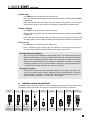
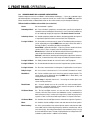
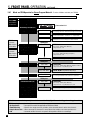
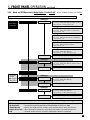
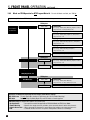
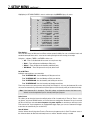
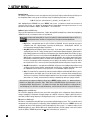
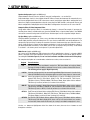
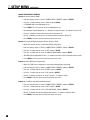
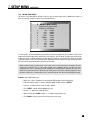
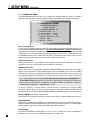
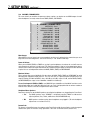
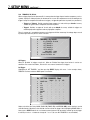
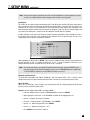
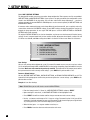
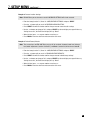
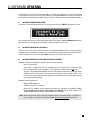
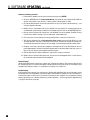
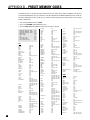
Mode and THX Operation for DTS Program Material – To make all Modes available, turn THX Off.
Cycle through Modes and THX using Master Control Knob (or North/South keys on remote control – see section 6).
THX Options
Press MODE
preset info in
section 7.4.5
None (5.1)
Press THX
THX Cinema
Processing – Re-EQ, Timbre Matching, Adp.Decorrelation
Output channels – 5.1 (LF, C, RF, RS, LS, Sub)
THX Ultra2 Cinema
Processing – Re-EQ, Timbre, Adp.Decor, ASA (Cinema)
Output channels – All
THX MusicMode
Processing – Timbre Matching, Adp.Decor, ASA (Music)
Output channels – All
THX Games Mode
Processing – Timbre Matching, ASA (Game)
Output channels – All
Press THX Twice
RE-EQ: On/Off using MCK (or N/S keys)
THX Options
Dolby PLIIx Movie (7.1)
Press THX
THX Cinema
Processing – Re-EQ, Timbre Matching, Adp.Decorrelation
Output channels – All
Press THX Twice
RE-EQ: On/Off using MCK (or N/S keys)
Dolby PLIIx Music (7.1)
Dolby Digital EX (6.1)
THX Options
DTS Neo:6 (6.1)
Press THX
THX Cinema
Processing – Re-EQ, Timbre Matching
Output channels – 6.1 (LF, C, RF, RS, Rear, LS, Sub)
Press THX Twice
RE-EQ: On/Off using MCK (or N/S keys)
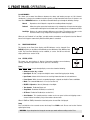
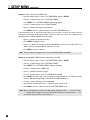
Selections are memorized separately for each Source and for DTS vs. DTS-ES.
DTS-ES Discrete: The only applicable selection is THX Cinema (6.1, Re-EQ, Timbre Matching).
Dolby Pro Logic IIx, Dolby Digital EX, and DTS Neo:6 can not be applied.
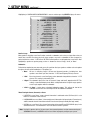
DTS 96/24:
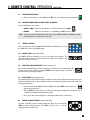
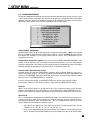
THX Processing (for complete descriptions see section 5.8.6):
• Re-Equalization
– De-emphasizes treble. Not applicable to THX MusicMode and THX Games Mode.
• Timbre Matching
– Matches the sound character, or timbre, of the surround channels to the front channels.
• Adaptive Decorrelation – When content of L/R Surrounds is mono, adjusts time and phase to restore spaciousness.
• ASA
– Surround and Rear channels are processed to provide a wide rear soundstage.
33