1
7. SETUP MENU continued …
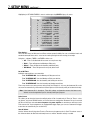
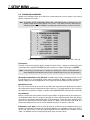
SOURCE SETUP/PRESET EXAMPLES
Example 1: Rename AUX to ‘GAME’.
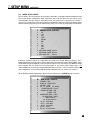
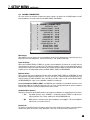
• Enter the Setup (section 7.1). Go to ‘5. SOURCE SETUP / PRESETS’ and press SELECT.
• Press the button until you reach ‘j. AUX’ and press SELECT.
• ‘a. RENAME: AUX’ will be highlighted in red.
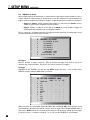
• Press SELECT. The first character ‘A’ will be highlighted in red.
• Use the Master Control Knob or the buttons to change characters. Change the first one to ‘G’.
• Press the button to move to the next character. Change it to ‘A’.
• Use the buttons to move to each remaining character. Change to ‘M’ and ‘E’.
• Press BACK to leave the submenu and return to the main menu.
Example 2: Change SAT Digital Input from ‘RCA’ to ‘Toslink1’ (TOS1).
• Make sure satellite receiver is connected to TOS1 and playing.
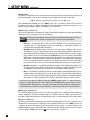
• Enter the Setup (section 7.1). Go to ‘5. SOURCE SETUP / PRESETS’ and press SELECT.
• Press the button until you reach ‘h. SAT’ and press SELECT.
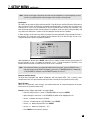
• Press the button until you reach ‘b. AUDIO IN: Dig RCA DVD’ and press SELECT.
• ‘RCA DVD’ will be highlighted. Use the buttons to change to ‘TOS1’ (sound will now be heard).
• Press BACK to leave the submenu and return to the main menu.
Example 3: Adjust TAPE Source Equalization.
• Make sure TAPE source component is connected to Analog Inputs and playing.
• Enter the Setup (section 7.1). Go to ‘5. SOURCE SETUP / PRESETS’ and press SELECT.
• Press the button until you reach ‘d. TAPE’ and press SELECT.
• Press the button until you reach ‘c. EQ’ and press SELECT.
• Use the buttons to move to ‘LF’ or ‘HF’. Use the buttons to adjust.
• Press BACK to leave the submenu and return to the main menu.
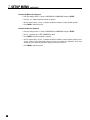
Example 4: Set SAT Lip-Sync Delay to 60 milliseconds.
• Enter the Setup (section 7.1). Go to ‘5. SOURCE SETUP / PRESETS’ and press SELECT.
• Press the button until you reach ‘h. SAT’ and press SELECT.
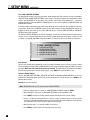
• Press the button until you reach ‘f. LIP-SYNC DELAY’ and press SELECT.
• Use the buttons to move from digit to digit and the buttons to adjust to ‘60 ms’.
• Press BACK to leave the submenu and return to the main menu.
55