1
XL-HP404V
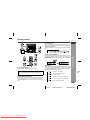
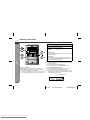
Listening to a cassette tape
ENGLISH
Tape Playback
Before playback:
" For playback, use normal or low-noise tapes for
the best sound. (Metal or CrO tapes are not recommended.)
" Do not use C-120 tapes or poor-quality tapes, as
they may cause malfunctions.
" Before loading a tape into the cassette compartment,
tighten the slack with a pen or a pencil.
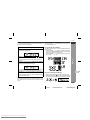
! Tape playback
1
2
3
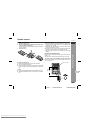
Press the ON/STAND-BY button to turn the power on.
4
Load a cassette into the cassette compartment with side A
facing you.
5
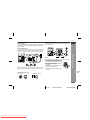
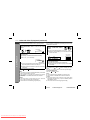
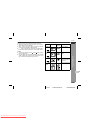
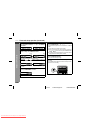
Press the
button to choose one side or both
sides.
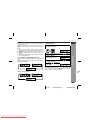
... To listen to both sides.
To play both sides ( ), start from side A. When playback starts
from side B, side A will not be played.
... For endless repeat play of both sides.
... To listen to one side.
6
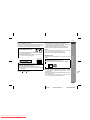
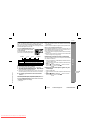
Press the / ( ) button to listen to side A, or the
button for side B.
Press the TAPE button.
Open the cassette door by pushing the area marked " PUSH
EJECT".
Forward play
( )
Reverse play
E-31
04/2/9
Downloaded From Disc-Player.com Sharp Manuals
XL-HP404V(Z)E4.fm
TINSZA059AWZZ