1
Biometric EXP EVB UG
2. Loading the Demo onto the Gecko Starter Kit
The following steps will load the demo firmware onto the Gecko STK. This process requires Simplicity Studio which
is available for download at www.silabs.com/simplicity-studio.
1. Use a USB mini type cable to connect the J-Link debug interface on the Gecko STK to the PC and set the
3-position Power Source Select switch to DBG (right most position).
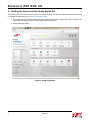
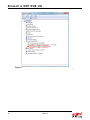
2. Launch Simplicity Studio.
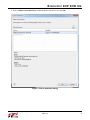
Figure 2. Simplicity Studio
2
Rev. 0.2