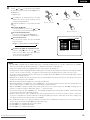
1
POWER
ENGLISH
VCR POWER
TV POWER
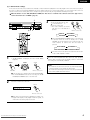
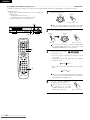
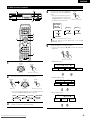
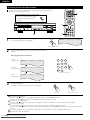
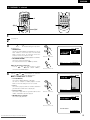
(3) Playing Repeatedly
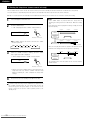
2 Use this function to play your favourite audio or video sections repeatedly.
MODE
VOLUME
BAND
MUTE
SHIFT
NTSC/PAL STATUS
CH
MEMO
TU
SUB TITLE
AUDIO
PROG/DIRECT REPEAT A-B
[2] -1,2
CH.SELECT
SETUP
T.TONE
ANGLE
TOP MENU
REPEAT
RANDOM
SDB/TONE
SURR.PARA
CDR/MD/TAPE TUNER/TV/VCR
REMOCON MODE
[1] -1
DVD
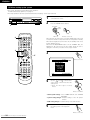
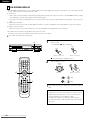
Before operating the remote control
unit!
• Be sure to set the DVD mode using
DVD
the remote control
mode selector buttons.
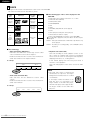
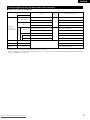
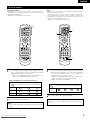
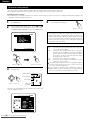
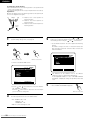
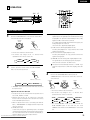
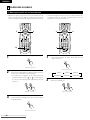
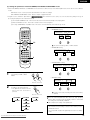
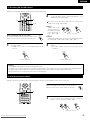
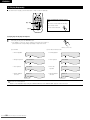
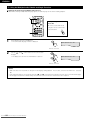
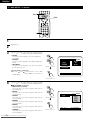
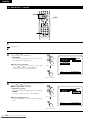
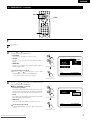
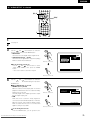
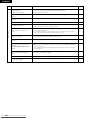
[1] Playing Repeatedly (Repeat Playback)
1
REPEAT
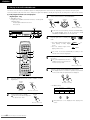
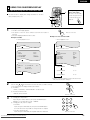
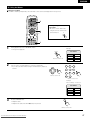
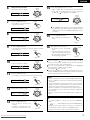
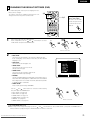
In the play mode, press the REPEAT button.
• The display on the TV screen switches each time the button is
pressed, and the corresponding repeat play or stop mode is set.
Remote control unit
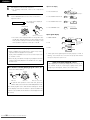
q For DVDs
w For video and music CDs
• Normal playback
• Normal playback
• Chapter repeated
CHAPTER REPEAT
• Track repeated
TRACK REPEAT
• Title repeated
TITLE REPEAT
• Entire disc
repeated
DISC REPEAT
• Repeat playback
canceled
REPEAT OFF
• Repeat playback
canceled
REPEAT OFF
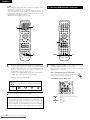
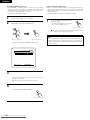
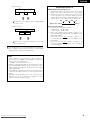
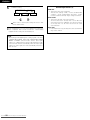
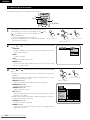
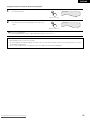
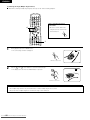
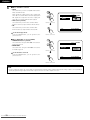
To return to normal playback:
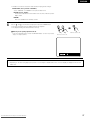
Return to normal playback by pressing the REPEAT A-B button until “REPEAT OFF” appears on the TV screen.
58 From Disc-Player.com Denon Manuals
Downloaded