1
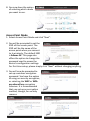
the list of wireless networks. Select
the wireless network you wish to
connect to, and click “Next” to
continue.
4. If the wireless network you selected
requires a network security key,
enter it here. If you do not know the
network security key then please
refer to Appendix “How to Find Your
Network Security Key” for guidance.
Click “Next” to continue when
finished.
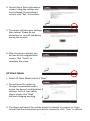
5. You will see a final confirmation
screen, listing the settings you have
selected. If everything is correct,
click “Set” to continue.
6. The device will save your settings,
then reboot. Please do not
disconnect or turn off the device
during this process.
7. After the device reboots, you will see
a final congratulation screen. Click
“Finish” to complete the setup.
8