1
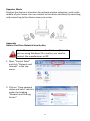
Repeater Mode (WiFi Extender)
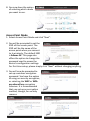
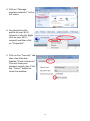
1. Select Repeater Mode and click “Next”.
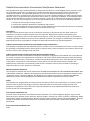
2. You will be prompted to set the
SSID of this device. The SSID will
be the name of the device when
you connect to it wirelessly. The
default SSID is Edimax AP, you
are option to change it to the
same SSID as your current
wireless network. This page also
offers the option to change the
password used to access the device’s configuration settings.
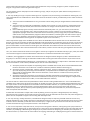
3. The device will search for nearby
wireless networks to connect to. If
you cannot find the access point
you wish to connect to, click
“Scan” to refresh the list of
wireless networks. Select the
wireless network you wish to
connect to, and click “Next” to
continue.
4. If the wireless network you selected requires a network security key, enter
it here. If you do not know the network security key then please refer to
Appendix “How to Find Your Network Security Key” for guidance. Click
“Next” to continue when finished.
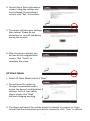
5. You will see a final confirmation
screen, listing the settings you
have selected. If everything is
correct, click “Set” to continue.
9