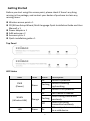
1
Flashing
Off
Data is being transmitted
through the Ethernet cable.
No valid connection.
Rear Panel
(a) Antenna
(1 of 2)
(b) WPS/Reset
Button
(a) Antenna
(2 of 2)
(c) LAN Port
(d) Power Port
a. Antenna Connector
This is where you connect the antennas. It is a round connector (standard
reverse SMA).
b. WPS/Reset Button
Press this button for less than 5 seconds to activate the WPS function. Press
and hold this button for 10 seconds, until the PWR LED starts flashing, to
reset the access point to factory default settings.
c. LAN Port
Connects this access point to other Ethernet devices (switches, routers or
other wired network devices) – for the EW-7415PDn this is where you
connect the access point to a PoE switch.
d. 5V DC
This is where you connect the power adapter.
Note: If you are using the EW-7415PDn with a PoE
switch, you do not need to connect the power
adapter.
3