1
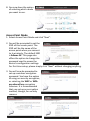
4. You will see a final confirmation
screen, listing the settings you
have selected. If everything is
correct, click “Set” to continue.
5. The device will save your settings,
then reboot. Please do not
disconnect or turn off the device
during this process.
6. After the device reboots, you
will see a final congratulation
screen. Click “Finish” to
complete the setup.
AP Client Mode
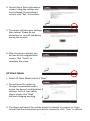
1. Select AP Client Mode and click “Next”.
2. You will have the option to
change the password used to
access the device’s configuration
settings. For first time setup,
please simply click “Next”
without changing anything.
3. The device will search for nearby wireless networks to connect to. If you
cannot find the access point you wish to connect to, click “Scan” to refresh
7