1
Troubleshooting, continued
Your remote control does not work well when
controlling the Hopper or the Joey.
What to do: Move your receiver to different
locations. For best results, place the receiver as
high as possible, above all other equipment in your
entertainment center.
Your remote control does not work well when
controlling a TV, DVD, or AUX device.
What to do: There may be IR interference from
objects near the receiver. Make sure there is a direct
line of sight between the remote and the device.
Your remote control seems to have stopped
working.
What to do: Press one or more buttons on the
remote to wake the remote control. The remote
control may have gone to sleep to reduce battery
drain. If your remote is still unresponsive, take out
the batteries and press any button for three seconds,
then reinsert the batteries.
Your picture is snowy (or black or blue).
What to do: Make sure your TV is tuned to the
correct channel. You may have accidentally changed
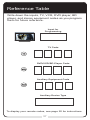
the channel on your TV. Check the Reference Table
on page 37 to see what channel your TV is tuned to.
When you press the remote control MUTE or
VOLUME button, nothing happens.
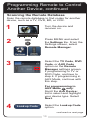
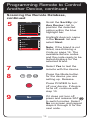
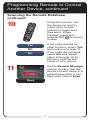
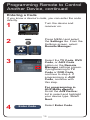
What to do: Program the remote to control your TV.
See Programming Remote to Control Another Device
on page 12. If you are trying to control TV volume, but
the remote is set up to control a tuner or amplifier in
AUX mode, then see Control TV Volume on page 25.
The receiver does things even though you haven’t
pressed any remote control buttons.
What to do: Check the System Info screen to
view a list of remotes paired to your receiver. Unpair the unwanted remote controls from this screen.
See Avoiding RF Interference on page 23 for more
information.
27