1
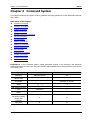
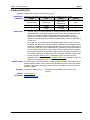
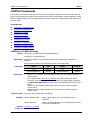
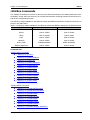
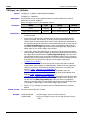
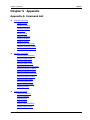
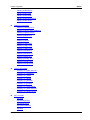
RIGOL Document Overview This manual introduces how to program the signal generator over the remote interfaces in details. Main Topics in this Manual: Chapter 1 Programming Overview This chapter introduces how to build the remote communication between the signal generator and PC and how to control the signal generator remotely. It also introduces the syntax, symbols, parameter types and abbreviation rules of the SCPI commands. Chapter 2 Command System This chapter introduces the syntax, function, parameters and using instructions of each DG1000Z command in A-Z order. Chapter 3 Application Examples This chapter provides the application examples of the main functions of the signal generator. In the examples, a series of commands are combined to realize the basic functions of the signal generator. Chapter 4 Programming Demos This chapter introduces how to program and control DG1000Z using various development tools, such as Visual C++, Visual Basic and LabVIEW. Chapter 5 Appendix This chapter provides the command list and the factory settings. Tip For the newest version of this manual, download it from www.rigol.com. Format Conventions in this Manual: 1. Button The function key at the front panel is denoted by the format of “Button Name (Bold) + Text Box” in the manual, for example, Utility denotes the “Utility” key. 2. Menu The menu item is denoted by the format of “Menu Word (Bold) + Character Shading” in the manual, for example, System denotes the “System” item under Utility. 3. Operation Step The next step of the operation is denoted by an arrow “” in the manual. For example, Utility System denotes pressing Utility at the front panel and then pressing System. Content Conventions in this Manual: DG1000Z series function/arbitrary waveform generator includes the following models. Unless otherwise noted in this manual, DG1062Z is taken as an example to introduce each command of the DG1000Z series. II Model Channels Max. Output Frequency DG1062Z 2 60MHz DG1032Z 2 30MHz DG1000Z Programming Guide



















![[SOURce[1|2]]](http://vs1.manualzilla.com/store/data/005803287_1-72ff358839cd16ae2e8c94de56269657-150x150.png)