1
English
Appendices
Troubleshooting
If you experience trouble with the projector, refer to the following. If the
problem persists, please contact your local reseller or service center.
Problem: No image appears on screen.
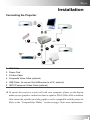
Ensure all the cables and power connections are correctly and securely connected
as described in the “Installation” section.
Ensure the pins of connectors are not crooked or broken.
Check if the projection lamp has been securely installed. Please refer to the
“Changing the lamp” section.
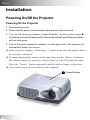
Make sure you have removed the lens cap and the projector is switched on.
If you are using a Notebook PC:
1. Frist set computer resolution to recommend setting.
2. Switch the Notebook PC display to the “external display only” or “CRT only”
mode.
If you experience difficulty change resolutions or your monitor freezes, restart all
the equipment and the projector.
28