1
Aton CLT109 / Swisscom EN / A31008-M2007-F151-1-2X19 / starting.fm / 04.02.2009
Using the phone
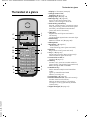
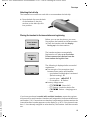
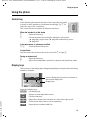
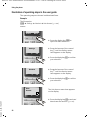
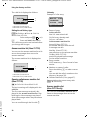
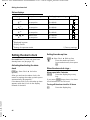
Keys on the keypad
c / Q / * etc.
Press the matching key on the handset.
~
Enter digits or letters.
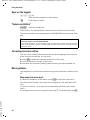
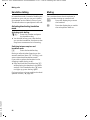
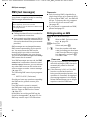
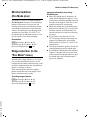
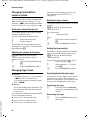
"Swisscom Hotline"
§§§§Hotline§§§§
Press the display key.
Select Hotline. You will be directly connected to the Swisscom Voice Portal.
The access number is pre-programmed as 0848 849 850 and cannot be changed.
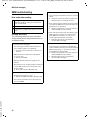
Please note :
Swisscom Contact Center 0800 800 800
If you need assistance, do not hesitate to call our freephone number for telecommunication: fixed network, mobile, broadband DSL, Bluewin TV, questions relating to billing
and much more.
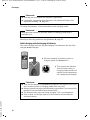
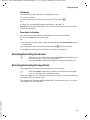
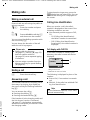
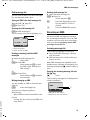
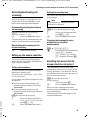
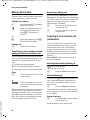
Correcting incorrect entries
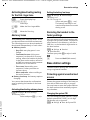
You can correct incorrect characters in the text by navigating to the incorrect
entry using the control key. You can then:
u press X to delete the character to the left of the cursor,
u insert characters to the left of the cursor,
u overwrite the character (flashing) when entering the time and date etc.
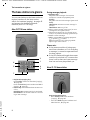
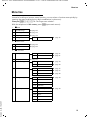
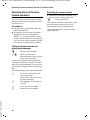
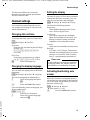
Menu guidance
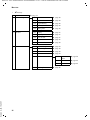
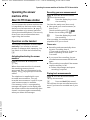
Your telephone's functions are accessed using a menu that has a number of levels.
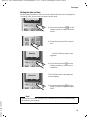
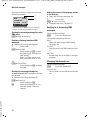
Main menu (first menu level)
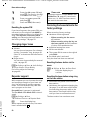
¤ When the handset is in idle status, press §Menu§ to open the main menu
Version 4, 29.10.2007
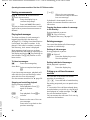
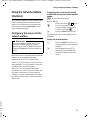
The main menu functions are shown on the display as a list with name and
icon.
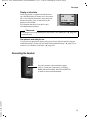
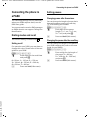
To access a function, i.e. to open the corresponding submenu (next menu
level):
¤ Navigate to the function using the control key q. Press the display key §OK§.
20