1
Aton CLT109 / Swisscom EN / A31008-M2007-F151-1-2X19 / overview.fm / 04.02.2009
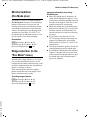
The base station at a glance
The base station at a glance
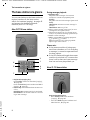
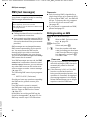
You can use the keys on the base station to
register handsets to the base station,
search for handsets (paging), ¢ page 45
and operate the integrated answer
machine (Aton CLT110 only).
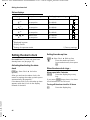
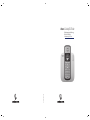
Aton CLT110 base station
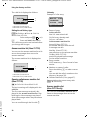
During message playback:
3 Play/Stop key:
Play back new messages from answer
machine or cancel the playback (press
briefly).
Play back new and old messages (press and
hold).
LED flashes: At least one new message is
present.
LED flickers: Memory is full.
4 Skip to next message (press once) or next
message but one (press twice).
5 Skip back to beginning of message (press
once) or to previous message (press twice).
6 Delete current message.
7 Adjust volume during message playback:
ð = quieter; ñ = louder.
While an external call is being signalled:
adjust ringer tone volume.
Please note:
u If the answer machine is being oper-
6
1
ated from a handset or if it is recording
a message, it cannot be operated from
the base station.
u If the LED flashes although the answer
machine is switched off, it means that
there is still at least one new message
that has not been played back yet.
5
4
3
Aton CL110 base station
2
7
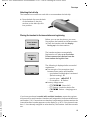
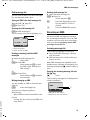
1 Registration/paging key:
Press briefly: Search for handsets (paging),
page 45.
Press and hold: Register handsets and DECT
page 45.
devices,
2 On/Off key: Activate/deactivate answer machine.
LED lights up: Answer machine is activated.
LED flashes: The answer machine is recording a new message.
¢
¢
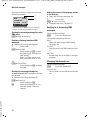
Registration/Paging key:
– Press briefly: Search for handsets
page 45.
(paging),
– Press and hold: Register handsets and
page 45.
DECT devices,
Version 4, 29.10.2007
¢
2
¢