1
Aton CLT109 / Swisscom EN / A31008-M2007-F151-1-2X19 / registr_sett.fm / 04.02.2009
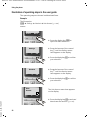
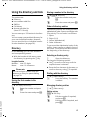
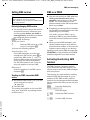
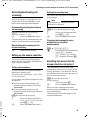
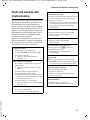
Setting the alarm clock
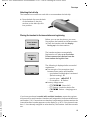
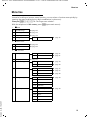
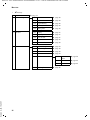
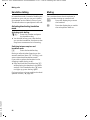
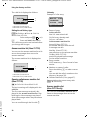
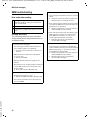
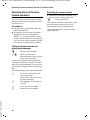
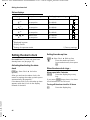
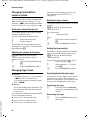
Status displays
Display icon
¼
| 2)
¼ 1)
| 2)
Ð i Ñ
| 2)
1)
Ð i Ñ
| 2)
Reception strength
Setting/ programming
good
no reception
Eco Mode+
Eco Mode
good
no reception
Eco Mode+
Eco Mode
good to low
no reception
Eco Mode+
Eco Mode
good to low
no reception
Eco Mode+
Eco Mode
On/Off
‰ *
*
‰
‰
‰
3)
1)
Displayed in green
Display flashes
3) Setting for repeater mode
2)
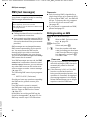
Setting the alarm clock
Precondition: The date and time have
already been set (¢ page 15).
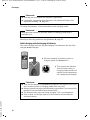
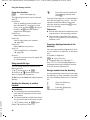
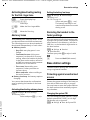
Activating/deactivating the alarm
clock
§Menu§
¢ Alarm Clock ¢ Activation
Version 4, 29.10.2007
(‰ = on)
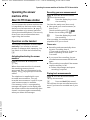
After you activate the alarm clock, the
menu for setting the wake-up time opens
automatically (¢ page 44).
If the alarm clock is set, the wake-up time
appears with the ¼ icon in the display
instead of the date.
44
*) Factory settings
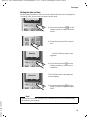
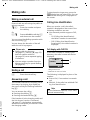
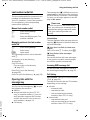
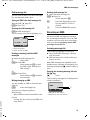
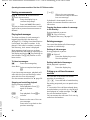
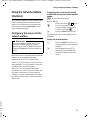
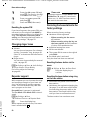
Setting the wake-up time
§Menu§
~
¢ Alarm Clock ¢ Wake up time
Enter the wake-up time in
hours and minutes, then press
§OK§.
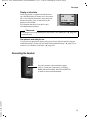
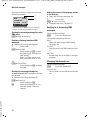
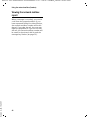
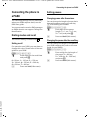
When the alarm clock rings…
Alarm repeat after 5 minutes
Press the display key or any
key.
If you press §Snooze§ three times, the alarm
clock switches off for 24 hours.
§Snooze§
Turning off the alarm clock for 24 hours
§Off§
Press the display key.