1
2.1 A Quick Tour of the UTC-520A/B
Before you start to set up the UTC-520A/B, take a moment to become familiar with
the locations and purposes of the controls, drives, connectors and ports, which are
illustrated in the figures below.
When you place the UTC-520A/B upright on the desktop, its front panel appears as
shown in Figure 2.1.
Figure 2.1 Front view of UTC-520A/B
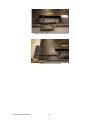
When you turn the UTC-520A/B around and look at its rear cover, you will find the I/O
section as shown in Fig. 2.2. (The I/O section includes various I/O ports, including
serial ports, Ethernet ports, USB ports, the VGA, and CFAST/ HDMI/MIC-IN/LINEOUT slot so on.)
Figure 2.2 Rear view of UTC-520A/B
UTC-520A/B User Manual
8