1
Next, use iMovie to compress and encode the DV footage for streaming:
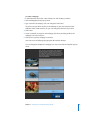
1 In iMovie, choose File > Export Movie.
2 Choose To QuickTime from the Export Movie pop-up menu.
3 Choose a movie format from the Formats pop-up menu.
You can choose one of the QuickTime formats optimized for different uses or choose
Expert, which provides custom QuickTime settings such as MPEG-4 Video.
4 Click Export.
5 Name your movie, select a destination for the file, and click Save.
The time it takes to save the movie depends on the movie’s length and the format you
chose.
Note: You may want to save more than one archive streaming file, each compressed for
a different connection speed. For example, you might choose lower compression
settings for clients on the campus network and higher compression settings for clients
connecting over the Internet.
6 After you have saved the encoded file or files, check to make sure every file streams
properly.
Chapter 6 Setup Example
69