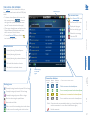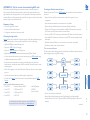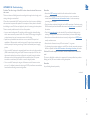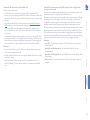
1
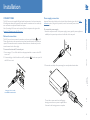
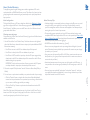
The A.I.M. server is supplied pre-loaded and is straightforward to deploy, requiring only a
network connection and a power input to begin operation.
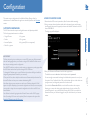
All configuration of your AdderLink Infinity transmitters (channels), receivers and users
are performed using the intuitive A.I.M. browser interface via a network connected
computer.
AdderLink
ADM
USR
UNC
ETH1
ETH2
PWR
ADM
USR
UNC
ETH1
ETH2
PWR
MANAGEMENT SERVER
www.adder.com
CONFIGURATION
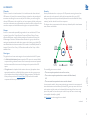
AdderLink Infinity transmitter and receiver units allow multiple remote users to access
host computers in a very flexible manner. Such flexibility requires management and
coordination – that is where A.I.M. (AdderLink Infinity Manager) becomes vital.
A.I.M. is designed to promote the most efficient use of AdderLink Infinity (ALIF) units
by allowing central control over any number of transmitters and receivers. Using the
intuitive A.I.M. web-based interface, one or more administrators can manage potentially
thousands of users who are interacting with an almost unlimited number of devices.
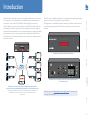
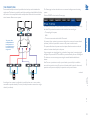
A.I.M. operates as a self-contained compact server unit that can be situated anywhere
within your network:
INSTALLATION
Introduction
COM 2
12V
COM 3
1
2
OPERATION
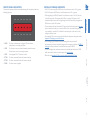
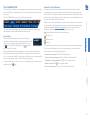
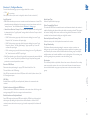
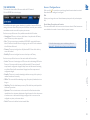
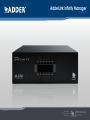
The A.I.M. server front panel with status indicators
COM 1
5A
The A.I.M. server rear panel. In normal use only the network and power
connectors are used.
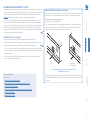
Please see the section Basic steps for a new configuration for assistance with
creating A.I.M. installations.
INDEX
The A.I.M. server connects to your network and provides administrative
control over the various AdderLink Infinity transmitters, receivers and their users.
Note: Although the AdderLink Infinity units require Gigabit Ethernet connections, in its
administrative role, the A.I.M. server requires only a 10/100Mbps connection
to the network.
FURTHER
INFORMATION
INDOOR USE ONLY
2