1
Search
Search
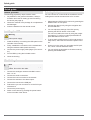
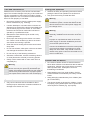
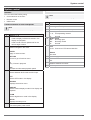
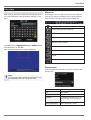
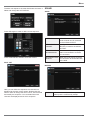
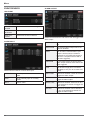
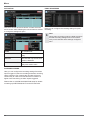
In the Search menu you can search for recorded data by
date and time or events.
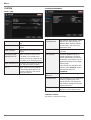
SEARCH BY EVENT
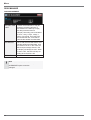
Note
To protect unauthorized viewing and distribution of
data, only the ADMIN user level can archive data.
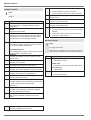
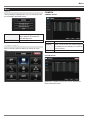
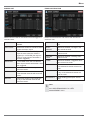
SEARCH BY TIME
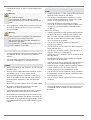
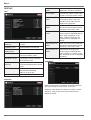
Here you can search the log file for different events.
Select the channel, start and end time, the kind of event
press search to display the result. Before pressing the
SEARCH button you can determine the order by selecting NEAREST or FARTHEST. By double-clicking a
search result immediate playback is started.
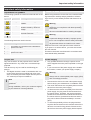
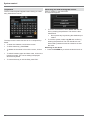
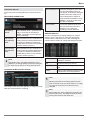
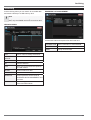
Calendar
Days with recorded data are marked in
the calendar.
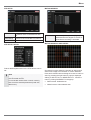
Time bar
In the time bar all recordings are displayed for each channel.
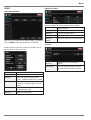
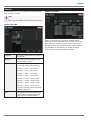
PANO
One channel is displayed thumbnail
preview with different time periods:
Channel 1 = 0:00 – 3:00 o’clock
Channel 1 = 3:00 – 6:00 o’clock
Channel 1 = 6:00 – 9:00 o’clock
Channel 1 = 9:00 – 12:00 o’clock
Channel 1 = 12:00 – 15:00 o’clock
Channel 1 = 15:00 – 18:00 o’clock
Channel 1 = 18:00 – 21:00 o’clock
Channel 1 = 21:00 – 24:00 o’clock
The user can easily view one camera
at different daytimes.
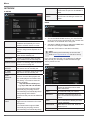
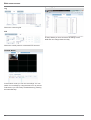
PLAY
Start playback from the selected time.
In the playback controls there is the
option to start immediate backup.
30