1
all.book
Page 74
Friday, September 28, 2001 4:07 PM
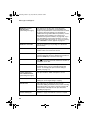
Messages and Signals
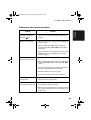
MEMORY IS FULL/
SEE MANUAL
(alternating messages)
The memory is full. This may occur during fax
reception if too much data is received before the
pages can be printed out. If faxes have been received
to memory because printing is not possible (an
additional message will indicate the problem), resolve
the problem so that printing can continue (see
Substitute Reception to Memory on page 46). If you
are attempting to transmit from memory, see If the
memory becomes full on page 37. If you are copying,
see If MEMORY IS FULL appears on page 47.
MEMORY PRINTING
The fax is preparing to or printing out a document
from memory.
NO DATA
This appears if you attempt to search for an auto-dial
number when none have been stored.
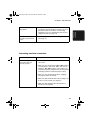
OFF HOOK
This appears if you forgot to replace the handset after
using it to dial and send a fax. Replace the handset or
press the STOP key to clear the message.
ON HOOK DIAL
The
key has been pressed and the fax machine is
waiting for you to dial.
OVER HEAT
The print head has overheated. Operation can be
continued after it cools. If overheating frequently
occurs, try changing the print contrast setting to
LIGHT (see page 17).
PRINT HEAD FAIL/
YOU NEED SERVICE
(alternating messages)
The print head has failed and requires service.
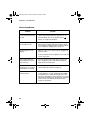
READY TO SEND
A document has been loaded and the fax machine is
waiting for you to begin faxing or copying.
RECALLING
This appears if you attempt to send a fax by
automatic dialling and the line is busy or the receiving
fax machine does not answer. Your fax machine will
automatically reattempt the call. (See Automatic
redialling on page 35.)
TOTAL PAGE(S) 01
Number of pages transmitted, received, or copied.
74