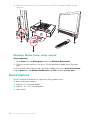
1
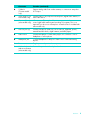
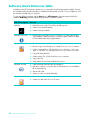
Activity LED indicator lights
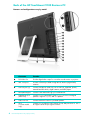
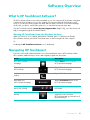
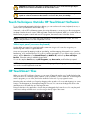
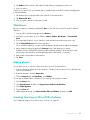
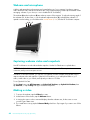
The following are the activity indicator light-emitting diodes (LEDs) on your HP TouchSmart 9100 Business
PC:
LED
What it Does
1
Webcam
Indicates webcam activity.
2
Power
Indicates the power state: blue indicates power on, and amber
indicates Sleep mode.
3
Hard disk drive
Indicates hard disk drive activity.
4
Memory card reader
Indicates memory card reader activity. When the LED is flashing, do
not remove your memory card.
When the LED is off, no card is inserted. A solid LED indicates that a
card is inserted with no read or write capacity. A flashing LED
indicates that there is memory card activity, and that a card has
read/write capacity.
10
5
Remote control IR receiver
(select models only)
Indicates that your computer is working with your remote control to
navigate windows, record TV shows, and perform other activities in
Windows Media Center.
6
Wireless keyboard and
mouse receiver (select
models only)
Indicates wireless signals received from optional wireless keyboard
and mouse. The LED is visible from the back of the computer.
7
Optical disc drive
Indicates optical disc drive is in use.
User Guide (Features may vary by model)