1
Using a Bluetooth Wireless Headset (IP-8024 only)
B-4
Appendix B: IP PHONE SETUP
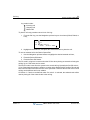
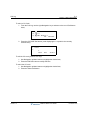
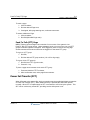
6. Press the NEXT Soft button,
7. Press the OK soft button,
8. Enter the PIN code referring to the Bluetooth headset manual (default=0000),
9. Press OK Soft button.
To unpair the BTU headset:
1. Set the Bluetooth headset to pairing mode,
2. Press the [TRANS/PGM] button,
3. Dial 63,
4. Dial 2 (disable),
5. Press the OK Soft button.
To check BTU paired information:
1. Press the [TRANS/PGM] button,
2. Dial 63,
3. Dial 3,
4. Press the OK Soft button.
To use the BTU headset:
1. Press the [SPEAKER] button,
OR
2. Press the "Call Start" button on the BTU headset,
3. Place call as you normally would.
To answer a call with the BTU headset:
1. When an incoming call is received, ringing will be present at the Station and the BT
headset,
2. Press the BT "Call Start" button, or press the [SPEAKER] button,
OR
3. Lift the handset.
NOTE:
Release 1.0
When the BTU is used for a call, the [SPEAKER] button LED will illuminate and the speaker
mode cannot be used. If the phone handset is taken off-hook while in BT mode, the voice path
will directly be connected to the handset; press the [SPEAKER] button to activate the BTU
headset.
MBX IP Station User Guide
November 2010