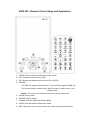
1
BPR-101 User Interface
1. Main menu
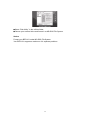
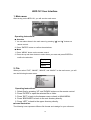
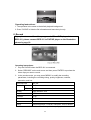
After turning on the BPR-101, you will see the main menu.
Operating Instructions:
■
Selection
1. You can select items in the main menu by pressing “◄” and “►” buttons on
remote control.
2. Press “ENTER” button to confirm the selections.
■
Menu
1. Press “MENU” button on the remote control.
2. Press the up and down button to select items you want and press ENTER to
confirm the selection.
Display
System
Option
2. File
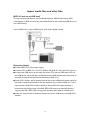
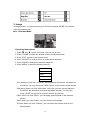
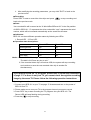
When you select “FILE”, “IMAGE”, “MOVIE”, and “MUSIC” on the main menu, you will
see the following browser menu.
Operating Instructions:
1. Select files by pressing ‘UP’ and ‘DOWN’ buttons on the remote control.
2. Press ‘ENTER’ to open the selected file or folder.
3. Press ‘EXIT’ to back to the browser menu or back to MAIN MENU.
4. Press “BROWSER” to back to the root directory directly.
5. Press ‘LEFT’ to back to the upper directory directly.
■
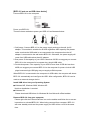
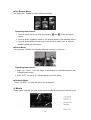
Icons illustration:
The following icons represent different file formats and catalogs for your reference.
18