1
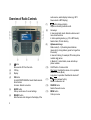
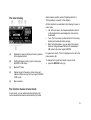
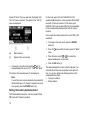
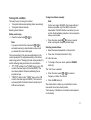
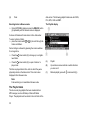
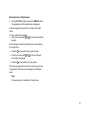
Switch between the settings with the rocker switch or (8). "TRAFFIC" : Priority on. "TRAFFIC" : Priority off. Receiving an alternative frequency of a station Note: The functions Alternative Frequency and Regional are available only in FM mode for the tuner region EUROPE. Press the OK button (4) to select a different function, or press the DIS ESC button (6) to exit the menu. Note: For the device to switch through traffic reports, a station must be defined that supports TA or belongs to a broadcasting network with traffic information stations. A signal tone appears if you leave the broadcast area of the traffic information station or switch to a station that does not support the traffic information priority. If a different audio source than the tuner is active, the device automatically searches for a traffic information station in the background. Skipping a traffic announcement To cancel a traffic announcement without switching off the priority of traffic announcements, press the DIS-ESC button (6). The previously active audio source is played again. If a traffic announcement is broadcast again, the device automatically switches it through again. The device can automatically switch to the best alternative frequency of the same station if the reception becomes poor. Allowing/preventing alternative frequencies (RDS) To switch RDS on/off, press the MENU button (13). The Tuner menu opens, the "RDS" function is selected. Press the OK button (4). Switch between the settings with the rocker switch or (8). "RDS" : RDS on, allowing alternative frequencies. "RDS" : RDS off, preventing alternative frequencies. Press the OK button (4) to select a different function, or press the DIS ESC button (6) to exit the menu. 21