1
Polycom® VVX® Series
Business Media Phone User Guide
Headsets – Analog, USB & Bluetooth
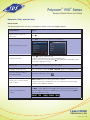
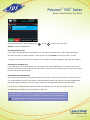
You can connect an analog and/or USB headset to your phone. If an analog headset is connected,
glows green. If a USB headset is connected,
glows blue. If both an analog and USB headset are
connected, the USB headset will be used. If two USB headsets are connected, the headset you connected first
will be used.
If you use a headset, you can set up your phone so that all calls use your headset. If you use a headset that
supports electronic hookswitch (EHS), you can press the hookswitch button to place, answer, and end calls. In
addition, you may be able to mute calls and control volume from your headset.
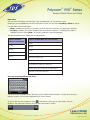
If you have a VVX 600, your phone supports Bluetooth headsets. If your system administrator enables
Bluetooth capability for your phone, you can use a Bluetooth device to handle calls. If a Bluetooth headset is
connected and in use, glows blue. If analog, digital, and Bluetooth headsets are connected to your phone
at one time, the Bluetooth headset will be used.
Enabling Headset Memory Mode
This feature is useful for permanent or full-time headset users. You can set up your phone so that all incoming
and outgoing calls use your headset. At any time, you can switch to handset or speakerphone mode.Note:
Headset Memory Mode must be enabled and then and then it can be activated.
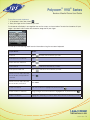
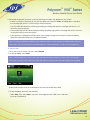
To enable Headset Memory Mode:
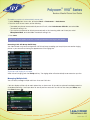
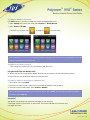
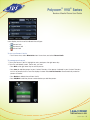
1. Select Settings from Home view, and press Basic > Preferences > Headset > Headset Memory.
2. From the Headset Memory Mode screen, press Enabled.
3. Press
.
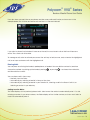
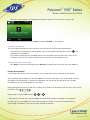
4. To activate Headset Memory Mode, press
twice.
Note: When answering a call, the call will connect to your headset automaticallyIf you switch to the
speakerphone or the handset, you deactivate Headset Memory Mode and calls will no longer
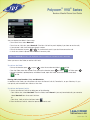
automatically go to your headset. To have calls go to your headset again, activate Headset Memory
Mode by pressing
twice.
Bluetooth Headsets (VVX600 Only)
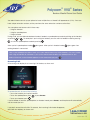
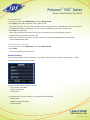
If you have a VVX600 phone and your system administrator enables Bluetooth capability, you can use a
Bluetooth headset with your phone to handle calls.
Before you can use your Bluetooth headset with your phone, you need to turn on the Bluetooth option on your
phone, and then pair and connect your Bluetooth device with your phone.
1-866-9-TDSBIZ
tdsbusiness.com
157149/4-14/8571
21