1
Installation ........................................................................................................ 28
Precautions .................................................................................................. 28
Before installing the display ........................................................................ 28
Portrait or landscape position ..................................................................... 29
Connecting the signal cables ...................................................................... 29
Routing the signal cables ............................................................................ 31
Using the USB hub ...................................................................................... 32
Tilt and swivel positioning ........................................................................... 32
Starting up .................................................................................................... 32
Operation .......................................................................................................... 33
Switching to stand-by position ..................................................................... 33
Controlling the display ................................................................................. 33
Using the Autoset* functions ....................................................................... 35
Controlling Video Contrast* and Video Brightness* ................................... 36
Setting the Luminance value ....................................................................... 37
Making adjustments .................................................................................... 38
Selecting inputs ........................................................................................... 40
Settings ........................................................................................................ 41
Preset ........................................................................................................... 42
Getting information ...................................................................................... 43
Advanced functions .......................................................................................... 45
About this chapter ........................................................................................ 45
Advanced functions in the Adjustments menu ............................................ 46
Advanced functions in the Settings menu ................................................... 47
Advanced functions in the Preset menu ...................................................... 49
Advanced functions in the Information menu .............................................. 49
Maintenance ..................................................................................................... 51
Troubleshooting ............................................................................................... 52
Technical specifications ................................................................................... 53
Barcomed software driver installation .......................................................... 57
Software Installation ......................................................................................... 59
Overview ....................................................................................................... 59
Software ................................................................................................... 59
BarcoMed Software Installation Wizard .................................................. 59
Software Installation ......................................................................................... 61
Installing the BarcoMed 3MP2FH, 2MP2FH or 1MP2FH Windows NT 4.0
Software ....................................................................................................... 61
Using the BarcoMed Product Installation Wizard ................................... 61
Driver Installation ..................................................................................... 63
BARCO DPMS Screen Saver Installation ............................................... 64
CORONIS Rotation Service Installation .................................................. 66
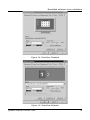
Setting the Resolution of Your CORONIS Display Panel ....................... 67
Reinstalling the BarcoMed Driver ........................................................... 69
System manual Coronis 1MP
4